
1. Product Overview
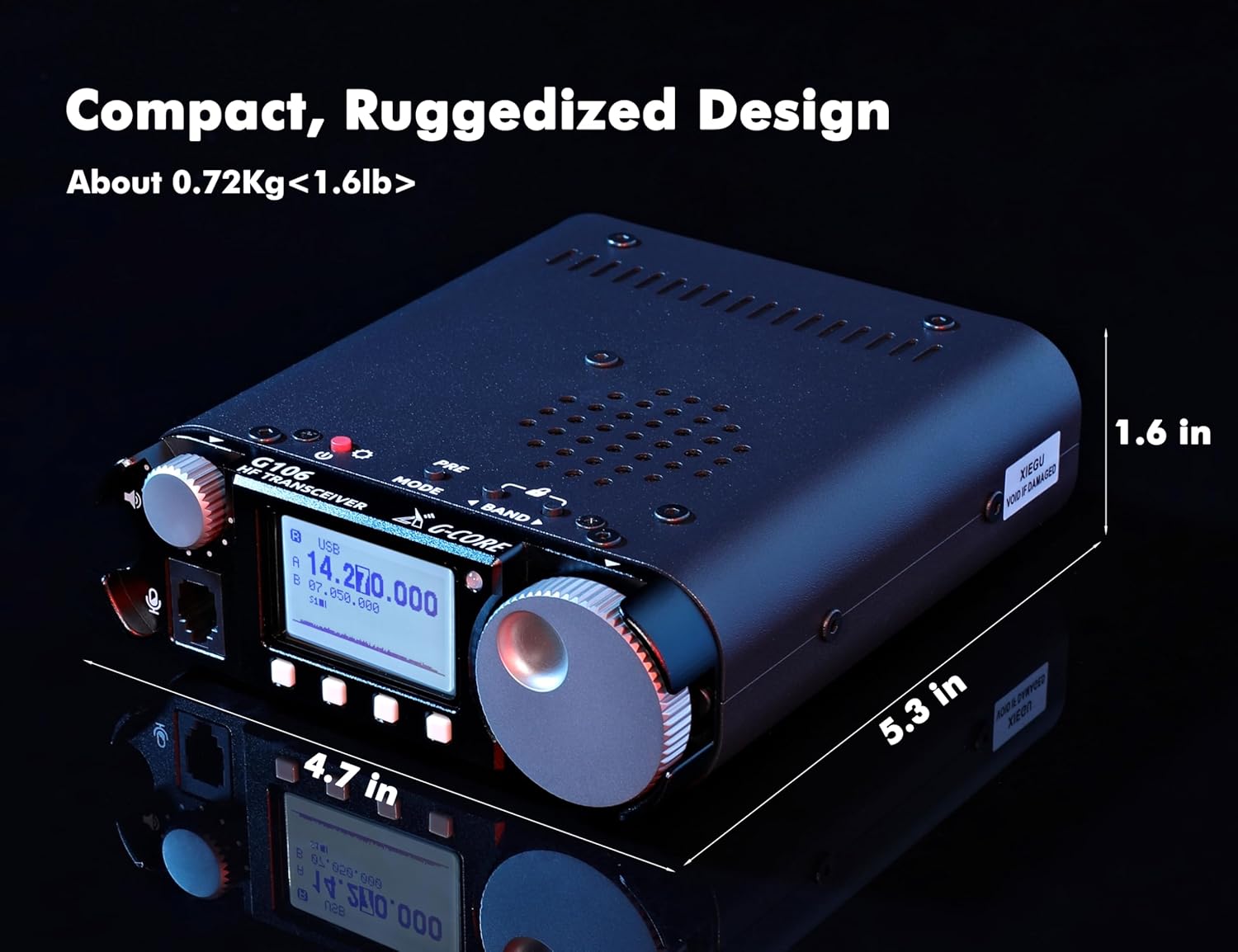
The Xiegu G106 is a high-performance Software Defined Radio (SDR) HF transceiver designed for amateur radio enthusiasts. It supports multiple operating modes including SSB, CW, AM, and WFM, offering versatility for various communication needs. Its compact and ruggedized design makes it suitable for both portable and fixed station use.

The G106 features a robust SDR circuit structure with 16-bit CODEC sampling for clear signal reception. It includes three bandwidth CW digital filters to enhance long-distance communication and is compatible with external digital adapters for FT8 communication.
2. Setup and Connections
2.1 Unboxing and Initial Inspection
Carefully unpack all components from the box. Verify that all items listed in the 'What's in the Box' section are present and undamaged. The package typically includes:
- 1 x Xiegu G106 Radio
- 1 x Microphone
- 1 x Power Cable
2.2 Power Connection
Connect the provided power cable to the 'DC IN' port on the rear panel of the G106. Ensure the power source provides 9-15V DC. The G106 requires at least a 3 Amp power supply for optimal performance.
2.3 Antenna Connection
Connect your HF antenna to the 'ANT' BNC connector on the rear panel. Ensure the antenna is appropriate for the desired operating frequency band.
2.4 Microphone Connection
Plug the handheld microphone into the dedicated microphone port on the front panel.

2.5 PC Online Control (Optional)
For FT8 communication and other digital modes, the G106 is compatible with the external DE-19 digital adapter (sold separately). Connect the DE-19 adapter to the appropriate ports on the G106 and your computer for seamless integration.
3. Operating Instructions
3.1 Powering On/Off
Press and hold the power button (usually labeled 'PWR' or indicated by a power symbol) on the front panel to turn the transceiver on or off. The display will illuminate upon successful power-up.
3.2 Mode Selection
Use the 'MODE' button to cycle through available operating modes: SSB (Single Sideband), CW (Continuous Wave), AM (Amplitude Modulation), and WFM (Wideband FM for local broadcasting).

3.3 Frequency Tuning
Rotate the main tuning knob to adjust the operating frequency. The display will show the current frequency. Use the 'BAND' buttons to switch between different frequency bands (e.g., 3.5-4.0MHz, 7.0-7.3MHz, 14.0-14.35MHz, etc.).

3.4 Volume and Squelch Control
Adjust the 'VOL' knob for audio output level. The 'SQL' knob controls the squelch level, which mutes receiver audio when no signal is present.
3.5 Digital Filters
The G106 is equipped with three bandwidth CW digital filters. These can be selected via the menu or dedicated buttons (refer to the on-screen display for filter options) to improve signal clarity and reduce interference.
4. Maintenance
To ensure the longevity and optimal performance of your Xiegu G106, regular maintenance is recommended:
- Cleaning: Use a soft, dry cloth to clean the exterior of the transceiver. Avoid abrasive cleaners or solvents.
- Storage: Store the unit in a cool, dry place away from direct sunlight and extreme temperatures when not in use.
- Connections: Periodically check all cable connections (power, antenna, microphone) for secure fit and signs of wear.
5. Troubleshooting
If you encounter issues with your Xiegu G106, consider the following basic troubleshooting steps:
- No Power: Ensure the power cable is securely connected and the power source is providing the correct voltage (9-15V DC). Check the power supply's fuse if applicable.
- No Reception/Transmission: Verify that the antenna is properly connected and tuned for the operating frequency. Check the mode selection.
- Poor Audio Quality: Adjust the volume and squelch controls. Ensure the microphone is securely connected. Check selected digital filters.
- Firmware Issues: For official firmware updates or issues, refer to the Xiegu official website or contact support.
6. Specifications
| Feature | Specification |
|---|---|
| Item Weight | 1.6 pounds |
| Product Dimensions | 5.3 x 4.7 x 1.6 inches |
| Item Model Number | Xiegu G106 |
| Brand | Xiegu |
| Color | black |
| Number of Channels | 10 |
| Special Feature | Portable |
| Frequency Range | 0.55~30MHz, 88~108MHz (WFM), 3.5~4.0MHz, 5MHz, 7.0~7.3MHz, 10.1~10.15MHz, 14.0~14.35MHz, 18.068~18.168MHz, 21.0~21.45MHz, 24.89~24.99MHz, 28.0~29.7MHz |
| Talking Range Maximum | 3000 Kilometer |
| Voltage | 15 Volts (DC) |
| Water Resistance Level | Not Water Resistant |
7. Warranty and Support
The Xiegu G106 comes with an 18-Month Warranty and Lifetime Support provided by Ham Club. For any after-sales service, technical assistance, or inquiries regarding official firmware updates, please contact Ham Club. They will provide professional technical support and ensure the latest firmware version information is available to enhance your experience.
For further assistance, please visit the Xiegu Store on Amazon.


