
Introduction
This user manual provides detailed instructions for the installation, operation, and maintenance of the Hanwha Techwin SBP-301HM5 Swivel Joint Telescopic Pen Mount. This mount is designed to offer flexible and precise positioning for surveillance cameras, ensuring optimal coverage and stability. Please read this manual thoroughly before installation and use to ensure correct setup and to maximize the product's performance and longevity.
Product Overview
The Hanwha Techwin SBP-301HM5 is a versatile camera mounting solution featuring a swivel joint and telescopic design. Its robust construction ensures secure camera placement in various environments.
Key Features:
- Flexible Camera Positioning: Swivel joint design allows for 360-degree rotation.
- Telescopic Pen Mount: Extend or retract the mount for customized camera placement.
- Secure and Sturdy: Ensures stability for your camera.
- White Finish: Designed to complement camera aesthetics and blend into various environments.
- Versatile Application: Suitable for diverse surveillance environments, both indoor and outdoor.
Setup and Installation
Follow these steps for proper installation of the SBP-301HM5 mount:
- Prepare Mounting Surface: Ensure the chosen surface is clean, flat, and strong enough to support the mount and camera weight.
- Mark Drilling Points: Place the mount base against the desired surface and mark the positions for drilling screw holes.
- Drill Holes: Drill pilot holes according to the marked points. Use appropriate drill bits for the mounting surface material (e.g., wood, concrete, drywall).
- Secure the Base: Attach the mount base to the surface using suitable screws and anchors (not included). Ensure it is firmly secured and does not wobble.
- Attach Camera: Connect your compatible camera to the threaded top of the mount. Rotate the camera clockwise until it is securely fastened.
- Adjust Position: Once the camera is attached, proceed to the operating instructions for adjusting its position.
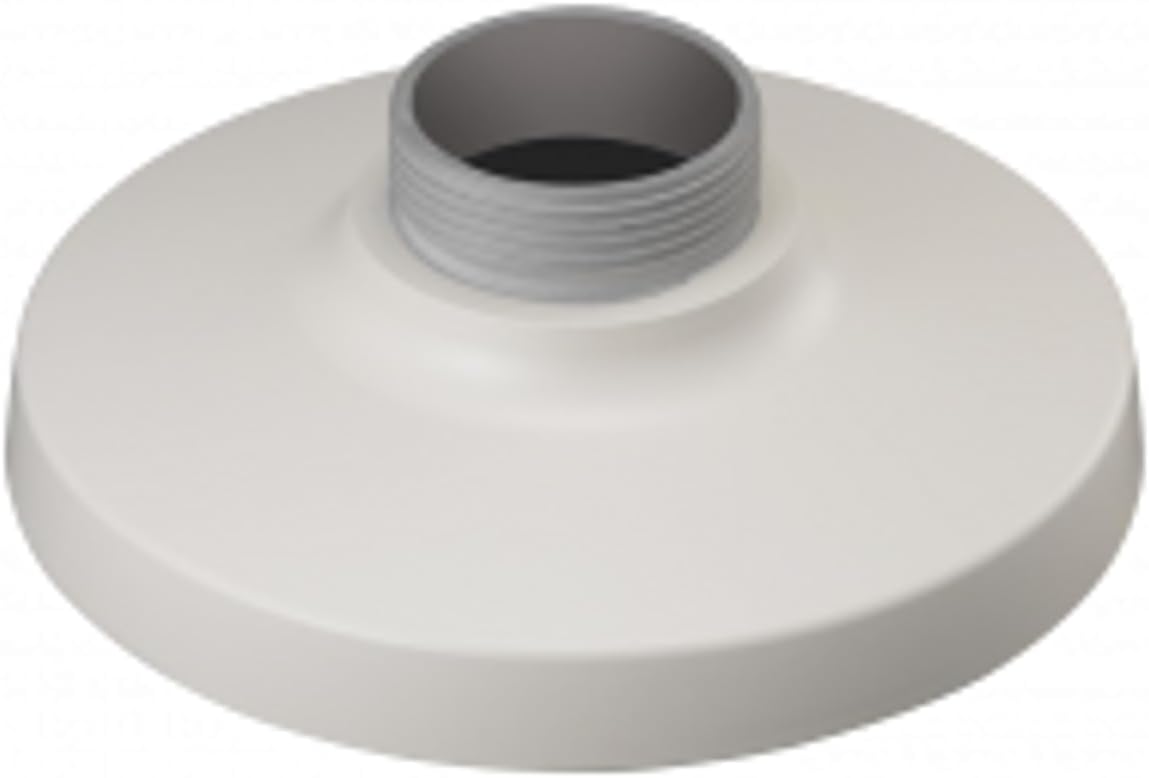
Figure 1: The Hanwha Techwin SBP-301HM5 Swivel Joint Telescopic Pen Mount. This image displays the white, circular base of the mount with a central threaded pipe for camera attachment, designed for secure and flexible camera positioning.
Operating Instructions
The SBP-301HM5 mount offers flexibility in camera positioning. Follow these guidelines to adjust your camera:
- Swivel Adjustment: The swivel joint allows for 360-degree horizontal rotation. Gently rotate the camera and the upper part of the mount to achieve the desired horizontal viewing angle.
- Telescopic Extension/Retraction: To adjust the vertical position or distance from the mounting surface, carefully extend or retract the telescopic arm. Ensure the camera remains stable after adjustment.
- Secure Position: After adjusting the camera to the desired angle and extension, ensure all connections are snug to prevent unwanted movement. The mount is designed to hold its position once set.
Maintenance
Regular maintenance ensures the longevity and optimal performance of your mount.
- Cleaning: Use a soft, dry cloth to wipe down the mount. For stubborn dirt, a slightly damp cloth with mild soap can be used, followed by drying. Avoid abrasive cleaners or solvents.
- Inspection: Periodically check all mounting screws and connections to ensure they are tight and secure. Verify that the mount remains stable and that the swivel and telescopic mechanisms operate smoothly without excessive play.
- Environmental Considerations: While suitable for various environments, extreme conditions (e.g., excessive dust, moisture, or corrosive agents) may require more frequent inspection and cleaning.
Troubleshooting
If you encounter issues with your SBP-301HM5 mount, refer to the following common problems and solutions:
| Problem | Possible Cause | Solution |
|---|---|---|
| Mount is unstable or wobbles. | Loose mounting screws or inadequate surface support. | Ensure all mounting screws are tightened. Verify the mounting surface is robust enough to support the weight. Re-install if necessary using appropriate anchors. |
| Difficulty rotating or extending the mount. | Dust or debris in the joint/telescopic mechanism, or overtightened camera. | Clean the mount thoroughly. Ensure the camera is securely attached but not excessively overtightened, which could restrict movement. |
| Camera does not hold its adjusted position. | Internal mechanism wear or insufficient friction. | Ensure the camera is properly seated and tightened onto the mount. If the issue persists, contact support. |
Specifications
| Model Number | SBP-301HM5 |
| Product Dimensions | 3.94 x 3.94 x 0.79 inches (10 x 10 x 2 cm) |
| Item Weight | 2.2 pounds (1 kg) |
| Color | White |
| Special Features | Rotatable (Swivel Joint), Telescopic |
| Manufacturer | Hanwha Techwin |
Warranty and Support
Hanwha Techwin provides manufacturer's assurance for the quality and reliability of its products. For specific warranty details, technical support, or service inquiries, please refer to the official Hanwha Techwin website or contact their customer service department directly. Keep your purchase receipt as proof of purchase.
Manufacturer: Hanwha Techwin


