
Introduction
Thank you for choosing the PUPKIDS Dog Training Collar System. This manual provides detailed instructions for the safe and effective use of your new training device. Designed for dogs weighing 10-120 lbs, this system features a remote control with a 4000ft range, 3 training modes (beep, vibration, and static shock), and an IPX7 waterproof rating for the collar receiver. Please read this manual thoroughly before operation.
Package Contents
The PUPKIDS Dog Training Collar System includes the following components:
- Remote Transmitter
- 2 x Collar Receivers
- Adjustable Nylon Collars
- USB Charging Cable (Dual-ended)
- Test Light Tool
- Long and Short Contact Points
- Silicone Conductive Caps
- Wrist Strap for Remote

Image: Overview of the PUPKIDS Dog Training Collar System and its included accessories.
Setup and Preparation
Before using the training collar, ensure all components are properly assembled and charged.
1. Attaching Contact Points and Silicone Caps
Select the appropriate length of contact points (short for short-haired dogs, long for long-haired dogs) to ensure proper skin contact. Screw them firmly onto the receiver. For added comfort and to prevent skin irritation, press the silicone conductive caps firmly onto the contact points.
Video: Detailed instructions on how to install the contact points and silicone caps on the collar receiver. This video demonstrates the process of screwing in the contact points, tightening them with the test light tool, and then securely placing the silicone caps over them.
2. Charging the Devices
Both the remote transmitter and collar receivers are rechargeable. Use the provided dual-ended USB charging cable to charge both devices simultaneously. A full charge typically takes 2 hours, providing up to 35 days standby time for the collar and 60 days for the remote.

Image: The collar receiver connected to a USB charging cable, illustrating the charging process.

Image: The remote transmitter connected to a USB charging cable, indicating its long battery life.
3. Fitting the Collar
The collar strap is adjustable and can be cut to fit your dog's neck size (7-23 inches). Ensure the collar is snug but not too tight, allowing two fingers to fit comfortably between the strap and your dog's neck. The contact points must touch the dog's skin for effective operation.

Image: A visual guide demonstrating the adjustable nature of the collar strap, suitable for dogs from 10 to 120 lbs, and how it can be trimmed for a perfect fit.
Operating the Training System
The PUPKIDS training system offers three distinct modes and a long-range remote for effective training.
1. Training Modes
The system provides 108 levels of training options, allowing you to customize the intensity based on your dog's temperament and training needs:
- Beep Mode: A gentle audible tone for attention or positive reinforcement.
- Vibration Mode (Levels 1-8): Provides a tactile sensation to redirect unwanted behaviors.
- Static Shock Mode (Levels 0-99): Delivers a safe, adjustable static correction for more stubborn behaviors. Use with caution and only when necessary.

Image: An illustration of the remote control displaying the three training modes: Beep, Vibration (levels 1-8), and Static Shock (levels 0-99).
2. Remote Control Range and Response
The remote transmitter boasts an impressive control distance of up to 4000ft (approximately 1200 meters) in open spaces, allowing for training in various environments like parks or large backyards. The upgraded chip ensures a lightning-fast response time of 0.01 seconds, providing immediate feedback to your dog.

Image: The remote control in use, demonstrating its 4000ft long-range capability for training dogs outdoors.

Image: A visual representation highlighting the 0.01-second lightning-fast response time between the remote and the collar receiver.
3. Remote Lock Function
The remote features a lock/unlock switch to prevent accidental activation of training modes. Slide the switch to the locked position when not in use to avoid unintended corrections.

Image: A detailed view of the remote's ON/OFF and lock/unlock switch, indicating its function.
4. Multi-Dog Control
The remote transmitter can control up to two collar receivers simultaneously. Use the dog selection button on the remote to switch between controlling individual collars.

Image: The remote's digital display showing the option to select and control two different dog collars.
Maintenance and Care
Proper maintenance ensures the longevity and performance of your training system.
1. Waterproof Design
The collar receiver is IPX7 waterproof, meaning it can withstand rain, splashes, and even full submersion in water. This allows your dog to wear it during swimming or in wet conditions without concern.
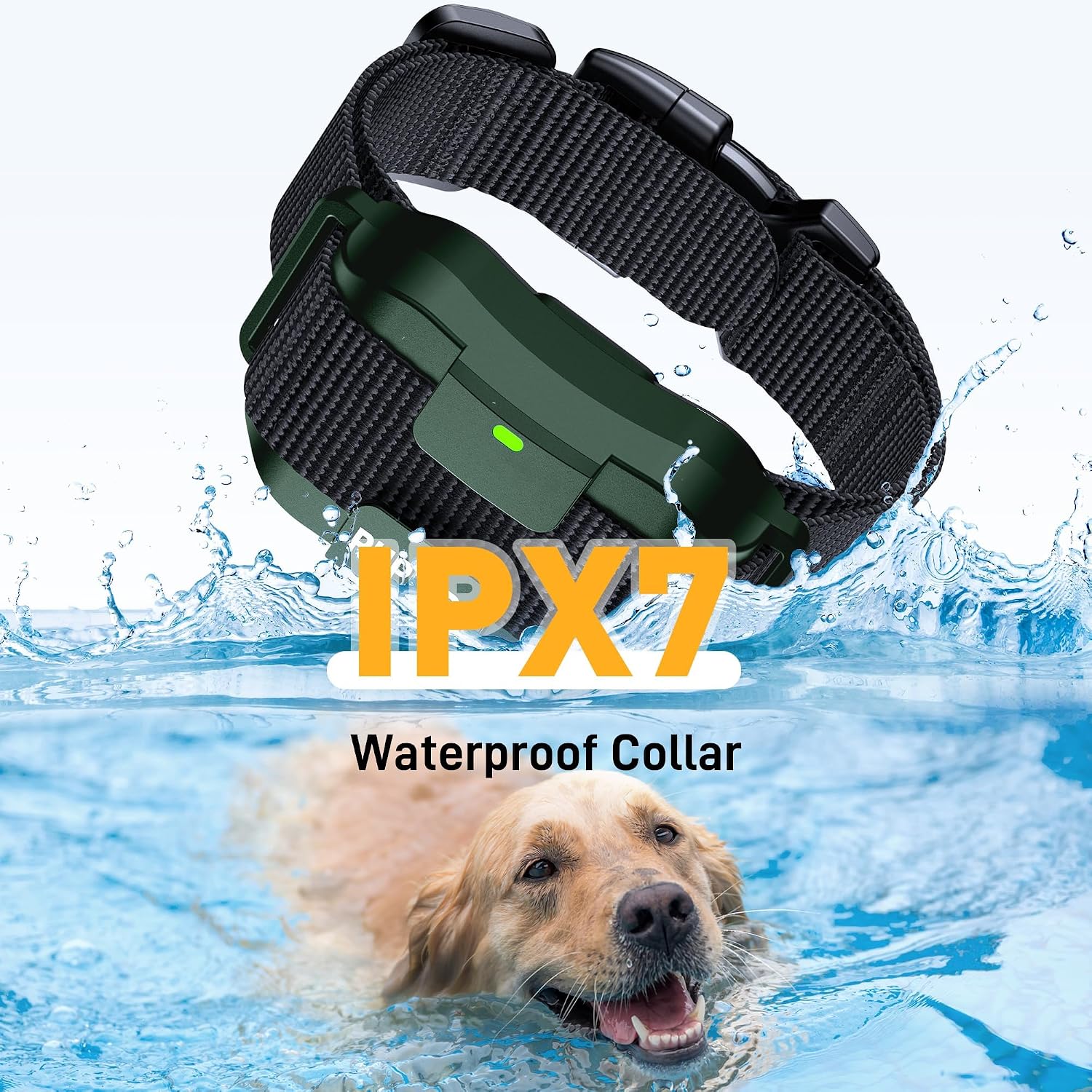
Image: A golden retriever swimming, demonstrating the IPX7 waterproof capability of the collar receiver.

Image: Two collar receivers partially submerged in water, visually confirming their IPX7 waterproof rating.
2. General Care Instructions
- Wipe down the collar and remote regularly with a damp cloth.
- Periodically check the contact points for debris or corrosion.
- Charge devices when the battery indicator is low.
- Avoid prolonged water submersion, despite the waterproof rating, to maximize product lifespan.
- Ensure the collar is completely dry after exposure to water before charging.
Troubleshooting
If you encounter issues with your PUPKIDS Dog Training Collar System, please refer to the following common solutions:
- No Response from Collar: Ensure both the remote and collar are fully charged and turned on. Check if the collar is properly paired with the remote. Verify contact points are making proper skin contact.
- Weak or Inconsistent Correction: Adjust the collar for a snug fit. Clean the contact points and your dog's neck area. Try a higher intensity level for vibration or static shock.
- Remote Not Functioning: Check battery level. Ensure the remote is not in the locked position.
- Reduced Range: Ensure there are no large obstacles between the remote and the collar. Avoid areas with strong electromagnetic interference.
For persistent issues, please contact customer support.
Product Specifications
| Feature | Detail |
|---|---|
| Brand | PUPKIDS |
| Model | P.Collar 305 |
| Remote Control Range | Up to 4000ft |
| Training Modes | Beep, Vibration (1-8 Levels), Shock (0-99 Levels) |
| Waterproof Rating | IPX7 (Collar Receiver) |
| Battery Type | Lithium Ion (included) |
| Collar Standby Time | Up to 35 days |
| Remote Standby Time | Up to 60 days |
| Charging Time | Approx. 2 hours |
| Suitable Dog Weight | 10-120 lbs |
| Collar Neck Girth | 7-23 inches (Adjustable) |
| Item Weight | 15.5 ounces |
| Included Components | 2 Dog Shock Collars with Remote |
Warranty and Customer Support
Warranty Information
This PUPKIDS Dog Training Collar System comes with a 2-Year Warranty. Please retain your proof of purchase for warranty claims.
Customer Support
For any questions, concerns, or technical assistance, please contact PUPKIDS customer support:
- Email: support@pupkids.net
- Availability: 24 hours / 7 days
The PUPKIDS team is committed to providing excellent service and ensuring a positive experience for both you and your pet.