
BERDSEN BR-10B Electric Dehumidifier User Manual
Model: BR-10B | Brand: Berdsen
1. Introduction
Thank you for choosing the BERDSEN BR-10B Electric Dehumidifier. This device is designed to effectively reduce excess humidity in your environment, helping to prevent issues like mold and bacteria growth. It is ideal for rooms up to 30 m², such as laundry rooms, bathrooms, or basements. Please read this manual thoroughly before operating the device to ensure safe and efficient use.
2. Safety Instructions
- Always place the dehumidifier on a stable, level surface.
- Do not block the air inlet or outlet. Ensure at least 20 cm of space around the unit for proper airflow.
- Keep the device away from heat sources, direct sunlight, and flammable materials.
- Do not immerse the device, power cord, or plug in water or other liquids.
- Unplug the device before cleaning, maintenance, or when not in use for extended periods.
- Do not operate the device with a damaged cord or plug. Contact qualified service personnel for repairs.
- This appliance is not intended for use by persons (including children) with reduced physical, sensory, or mental capabilities, or lack of experience and knowledge, unless they have been given supervision or instruction concerning use of the appliance by a person responsible for their safety.
- Children should be supervised to ensure that they do not play with the appliance.
- Operate the device only within the recommended temperature and humidity ranges (above 15°C and above 40% relative humidity).
3. Product Overview
Familiarize yourself with the main components of your BERDSEN BR-10B dehumidifier.
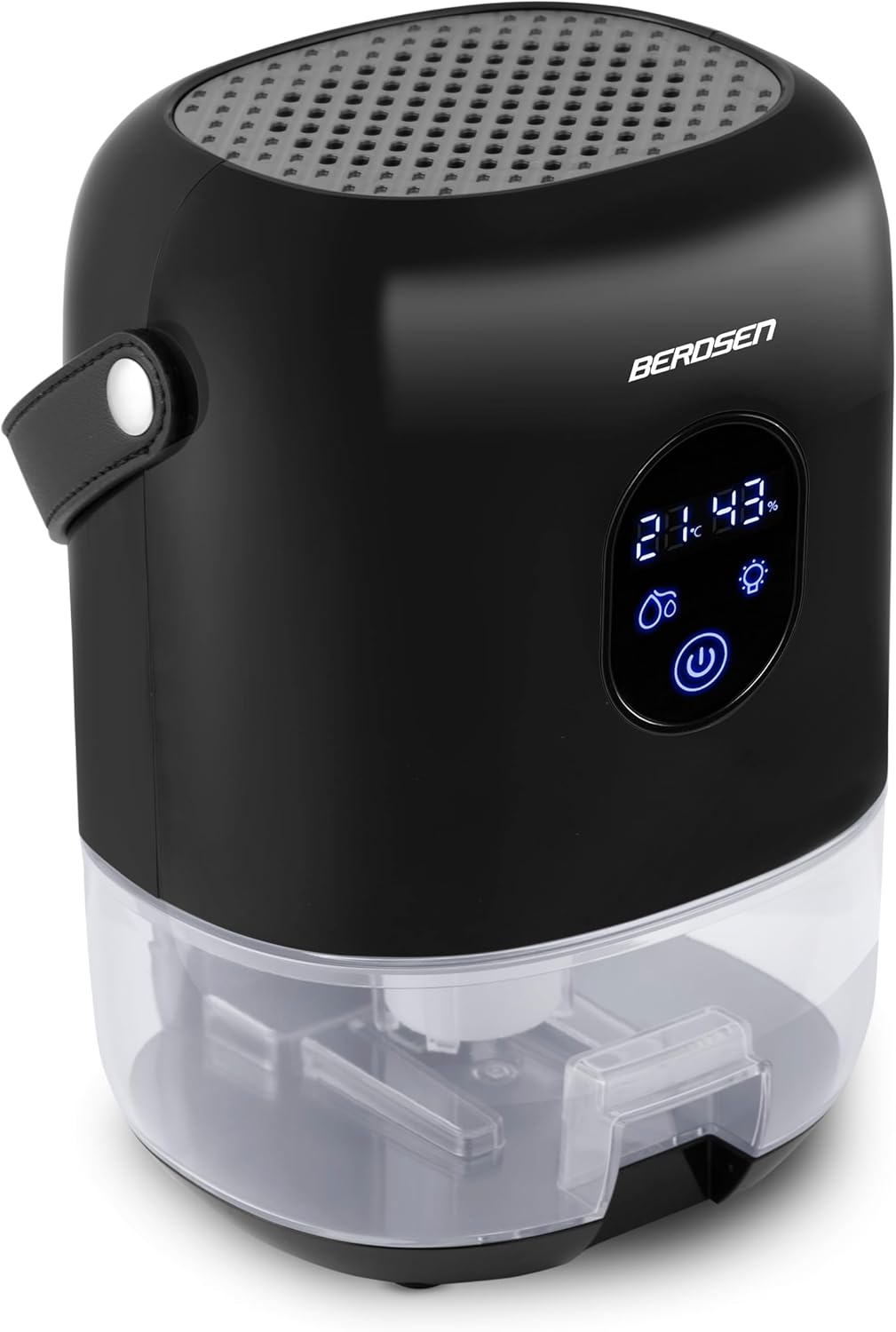
Figure 3.1: Front view of the BERDSEN BR-10B Dehumidifier, showing the control panel and water tank.

Figure 3.2: Close-up of the LED control panel, displaying temperature, humidity, and touch-sensitive buttons for power, light, and water tank status.
Key Components:
- Air Outlet: Located at the top, where dry air is released.
- Control Panel: LED display with Soft Touch system for operation.
- Air Inlet: Located at the back/sides, where humid air is drawn in.
- Water Tank: Removable 1000 ml capacity tank at the bottom for collected water.
- Carrying Handle: Integrated handle for easy portability.
4. Setup
- Unpacking: Carefully remove the dehumidifier from its packaging. Retain packaging for future storage or transport.
- Placement: Place the unit on a firm, level surface in the desired room. Ensure there is adequate space (at least 20 cm) around the air inlet and outlet for optimal performance. Avoid placing it near walls or furniture that could obstruct airflow.
- Power Connection: Insert the power adapter into the DC input port on the dehumidifier, then plug the adapter into a suitable electrical outlet (220-240V).
- Water Tank: Ensure the water tank is correctly inserted into the unit.

Figure 4.1: The BERDSEN BR-10B Dehumidifier shown with its power adapter and original packaging.
5. Operating Instructions
5.1 Power On/Off
- To turn on the dehumidifier, press the Power button (
 ) on the control panel. The LED display will illuminate, showing the current room temperature and humidity.
 - To turn off the dehumidifier, press the Power button again.
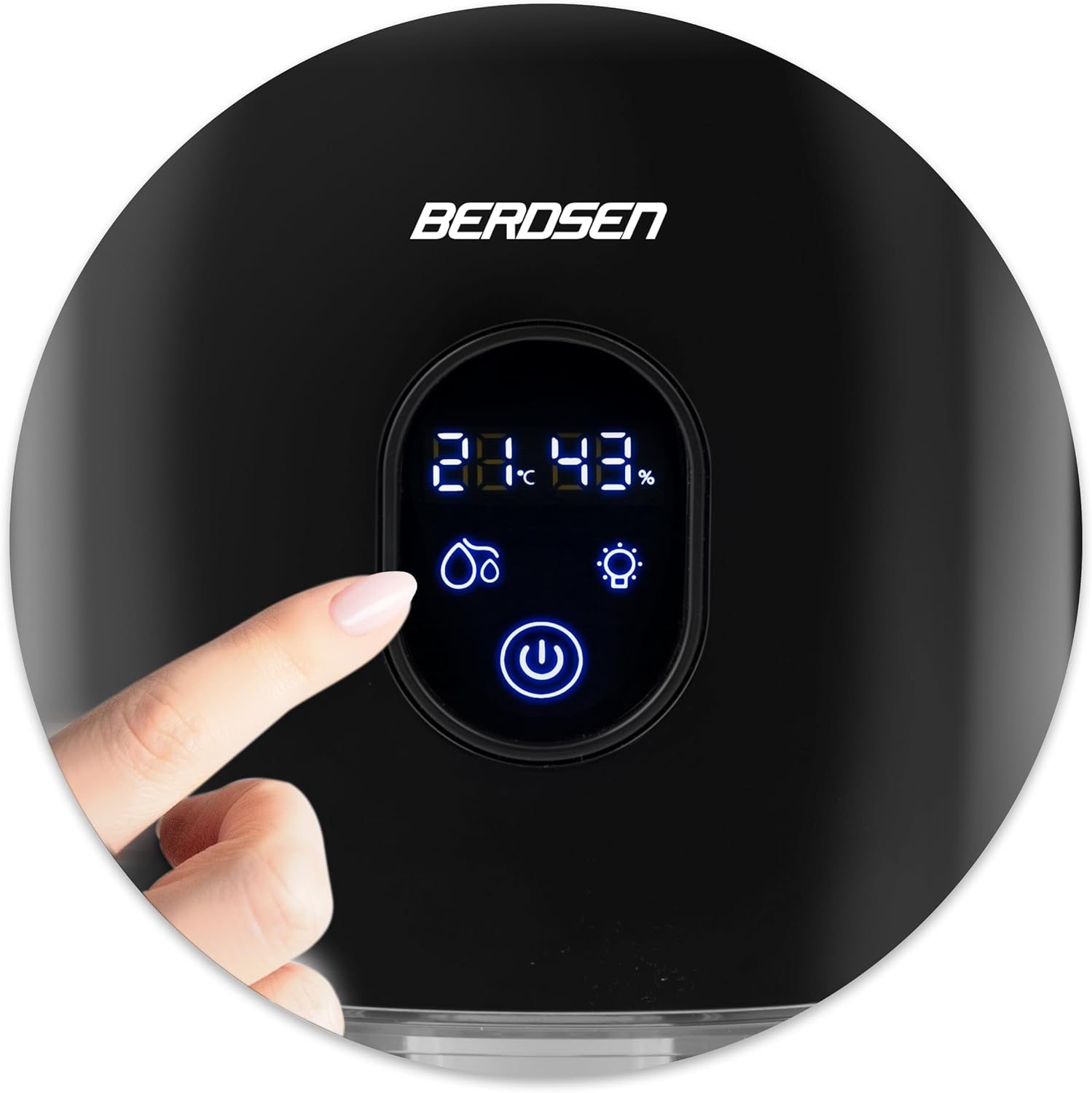
Figure 5.1: A finger interacting with the Soft Touch control panel to operate the dehumidifier.
5.2 Night Mode
- To activate Night Mode, press the Light button (
 ) on the control panel. This will dim or turn off the LED display, reducing light disturbance during sleep.
 - Press the Light button again to deactivate Night Mode and restore the display brightness.
5.3 Water Tank Full Indicator
- When the water tank is full, the dehumidifier will automatically shut off, and the Water Drop icon (
 ) on the display will illuminate or flash.
 - Empty the water tank as described in the Maintenance section.
- Once the tank is emptied and correctly reinserted, the dehumidifier will resume operation automatically (if it was on).
6. Maintenance
6.1 Emptying the Water Tank
- Turn off the dehumidifier and unplug it from the power outlet.
- Carefully pull out the water tank from the bottom of the unit.
- Pour out the collected water.
- Rinse the water tank with clean water. Do not use harsh detergents or abrasive cleaners.
- Reinsert the empty water tank firmly into the dehumidifier until it clicks into place.
6.2 Cleaning the Dehumidifier
- Wipe the exterior of the unit with a soft, damp cloth.
- Use a soft brush or vacuum cleaner to gently clean the air inlet and outlet grilles to remove dust and debris.
- Do not use chemical solvents, gasoline, or alcohol, as these may damage the surface.
7. Troubleshooting
| Problem | Possible Cause | Solution |
|---|---|---|
| Dehumidifier does not turn on. | No power supply. Power button not pressed. | Check if the power adapter is securely plugged into the unit and the wall outlet. Press the Power button. |
| Dehumidifier stops operating. | Water tank is full. Room temperature/humidity is too low. | Empty the water tank. Ensure room conditions are above 15°C and 40% RH. |
| No water collected. | Room humidity is too low. Airflow is blocked. | Check room humidity. Ensure air inlets/outlets are not obstructed. |
| Unusual noise during operation. | Unit not on a level surface. Internal component issue. | Place the unit on a stable, level surface. If noise persists, contact customer support. |
If the problem persists after attempting these solutions, please contact customer support.
8. Specifications
| Feature | Specification |
|---|---|
| Model Number | BR-10B (3817) |
| Dehumidification Capacity | Approx. 400 ml/day (at 30°C, 80% RH) |
| Water Tank Capacity | 1000 ml |
| Power Consumption | 22.5 W |
| Power Supply | 220-240 V |
| Noise Level | Max. 34 dB |
| Dimensions (L x W x H) | 14 x 17 x 24 cm |
| Weight | 1.46 kg |
| Recommended Room Size | Up to 30 m² |
| Operating Conditions | Above 15°C, above 40% Relative Humidity |
| Special Features | Water level indicator, Night mode, LED light |
9. Warranty and Support
BERDSEN products are manufactured to high-quality standards. For warranty information, please refer to the documentation provided at the time of purchase or contact your retailer. For technical support, troubleshooting assistance, or inquiries regarding spare parts, please contact the seller or BERDSEN customer service through their official channels.
Please note that information regarding spare parts availability is currently unavailable through standard product listings.

