
AVUMDA C26
AVUMDA C26 Rugged Smart Watch User Manual
Model: C26 | Brand: AVUMDA
1. Introduction
Thank you for choosing the AVUMDA C26 Rugged Smart Watch. This device is designed for outdoor enthusiasts and daily users, featuring a durable build, a vibrant AMOLED display, and comprehensive health and fitness tracking capabilities. This manual provides essential information for setting up, operating, and maintaining your smartwatch.
2. Safety Information
- Do not attempt to disassemble or modify the device.
- Keep the device away from extreme temperatures and direct sunlight.
- Avoid exposing the device to strong magnetic fields.
- Clean the device with a soft, dry cloth. Do not use harsh chemicals.
- The health data provided by this device is for reference only and should not be used for medical diagnosis or treatment.
3. What's in the Box
- 1 × AVUMDA C26 Smart Watch with AMOLED screen
- 1 × Charging Cable
- 1 × Instructions Manual (this document)
4. Product Overview
The AVUMDA C26 Smart Watch features a robust design with a large, clear display and intuitive controls.

Figure 4.1: Front and side view of the AVUMDA C26 Smart Watch, showcasing its rugged design and large display.

Figure 4.2: The 1.96-inch AMOLED HD display offers clear visibility even in direct sunlight, with a resolution of 410x502 pixels and an Always-On Display option.

Figure 4.3: Overview of the smartwatch's robust construction, highlighting its anti-impact, IP68 waterproof, dustproof, and anti-corrosion properties, designed to withstand temperatures from -20°C to +60°C.
5. Setup
5.1 Charging the Device
Before first use, ensure the smartwatch is fully charged. Connect the provided charging cable to the charging port on the back of the watch and a USB power source. A full charge typically provides 7-10 days of everyday use, or approximately 3 days with the Always-On Display feature enabled.
5.2 App Installation
To unlock the full potential of your AVUMDA C26 Smart Watch, download the companion app on your smartphone. The watch is compatible with most Android (6.0+) and iOS (12.0+) phones. Scan the QR code in the quick start guide or search for the app name (usually mentioned in the quick start guide or on the watch screen during initial setup) in your phone's app store.
5.3 Pairing with Your Smartphone
- Ensure Bluetooth is enabled on your smartphone.
- Open the installed companion app.
- Follow the in-app instructions to search for and connect to your AVUMDA C26 Smart Watch.
- Confirm the pairing request on both your phone and the watch.
6. Operating Instructions
6.1 Basic Navigation
The smartwatch features a responsive touch screen and physical buttons for navigation. Swipe left/right, up/down to access different functions and menus. Use the physical buttons for quick access to power, sport modes, and other customizable functions.
6.2 Bluetooth Calls and Message Notifications
With its built-in speaker and microphone, the C26 smart watch allows you to make and receive calls directly from your wrist once paired via Bluetooth. You will also receive SMS and social media notifications (Facebook, WhatsApp, Instagram, Twitter, etc.) directly on your watch.
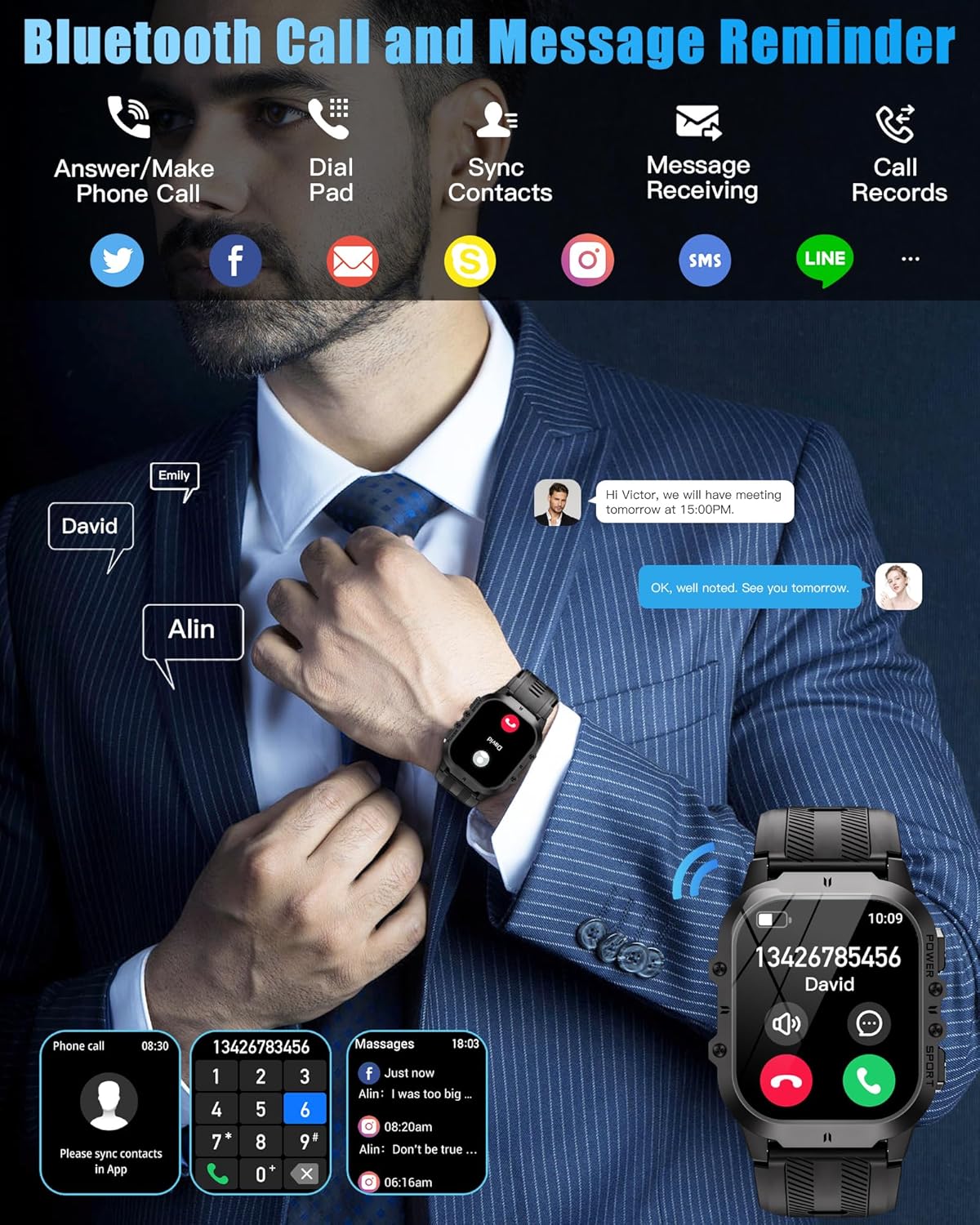
Figure 6.1: The smartwatch displaying features for answering/making phone calls, dial pad access, syncing contacts, message receiving, and call records.
6.3 Health Monitoring
The AVUMDA C26 is equipped with a high-end chip to accurately measure various health metrics.
- Heart Rate (HR): Continuously monitors your heart rate throughout the day.
- Blood Oxygen (SpO2): Measures your blood oxygen saturation levels.
- Sleep Tracking: Monitors your sleep status (deep sleep, light sleep, wakefulness) and provides a comprehensive analysis of your sleep quality.

Figure 6.2: Visual representation of the smartwatch's health monitoring capabilities, including heart rate, SpO2, and blood pressure readings.
6.4 Sports Modes
The fitness tracker offers over 100 indoor and outdoor sports modes to cater to various activities. It records your exercise data, including steps, heart rate, calories burned, and distance, generating detailed health reports.

Figure 6.3: The smartwatch interface displaying various sports modes and all-day activity tracking, including steps, calories, and distance.
6.5 Smart Features
The AVUMDA C26 includes several convenient smart features:
- AI Voice Assistant: Speak to your watch to perform tasks or get information.
- Music Player Control: Control music playback on your connected smartphone.
- Alarm: Set alarms directly from your watch.
- Weather: Get real-time weather updates.
- Stopwatch: A built-in stopwatch for timing activities.
- Camera Control: Remotely control your phone's camera.
- Drink Water Reminder: Set reminders to stay hydrated.
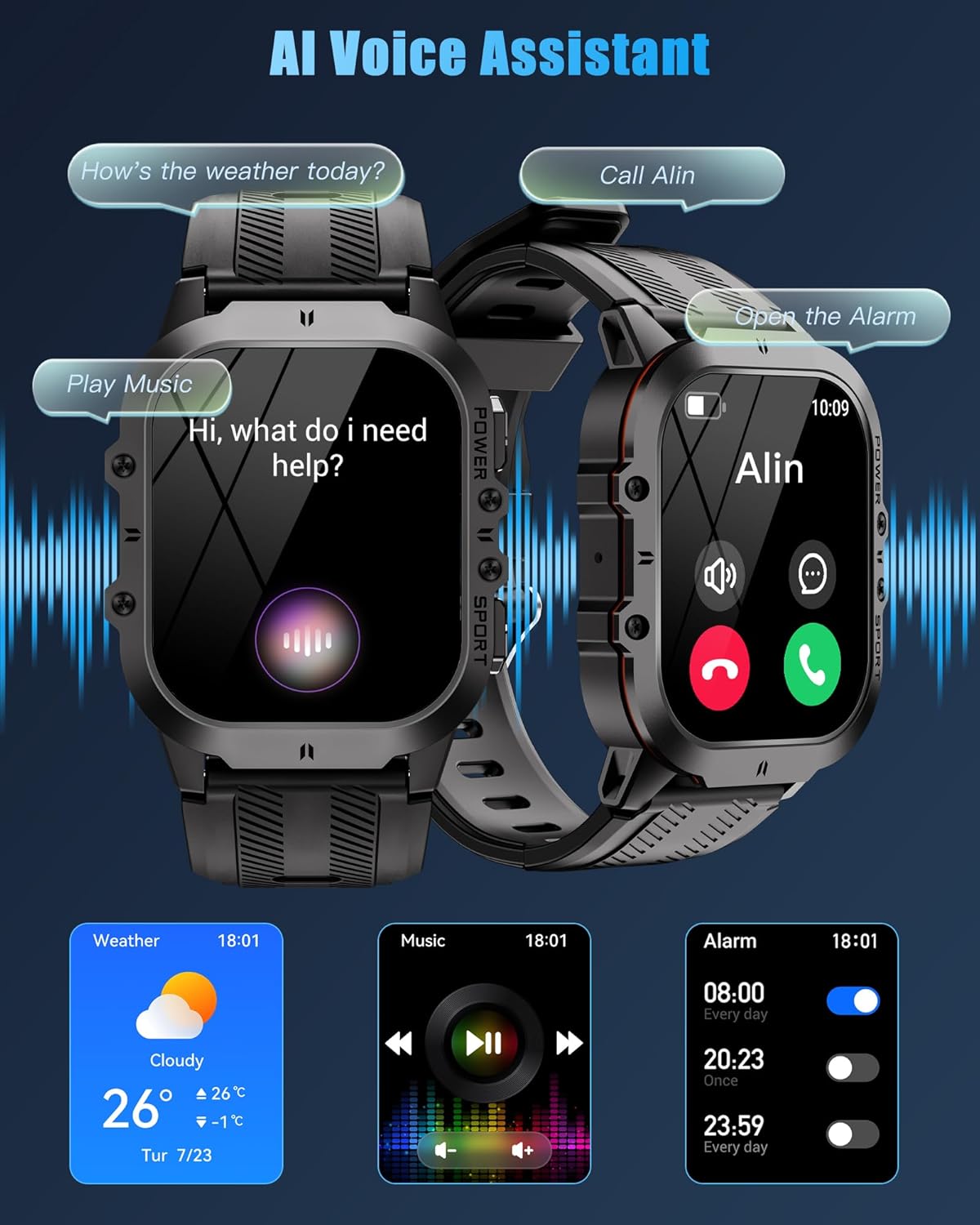
Figure 6.4: The smartwatch interface demonstrating the AI Voice Assistant, music control, and alarm functions.
6.6 Customization
Personalize your smartwatch experience:
- Dials: Choose from over 200 personalized dial wallpapers in the app, or customize your own with photos.
- Menu Styles: Select from 4 optional menu styles for quick access to functions.
7. Durability and Testing
The AVUMDA C26 Smart Watch is built to withstand challenging environments, undergoing rigorous testing to ensure its resilience.
Video 7.1: This video demonstrates the strict testing procedures for the AVUMDA C26 Smart Watch, showcasing its resistance to extreme temperatures (freezing to -40°C and heat up to 70°C), water immersion (1ATM depth waterproof), impact, drops, scratches, and dust. The watch remains fully functional after these tests.
- IP68 Waterproof: Can be used while washing hands or on rainy days.
- Temperature Resistance: Operates reliably in temperatures ranging from -20°C to +60°C.
- Impact and Drop Resistance: Designed to withstand accidental drops and impacts.
- Scratch and Dust Resistance: Built to resist scratches and prevent dust ingress.
8. Maintenance
- Cleaning: Regularly wipe the watch and strap with a soft, damp cloth. For stubborn dirt, use a mild soap solution and rinse thoroughly. Ensure the watch is dry before charging.
- Storage: Store the watch in a cool, dry place when not in use. Avoid prolonged exposure to direct sunlight or extreme temperatures.
- Charging Contacts: Keep the charging contacts on the back of the watch clean and free of debris to ensure proper charging.
9. Troubleshooting
| Problem | Possible Cause | Solution |
|---|---|---|
| Watch does not turn on | Low battery | Charge the watch for at least 30 minutes. |
| Cannot pair with phone | Bluetooth off, app issue, or watch not discoverable | Ensure Bluetooth is on, restart the app and watch, try re-pairing. Check phone's OS version. |
| Notifications not received | App permissions, notification settings | Check app notification permissions on your phone. Ensure notifications are enabled in the watch app. |
| Inaccurate health data | Improper fit, sensor obstruction | Ensure the watch is worn snugly on your wrist. Clean the sensor on the back of the watch. |
10. Specifications
| Feature | Detail |
|---|---|
| Model Name | C26 |
| Display | 1.96-inch AMOLED HD Display (410*502 pixels, 350 nits) |
| Battery Capacity | 350mAh |
| Battery Life | 7-10 days (typical use), 3 days (Always-On Display) |
| Water Resistance | IP68 (5ATM equivalent) |
| Connectivity | Bluetooth |
| Compatibility | Android 6.0+ / iOS 12.0+ |
| Dimensions | 11.63 x 0.87 x 0.48 inches |
| Weight | 4 ounces |
| Operating Temperature | -20°C to +60°C |
11. Warranty and Support
Your AVUMDA C26 Smart Watch comes with a standard manufacturer's warranty. For detailed warranty information, please refer to the warranty card included in your product packaging or visit the official AVUMDA website. For technical support, troubleshooting assistance, or any product-related inquiries, please contact AVUMDA customer service through the contact information provided on the official website or within the companion app.
Ask a question about this manual
Ask about setup, troubleshooting, compatibility, parts, safety, or missing instructions. Manuals+ will review the question and use this page’s manual context to help answer it.