
Introduction
The Logitech G PRO 2 LIGHTSPEED is engineered for competitive gaming, building on a championship-winning design. It features the advanced HERO 2 sensor, reliable LIGHTSPEED wireless technology with up to 95 hours of battery life, and LIGHTFORCE hybrid switches. This mouse is optimized for speed, accuracy, and reliability, designed to enhance peak performance for both right- and left-handed users.

Figure 1: Top view of the Logitech G PRO 2 LIGHTSPEED Wireless Gaming Mouse.
What's in the Box
- PRO 2 LIGHTSPEED Wireless Gaming Mouse
- LIGHTSPEED wireless receiver
- USB-A to USB-C Charging/data cable
- Receiver extension adapter
- Optional side buttons (2x left, 2x right)
- Optional button covers (2x left, 2x right)
- User documentation
Key Features
- HERO 2 Sensor: Advanced gaming sensor with up to 44K DPI, 88 g-force acceleration, and 888+ IPS tracking.
- LIGHTSPEED Wireless: Provides a responsive and reliable tournament-grade wireless experience.
- LIGHTFORCE Switches: Combines the speed and reliability of optical switches with the tactile feedback of mechanical switches.
- Long Battery Life: Up to 95 hours of battery life on a single charge.
- USB-C Charging: Modern and convenient charging interface.
- Ambidextrous Design: Modular design with customizable and switchable magnetic side buttons for right- or left-handed use.
- 8 kHz Polling Rate: Achieved with the optional PRO LIGHTSPEED Receiver (sold separately) for ultra-fast response.
Setup Guide
1. Initial Charging
Before first use, ensure your mouse is fully charged. Connect the provided USB-A to USB-C charging/data cable to the front of the mouse and to a powered USB port on your computer or a USB wall adapter. The mouse features up to 95 hours of battery life.
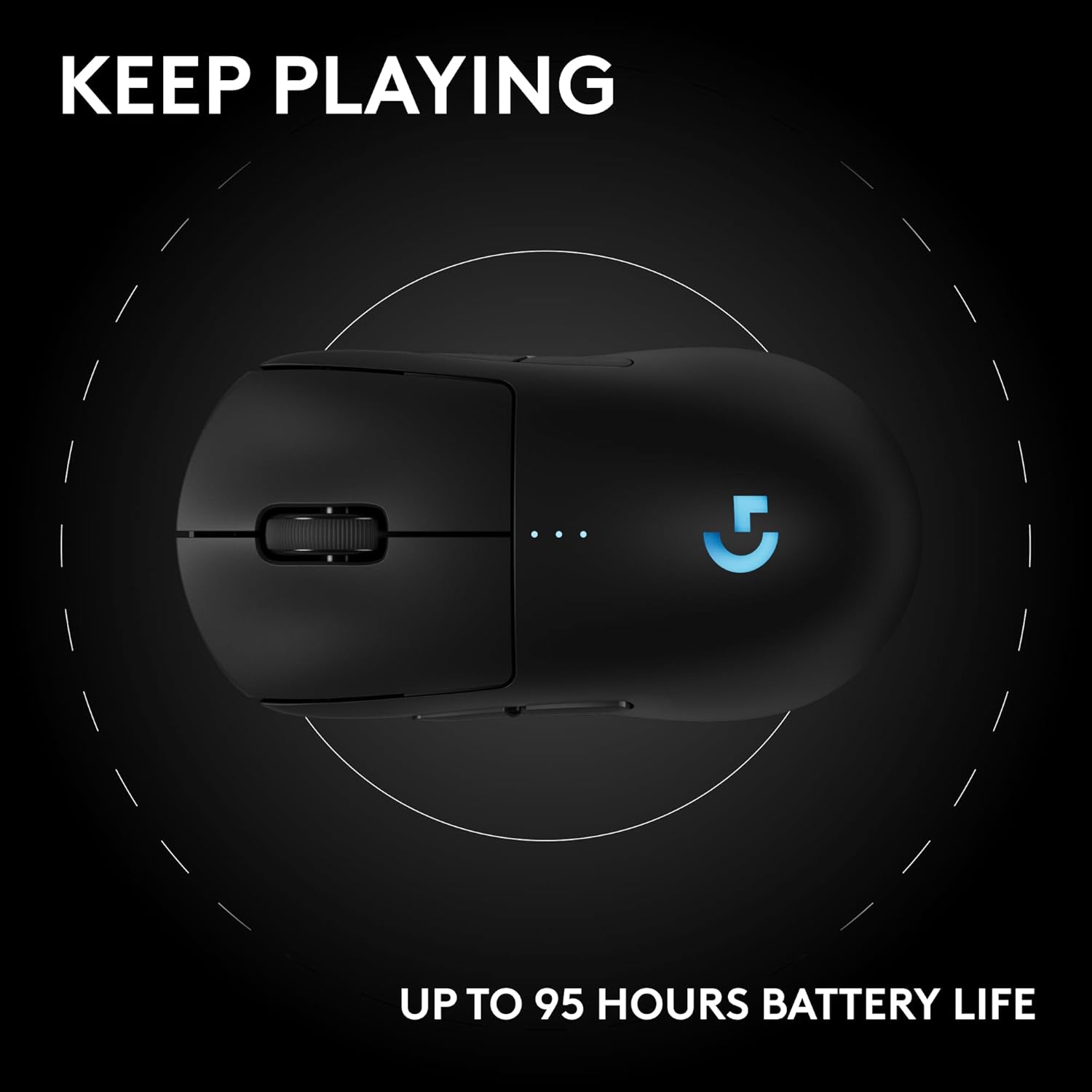
Figure 2: The mouse offers extended battery life for prolonged gaming sessions.
2. Connecting the Wireless Receiver
Locate the LIGHTSPEED wireless receiver. It is typically stored inside or alongside the mouse packaging. For optimal performance, connect the receiver directly to a USB port on your PC. If the PC is far or in a crowded wireless environment, use the provided receiver extension adapter to bring the receiver closer to the mouse.

Figure 3: Diagram showing the mouse components, including the receiver storage on the underside.
3. Powering On
Flip the mouse over and locate the power switch on the underside. Slide the switch to the "ON" position. The mouse will automatically connect to the receiver.
Operating Instructions
1. Customizing Side Buttons
The Logitech G PRO 2 LIGHTSPEED features customizable and switchable magnetic side buttons. You can attach or remove these buttons based on your preference for right- or left-handed use, or to have a flat, plain side. Simply align the buttons with the magnetic slots on either side of the mouse until they snap into place.
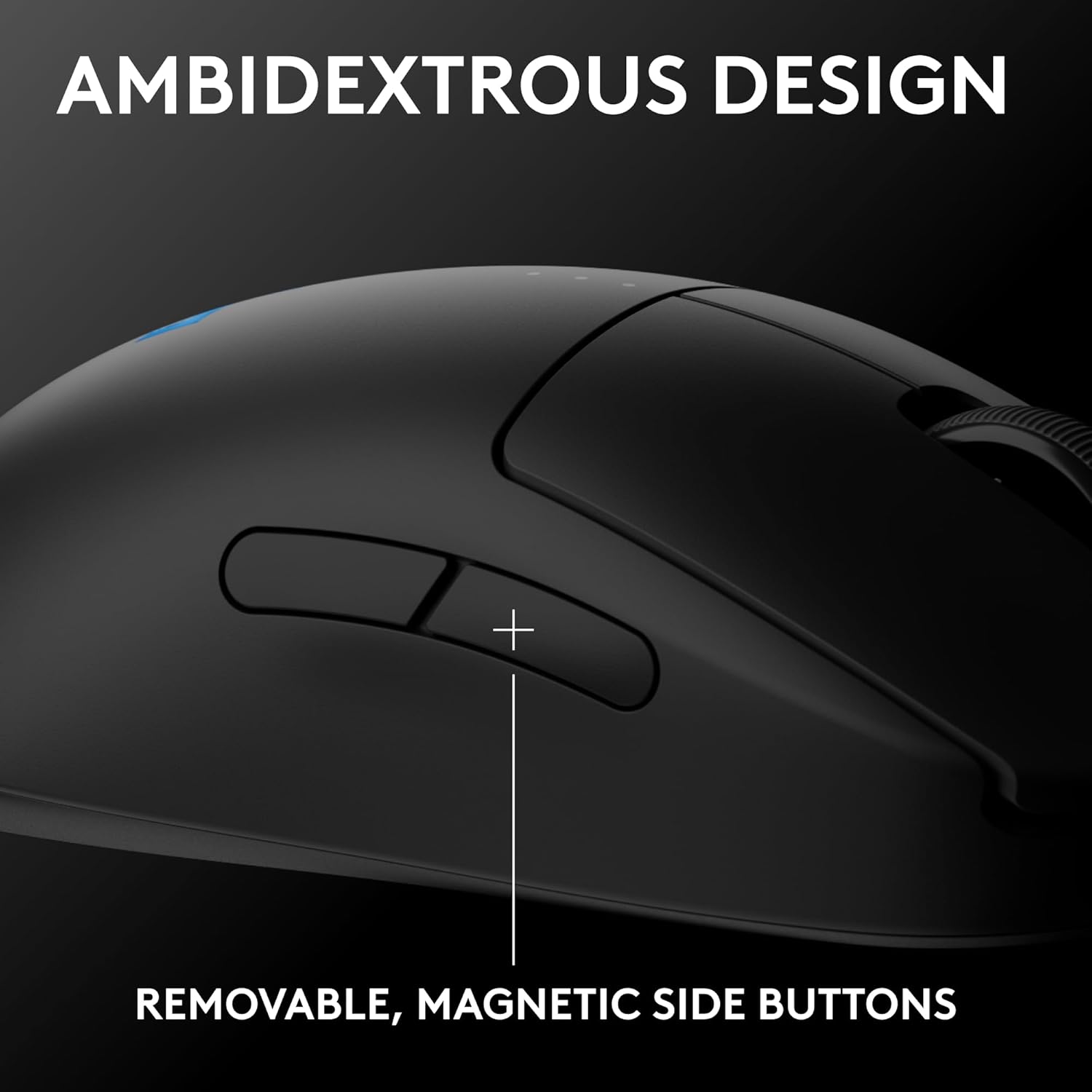
Figure 4: The mouse features removable magnetic side buttons for customization.
2. Adjusting DPI Settings
The mouse is equipped with the HERO 2 sensor, offering up to 44,000 DPI. You can cycle through five pre-set DPI profiles using the dedicated DPI button on the underside of the mouse. For advanced customization of DPI settings, button assignments, and lighting effects, download and install the Logitech G HUB software from the official Logitech G website.
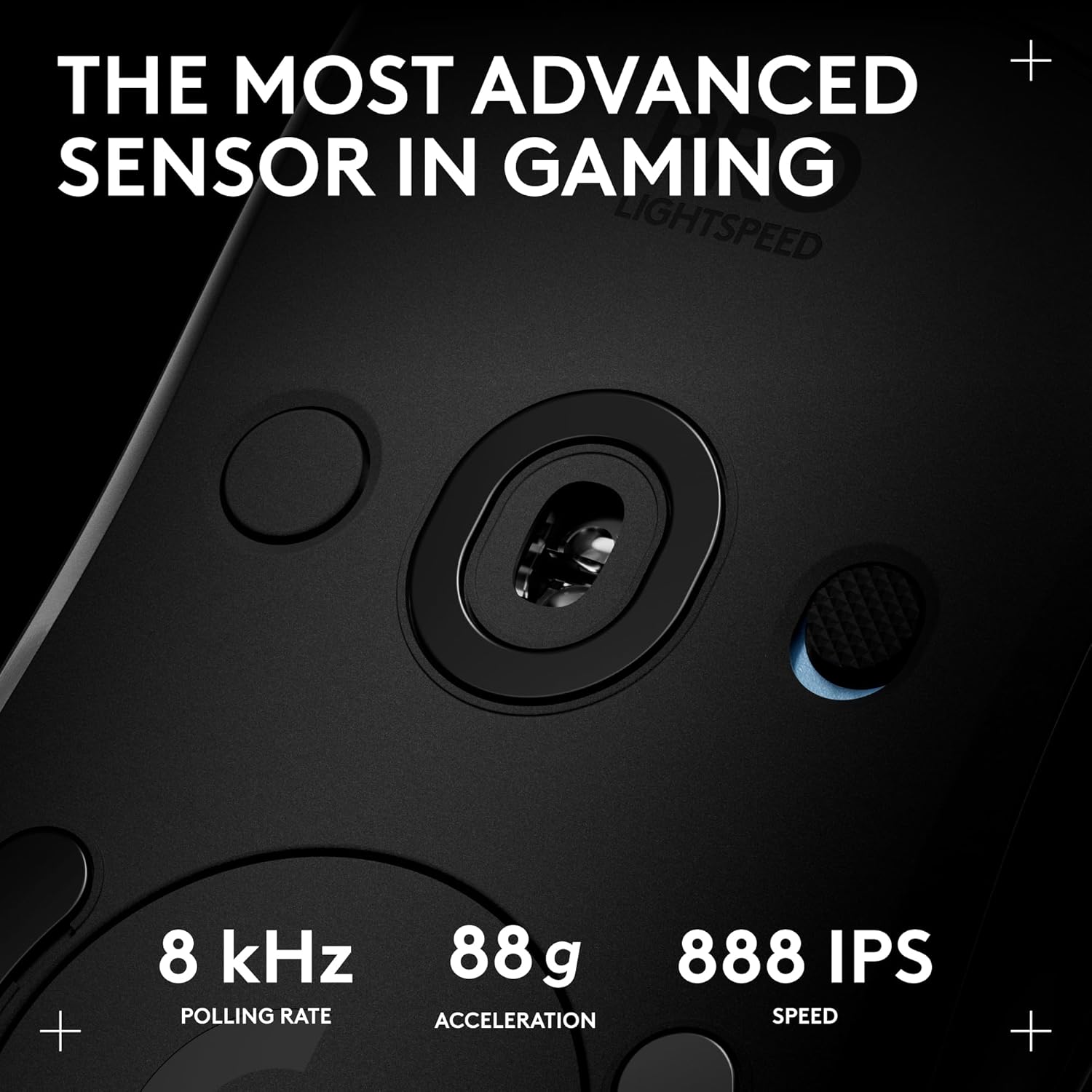
Figure 5: Close-up view of the HERO 2 sensor and its capabilities.
3. LIGHTFORCE Switches
The mouse utilizes LIGHTFORCE hybrid optical-mechanical switches, providing a crisp click feel with the speed and durability of optical actuation. This technology ensures consistent and reliable performance during intense gaming sessions.
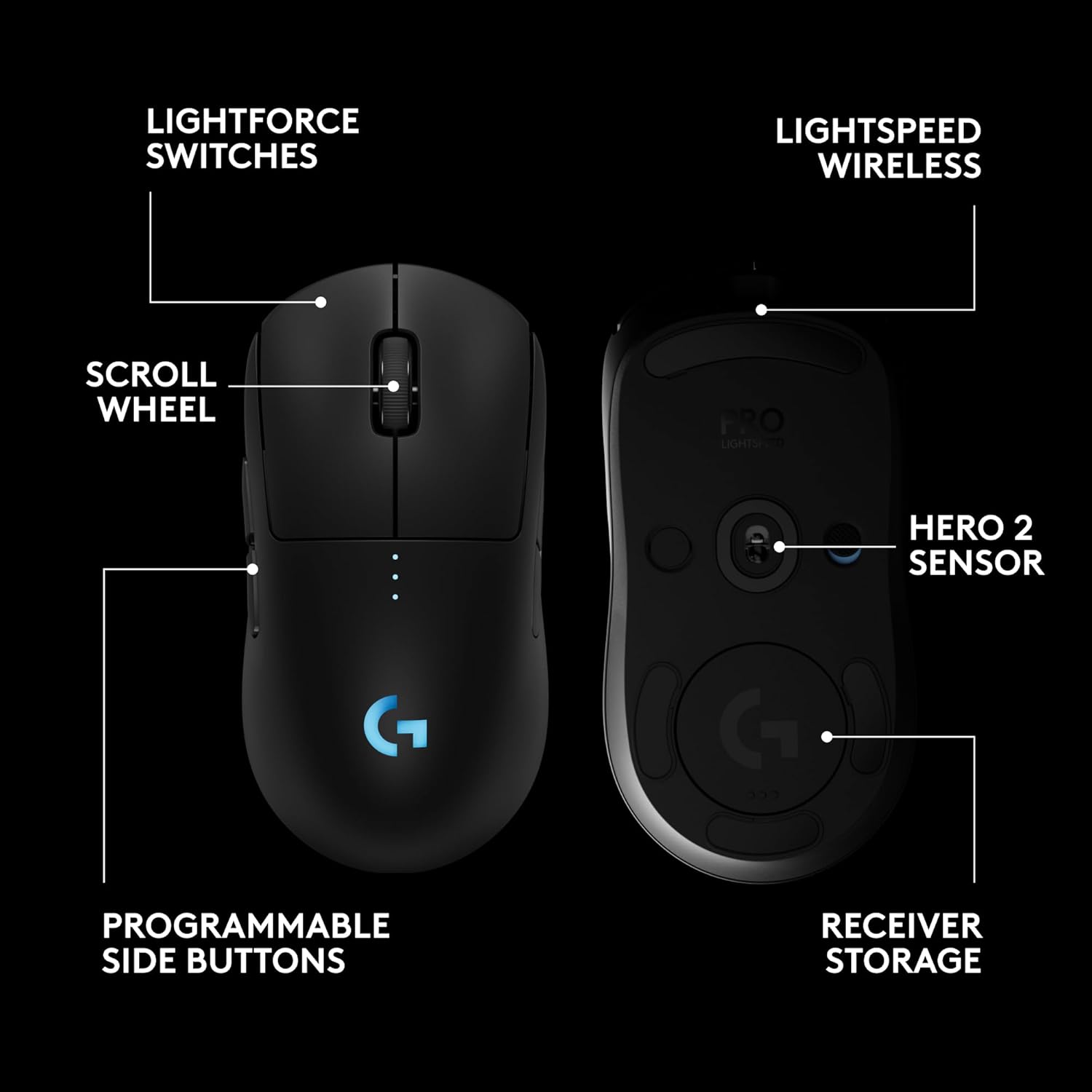
Figure 6: Illustration of the LIGHTFORCE switch technology for precise clicks.
Maintenance
1. Cleaning
To maintain optimal performance, regularly clean your mouse. Use a soft, lint-free cloth to wipe down the surface. For stubborn dirt, slightly dampen the cloth with water. Avoid using harsh chemicals or abrasive materials. Clean the sensor area gently with a dry cotton swab.
2. Battery Care
To prolong battery life, avoid fully discharging the mouse frequently. Charge the mouse when the battery indicator shows low power. Store the mouse in a cool, dry place when not in use for extended periods.
Troubleshooting
1. Mouse Not Responding
- Ensure the mouse is powered on (check the switch on the underside).
- Verify the wireless receiver is securely plugged into a USB port on your computer.
- Check the mouse battery level. Recharge if necessary.
- Try plugging the receiver into a different USB port.
- Restart your computer.
2. Intermittent Connectivity
- Ensure the receiver is not too far from the mouse. Use the extension adapter if needed.
- Minimize interference from other wireless devices (e.g., Wi-Fi routers, other wireless peripherals).
- Update Logitech G HUB software and mouse firmware.
3. DPI/Button Customization Issues
- Ensure Logitech G HUB software is installed and up-to-date.
- Verify that the mouse is recognized by the G HUB software.
- Save your profiles within G HUB after making changes.
Specifications
| Brand | Logitech G |
| Model Number | 910-007246 |
| Item Weight | 2.82 ounces |
| Product Dimensions | 4.93 x 2.5 x 0.1 inches |
| Connectivity Technology | Radio Frequency, USB |
| Movement Detection Technology | Optical (HERO 2 Sensor) |
| Average Battery Life | Up to 95 Hours |
| Hardware Platform | PC |
| Operating System | Windows 10 or later |
Warranty and Support
For warranty information, technical support, and additional resources, please visit the official Logitech G support website. Keep your proof of purchase for warranty claims.
Online Resources: Logitech G Support
