
TheraGun Therabody Wave Series Waver Roller, TheraCup Single
TheraGun Therabody Wave Series Waver Roller and TheraCup Single - Instruction Manual
Model: Therabody Wave Series Waver Roller, TheraCup Single
Introduction
This manual provides essential instructions for the safe and effective use of your TheraGun Therabody Wave Series Waver Roller and TheraCup Single. Please read this guide thoroughly before operating the devices to ensure optimal performance and user safety. These devices are designed to assist with muscle recovery, tension reduction, and improved range of motion through vibration therapy and cupping.
Safety Information
Important Safety Instructions:
- Consult a physician before using these devices if you have any medical conditions, are pregnant, or have pacemakers.
- Do not use on open wounds, inflamed areas, or skin with rashes.
- Avoid using the devices on your head, face, or directly over bones.
- Keep out of reach of children.
- Do not immerse the devices in water. Clean with a damp cloth only.
- Use only the provided power adapter for charging.
- Discontinue use immediately if you experience pain or discomfort.
- Statements regarding dietary supplements have not been evaluated by the FDA and are not intended to diagnose, treat, cure, or prevent any disease or health condition.
Package Contents
Your TheraGun Therabody Wave Series Waver Roller and TheraCup Single bundle includes the following items:
- Therabody Wave Roller (12"x5")
- Wave Roller Protective Carrying Pouch
- Wave Roller Power Adapter
- TheraCup Device
- 3 Interchangeable Transparent Cups (35mm, 45mm, & 55mm diameters)
- USB-C Charging Cable (for TheraCup)
- TheraCup Neoprene Carrying Pouch
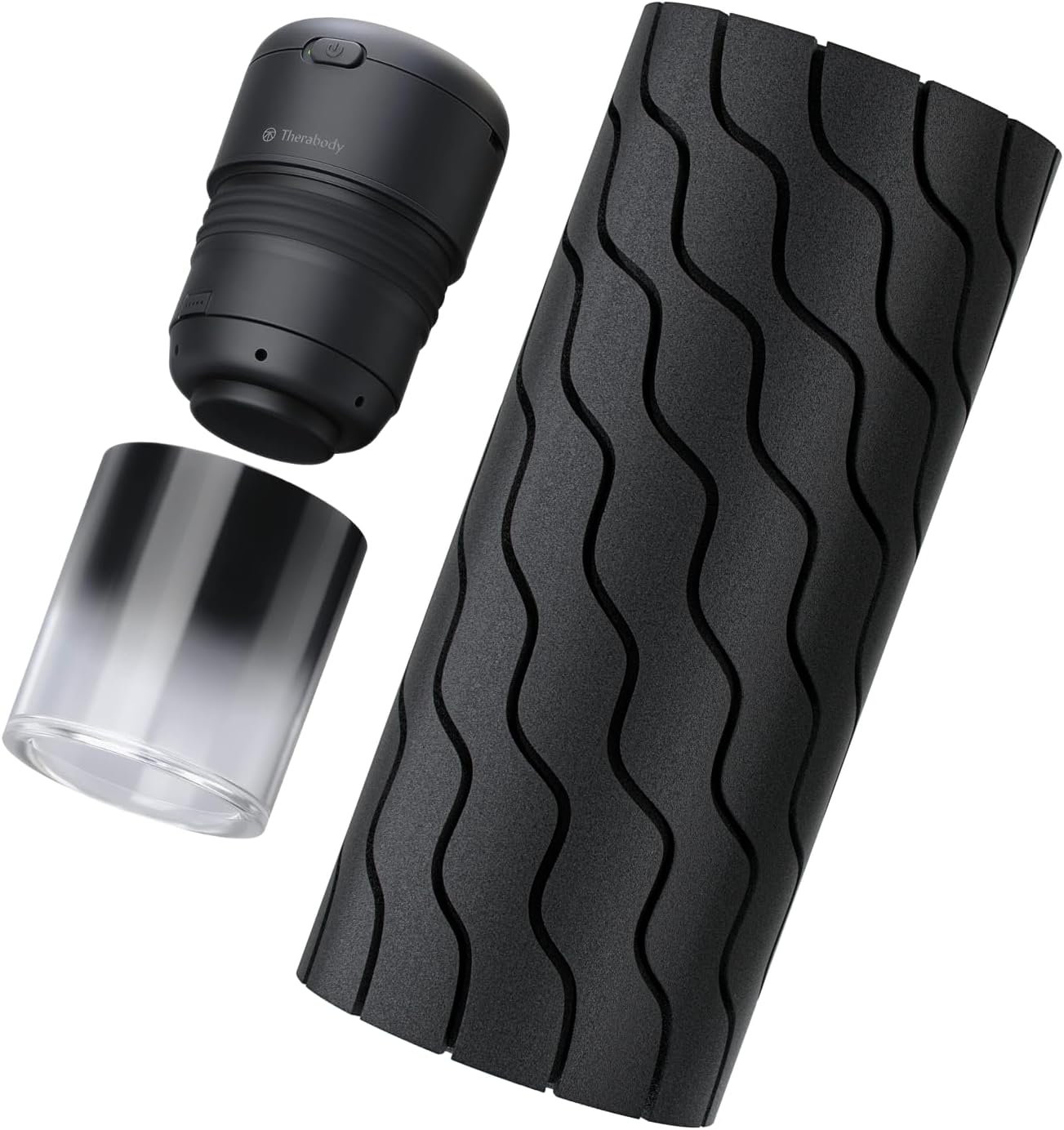
Image: The complete bundle, showing the Wave Roller, the TheraCup device, and its interchangeable cups.
Setup
Wave Roller Setup
- Charge the Device: Before first use, fully charge the Wave Roller using the provided power adapter. The internal Lithium-ion Battery has a 180-minute total life when fully charged.
- Download the Therabody App: For full functionality and control, download the Therabody App on your smartphone.
- Pair with App: Follow the in-app instructions to pair your Wave Roller via Bluetooth.
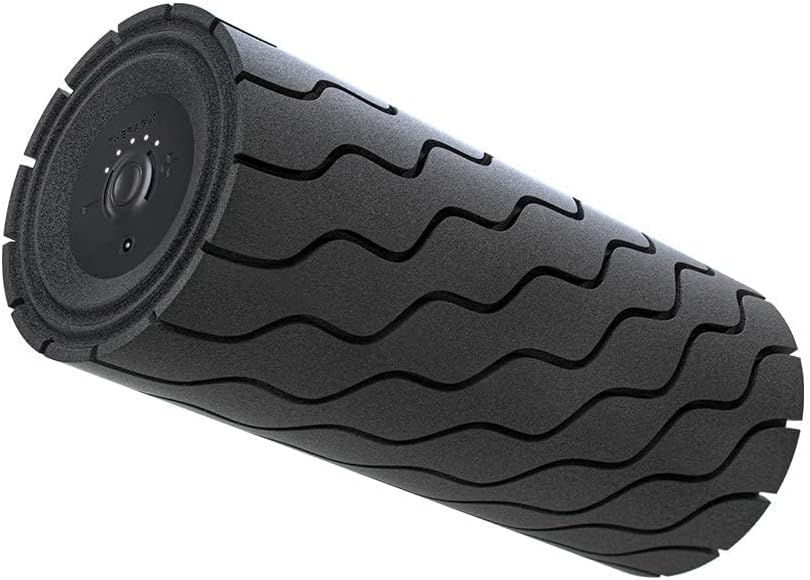
Image: The Therabody Wave Roller, ready for use.
TheraCup Setup
- Charge the Device: Connect the TheraCup device to a power source using the provided USB-C charging cable.
- Attach a Cup: Select one of the three interchangeable transparent cups (35mm, 45mm, or 55mm) and securely attach it to the TheraCup device.
- Prepare Skin: Ensure the skin area where you intend to apply the TheraCup is clean and free of lotions or oils for optimal suction.

Image: The TheraCup device shown with its three interchangeable transparent cups.
Operating Instructions
Using the Wave Roller
- Power On: Press the power button on the Wave Roller to turn it on.
- Select Intensity: Adjust the vibration intensity using the controls on the roller or via the Therabody App. There are 5 powerful vibration intensity settings available.
- Positioning: Place the Wave Roller on a flat, stable surface. Position your body over the roller, ensuring proper alignment with the muscle group you wish to target.
- Rolling Technique: Gently roll your body over the Wave Roller, allowing the vibrations and wave foam texture to massage the muscles. Focus on areas of soreness or tension.
- Duration: Use for recommended durations as suggested by the Therabody App or a healthcare professional.
- Power Off: Press and hold the power button to turn off the Wave Roller when finished.

Image: A person demonstrating the use of the Therabody Wave Roller for leg muscle relief.

Image: Close-up of the Wave Roller's end panel, showing the power button and intensity controls.
Using the TheraCup
- Power On: Press the power button on the TheraCup device.
- Select Settings: Use the on-device controls to select desired suction level, heating, and vibration settings. The TheraCup offers digitized controls and built-in safeguards.
- Application: Place the attached cup firmly onto the prepared skin area. The device will create suction.
- Treatment: Allow the TheraCup to remain on the skin for the desired duration, typically 5-10 minutes per area. Do not exceed recommended usage times.
- Removal: To release the suction, press the release button on the device. Gently remove the cup from the skin.
- Power Off: Press and hold the power button to turn off the TheraCup when finished.

Image: Multiple TheraCup devices in use on a person's upper back, demonstrating cupping therapy.

Image: A person applying a single TheraCup device to their arm, showcasing individual use.
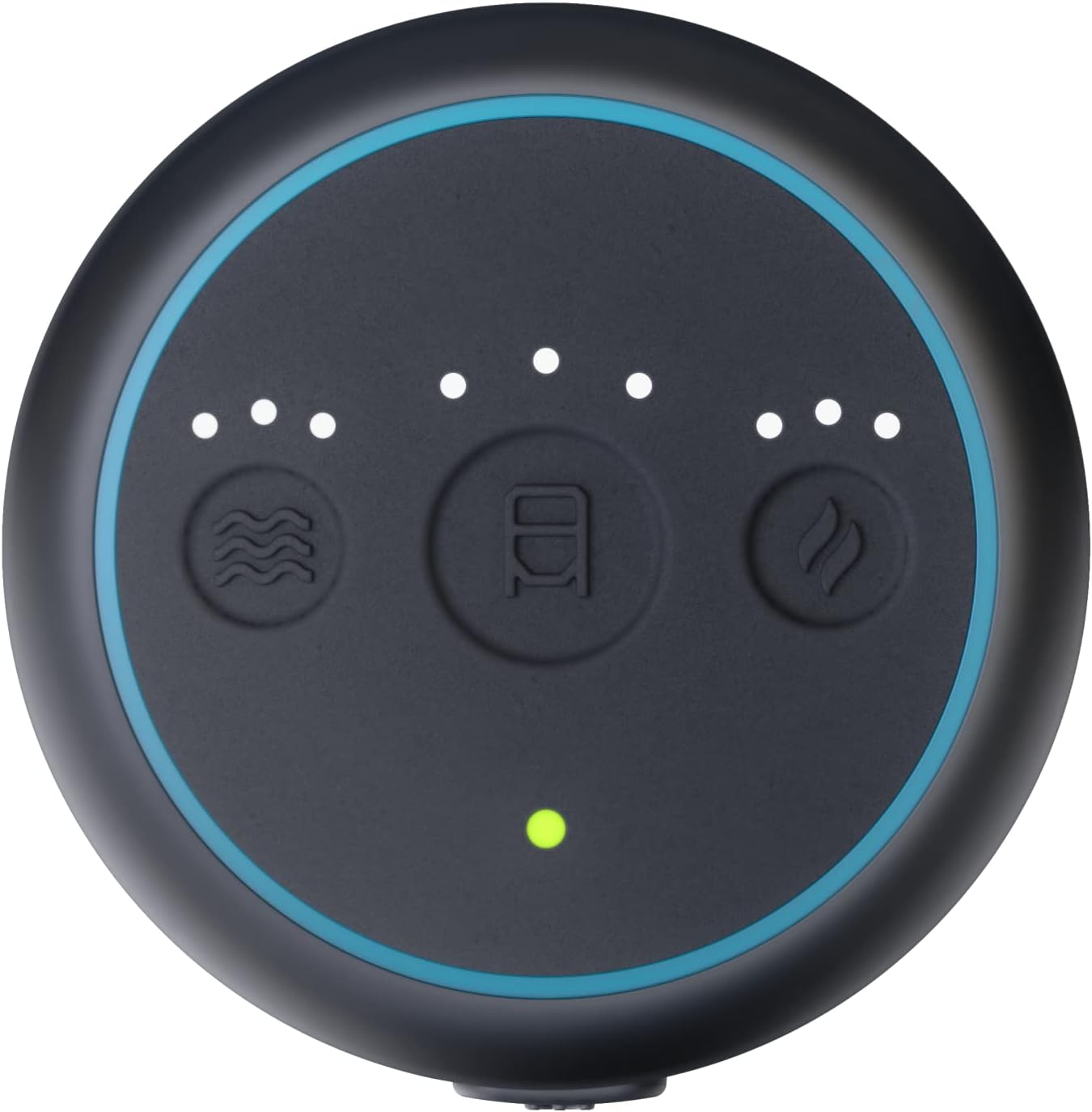
Image: Close-up of the TheraCup's control panel, displaying options for heat, vibration, and suction intensity.
Maintenance
- Cleaning: After each use, wipe down the Wave Roller and TheraCup devices with a damp, soft cloth. Do not use abrasive cleaners or immerse in water.
- Cup Cleaning: The transparent cups of the TheraCup can be detached and washed with mild soap and water. Ensure they are completely dry before reattaching.
- Storage: Store both devices in their respective carrying pouches in a cool, dry place away from direct sunlight.
- Battery Care: To prolong battery life, avoid fully discharging the devices frequently. Charge them regularly, even if not in constant use.
Troubleshooting
| Problem | Possible Cause | Solution |
|---|---|---|
| Device not turning on | Low battery or device not charged. | Charge the device fully using the provided charger. |
| Wave Roller not vibrating | Intensity setting too low or device not powered on. | Ensure the device is on and increase the vibration intensity. Check Therabody App connection. |
| TheraCup not creating suction | Cup not properly attached, skin not clean/dry, or device malfunction. | Ensure cup is securely attached. Clean and dry skin area. If problem persists, contact support. |
| Therabody App connection issues | Bluetooth off, device out of range, or app error. | Ensure Bluetooth is enabled on your phone. Bring device closer to phone. Restart app and device. |
Specifications
- Wave Roller Size: 12"x5"
- Wave Roller Material: High-Density Foam
- Wave Roller Battery Life: 180 minutes (3 hours)
- Wave Roller Vibration Settings: 5 intensity levels
- TheraCup Cup Diameters: 35mm, 45mm, 55mm
- Color: Black
- Manufacturer: TheraGun
- Overall Product Dimensions: 12 x 12 x 12 inches (for the bundle)
Warranty and Support
For warranty information, product support, or to purchase accessories, please visit the official TheraGun website or contact their customer service directly. Keep your proof of purchase for warranty claims.
Online Resources:
- Therabody Amazon Store
- Refer to the Therabody App for additional usage guides and personalized routines.
Related documentsTherabody Wave Series Waver Roller, TheraCup Single

Ask a question about this manual
Ask about setup, troubleshooting, compatibility, parts, safety, or missing instructions. Manuals+ will review the question and use this page’s manual context to help answer it.