
Razor A6, A3
Razor A6 & A3 Kick Scooters User Manual
Comprehensive guide for assembly, operation, and maintenance.
1. Introduction
This manual provides essential information for the safe and effective use of your Razor A6 and Razor A3 Kick Scooters. Please read this manual thoroughly before assembly or operation to ensure proper use and to prevent injury. Keep this manual for future reference.

Image: The Razor A6 (left) and Razor A3 (right) Kick Scooters, showcasing their distinct designs and wheel sizes.
2. Safety Information
Riding a scooter can be a hazardous activity. Certain conditions may cause the equipment to fail without fault of the manufacturer. The product is intended for use in controlled environments, free from hazards. Always exercise caution and common sense when riding.
2.1 General Safety Precautions
- Always wear a helmet that fits properly and meets safety standards (e.g., CPSC, ASTM).
- Wear appropriate protective gear, including knee pads, elbow pads, and wrist guards.
- Wear athletic shoes with rubber soles. Do not ride barefoot or in sandals.
- Ensure all fasteners and components are securely tightened before each ride.
- Do not ride at night or in low visibility conditions.
- Avoid riding on wet, oily, sandy, gravel, or uneven surfaces.
- Do not ride on public roads or in traffic. Obey all local traffic laws and regulations.
- Maximum rider weight for the A6 is 220 lbs (100 kg). The A3 has a similar weight limit, typically around 143 lbs (65 kg), but always verify specific product documentation.
- Recommended age for the A6 is 8 years and older. The A3 is also suitable for similar age ranges.
- Supervise children at all times when they are riding.
- Be aware of your surroundings and other pedestrians or vehicles.
2.2 Riding Conditions
The performance of the scooter, including speed and range, can vary based on factors such as rider weight, riding surface, incline, ambient temperature, and riding style (e.g., frequent stopping and starting vs. continuous cruising).
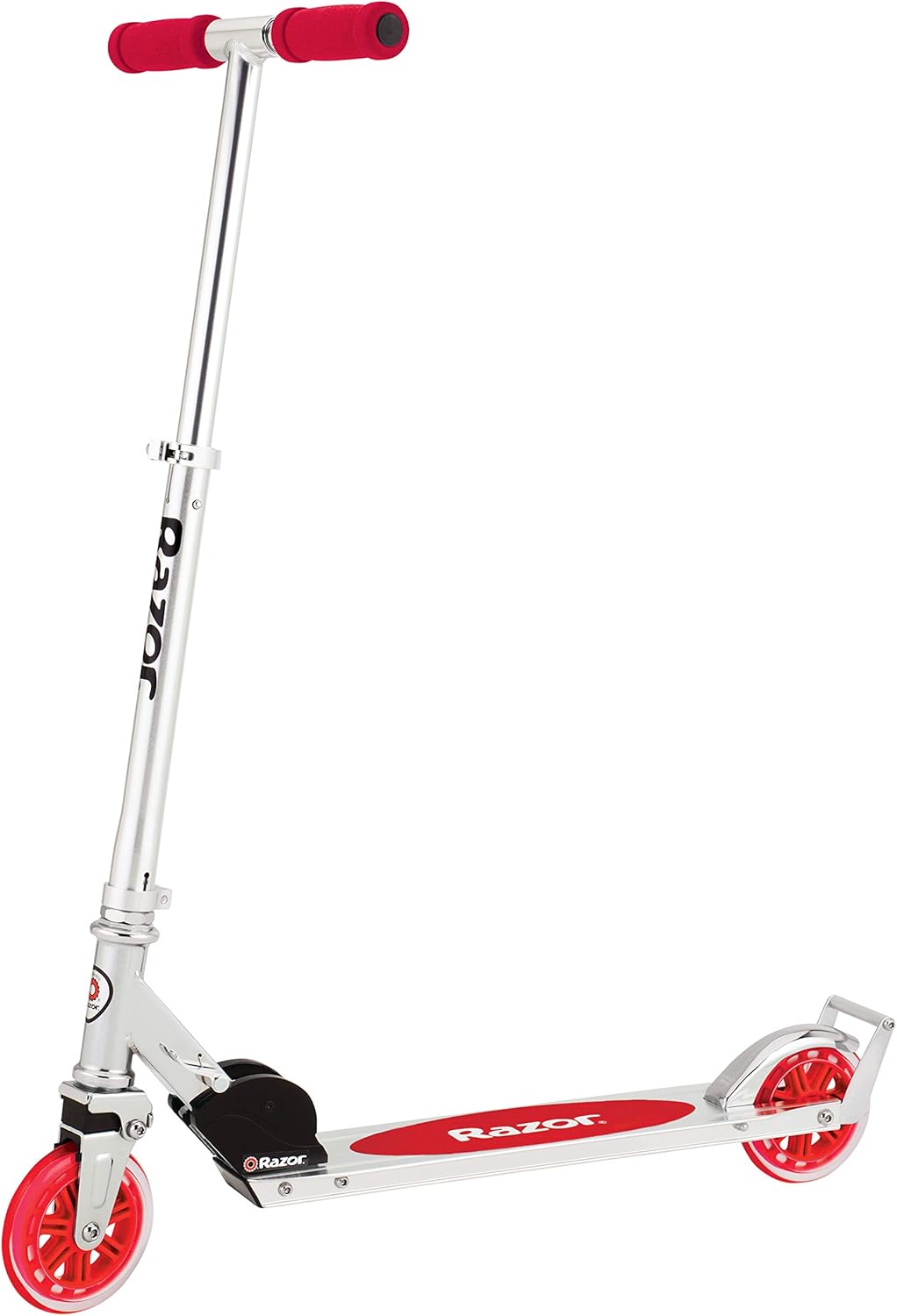
Image: A person wearing a helmet and riding the Razor A6 Kick Scooter, demonstrating safe operation.
3. Package Contents
Your Razor A6 and A3 Kick Scooter bundle includes the following items:
- 1 x Razor A6 Kick Scooter (Silver)
- 1 x Razor A3 Kick Scooter (Silver with Red Wheels)
- User Manual (this document)
4. Setup and Assembly
Both the Razor A6 and A3 scooters come largely pre-assembled. The primary setup involves unfolding the scooter and adjusting the handlebar height.
4.1 Unfolding the Scooter
- Place the scooter on a flat surface.
- Locate the folding mechanism near the front wheel (for A6) or at the base of the handlebar stem (for A3).
- Release the locking lever or pin according to the specific model's design.
- Carefully pull the handlebar stem upwards until it locks into the upright position. Ensure the locking mechanism is fully engaged and secure.
4.2 Adjusting Handlebar Height
- Locate the quick-release clamp on the handlebar stem.
- Open the quick-release clamp.
- Press the spring-loaded buttons on the side of the handlebar stem and slide the handlebars up or down to the desired height. The A6 features extra-tall handlebars, adjustable up to 42 inches (1067 mm).
- Ensure the buttons snap into one of the adjustment holes.
- Close the quick-release clamp securely. The clamp should be tight enough to prevent the handlebars from slipping during use.

Image: The Razor A6 Kick Scooter in its fully unfolded and assembled state, ready for use.

Image: The Razor A3 Kick Scooter in its fully unfolded and assembled state, highlighting its red wheels and handlebar grips.
5. Operating Instructions
5.1 Riding the Scooter
- Place one foot firmly on the deck of the scooter, near the front.
- Use your other foot to push off the ground, propelling the scooter forward.
- Once you have gained momentum, place your pushing foot onto the deck behind your front foot.
- Maintain balance by leaning slightly in the direction of the turn and using the handlebars for steering.
5.2 Braking
Both the A6 and A3 scooters feature a rear fender brake.
- To slow down or stop, gently press down on the rear fender with your heel.
- Apply steady pressure to the brake. Avoid sudden or hard braking, especially at high speeds, as this can cause loss of control.

Image: A detailed view of the rear wheel and fender brake mechanism on the Razor A6 Kick Scooter.

Image: A detailed view of the rear wheel and fender brake mechanism on the Razor A3 Kick Scooter.
6. Maintenance
Regular maintenance will extend the life of your Razor scooters and ensure safe operation.
- Cleaning: Wipe down the scooter with a damp cloth after each use. Avoid using harsh chemicals or abrasive cleaners.
- Check Fasteners: Periodically check all nuts, bolts, and screws to ensure they are tight. Loose fasteners can compromise safety and performance.
- Wheels: Inspect the wheels for wear and tear. Replace wheels if they show signs of significant damage or flat spots. The A6 features large 10-inch urethane wheels, and the A3 has larger urethane wheels for a smoother ride.
- Bearings: If the wheels do not spin freely, the bearings may need cleaning or replacement.
- Brake: Ensure the rear fender brake is functioning correctly and provides adequate stopping power.
- Folding Mechanism: Keep the folding mechanism clean and free of debris. Ensure it locks securely in both the folded and unfolded positions. The A6 features a patent-pending anti-rattle folding mechanism.
- Storage: Store the scooter in a dry, cool place away from direct sunlight and moisture.
7. Troubleshooting
| Problem | Possible Cause | Solution |
|---|---|---|
| Handlebars slip or wobble | Quick-release clamp is not tight enough; adjustment buttons not fully engaged. | Tighten the quick-release clamp. Ensure adjustment buttons snap into place. |
| Wheels don't spin freely or make noise | Dirt/debris in bearings; worn bearings. | Clean wheels and bearings. If problem persists, replace bearings. |
| Brake is ineffective | Fender brake worn or misaligned. | Inspect the brake for wear. Ensure it makes full contact with the wheel. Contact Razor support if replacement is needed. |
| Scooter difficult to fold/unfold | Debris in folding mechanism; mechanism needs lubrication. | Clean the folding mechanism. Apply a small amount of silicone-based lubricant if necessary. |
If you encounter issues not listed here, or if solutions do not resolve the problem, please contact Razor customer support.
8. Specifications
8.1 Razor A6 Kick Scooter
- Brand: Razor
- Model Name: Razor A6
- Color: Silver
- Frame Material: Aluminum
- Number of Wheels: 2
- Wheel Material: Urethane
- Wheel Size: 10 inches (254 mm)
- Wheel Type: Solid
- Handlebar Type: Adjustable, Extra-Tall (up to 42 inches / 1067 mm)
- Deck Length: 13.4 inches (340 mm)
- Special Features: Lightweight, Adjustable Handlebar Height, Anti-Rattle Technology (handlebars and folding mechanism)
- Brake Style: Rear Braking
- Recommended Uses: Urban commuting, Recreational riding
- Max Rider Weight: Up to 220 lbs (100 kg)
8.2 Razor A3 Kick Scooter
- Brand: Razor
- Model Name: Razor A3
- Color: Silver with Red Wheels
- Frame Material: Aluminum
- Number of Wheels: 2
- Wheel Material: Urethane (Larger wheels for smoother ride)
- Suspension Type: Front Suspension (vibration dampening)
- Special Features: Lightweight, Foldable, Adjustable Handlebars, Wheelie Bar
- Brake Style: Rear Braking
- Recommended Uses: Recreational riding, Kid's transportation
9. Warranty and Support
Razor products are manufactured to high-quality standards. For specific warranty information, please refer to the documentation included with your purchase or visit the official Razor website. If you require technical assistance, replacement parts, or have questions regarding your scooter, please contact Razor customer support.
Razor Official Website: www.razor.com
Contact Information: Refer to the Razor website for the most current contact details, including phone numbers and email support.
Related documentsA6, A3

Ask a question about this manual
Ask about setup, troubleshooting, compatibility, parts, safety, or missing instructions. Manuals+ will review the question and use this page’s manual context to help answer it.