
Marsail TZESD8B
Marsail Adjustable Height Standing Desk User Manual
Model: TZESD8B
1. Product Overview
The Marsail 55"x24" Adjustable Height Standing Desk is an electric workstation designed to enhance productivity and well-being in various environments, including home offices, study areas, and professional workspaces. This desk allows for seamless transitions between sitting and standing positions, promoting better posture and reducing fatigue associated with prolonged sitting.
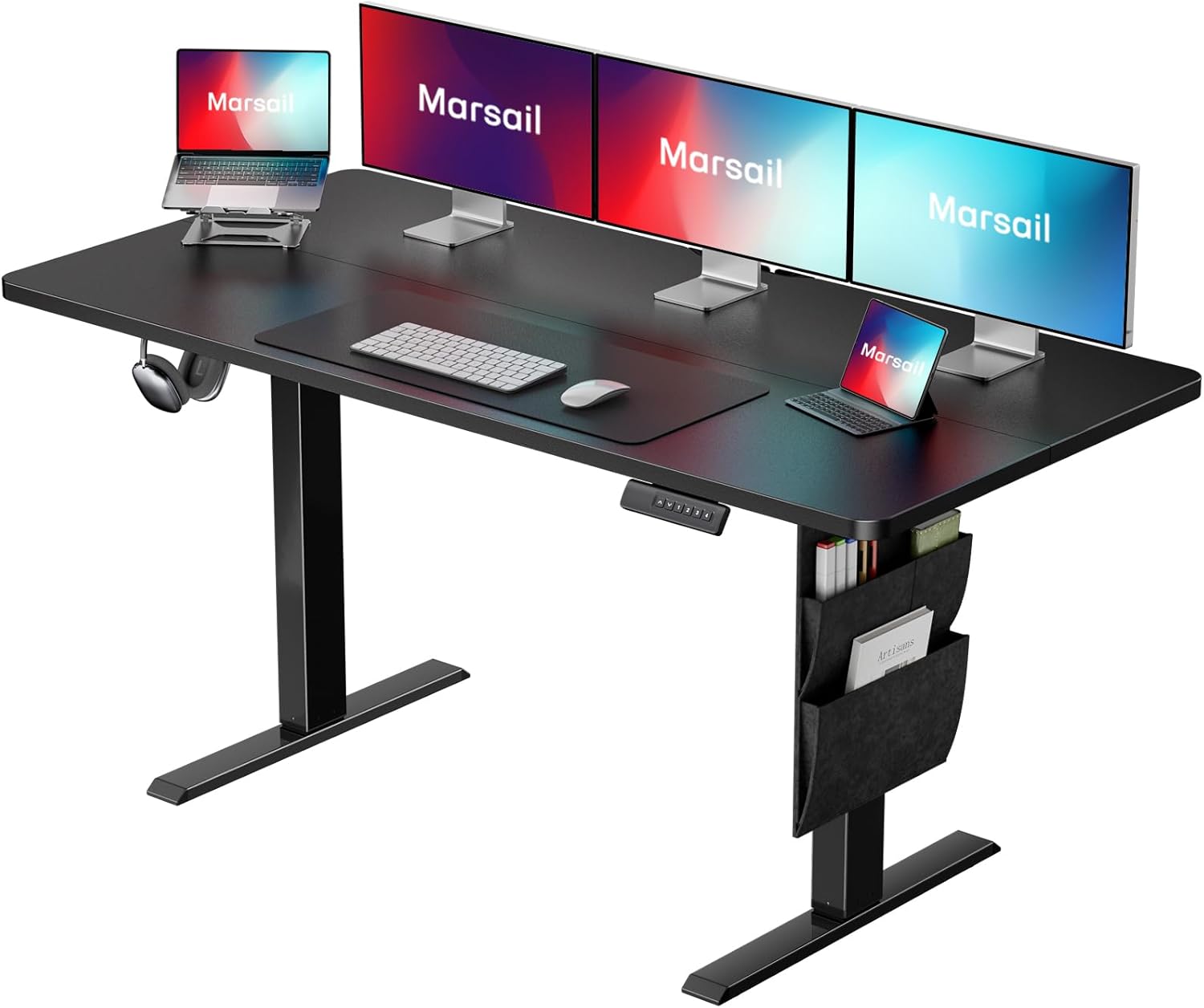
Key features include a one-touch height adjustment system with four memory presets, a multifunctional side storage pocket for organization, and a CARB certified desktop ensuring low emissions for a healthier workspace. The desk is equipped with an energy-efficient motor for quiet and smooth operation, all integrated into a simple, modern design.

2. Setup and Assembly
Assembly of the Marsail Standing Desk is required. While the process is straightforward, careful attention to the instructions is recommended. The desk is designed for easy setup, typically taking about 15 minutes for an experienced assembler.

2.1 Important Assembly Notes
- Tools: A drill and screwdriver are recommended for assembly. Please note that these tools are not included with the desk.
- Personnel: Assembly can typically be completed by one person.
- Weight Limit: The maximum weight recommendation for the desk is 110 pounds (50 kg). Exceeding this limit or improper assembly may lead to instability or damage.
For detailed, step-by-step instructions, please refer to the official Installation Manual (PDF).
3. Operating Instructions
The Marsail Standing Desk features an intuitive control system for effortless height adjustments and personalized settings.
3.1 Height Adjustment
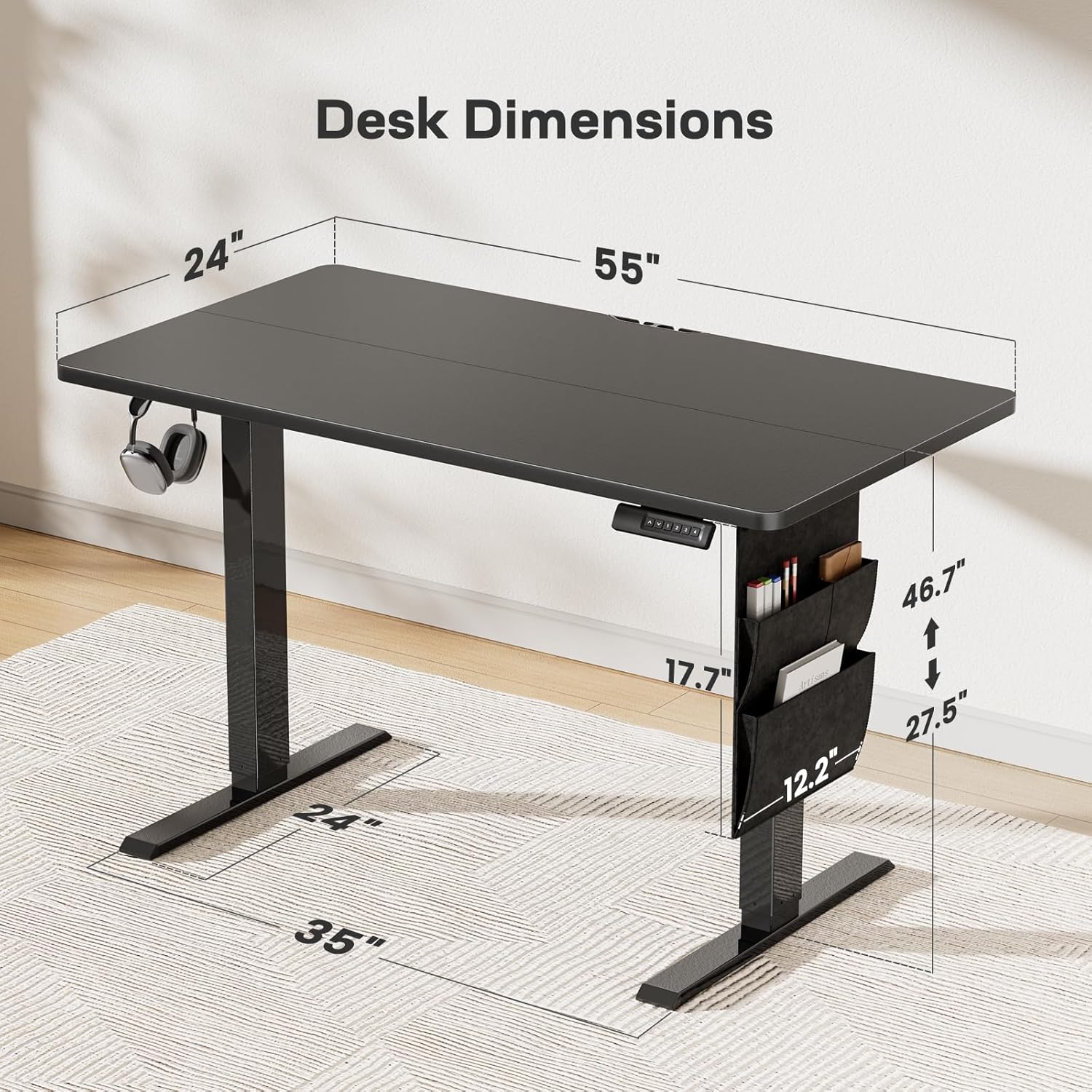
The desk's height can be adjusted from 27.5 inches (minimum) to 46.7 inches (maximum). The energy-efficient motor operates quietly (below 50 dB) and provides smooth transitions at a rate of 2 inches per second.

3.2 Memory Presets
The control panel allows you to save up to four custom height settings for quick and convenient transitions between your preferred sitting and standing heights.

To set a memory preset:
- Adjust the desk to your desired height using the up/down arrows.
- Press and hold one of the numbered buttons (1, 2, 3, or 4) until the display flashes or indicates the setting is saved.
- To recall a saved height, simply press the corresponding numbered button.
3.3 Additional Features
- Multifunctional Side Storage Pocket: A double-layered side pocket is integrated to help keep your workspace organized by holding folders, notebooks, and office supplies.
- Headphone Hook: The desk includes a headphone hook for convenient storage.
- Anti-Collision Technology: The desk is equipped with anti-collision technology to prevent damage by automatically stopping movement if an obstruction is detected.
- Cable Management: Features for cable management are included to help maintain a tidy workspace.


4. Maintenance
Proper care ensures the longevity and optimal performance of your Marsail Standing Desk.
- Cleaning: Wipe the desk surfaces with a damp cloth. Avoid harsh chemicals or abrasive cleaners that could damage the finish.
- CARB Certified Desktop: The desktop is CARB certified, meaning it meets strict environmental and health standards for reduced formaldehyde and VOC emissions. This contributes to a healthier indoor air quality.

5. Troubleshooting
If you encounter any issues with your Marsail Standing Desk, please refer to the comprehensive User Manual (PDF) for detailed troubleshooting steps. Common issues and their resolutions are typically covered in the manual's dedicated section.
If the problem persists, please contact Marsail customer support for assistance.
6. Specifications
| Feature | Detail |
|---|---|
| Brand | Marsail |
| Model Number | TZESD8B |
| Product Dimensions (D x W x H) | 24"D x 55"W x 28"H |
| Size | 55x24" |
| Color | Black |
| Style | Modern |
| Top Material Type | Wood |
| Base Material | Stainless Steel |
| Finish Type | Stainless Steel |
| Lifting Mechanism | Electric |
| Minimum Height | 27.5 Inches |
| Maximum Height | 46.7 Inches |
| Number of Height Positions | 4 |
| Maximum Weight Recommendation | 110 Pounds |
| Item Weight | 47.5 Pounds |
| Room Type | Bedroom, Classroom, Dormitory, Living Room, Office |
| Recommended Uses | Drafting, Gaming, Work from home, Working, Writing |
| Included Components | Headphone Hook, Instruction Manual, Storage Bag |
7. Warranty Information
The Marsail Adjustable Height Standing Desk comes with a 5-year warranty. For specific terms and conditions, please refer to the warranty details provided in your product packaging or contact Marsail customer support.
8. Customer Support
For further assistance, questions, or support regarding your Marsail Standing Desk, please utilize the following resources:
- Official User Manual: A comprehensive PDF version of the user manual is available here.
- Online Support: Visit the Marsail Store on Amazon for additional product information and contact options.
Related documentsTZESD8B


Ask a question about this manual
Ask about setup, troubleshooting, compatibility, parts, safety, or missing instructions. Manuals+ will review the question and use this page’s manual context to help answer it.