1. Introduction
The TTXSCAM E01 AHD 1080P Backup Camera is a versatile and durable accessory designed to enhance vehicle safety and visibility. It offers high-definition imaging and flexible installation options to suit various vehicle types, including pickup trucks, SUVs, RVs, and vans.
Key Features:
- AHD 1080P Video Output: Generates a clear AHD 1080P 25HZ/PAL video signal for high-quality images. Please ensure your monitor or aftermarket stereo head unit supports this specific video signal for compatibility.
- Image Conversion Capabilities: Features three loop cables for easy conversion between mirror image (rear view) and non-mirror image (front view), AHD and CVBS video signals, and enabling/disabling parking guidelines.
- IP68 Waterproof Rating: Constructed with a unique potting process for commercial-grade waterproofing, ensuring excellent protection against dust and water, and full functionality in wet and harsh environments.
- Dual Mounting Options: Provides both bracket mount and flush mount installation methods, allowing users to choose the most suitable option for their vehicle. Note that this is one camera with two installation methods, not two separate cameras.
- Front and Rear View Versatility: Can be installed at both the rear and front of the vehicle to eliminate blind spots, improve overall visibility, and assist with navigation and parking maneuvers.
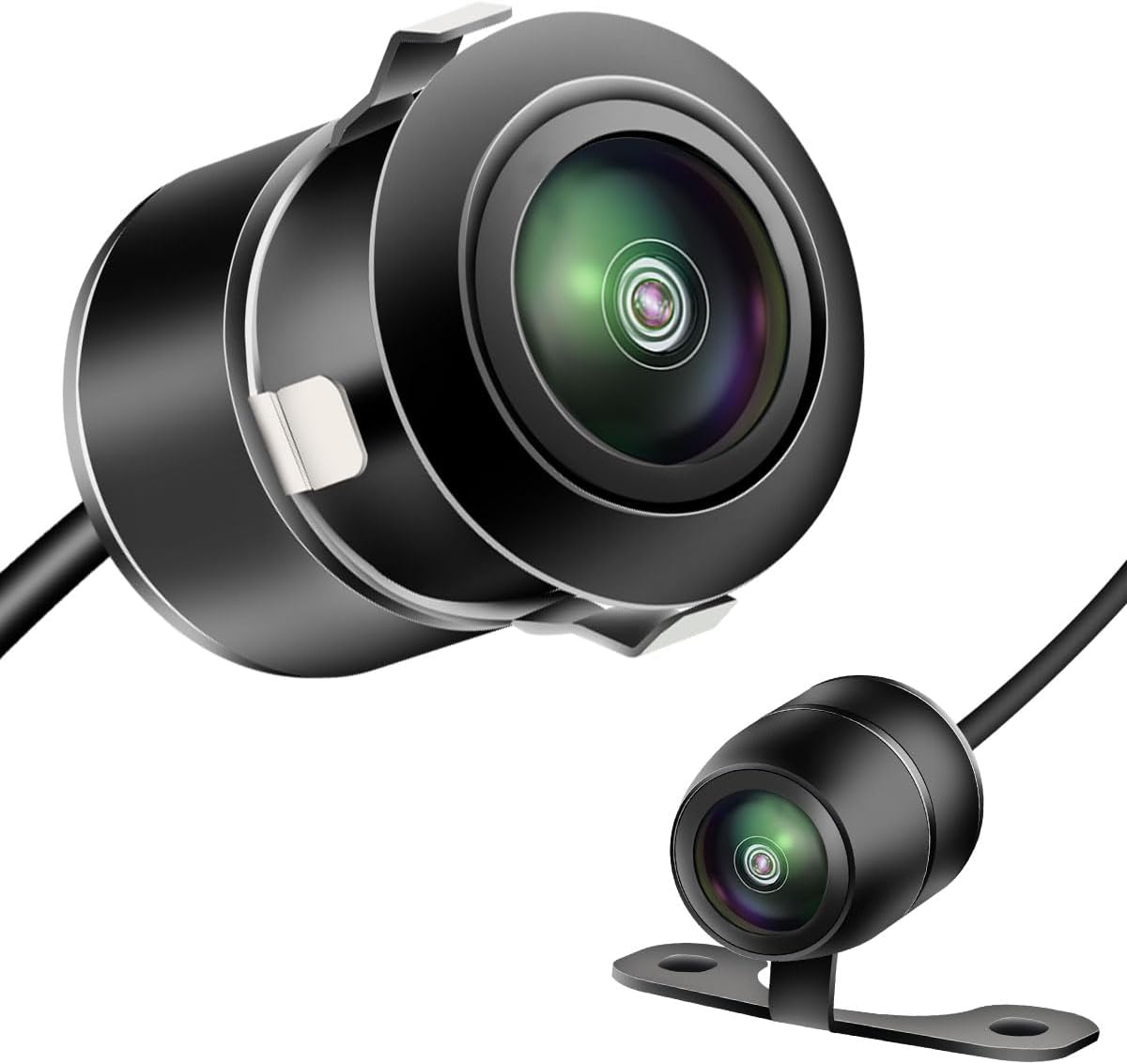
Figure 1: The TTXSCAM E01 Backup Camera, illustrating its two primary mounting styles.
2. Setup and Installation
The TTXSCAM E01 camera offers flexible installation to fit various vehicle configurations. Choose between flush mounting for a discreet look or bracket mounting for external placement.
2.1 Mounting Options
The camera comes with components for two distinct mounting methods:
- Flush Mounting: For a clean, integrated appearance, typically requiring drilling a hole in the vehicle's surface.
- Bracket Mounting: For external attachment, providing a simpler installation process.
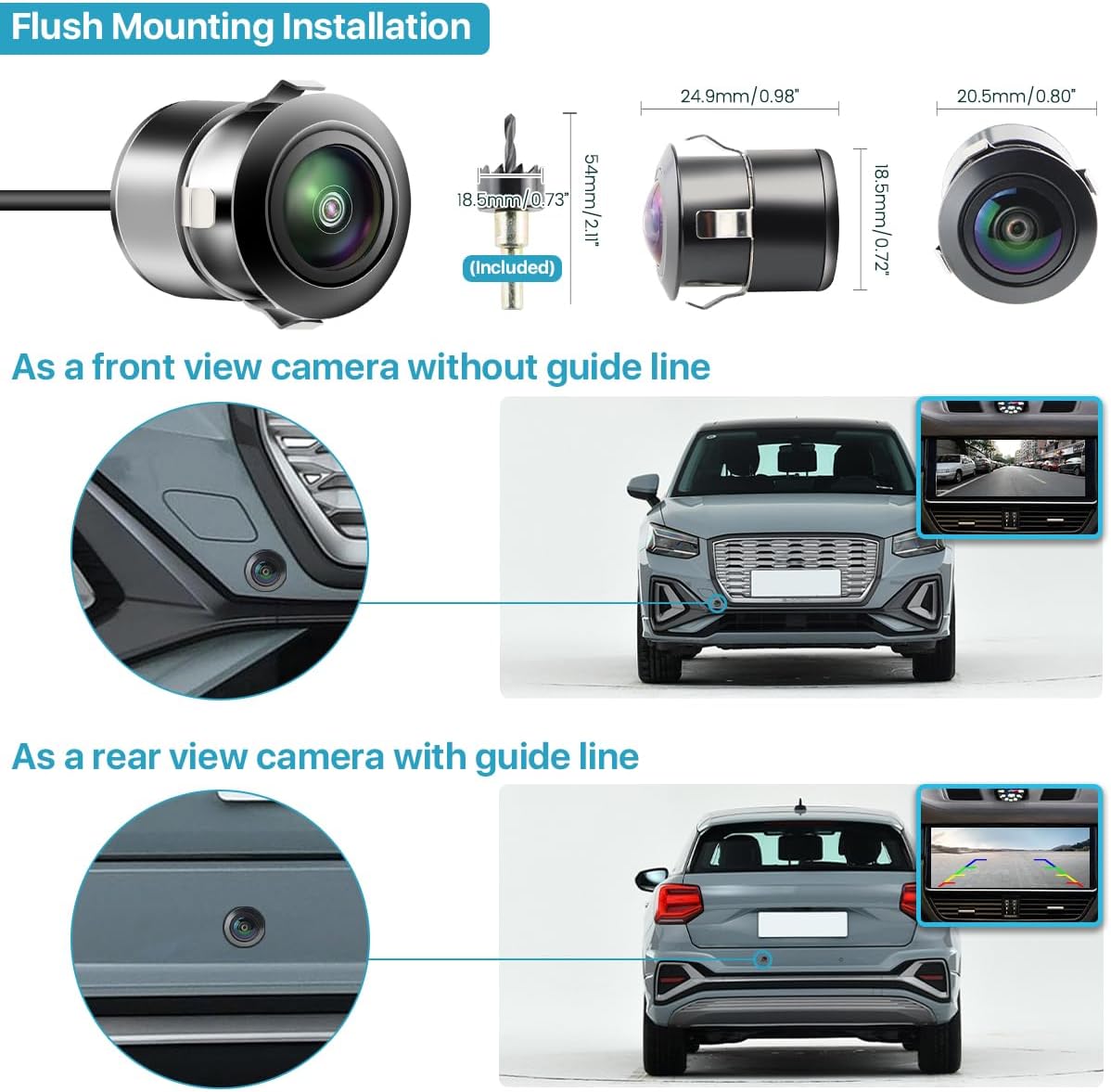
Figure 2: Flush Mounting Installation details, including dimensions and visual examples for front and rear camera placement.
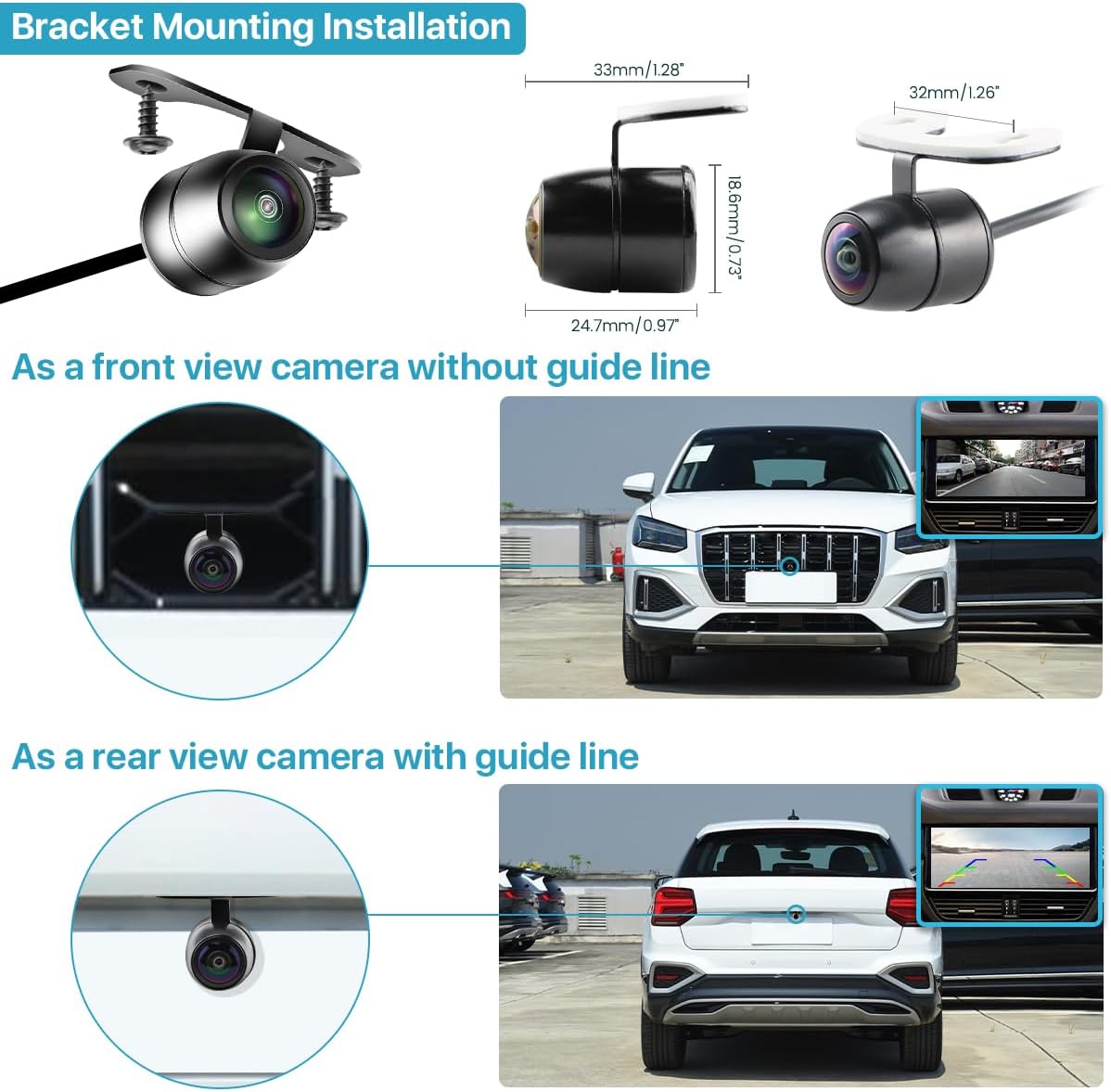
Figure 3: Bracket Mounting Installation details, including dimensions and visual examples for front and rear camera placement.
2.2 Wiring Diagram
Proper wiring is crucial for the camera's functionality. The camera uses a 4-pin female plug and an RCA video output. It is designed to work with monitors that support RCA video input. It is NOT compatible with standard dash cams, GPS units, or mirror cams that do not support RCA video input.

Figure 4: 4-Pin Female Plug pinout and important compatibility notes regarding RCA video output.
Connect the camera to your vehicle's power source and monitor according to the following diagrams. The camera can be connected to a monitor with or without a trigger wire, depending on your head unit's capabilities.

Figure 5: Detailed wiring instructions for connecting the camera to a head unit (with trigger wire) or directly to a monitor (without trigger wire).
3. Operating the Camera
The TTXSCAM E01 camera offers customizable features through simple cable modifications. These modifications allow you to adapt the camera's output to your specific needs.
3.1 Feature Conversion Cables
The camera includes three loop cables that can be cut to enable or disable certain features:
- White Cable: Cut this cable to switch between mirror image (default, for rear view) and non-mirror image (for front view).
- Orange Cable: Cut this cable to switch the video signal from AHD to CVBS. This is useful if your monitor does not support AHD 1080P 25HZ (PAL) video settings.
- Green Cable: Cut this cable to disable the parking guidelines that appear on the video feed.
Important: After cutting any cable, remember to reconnect the power source to the camera for the changes to take effect. You can also reconnect a cut cable if you wish to revert the setting.

Figure 6: Illustration of the switcher cables and their functions for customizing camera output.
3.2 Image Clarity
The camera features a real glass lens and a 170-degree wide viewing angle to provide good clarity images, especially in 1080P resolution. This wide angle helps in minimizing blind spots and providing a comprehensive view of the surroundings.

Figure 7: Visual representation of the AHD 1080P image clarity and the camera's lens structure.
4. Maintenance
The TTXSCAM E01 camera is designed for durability and minimal maintenance, thanks to its robust construction and IP68 waterproof rating.
4.1 Waterproofing
The camera boasts an IP68 rating, signifying its excellent protection against dust and water ingress. This ensures reliable operation even in challenging weather conditions such as rain, snow, or high humidity.
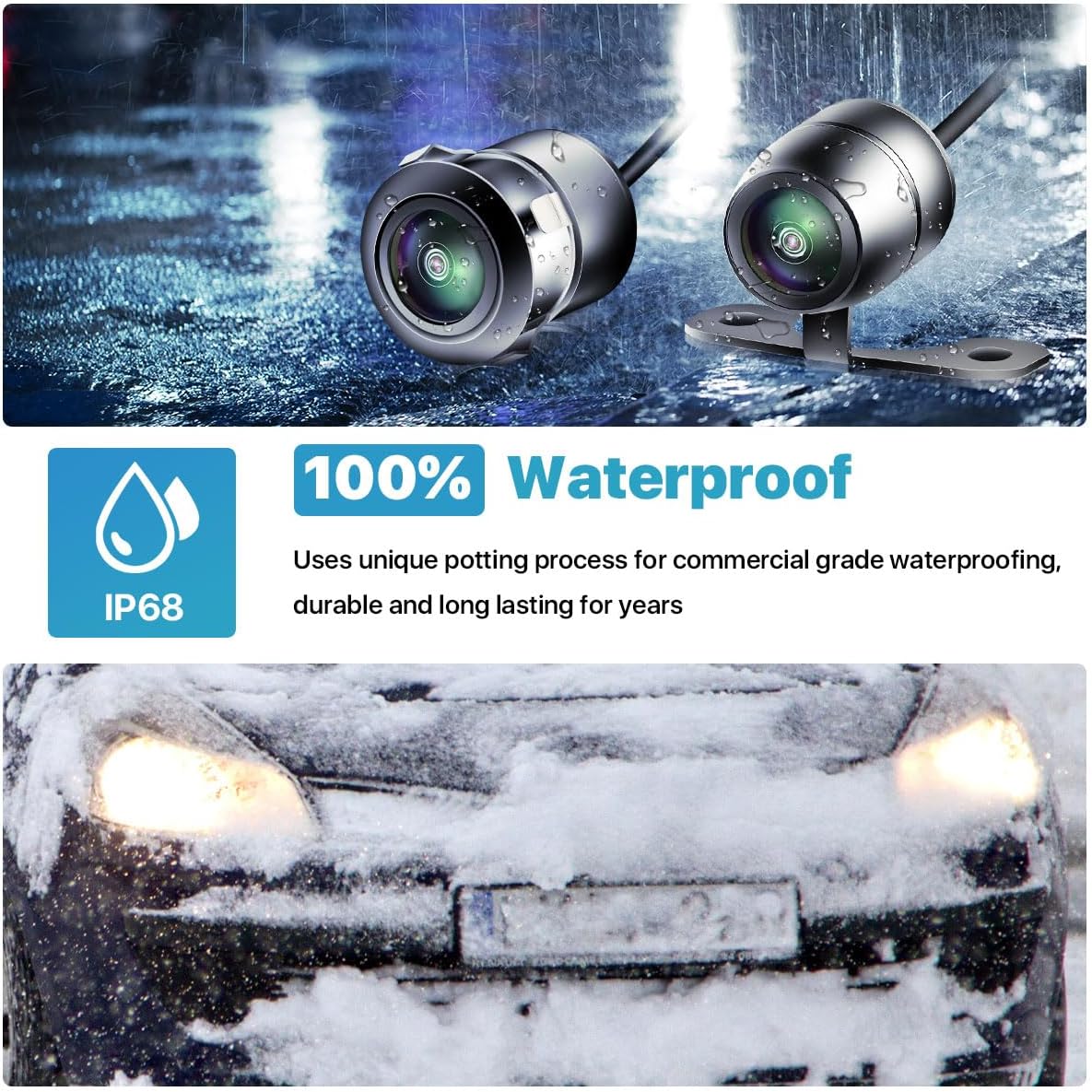
Figure 8: The camera's IP68 waterproof capability demonstrated in various weather conditions.
4.2 Cleaning
To maintain optimal image clarity, periodically clean the camera lens with a soft, damp cloth. Avoid using abrasive cleaners or solvents that could damage the lens or housing.
5. Troubleshooting
If you encounter issues with your TTXSCAM E01 camera, please refer to the following common troubleshooting steps:
| Problem | Possible Cause | Solution |
|---|---|---|
| No image or black screen | Loose cable connection; Incorrect power supply; Incompatible monitor. |
|
| Image is blurry or distorted | Dirty lens; Incorrect video signal setting; Damaged cable. |
|
| Image is reversed (mirror vs. non-mirror) | White cable setting incorrect. |
|
| Parking guidelines are missing or unwanted | Green cable setting incorrect. |
|
If the problem persists after trying these steps, please contact TTXSCAM customer support for further assistance.
6. Specifications
| Specification | Value |
|---|---|
| Brand | TTXSCAM |
| Item Model Number | TTXSCAM-E01 |
| Product Dimensions | 2.49 x 2.03 x 1.83 cm; 22.68 grams |
| First Available Date | October 20, 2023 |
| Compatible Devices | Monitors supporting AHD 1080P 25HZ/FPS PAL video format and RCA connector |
| Display Technology | LCD (for compatible monitors) |
| Mounting Type | Butterfly bracket or flat mount |
| Video Capture Resolution | 1080p |
| Voltage | 12 Volts (DC) |
| Optical Sensor Technology | CMOS |
| Lens Type | Wide-angle lens |
| Real Angle of View | 170 degrees |
7. Warranty and Support
For warranty information, please refer to the documentation provided with your purchase or contact the retailer. TTXSCAM stands behind the quality of its products.
If you require technical support or have questions regarding the installation or operation of your TTXSCAM E01 camera, please contact TTXSCAM customer service through their official channels or the point of purchase.


