
Tribesigns F1745
Tribesigns 55-inch Computer Desk with Bottom Storage Shelf Instruction Manual
Model: F1745
1. Introduction
This manual provides detailed instructions for the assembly, operation, and maintenance of your Tribesigns 55-inch Computer Desk with Bottom Storage Shelf. Please read this manual thoroughly before assembly and use to ensure proper setup and safe operation. Retain this manual for future reference.
2. Safety Information
For your safety and to prevent damage to the product, observe the following precautions:
- Always assemble the desk according to the provided instructions.
- Be cautious when handling heavy parts, such as the metal panel, to avoid injury.
- Ensure the desk is properly assembled and stable before use.
- Do not exceed the maximum weight recommendation of 300 pounds (136 kg) for the desktop.
- Keep small parts away from children during assembly to prevent choking hazards.
- Place the desk on a level surface to prevent wobbling and instability.
3. Package Contents
Verify that all components are present before beginning assembly. If any parts are missing or damaged, please contact customer service.
- Desktop Panel (Engineered Wood)
- Metal Frame Components (Alloy Steel)
- Bottom Storage Shelf Panel (Engineered Wood)
- Assembly Hardware (Screws, bolts, washers, etc.)
- Adjustable Leg Pads
- Assembly Tools (Hex key/Allen wrench)

Figure 1: Illustration of desk components and hardware.
4. Assembly Instructions
Follow these steps carefully for proper assembly. It is recommended to assemble the desk on a soft, clean surface to prevent scratches.
- Step 1: Attach Leg Frames to Side Supports
Identify the main leg frames and side support bars. Using the provided screws and hex key, securely attach the leg frames to the side supports. Ensure all connections are firm but do not overtighten screws initially.
Figure 2: Attaching the metal leg frames.
- Step 2: Install Bottom Storage Shelf
Position the bottom storage shelf panel between the assembled leg frames. Secure it using the designated screws. This shelf also acts as a structural support.
Figure 3: Installing the bottom storage shelf.
- Step 3: Attach Desktop Panel
Carefully place the desktop panel onto the assembled frame. Align the pre-drilled holes on the desktop with the holes on the frame. Secure the desktop using the remaining screws. Overtighten screws only after all components are loosely fitted.
Figure 4: Securing the desktop panel.
- Step 4: Adjust Leg Pads
Once the desk is fully assembled, place it in its desired location. Adjust the leveling leg pads at the bottom of each leg to ensure the desk is stable and level on uneven floors.
Figure 5: Adjusting the leg pads for stability.
5. Usage Guidelines
To ensure the longevity and proper function of your desk:
- Distribute weight evenly across the desktop.
- Avoid placing excessively hot or cold items directly on the desktop without protective coasters.
- Do not stand or sit on the desk.
- Keep liquids away from electronic devices placed on the desk.
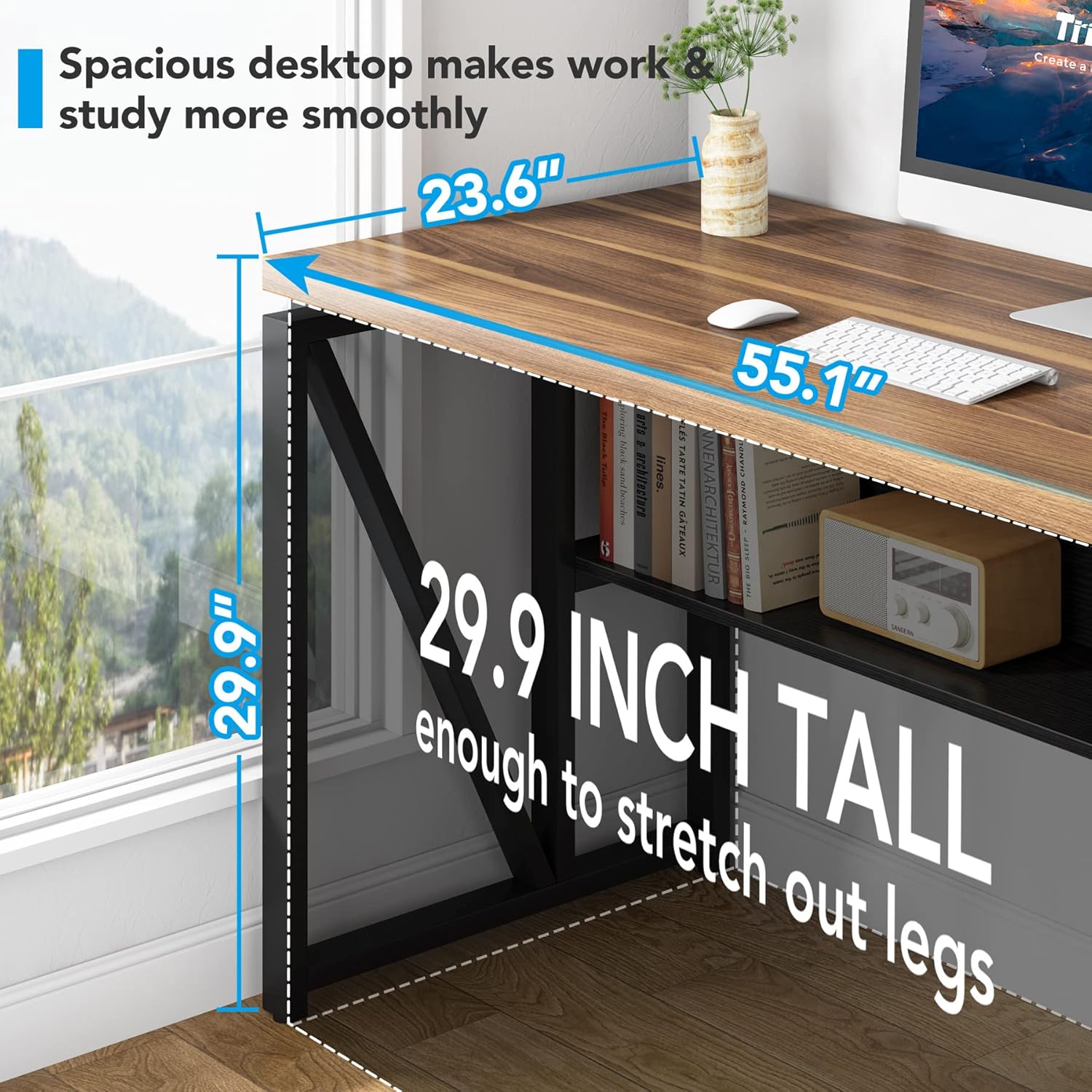
Figure 6: Example of desk usage in a home office setting.
6. Maintenance
Regular maintenance will help preserve the appearance and structural integrity of your desk:
- Cleaning: Wipe surfaces with a soft, damp cloth. Avoid harsh chemicals or abrasive cleaners that may damage the finish.
- Hardware: Periodically check all screws and bolts to ensure they remain tight. Retighten if necessary to maintain stability.
- Spills: Clean up spills immediately to prevent staining or damage to the engineered wood surface.
7. Troubleshooting
| Problem | Possible Cause | Solution |
|---|---|---|
| Desk is wobbly | Uneven floor or loose hardware | Adjust the leveling leg pads. Check and tighten all assembly screws. |
| Parts do not align during assembly | Incorrect orientation of parts or overtightened screws | Review the assembly steps and diagrams. Loosen screws, adjust alignment, then retighten. |
| Missing hardware or damaged parts | Manufacturing defect or shipping damage | Contact Tribesigns customer service for replacement parts. |
8. Product Specifications
| Brand | Tribesigns |
| Model Number | F1745 |
| Product Dimensions (D x W x H) | 23.6"D x 55"W x 30"H |
| Color | Walnut |
| Style | Modern |
| Base Material | Alloy Steel |
| Top Material Type | Engineered Wood |
| Item Weight | 80 Pounds (36.3 kg) |
| Maximum Weight Recommendation | 300 Pounds (136 kg) |
| Number of Shelves | 2 (including bottom storage shelf) |
| Required Assembly | Yes |
| Includes All Assembly Tools | Yes |
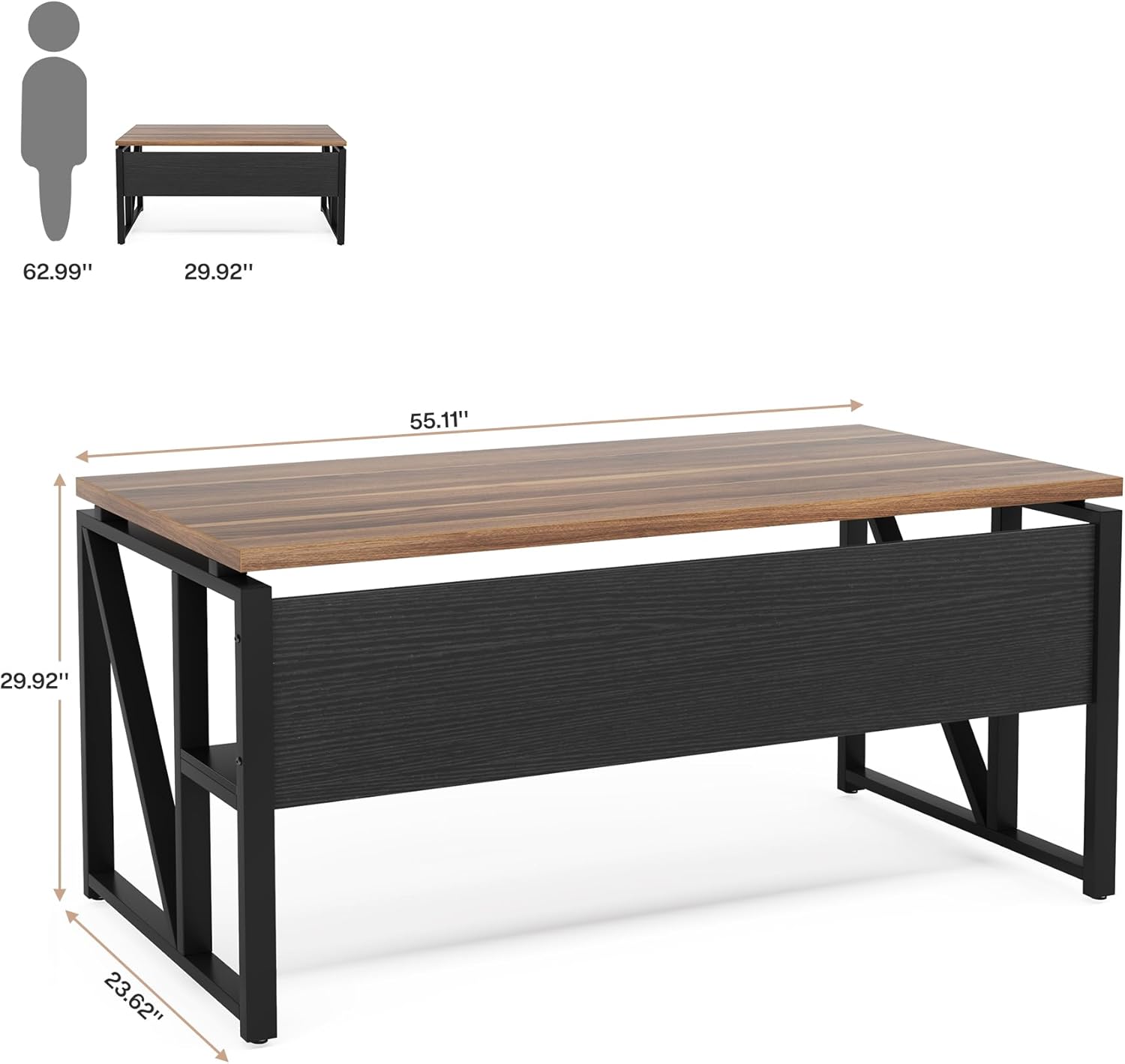
Figure 7: Key dimensions of the desk.
9. Warranty and Customer Support
This Tribesigns product comes with a Limited Warranty. For specific terms and conditions, please refer to the warranty documentation included with your purchase or contact customer service.
If you encounter any issues such as damaged or defective items, missing accessories, or require assistance with assembly, please contact Tribesigns customer service directly. We are committed to providing friendly and helpful support.
For further assistance, please visit the official Tribesigns store or contact their support channels.
Related documentsF1745


Ask a question about this manual
Ask about setup, troubleshooting, compatibility, parts, safety, or missing instructions. Manuals+ will review the question and use this page’s manual context to help answer it.