1. Introduction
Thank you for purchasing the HAVIT E510BT Freego1 Open Ear Bluetooth 5.3 Headphones. This user manual provides detailed instructions on how to set up, operate, and maintain your new headphones. Please read this manual carefully before use to ensure optimal performance and longevity of your device. Keep this manual for future reference.
2. Product Overview

Front view of the HAVIT E510BT Freego1 headphones, showcasing their open-ear design and flexible neckband.

A woman wearing the headphones while engaged in various household activities like cooking, washing dishes, and hanging laundry, highlighting hands-free convenience.

A woman wearing the headphones, demonstrating the open-ear design that allows her to hear ambient sounds, such as a child calling out.

A woman holding a baby while comfortably wearing the headphones, illustrating the non-intrusive and comfortable fit that doesn't block the ear canal.
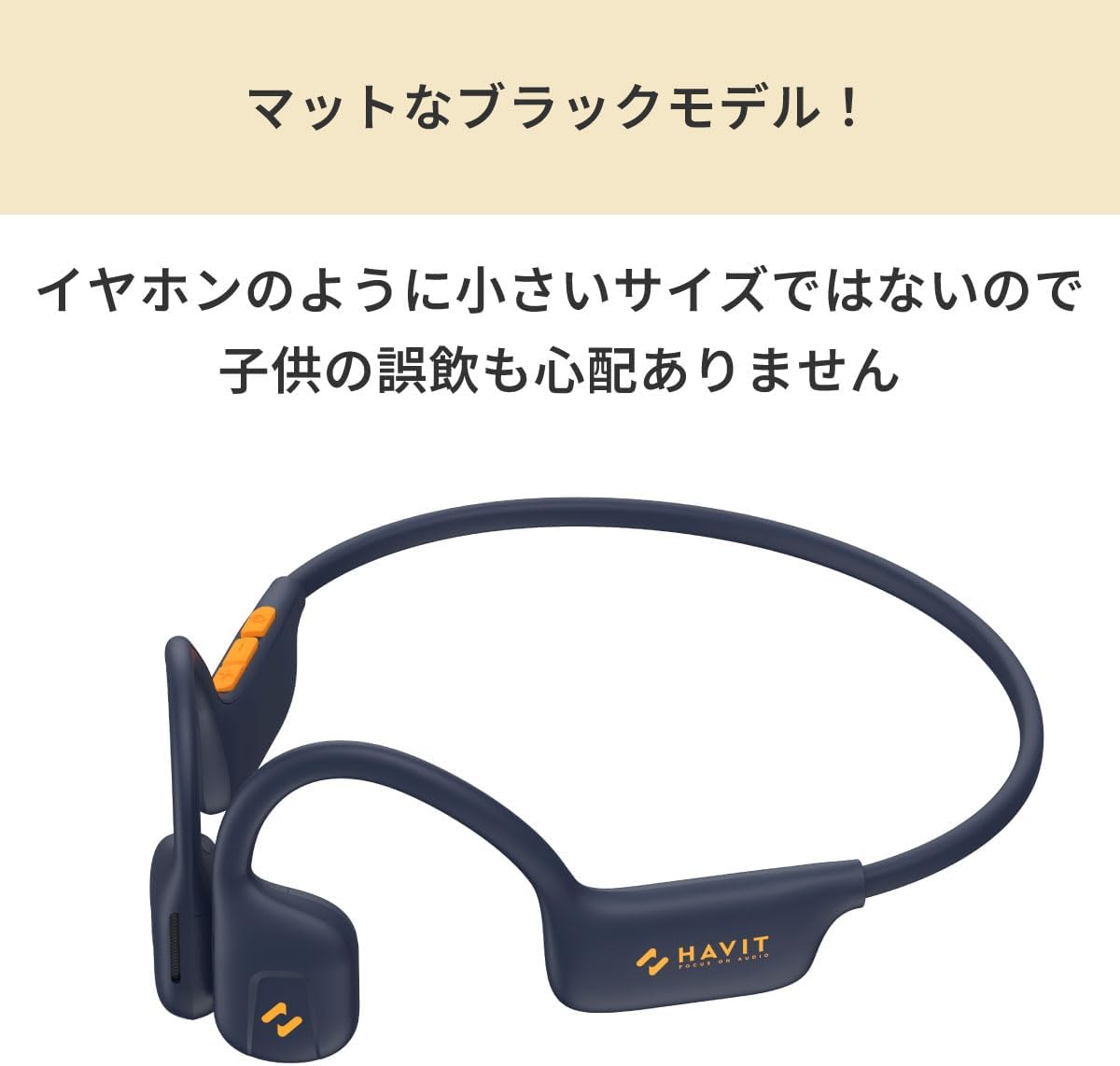
A close-up view of the headphones, highlighting their matte black finish and emphasizing that their size prevents accidental swallowing by children, unlike smaller earbuds.

A woman jogging outdoors while wearing the headphones, demonstrating their suitability for exercise by allowing awareness of surroundings like traffic and preventing ear stuffiness from sweat.

A top-down perspective of the HAVIT E510BT headphones, showing the full design of the ear hooks and neckband.
3. Key Features
- Bluetooth Version: The product uses the latest Bluetooth V5.3 for seamless connectivity.
- Lightweight Design: Weighing only 120 grams, the headphones are designed for comfortable on-the-go listening.
- Battery Life: Equipped with a low power chip, the headphones offer 12 hours of playtime on a single charge.
- Open-Ear Design: The unique open-ear design provides high-quality sound without covering your ears, allowing you to hear ambient sounds for safer driving and sports.
- Speaker Size: The headphones feature two powerful 16.2mm drivers that deliver 360 panoramic sound.
4. Initial Setup
4.1 Charging the Headphones
Before first use, fully charge your HAVIT E510BT headphones. A full charge takes approximately 2 hours.
- Connect the provided Type-C charging cable to the charging port on the headphones.
- Connect the other end of the cable to a USB power adapter (not included) or a computer's USB port.
- The LED indicator will show the charging status (e.g., red for charging, blue for fully charged).
4.2 Bluetooth Pairing
To connect your headphones to a device for the first time:
- Ensure the headphones are powered off.
- Press and hold the multi-function button until the LED indicator flashes red and blue alternately, indicating pairing mode.
- On your device (smartphone, tablet, computer), enable Bluetooth and search for available devices.
- Select "HAVIT E510BT" from the list of found devices.
- Once connected, the LED indicator will turn solid blue or flash slowly.
- If prompted for a password, enter "0000".
5. Operating Your Headphones
5.1 Power On/Off
- Power On: Press and hold the multi-function button for 3 seconds until the LED indicator flashes blue.
- Power Off: Press and hold the multi-function button for 5 seconds until the LED indicator flashes red and then turns off.
5.2 Music Playback
- Play/Pause: Press the multi-function button once.
- Next Track: Double-press the multi-function button.
- Previous Track: Triple-press the multi-function button.
5.3 Call Management
- Answer/End Call: Press the multi-function button once.
- Reject Call: Press and hold the multi-function button for 2 seconds.
- Redial Last Number: Double-press the multi-function button when not on a call.
5.4 Volume Control
- Volume Up: Press the Volume + button.
- Volume Down: Press the Volume - button.
6. Care and Maintenance
To ensure the longevity and optimal performance of your headphones, follow these care instructions:
- Clean the headphones regularly with a soft, dry cloth. Do not use harsh chemicals or abrasive materials.
- Avoid exposing the headphones to extreme temperatures, humidity, or direct sunlight.
- Do not immerse the headphones in water. While they have a water-resistant level, they are not waterproof.
- Store the headphones in a cool, dry place when not in use.
- Do not attempt to disassemble or repair the headphones yourself, as this will void the warranty.
7. Troubleshooting
If you encounter issues with your HAVIT E510BT headphones, refer to the following table for common problems and solutions:
| Problem | Possible Cause | Solution |
|---|---|---|
| Headphones won't power on | Low battery | Charge the headphones fully. |
| Cannot pair with device | Headphones not in pairing mode; Bluetooth off on device; device too far | Ensure headphones are in pairing mode (flashing red/blue). Turn on Bluetooth on your device. Move device closer to headphones (within 10 meters). |
| No sound or low volume | Volume too low; headphones not connected; incorrect audio output selected | Increase volume on both headphones and device. Re-pair headphones. Check device's audio output settings. |
| Intermittent connection | Interference; device too far; obstacles | Move away from sources of interference (Wi-Fi routers, other Bluetooth devices). Keep device within range. Remove obstacles between device and headphones. |
8. Product Specifications
| Specification | Detail |
|---|---|
| Model Number | Havit Freego1 |
| Bluetooth Version | V5.3 |
| Speaker Size | 16.2mm Dynamic Drivers |
| Battery Life | Up to 12 hours playtime |
| Charging Time | Approximately 2 hours |
| Charging Port | Type-C |
| Weight | 120 grams |
| Color | Black |
| Manufacturer | HAVIT Online |
9. Warranty and Support
HAVIT products are designed and manufactured to the highest quality standards. For information regarding warranty coverage, technical support, or service inquiries, please refer to the warranty card included with your purchase or visit the official HAVIT website. Please retain your proof of purchase for warranty claims.


