
Razor Rambler 12 (15128739)
Razor Rambler 12 Electric Minibike User Manual
Model: Rambler 12 (15128739)
Brand: Razor
Introduction
Welcome to the user manual for your new Razor Rambler 12 Electric Minibike. This manual provides essential information for the safe and efficient operation, maintenance, and troubleshooting of your minibike. Please read this manual thoroughly before operating the product to ensure a safe and enjoyable riding experience.
Key Features
- Modernized Retro Style: The Razor Rambler 12 offers a contemporary take on the classic minibike design, providing a stylish and powerful electric riding experience.
- Efficient Power System: Equipped with a high-torque 250-watt motor, the minibike can reach speeds up to 14 mph (23 km/h). Its rechargeable 24-volt battery system provides up to 40 minutes of continuous ride time on a single charge.
- Smooth Ride: Features super wide, 12-inch (305 mm) pneumatic tires designed for durability and to provide a smoother ride, even on uneven surfaces.
- Durable Construction: Built with a high-quality steel frame, the Rambler 12 is designed for solid and durable performance, capable of withstanding rugged use.
- Comfortable Seating: An elongated, banana-style padded seat ensures a comfortable riding position.
Setup Guide
1. Unboxing and Assembly
Carefully remove all components from the packaging. Ensure all parts listed in the packing list are present. Follow the detailed assembly instructions provided in the separate assembly guide to correctly set up your minibike. This typically involves attaching handlebars, checking tire pressure, and ensuring all connections are secure.
2. Initial Charging
Before first use, fully charge the battery. The initial charge time is approximately 12 hours. Connect the charger to the charging port on the minibike and then to a standard wall outlet. The charger indicator light will change to indicate a full charge.

Image: The Razor Rambler 12 in action, highlighting its rechargeable 24V battery system.
3. Pre-Ride Checks
- Verify tire pressure: Ensure both 12-inch pneumatic tires are inflated to the recommended pressure.
- Check brake function: Test the rear drum brake by engaging the hand lever.
- Inspect all fasteners: Confirm all nuts, bolts, and screws are tight and secure.
- Ensure clear path: Always ride in a safe, open area free from obstacles and traffic.
Operating Instructions
1. Starting the Minibike
To start, ensure the power switch is in the 'ON' position. Place both feet on the foot pegs.
2. Accelerating (Twist Grip Throttle)
Gently twist the right-hand grip (throttle) towards you to accelerate. The variable-speed twist grip allows for smooth control of speed up to 14 mph (23 km/h).

Image: Detail of the twist grip throttle.
3. Braking (Hand Lever)
To slow down or stop, release the throttle and gently squeeze the hand lever on the left handlebar. This activates the rear drum brake.
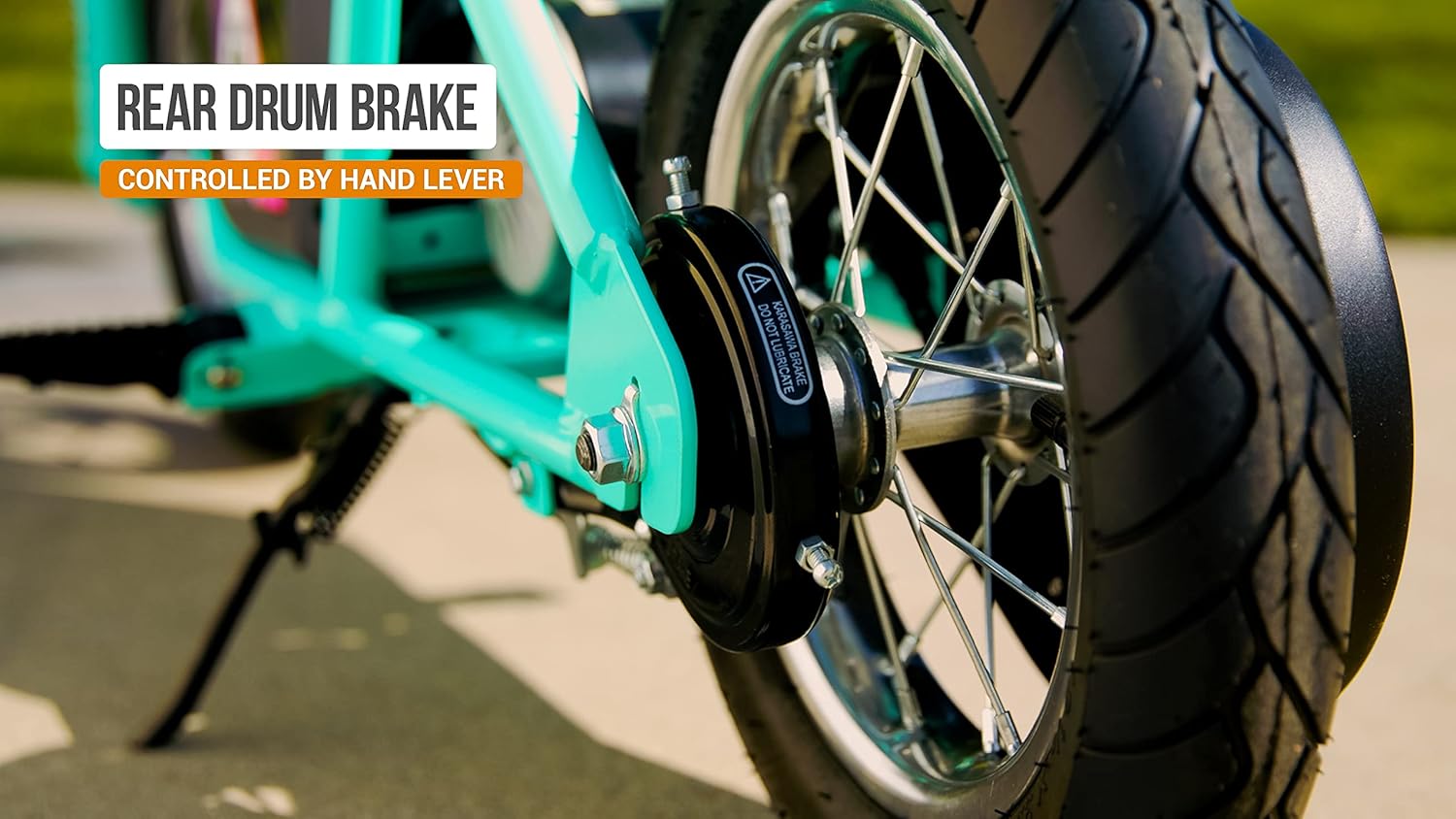
Image: The rear drum brake mechanism.
4. Riding Safely
- Always wear appropriate safety gear, including a helmet.
- Maintain a safe distance from other riders and obstacles.
- Avoid sudden turns or stops at high speeds.
- Do not exceed the maximum rider weight of 170 lbs.
- The minibike is recommended for ages 13 and up.
Video: Official Razor Rambler 12 Mint Ride Video, showcasing the minibike in use.
Maintenance
1. Tire Care
Regularly check the pressure of the 12-inch pneumatic tires and inflate them to the recommended PSI as indicated on the tire sidewall or in the full product manual. Proper tire pressure ensures optimal performance and extends tire life.
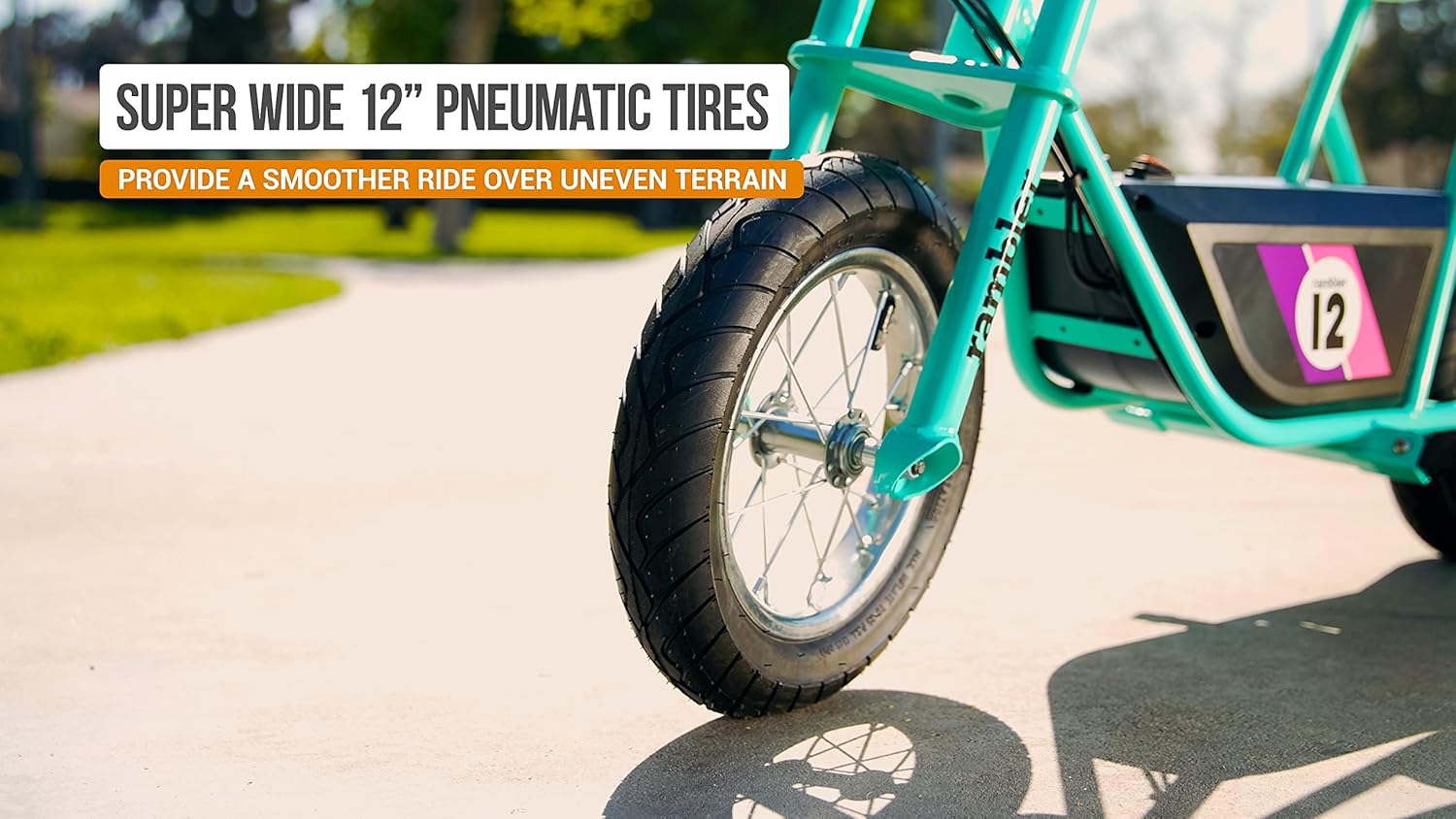
Image: The wide 12-inch pneumatic tires.
2. Battery Maintenance
To maximize battery life, always fully charge the battery after each use. If the minibike will not be used for an extended period, charge the battery at least once a month. Store the minibike in a cool, dry place.
3. General Cleaning
Clean the minibike with a damp cloth. Avoid using harsh chemicals or abrasive cleaners. Do not spray water directly onto electrical components.
4. Brake and Motor Inspection
Periodically check the brake system for proper function and wear. Ensure the high-torque 250-watt motor area is free from debris.

Image: The 250-watt high-torque motor.
Troubleshooting
| Problem | Possible Cause | Solution |
|---|---|---|
| Minibike does not power on. | Battery not charged; Power switch off; Loose connection. | Ensure battery is fully charged. Turn power switch ON. Check all electrical connections. |
| Reduced speed or run time. | Low battery charge; Overloaded; Tire pressure low. | Recharge battery. Ensure rider weight is within limits. Inflate tires to correct pressure. |
| Brake not effective. | Brake cable loose; Brake pads worn. | Adjust brake cable tension. Inspect and replace brake pads if necessary. |
For issues not listed here, please contact Razor Customer Support.
Specifications
| Feature | Detail |
|---|---|
| Model Name | Rambler 12 |
| Part Number | 15128739 |
| Motor | High-torque 250-watt |
| Battery System | 24-volt rechargeable |
| Max Speed | Up to 14 mph (23 km/h) |
| Continuous Ride Time | Up to 40 minutes |
| Tires | Super wide 12-inch (305 mm) pneumatic |
| Max Rider Weight | Up to 170 lbs |
| Recommended Age | 13+ |
| Item Weight | 47.7 Pounds |
| Item Dimensions (LxWxH) | 44.8 x 25.2 x 29.1 inches |
| Material | Metal |
| Included Components | Rambler, Manual, Charger |

Image: Full view of the Razor Rambler 12.
Warranty Information
The Razor Rambler 12 Electric Minibike comes with a 90-day limited warranty. This warranty covers manufacturing defects and workmanship under normal use. Please refer to the full warranty document included with your product for complete terms and conditions.
Customer Support
For any questions, technical assistance, or warranty claims, please contact Razor Customer Support. You can find contact information on the official Razor website or in the documentation included with your product.
For additional resources and FAQs, visit the Razor Store on Amazon.
Related documentsRambler 12 (15128739)

Ask a question about this manual
Ask about setup, troubleshooting, compatibility, parts, safety, or missing instructions. Manuals+ will review the question and use this page’s manual context to help answer it.