Introduction
The Samsung HW-Q600F 3.1.2 Channel Q Series Soundbar with Wireless Subwoofer is designed to elevate your home audio experience. Featuring True 3.1.2 channel sound, Dolby Atmos, and DTS Virtual:X support, it delivers immersive, multidimensional audio. Q-Symphony technology allows for synchronized sound with compatible Samsung TVs, while Adaptive Sound optimizes audio based on content. This manual provides essential information for setting up, operating, and maintaining your soundbar system.
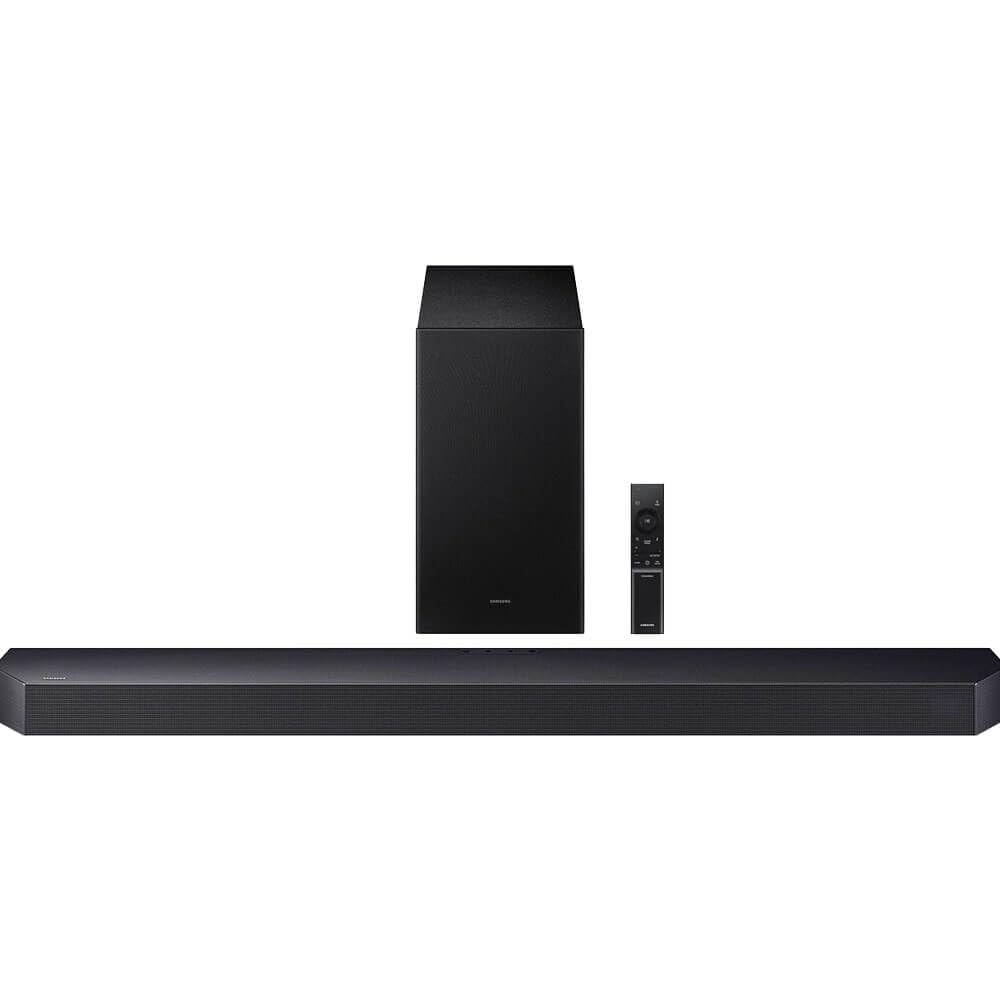
Image: The Samsung HW-Q600F Soundbar and its accompanying wireless subwoofer, showcasing the sleek black design.
What's in the Box
Upon unboxing your Samsung HW-Q600F Soundbar, you should find the following components:
- Soundbar (HW-Q600F)
- Wireless Subwoofer
- HDMI Cable
- Wall Mount Kit
- Remote Controller with batteries
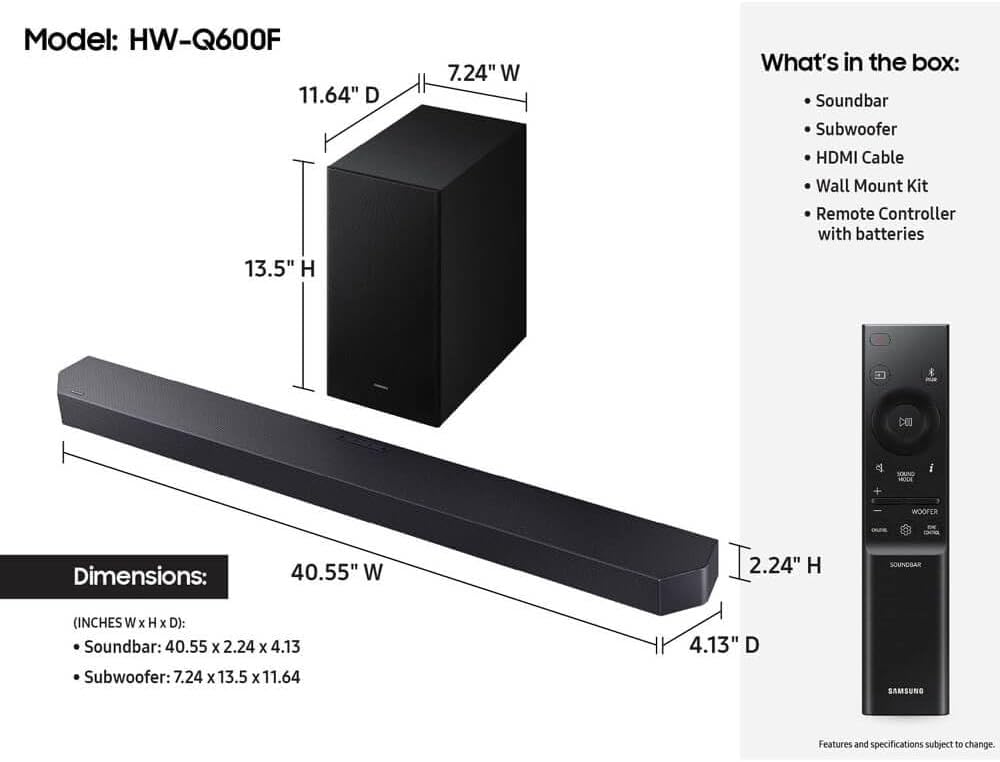
Image: A visual representation of the soundbar, subwoofer, remote, HDMI cable, and wall mount kit, along with product dimensions.
Setup Guide
Physical Placement
For optimal audio performance, place the soundbar centrally below your television. The wireless subwoofer can be placed anywhere in the room, ideally in a corner or near a wall to enhance bass response. Ensure both units have adequate ventilation and are not obstructed.
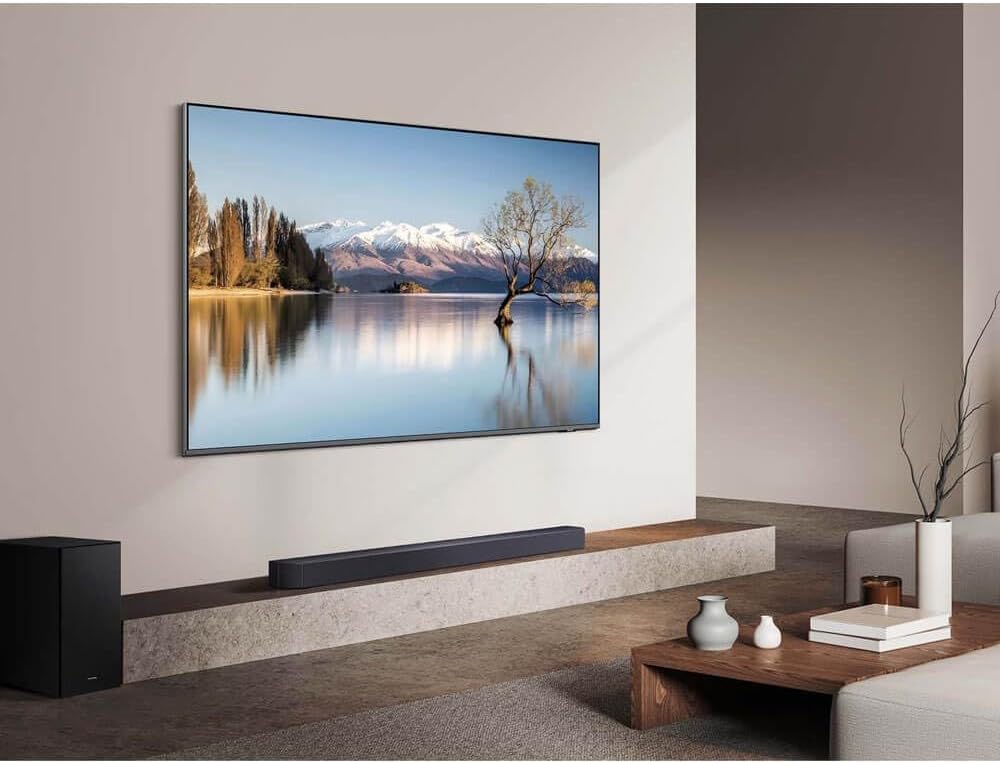
Image: The soundbar positioned below a wall-mounted TV, with the subwoofer placed to the left, demonstrating a typical home theater setup.
Connections
Connect your soundbar to your TV and other devices using the available ports:
- HDMI eARC/ARC: For the best audio quality and control, connect an HDMI cable from the soundbar's HDMI eARC/ARC port to your TV's HDMI eARC/ARC port. This allows for two-way communication, enabling TV remote control of the soundbar.
- HDMI IN: Connect external devices like a Blu-ray player or gaming console to the soundbar's HDMI IN port.
- Digital Audio In (Optical): If your TV does not support HDMI ARC, use an optical cable to connect the TV's optical digital audio out port to the soundbar's DIGITAL AUDIO IN (OPTICAL) port.
- USB (for Service): This port is primarily for firmware updates.
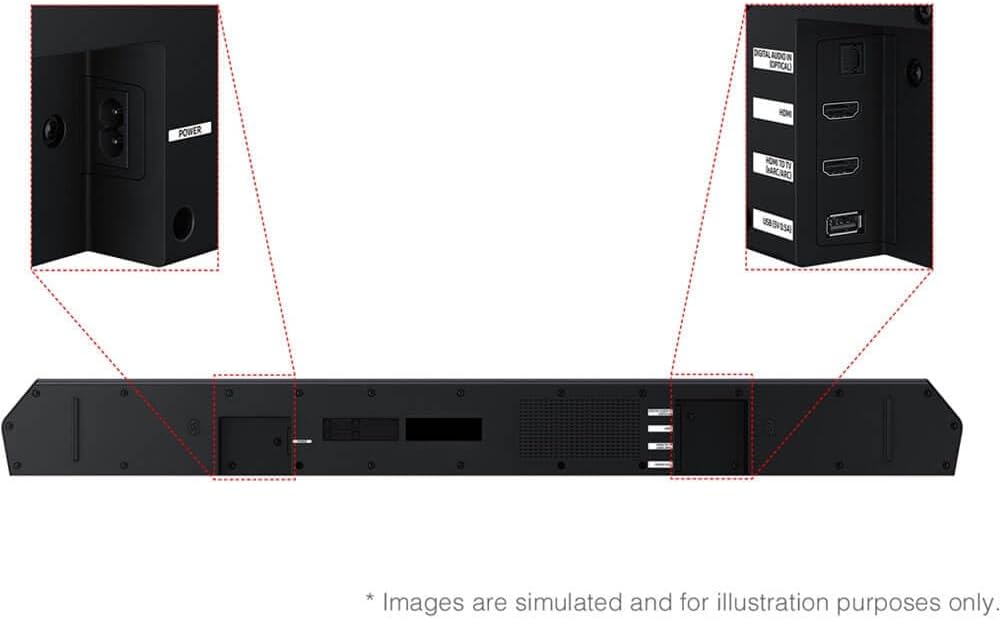
Image: Close-up of the soundbar's rear panel, highlighting the various input and output ports for connectivity.
Pairing the Wireless Subwoofer
The wireless subwoofer should automatically connect to the soundbar when both are powered on. If the connection is not established:
- Ensure both the soundbar and subwoofer are plugged into power outlets.
- Check the LED indicator on the back of the subwoofer. If it's blinking, it's searching for a connection.
- On the back of the subwoofer, press and hold the ID SET button for at least 5 seconds. The LED indicator will blink quickly.
- With the soundbar powered off, press and hold the Up button on the soundbar's remote control for 5 seconds. The soundbar will display "ID SET" and then power on.
- The LED indicator on the subwoofer should turn solid blue, indicating a successful connection.
Operating Instructions
Remote Control
Use the included remote control to manage your soundbar's functions. The remote allows you to power on/off, adjust volume, change sound modes, control subwoofer levels, and switch input sources.
Sound Modes
The HW-Q600F offers various sound modes to optimize your listening experience:
- Standard: Delivers original sound without special effects.
- Surround: Provides an expanded soundstage for a more immersive experience.
- Game: Optimizes audio for gaming, enhancing sound effects and dialogue.
- Adaptive Sound: Analyzes content and automatically adjusts sound settings for optimal clarity.
- Dolby Atmos / DTS Virtual:X: Provides object-based audio for a three-dimensional sound experience.
Bluetooth Connectivity
Connect your mobile devices wirelessly to the soundbar via Bluetooth to stream music. To pair:
- Press the Source button on the soundbar or remote until "BT" appears on the display.
- On your mobile device, enable Bluetooth and search for available devices.
- Select "[AV] Samsung Soundbar HW-Q600F" from the list.
- Once connected, you can stream audio from your device to the soundbar.
Q-Symphony Feature
When connected to a compatible Samsung QLED TV, Q-Symphony allows the soundbar and TV speakers to operate simultaneously, creating a richer and more expansive soundstage. This feature is automatically enabled when the soundbar is connected via HDMI eARC/ARC to a compatible TV.
SmartThings App Control
For enhanced control and customization, download the Samsung SmartThings app on your smartphone. The app allows you to adjust sound settings, switch modes, and manage other smart features of your soundbar.
Maintenance
To ensure the longevity and optimal performance of your soundbar:
- Keep the soundbar and subwoofer clean by wiping them with a soft, dry cloth.
- Avoid using liquid cleaners or abrasive materials.
- Ensure proper ventilation around both units to prevent overheating.
- Do not block the speaker grilles.
Troubleshooting
If you encounter issues with your soundbar, try the following:
- No Sound: Check all cable connections (HDMI, optical). Ensure the correct input source is selected on the soundbar and TV. Verify that the soundbar and TV volumes are not muted or set too low.
- Subwoofer Not Connecting: Follow the pairing instructions in the "Setup Guide" section. Ensure the subwoofer is powered on and within range of the soundbar.
- Remote Control Not Working: Replace the batteries. Ensure there are no obstructions between the remote and the soundbar.
- Distorted Sound: Check audio settings on both the soundbar and TV. Ensure cables are securely connected and not damaged. Try resetting the soundbar to factory settings if issues persist.
Specifications
| Feature | Detail |
|---|---|
| Model Number | CRT2SAMHWQ600F |
| Number of Audio Channels | 3.1.2 |
| Speaker Maximum Output Power | 380 Watts |
| Frequency Response | 20 Hz |
| Connectivity Technology | Bluetooth |
| Wireless Technology | Bluetooth |
| Subwoofer Connectivity Technology | Wireless |
| Audio Output Mode | Surround |
| Mounting Type | Wall Mount |
| Additional Features | Adaptive Sound Technology, Dolby Atmos and DTS Virtual:X Support, Q-Symphony Functionality, True 3.1.2-Channel Speaker Configuration, Wireless Surround Sound Compatible |
| Control Method | Remote |
| Speaker Size | 6.5 Inches |
| Item Dimensions (D x W x H) | 4.13"D x 40.55"W x 2.24"H |
| Item Weight | 20.1 Pounds |
| Compatible Devices | Television |
| Power Source | Corded Electric |
| UPC | 724129193367 |
| GTIN | 724129193367 |
Warranty and Support
The Samsung HW-Q600F Soundbar comes with a 90-day limited warranty. For detailed warranty information, technical support, or service inquiries, please refer to the official Samsung support channels or the documentation included with your product.


