
Introduction
This manual provides comprehensive instructions for the WiZ LED Smart Light Bulbs (Model 929002383344). These Matter-compatible A19 E26 full-color bulbs offer advanced smart lighting features, including app and voice control, automation, and customizable lighting options. Please read this manual thoroughly to ensure proper installation and operation.
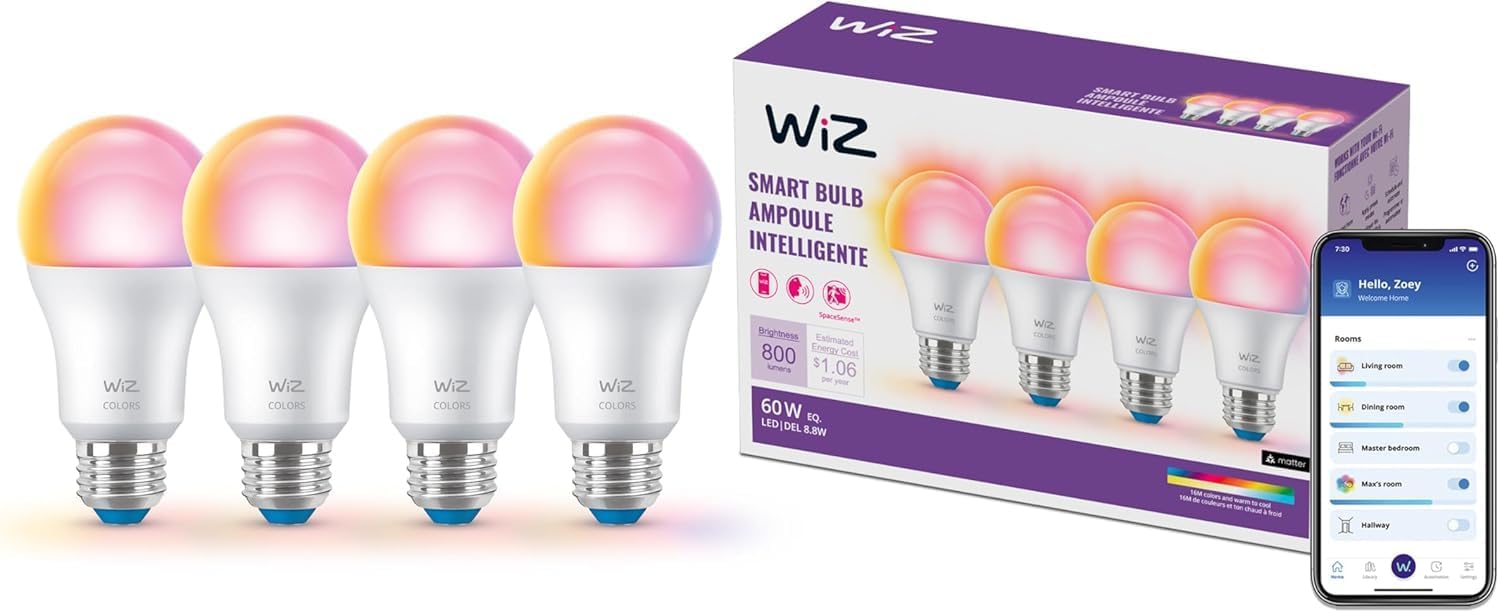
Image: WiZ LED Smart Light Bulbs (4-pack) and the WiZ app.
Package Contents
- 4 x WiZ LED Smart Light Bulbs (A19, E26, Full Color)
- Quick Start Guide (refer to this manual for detailed instructions)
Setup Instructions
Follow these steps to set up your WiZ LED Smart Light Bulbs. A stable 2.4 GHz Wi-Fi network is required for initial pairing and full functionality.
Step 1: Install the Light Bulb
- Ensure the power to the light fixture is turned off.
- Carefully screw the WiZ LED Smart Light Bulb into a standard E26 light socket.
- Turn on the power to the light fixture. The bulb should illuminate.

Image: Installing the WiZ smart bulb into a lamp.
Step 2: Download the WiZ App
Download the official WiZ Connected app from your smartphone's app store.

Image: WiZ app download instructions.
Step 3: Connect to Wi-Fi and Pair
- Open the WiZ app and create an account or log in.
- Ensure your smartphone is connected to a 2.4 GHz Wi-Fi network during setup. WiZ bulbs do not support 5 GHz networks for initial setup.
- Follow the in-app instructions to add your new device. The app will guide you through the pairing process.
- Grant necessary app permissions (e.g., location services, local network access) when prompted to facilitate device discovery.
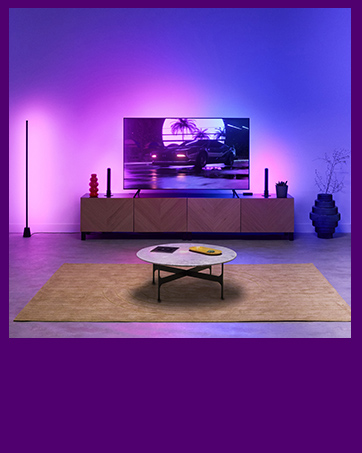
Image: WiZ app requesting permissions for device pairing.
Operating Instructions
Once your WiZ bulbs are set up, you can control them using various methods.
App Control
The WiZ app provides full control over your lighting.
- Brightness Adjustment: Easily dim or brighten your lights.
- Color Selection: Choose from 16 million colors or various shades of warm to cool white light.
- Preset Modes: Select from a variety of pre-programmed lighting moods and dynamic effects.
- Schedules: Create custom schedules for your lights to turn on/off or change settings at specific times.
- Custom Scenes: Save your favorite light settings as custom scenes for quick access.

Image: WiZ app interface showing preset light modes for ambiance.
Voice Control
Integrate your WiZ bulbs with popular voice assistants for hands-free control.
- Amazon Alexa: "Alexa, turn on my WiZ lights."
- Google Home: "Hey Google, set the living room lights to blue."
- Apple Siri: Use Siri Shortcuts to control your lights.

Image: Voice control integration with Alexa.
Automation Features
- Sunset to Sunrise Automation: Configure your lights to automatically adjust based on local sunrise and sunset times.
- SpaceSense™ Motion Detection: With at least two WiZ devices in a room, SpaceSense can detect motion and automatically turn lights on or off. This feature enhances convenience and security.

Image: SpaceSense™ motion detection feature in action.
Maintenance
WiZ LED Smart Light Bulbs require minimal maintenance.
- Cleaning: Ensure the bulb is cool and the power is off before cleaning. Wipe with a soft, dry cloth. Do not use liquid cleaners.
- Firmware Updates: Keep your WiZ app updated to receive the latest firmware for your bulbs, which can improve performance and add new features.
- Environment: These bulbs are designed for indoor use only. Avoid exposure to water or extreme temperatures.
Troubleshooting
If you encounter issues with your WiZ LED Smart Light Bulbs, refer to the following common solutions.
| Problem | Possible Cause | Solution |
|---|---|---|
| Bulb not connecting to Wi-Fi / App | Incorrect Wi-Fi band (5 GHz), weak signal, incorrect network password, app permissions not granted. |
|
| Bulb flickering or disconnecting frequently | Unstable Wi-Fi connection, interference, faulty bulb. |
|
| Voice control not working | Incorrect integration setup, voice assistant not linked to WiZ account. |
|
Specifications
| Feature | Detail |
|---|---|
| Brand | WiZ Connected |
| Model Number | 929002383344 |
| Light Type | LED |
| Special Feature | Color Changing, Dimmable, Matter Compatible |
| Wattage | 8.8 watts |
| Bulb Shape Size | A19 |
| Bulb Base | E26 |
| Incandescent Equivalent Wattage | 60 Watts |
| Light Color | Multicolor |
| Brightness | 800 Lumen |
| Voltage | 120 Volts (AC) |
| Accepted Voltage Frequency | 100 to 120 Volts and 60 Hertz |
| Indoor/Outdoor Usage | Indoor |
| Control Method | App, Voice |
| Material | Synthetic Polymer (PMMA) |
| Item Weight | 8.4 ounces |
| Package Dimensions | 8.78 x 5.71 x 2.83 inches |

Image: Physical dimensions of the WiZ A19 E26 smart bulb.
Warranty Information
Specific warranty details for WiZ LED Smart Light Bulbs are typically provided by the manufacturer. Please refer to the official WiZ Connected website or the documentation included with your purchase for the most accurate and up-to-date warranty information.
Support
For further assistance, technical support, or to report issues, please visit the official WiZ Connected support channels:
- WiZ Connected Website: www.wizconnected.com
- In-App Support: Access help and FAQs directly within the WiZ Connected app.


