
1. Product Overview
The Fxtiaa LED Light Therapy Facial Mask, Model JY-A025, is a versatile beauty device designed for comprehensive skin care at home. It utilizes 287 large rows of light beads and a 180° light source to provide targeted treatment for the face, neck, hands, and body. This device features 7 different LED light colors, each offering specific benefits for various skin concerns. It is engineered for ease of use, portability, and environmental safety, bringing professional-grade skincare into your home routine.
2. Safety Information
- Always wear the provided protective eyewear during use to shield your eyes from the LED light.
- Do not use the device for more than 20 minutes at a time.
- Consult a healthcare professional before use if you are pregnant, a child, have thyroid disease, or have light-allergic skin.
- Keep out of reach of children.
- Ensure the device is unplugged when not in use or during cleaning.
3. Package Contents
The package typically includes the following items:
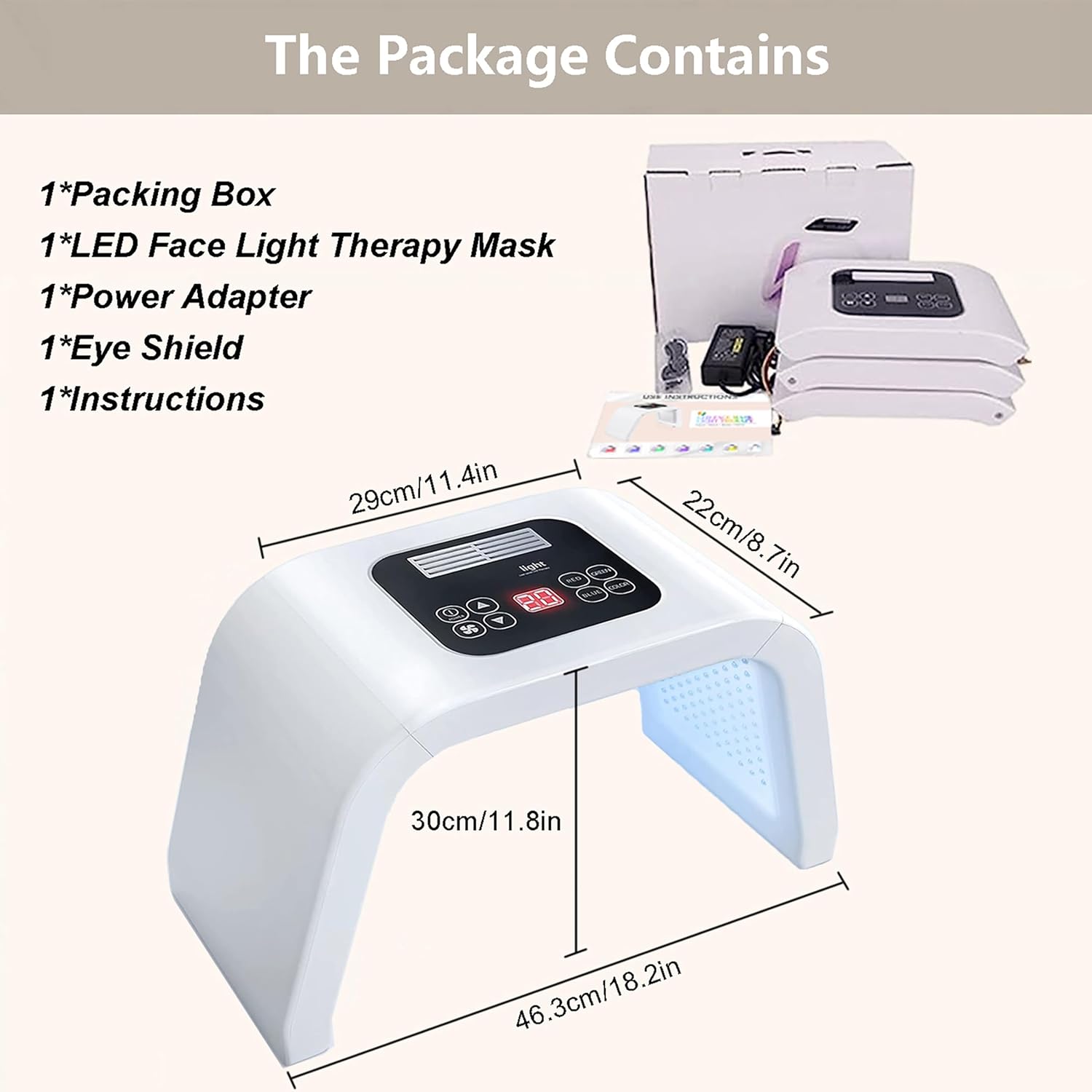
- 1 x LED Face Light Therapy Mask
- 1 x Power Adapter
- 1 x Eye Shield
- 1 x Instructions Manual
4. Assembly Instructions
The Fxtiaa LED Light Therapy Facial Mask is designed for straightforward assembly. Follow these steps to set up your device:
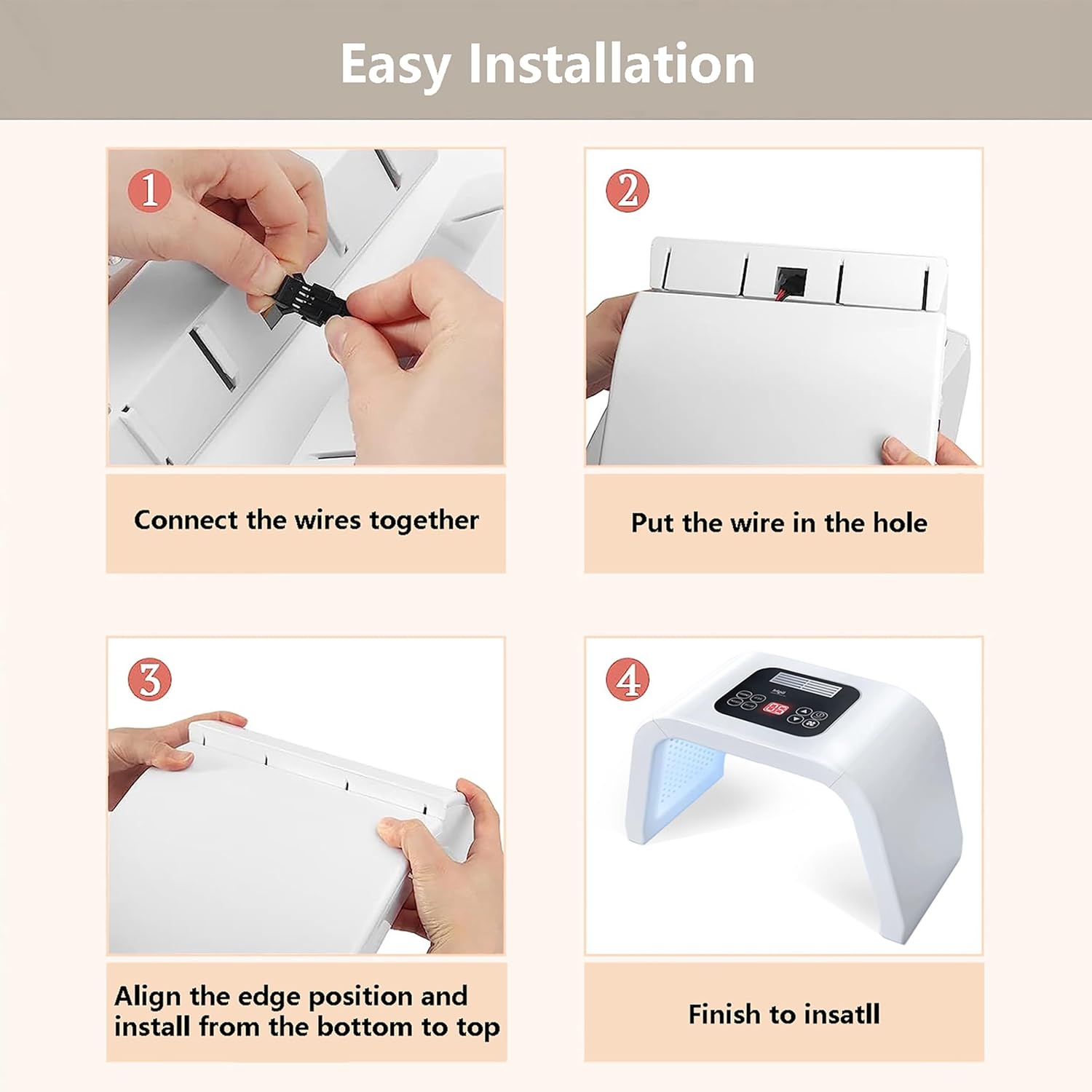
- Connect the Wires: Locate the two main sections of the mask. Connect the corresponding wires between these sections. Ensure a secure connection.
- Insert Wires: Carefully tuck any visible wires into the designated holes or channels to prevent pinching or damage.
- Align and Install: Align the edges of the two sections and gently press them together, installing from the bottom to the top until they securely click into place.
- Final Check: Verify that all connections are secure and the device is stable before use.
Video 4.1: Demonstration of the Fxtiaa LED Light Therapy Facial Mask unboxing and assembly process.
5. Operating Instructions
The device features an intuitive control panel for easy operation. Familiarize yourself with the controls and light therapy modes below.
5.1 Control Panel Overview
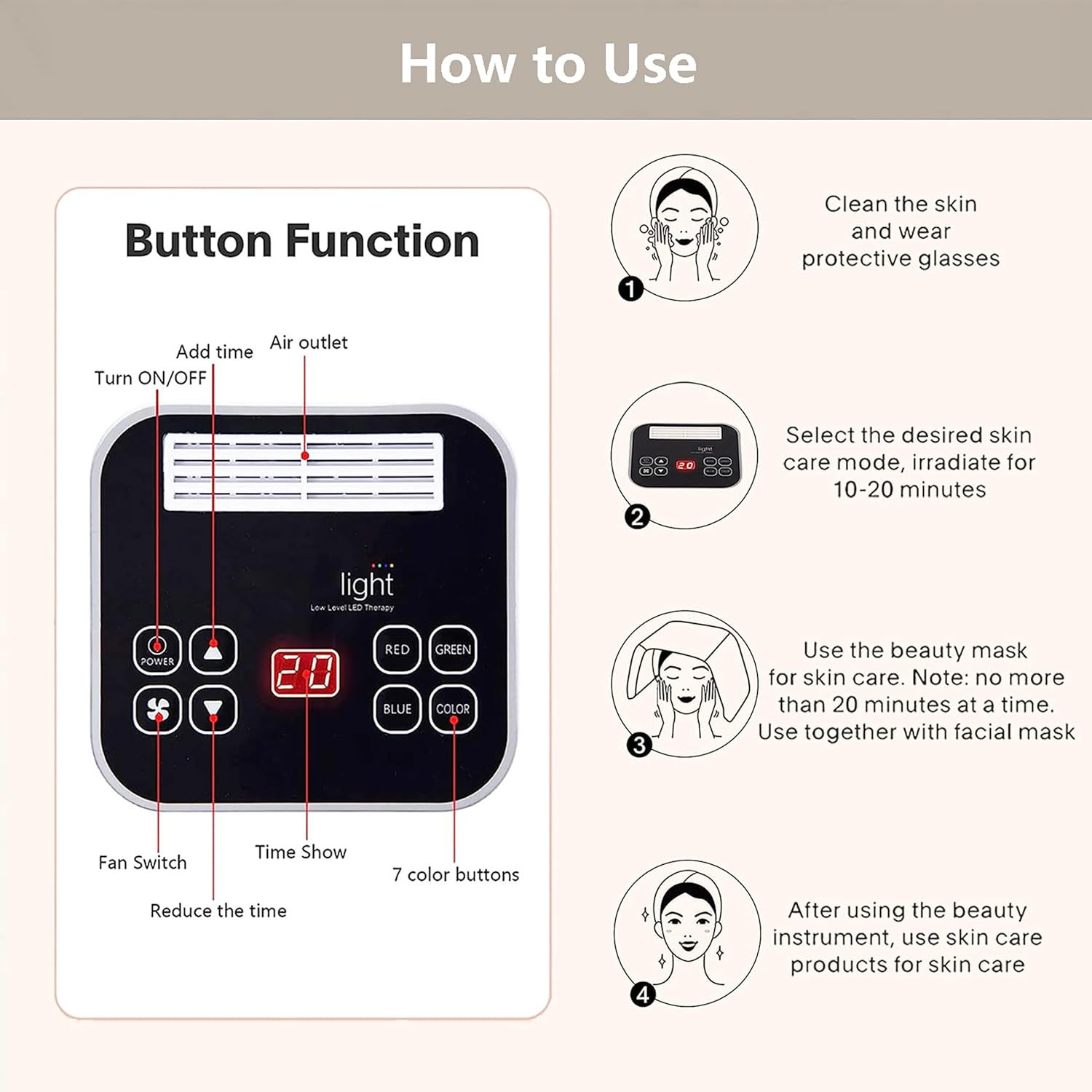
- Power Button: Turns the device ON/OFF.
- Up/Down Arrows: Adjust the treatment time (from 5 to 60 minutes) and light intensity.
- Fan Switch: Activates or deactivates the built-in fan for comfort during treatment.
- Time Show: Digital display showing the remaining treatment time.
- Color Buttons (Red, Green, Blue, Color): Select specific light therapy modes. The "Color" button cycles through all available colors.
5.2 Light Therapy Modes and Benefits (7 Colors)
The device offers 7 distinct LED light colors, each with specific wavelengths and intended benefits for various skin concerns:
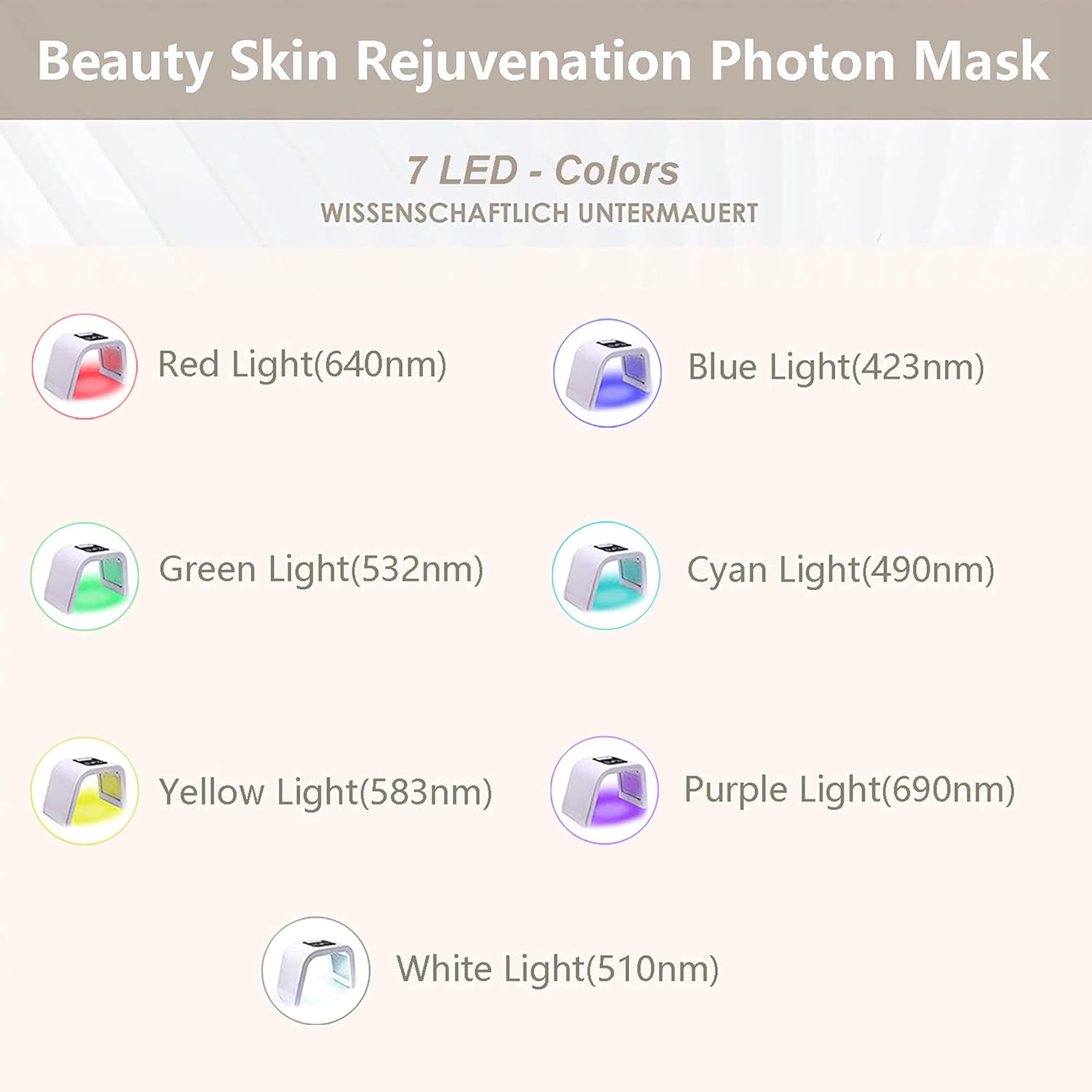
- Red Light (640nm): Promotes blood circulation and helps relieve allergic skin conditions.
- Green Light (532nm): Calms sensitive skin, promoting relaxation for both body and mind.
- Yellow Light (583nm): Helps relieve skin erythema (redness) and swelling.
- Blue Light (423nm): Calms allergic skin and inhibits wound infection.
- Cyan Light (490nm): Promotes skin metabolism and strengthens skin tissue.
- Purple Light (690nm): Aids in whitening and brightening the skin.
- White Light (510nm): Tightens the skin, improves fine lines, and addresses loose skin.
5.3 Usage Recommendations
- Cleanse your skin thoroughly and wear the provided protective glasses.
- Select your desired skin care mode by pressing the corresponding color button.
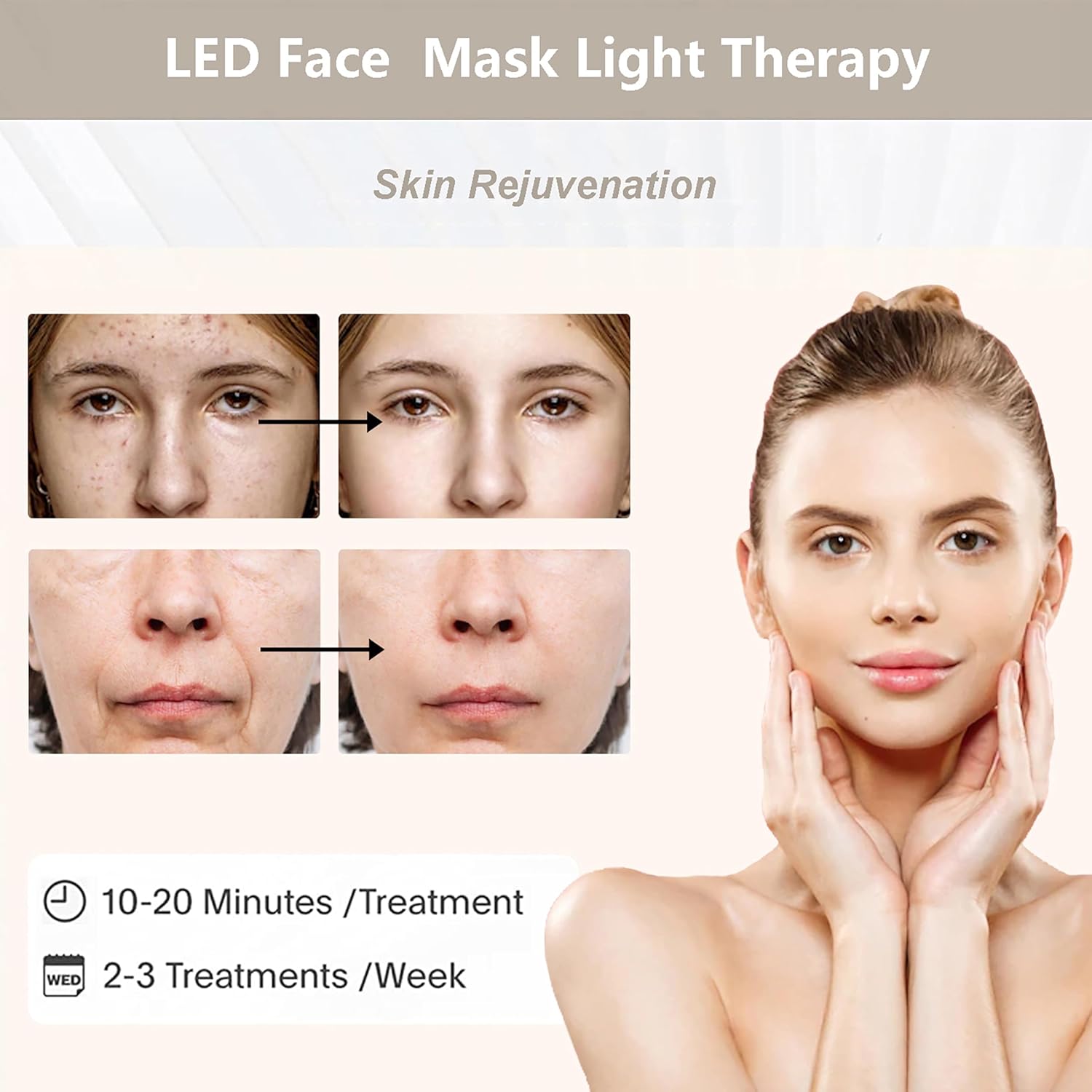
- Set the treatment time using the up/down arrows (recommended 10-20 minutes per session).
- Lie down in a comfortable position and place the device over your face, neck, or other desired body area.
- After the treatment, apply your preferred skincare products.
- Use 2-3 times a week for optimal results.
6. Maintenance and Care
- Cleaning: Wipe the device surfaces with a soft, dry cloth after each use. Do not use abrasive cleaners or immerse the device in water.
- Storage: Store the device in a cool, dry place, away from direct sunlight and moisture. Ensure it is fully disassembled or folded if applicable, and stored in its original packaging or a protective case.
- Cable Care: Handle the power cord with care. Do not pull, twist, or bend it excessively. Avoid placing heavy objects on the cord.
7. Troubleshooting
- Device Not Turning On:
Check if the power adapter is securely connected to both the device and a working power outlet. Ensure the ON/OFF switch on the device is in the "ON" position. - Lights Not Illuminating:
Verify that the device is powered on and a light mode has been selected. Check for any loose connections between the device sections. - Fan Not Working:
Ensure the fan switch is activated on the control panel. Check for any obstructions in the fan's air outlet. - Device Overheating:
Discontinue use immediately. Allow the device to cool down. Ensure proper ventilation around the device during operation.
8. Product Specifications
| Feature | Specification |
|---|---|
| Model Number | JY-A025 |
| Brand | Fxtiaa |
| Dimensions | 13.66 x 9.76 x 6.57 inches |
| Weight | 4.28 Pounds |
| LEDs | 287 Light Beads |
| Light Source | 180° |
| UV Free | Yes |
| UPC | 725086412539 |
9. Warranty and Support
For warranty information, technical support, or service inquiries, please refer to the contact details provided in the product packaging or visit the official Fxtiaa website. Keep your purchase receipt as proof of purchase.