
Introduction
This manual provides detailed instructions for the proper use and maintenance of your Kynup 300mm Digital Caliper, Model 170-4. Designed for precision measurement, this tool features a durable stainless steel construction, IP54 splash resistance, and a large LCD for clear readings. Please read this manual thoroughly before operation to ensure accurate results and prolong the life of your instrument.
Package Contents
Before proceeding with setup, please verify that all items are present in the package:
- 1 x Kynup 300mm Digital Caliper
- 2 x Spare CR2430 Button Cells
- 1 x Small Screwdriver (for battery compartment)
- 1 x Protective Storage Case

Image: Contents of the Kynup Digital Caliper package, showing the caliper, its protective case, two spare button cell batteries, and a small screwdriver.
Setup
Battery Installation
Your digital caliper comes with one CR2430 battery pre-installed and two spare batteries. If the display does not turn on or shows a low battery indicator, follow these steps to replace the battery:
- Locate the battery compartment cover on the back of the digital display unit.
- Use the provided small screwdriver to gently remove the screw securing the battery cover.
- Carefully remove the cover and the old battery.
- Insert a new CR2430 battery with the positive (+) side facing upwards.
- Replace the battery cover and secure it with the screw.

Image: A close-up view of the digital caliper's battery compartment, illustrating the process of inserting a CR2430 battery.
Power On and Zeroing
After battery installation, press the ON/OFF button to turn on the caliper. To ensure accurate measurements, always zero the caliper before use:
- Close the measuring jaws completely, ensuring they are clean and free of debris.
- Press the ZERO button. The LCD display should now read "0.00" (or "0.000" depending on the unit setting).
Operating Instructions
Caliper Components
Familiarize yourself with the main components of your digital caliper:

Image: A detailed diagram labeling the various parts of the Kynup Digital Caliper, including jaws, display buttons, and the depth blade.
- Outside Diameter Jaws: Used for measuring external dimensions.
- Inside Diameter Jaws: Used for measuring internal dimensions.
- Depth Blade: Used for measuring depths.
- Step Measurement Face: Used for measuring steps or differences in height.
- Thumb Roller: For fine adjustment of the slider.
- Slider Clamp Screw: To lock the slider in position for stable readings.
- ON/OFF Button: Powers the unit on or off.
- ZERO Button: Sets the display to zero at any point.
- mm/in/F Button: Switches between millimeters, inches, and fractions.
Measurement Types
The Kynup Digital Caliper supports four primary measurement types:

Image: Visual examples of how to perform outside diameter, inside diameter, depth, and step measurements using the digital caliper.
- Outside Diameter Measurement: Place the object between the large jaws and close them until they firmly contact the object. Read the value on the LCD.
- Inside Diameter Measurement: Insert the small jaws into the opening of the object and expand them until they firmly contact the inner walls. Read the value on the LCD.
- Depth Measurement: Place the end of the main beam on the top surface of the object. Extend the depth blade into the hole or recess until it touches the bottom. Read the value on the LCD.
- Step Measurement: Place the step measurement face on the higher surface and extend the slider until the end of the main beam rests on the lower surface. Read the value on the LCD.
Unit Conversion
Press the mm/in/F button to cycle through measurement units: millimeters (mm), inches (in), and fractions (F). The selected unit will be displayed on the LCD.
Holding a Measurement
To hold a measurement, tighten the slider clamp screw located on the top of the display unit. This will prevent the slider from moving and preserve the reading.
Maintenance
Cleaning
Regular cleaning ensures optimal performance and accuracy:
- Wipe the caliper body and measuring surfaces with a clean, dry, soft cloth after each use.
- Do not use solvents, harsh chemicals, or abrasive cleaners, as these can damage the finish or electronic components.
- The caliper has an IP54 rating, meaning it is protected against dust ingress and splashing water. However, it is not fully waterproof; avoid submerging it in liquids.
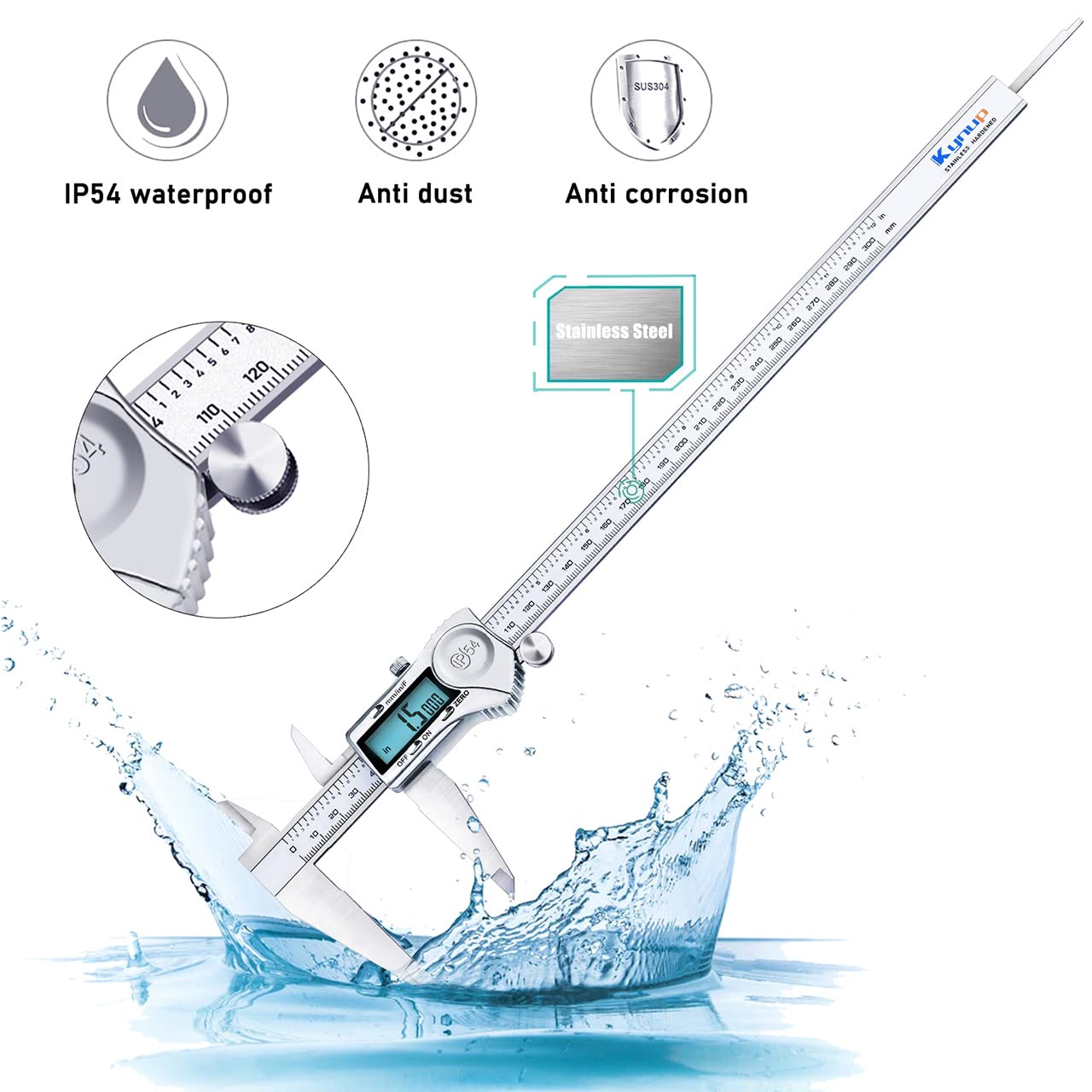
Image: The Kynup Digital Caliper shown with water splashing, illustrating its IP54 protection against water and dust.
Storage
Store the caliper in its protective case when not in use. Keep it in a dry environment, away from direct sunlight, extreme temperatures, and corrosive substances.
Battery Life
The caliper is designed for energy efficiency and features an automatic shut-off after 6 minutes of inactivity to conserve battery life. A single CR2430 battery can last approximately 12 months under normal use.
Troubleshooting
If you encounter issues with your Kynup Digital Caliper, refer to the following common problems and solutions:
| Problem | Possible Cause | Solution |
|---|---|---|
| Inaccurate readings | Jaws not clean; improper zeroing; debris on beam; incorrect measurement technique. | Clean jaws and beam thoroughly. Re-zero the caliper. Ensure proper measurement technique for the specific type of measurement. |
| Display not working or flickering | Low or dead battery; battery incorrectly installed; loose connection. | Replace the battery with a new CR2430. Ensure the battery is installed correctly with the positive side up. Check for secure battery compartment cover. |
| Slider movement is stiff or rough | Dust or debris on the beam; slider clamp screw too tight. | Clean the main beam with a soft cloth. Loosen the slider clamp screw slightly. |
| Caliper turns off unexpectedly | Automatic shut-off activated; low battery. | The caliper has an auto-off feature after 6 minutes of inactivity. If it turns off frequently during use, replace the battery. |
Specifications
Key technical specifications for the Kynup 300mm Digital Caliper Model 170-4:
| Feature | Detail |
|---|---|
| Model Number | 170-4 |
| Measurement Range | 0-12 inches / 0-300 mm |
| Precision | ±0.0015 inches / ±0.03 mm |
| Resolution | 0.0005 inches / 0.01 mm |
| Material | High Strength Stainless Steel |
| Protection Rating | IP54 (Splash-resistant, Dustproof) |
| Display | Large LCD Screen |
| Unit Conversion | Inches, Millimeters, Fractions |
| Battery Type | CR2430 (3 included: 1 pre-installed, 2 spare) |
| Automatic Shut-off | After 6 minutes of inactivity |
| Product Dimensions (L x W x H) | 30 x 30.48 x 0.1 cm (approx. 11.8 x 12 x 0.04 inches) |
| Product Weight | 280 grams |
Warranty and Support
For warranty information or technical support regarding your Kynup Digital Caliper, please refer to the documentation included with your purchase or contact Kynup customer service directly. Contact details can typically be found on the product packaging or the official Kynup website.