
Introduction
Thank you for choosing the Vieta Pro Bone Bone Conduction Wireless Headphones. These headphones are designed to provide a unique audio experience, allowing you to enjoy music while remaining aware of your surroundings. This manual provides essential information for setting up, operating, and maintaining your headphones.

Image: Vieta Pro Bone bone conduction headphones in black, showcasing their ergonomic design.
What's in the Box
Your Vieta Pro Bone package includes the following items:
- Vieta Pro Bone Bone Conduction Wireless Headphones
- Charging Cable
- User Manual (this document)
- Earplugs (for enhanced audio experience in noisy environments)
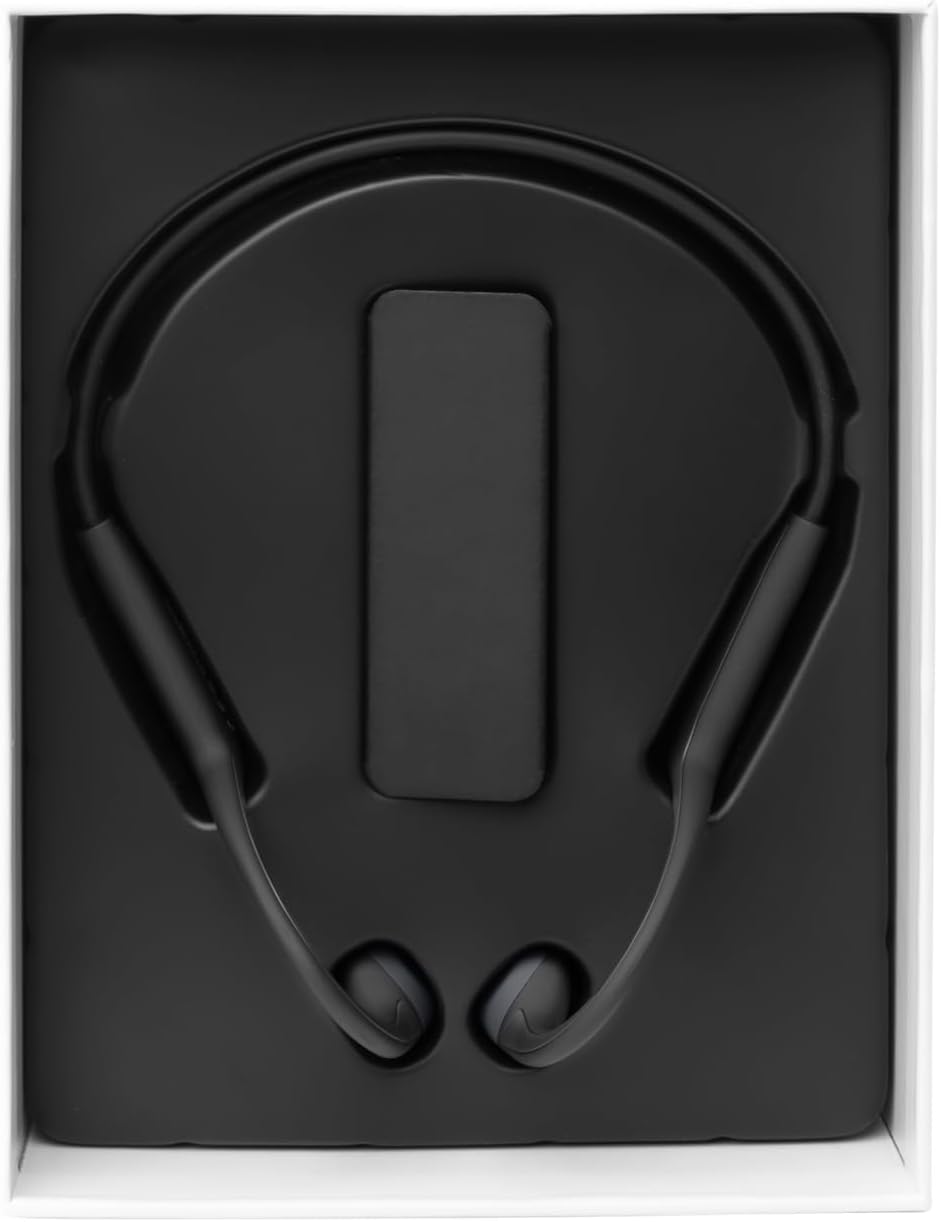
Image: The Vieta Pro Bone headphones neatly packaged in their box, alongside the charging cable and documentation.
Video: An unboxing and quick overview of the Vieta Pro Bone headphones, demonstrating the contents and initial handling.
Product Overview
Headphone Components
The Vieta Pro Bone headphones feature a lightweight, ergonomic design for comfortable wear during various activities.
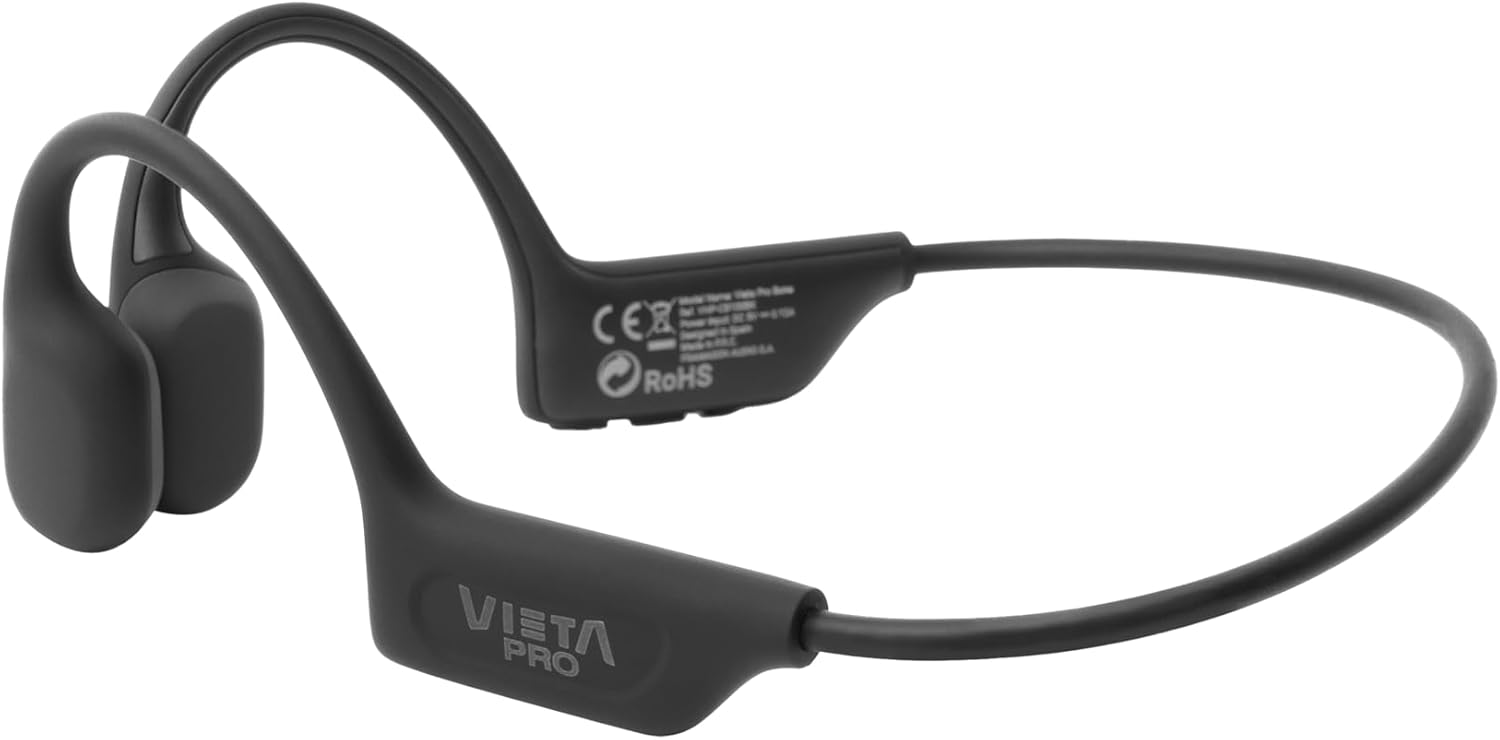
Image: A detailed view of the Vieta Pro Bone headphones, highlighting the bone conduction pads that rest near the ears and the flexible band that connects them.
Controls
The control buttons are located on one side of the headphone band for easy access.

Image: A close-up of the control panel on the left side of the headphone band, featuring buttons for power/multifunction, volume up, and volume down.
- Power/Multifunction Button: Used for powering on/off, play/pause, answering/ending calls.
- Volume Up Button: Increases volume, next track (long press).
- Volume Down Button: Decreases volume, previous track (long press).
- Microphone: Integrated for clear calls.
Setup
Charging the Headphones
Before first use, fully charge your headphones. Connect the charging cable to the charging port on the headphones and to a USB power source. The LED indicator will show charging status.
- A full charge provides up to 8 hours of playback time.
Pairing with a Bluetooth Device
- Ensure the headphones are turned off.
- Press and hold the Power/Multifunction button until the LED indicator flashes blue and red, indicating pairing mode.
- On your device (smartphone, tablet, etc.), enable Bluetooth and search for available devices.
- Select "Vieta Pro Bone" from the list of devices.
- Once connected, the LED indicator will flash blue slowly.
Dual Connection
The headphones support dual connection, allowing you to connect to two devices simultaneously (e.g., phone and tablet). After pairing with the first device:
- Disable Bluetooth on the first device.
- Put the headphones back into pairing mode and connect to the second device.
- Re-enable Bluetooth on the first device. The headphones should automatically connect to both devices.

Image: An infographic illustrating the main features: Bluetooth 5.3, up to 8 hours battery, sport-optimized fit, bone conduction technology, non-isolating design, memory band, dual connection, and IPX6 water resistance.
Operating Instructions
Power On/Off
- Power On: Press and hold the Power/Multifunction button for 3 seconds.
- Power Off: Press and hold the Power/Multifunction button for 5 seconds.
Music Playback
- Play/Pause: Press the Power/Multifunction button once.
- Next Track: Long press the Volume Up button.
- Previous Track: Long press the Volume Down button.
- Volume Control: Press the Volume Up or Volume Down buttons.
Phone Calls
- Answer/End Call: Press the Power/Multifunction button once.
- Reject Call: Press and hold the Power/Multifunction button for 2 seconds.
- Voice Assistant: Triple press the Power/Multifunction button (if supported by your device).
Maintenance and Care
- Cleaning: Wipe the headphones with a soft, dry cloth. Do not use abrasive cleaners or solvents.
- Water Resistance: The headphones are IPX6 water-resistant, meaning they can withstand sweat and splashes. Do not submerge them in water. Dry thoroughly after exposure to moisture.
- Storage: Store in a cool, dry place away from direct sunlight and extreme temperatures.
- Battery: To preserve battery life, charge the headphones regularly, even if not in use for extended periods.

Image: A user wearing the Vieta Pro Bone headphones during a run, demonstrating their secure fit and suitability for sports activities.
Troubleshooting
| Problem | Possible Solution |
|---|---|
| Headphones do not power on. | Ensure the headphones are charged. Connect to a power source and try again. |
| Cannot pair with device. |
|
| No sound or low volume. |
|
| Sound quality is poor. |
|
Specifications
| Feature | Detail |
|---|---|
| Model Number | VHP-CB100BK |
| Connectivity Technology | Wireless (Bluetooth) |
| Bluetooth Version | 5.3 |
| Bluetooth Range | Up to 10 meters |
| Battery Life | Up to 8 hours (playback) |
| Water Resistance Rating | IPX6 (sweat and splash resistant) |
| Impedance | 32 Ohms |
| Frequency Range | 20 Hz - 20,000 Hz |
| Microphone | Integrated |
| Control Type | Volume control, App control |
| Material | Silicone, plastic, fabric |
| Weight | Approximately 180g (from package dimensions) |
Safety Information
- Do not use the headphones at excessively high volumes for prolonged periods to prevent hearing damage.
- Maintain awareness of your surroundings, especially when using headphones outdoors or in traffic, as bone conduction technology allows ambient sound to be heard.
- Keep the headphones away from extreme temperatures, direct sunlight, and moisture.
- Do not attempt to disassemble or repair the headphones yourself. Contact customer support for assistance.
- Dispose of the product and battery responsibly according to local regulations.
Warranty and Support
For warranty information and customer support, please refer to the official Vieta Pro website or contact your local distributor. Keep your proof of purchase for warranty claims.
Manufacturer: FRAMASON AUDIO SA


