
Introduction
This manual provides comprehensive instructions for the SOVMIKU 4CQ1 AI 2K Solar Security Camera. Designed for outdoor use, this battery-powered camera offers advanced features such as two-way audio, PIR motion detection, 360° pan/tilt view, color night vision, and audible flashlight siren. It is built for durability with IP65 weather resistance and is powered by a high-efficiency solar panel, ensuring long-lasting operation.
Product Features
- Efficient Solar Power: Monocrystalline silicon solar panels with up to 23% energy conversion rate. Built-in 9000mAh batteries provide over 60 days of operation on a full charge, with a battery lifespan of over 8 years.
- Always-On PIR Motion Detection: The Passive Infrared Sensor is always active, triggering the camera and spotlight (at night) upon detecting warm bodies. Optional alarm flash and siren can be activated upon motion detection.
- Remote Viewing & Two-Way Audio: Access live view and communicate through the camera from anywhere via the "Vicohome" App (available on Google Play or App Store).
- 2K Ultra-High-Definition Camera: Equipped with a high-tolerance CMOS and PIR Sensor, providing 2K ultra-high-definition images and videos in various weather conditions. The advanced quad-pixel sensor offers 4x resolution for detailed cropping.
- 360° Pan/Tilt View: Offers a wide 360-degree view with pan and tilt control for comprehensive surveillance.
- Color Night Vision: Provides clear color night vision for enhanced visibility in low-light conditions.
- Local & Cloud Storage: Supports built-in microSD slot (up to 128GB, card not included) for local storage and encrypted cloud storage options for secure recording backup.
- IP65 Weather Resistance: Designed to withstand splash, water, and dust, ensuring reliable outdoor performance.
Setup & Installation
Setting up your SOVMIKU 4CQ1 camera is a straightforward process:
- Install Vicohome App: Download the "Vicohome" App from Google Play Store or Apple App Store.
- Register & Sign In: Create an account using your email or mobile number and sign in.
- Add Camera: Select the "add camera now" button in the app, enter your Wi-Fi name and password. A QR code will appear on your phone screen.
- Pair Camera: Press the power button on the camera for 3 seconds, then scan the QR code on your phone with the camera.
Physical Installation
The camera and solar panel can be mounted separately for optimal placement.

Image: Step-by-step guide for installing the camera mount, securing the camera, installing the solar panel mount, and locking the solar panel.
Video: Demonstrates the installation process of the SOVMIKU 4CQ1 camera, highlighting its ease of setup.
Video: An official product video showcasing the Vicohome AI 2K Solar Security Camera Wireless Outdoor, including its features and setup.
Operating Instructions
App Control
The Vicohome App provides full control over your camera's functions:
- Live View: Access real-time video feed from your smartphone.
- Pan & Tilt: Remotely adjust the camera's viewing angle (355° pan, 90° tilt) to cover a wide area.
- Two-Way Audio: Speak and listen through the camera using the built-in microphone and speaker.
- Motion Detection Alerts: Receive push notifications on your phone when motion is detected. You can customize activity zones to focus detection on specific areas and reduce unwanted alerts from pets or passing vehicles.
- Night Vision Modes: Switch between Starlight Color Night Vision and Infrared Night Vision as needed.

Image: Illustrates the 360° pan and tilt control capabilities of the camera, showing its wide coverage.

Image: Demonstrates the two-way audio feature, allowing communication through the camera.

Image: Shows the camera's day and night capabilities, including color night vision and the audible flashlight siren.
Video: A seller-provided video titled "Best solar camera to buy", showcasing the camera's features and performance.
Video: A seller-provided video titled "Best Night Vision Camera in the North America", demonstrating the camera's night vision capabilities.
Video: A seller-provided video titled "Best spotlight camera in the America", highlighting the camera's spotlight feature.
Video: A short preview video from the seller titled "incredible incredible incredible Home Camera", which also highlights customer support.
Maintenance
- Solar Panel Care: To maintain optimal performance, wipe the solar panels regularly according to local air quality. Ensure the auto-turn-on function is enabled for continuous power. Optimal charging temperature is 0°C-45°C (14°F-113°F).
- Battery Life: The high-capacity 9000mAh batteries are designed for longevity, with a lifespan of over 8 years under normal usage conditions.
- Weather Resistance: The camera is IP65 rated for splash, water, and dust resistance. Ensure the charging interface's silicone waterproof protective plug is properly sealed.
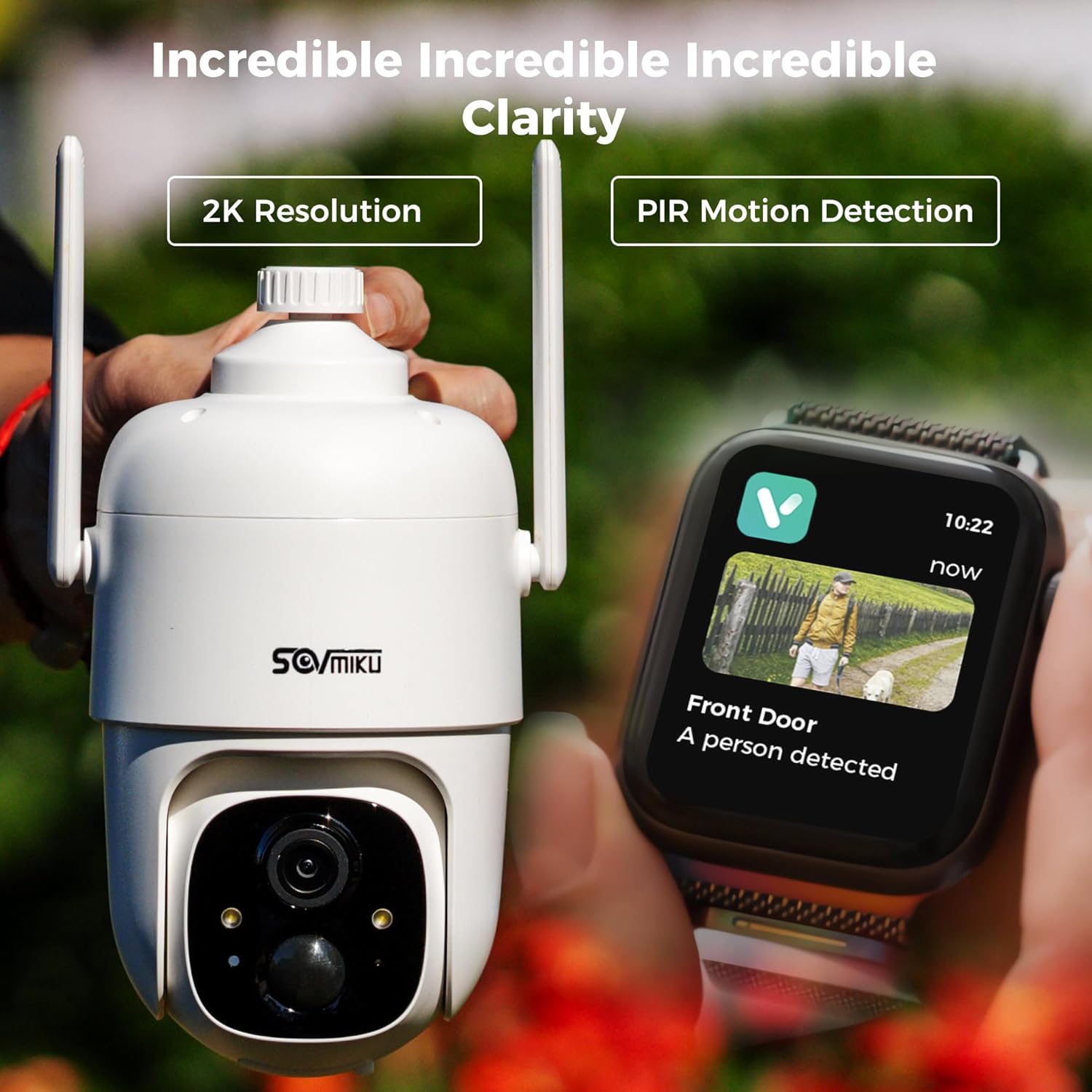
Image: Details the non-stop standby feature, solar power settings, and auto-on after charging functionality.

Image: Provides essential tips for maintaining the solar panels, including cleaning and optimal temperature ranges.
Troubleshooting
- Connectivity Issues: Ensure your Wi-Fi network is 2.4GHz (5GHz is not supported). Check Wi-Fi signal strength in the Vicohome App. If the camera is far from the router, consider a Wi-Fi extender.
- Battery Not Charging: Verify the solar panel is clean and positioned to receive maximum direct sunlight. Check the charging cable connection. Ensure ambient temperature is within the optimal charging range (0°C-45°C).
- Motion Detection Accuracy: Adjust motion detection sensitivity settings in the app. Utilize activity zones to focus detection on specific areas and reduce unwanted alerts from pets or passing vehicles.
- App Not Responding: Ensure the Vicohome App is updated to the latest version. Restart the app or your smartphone.
Specifications
| Feature | Specification |
|---|---|
| Model Name | 4CQ1 |
| Indoor/Outdoor Usage | Outdoor |
| Power Source | Solar Powered |
| Connectivity Protocol | Wi-Fi (2.4Ghz only) |
| Video Capture Resolution | 2K, 3 MP |
| Pan/Tilt View | 355° Pan / 90° Tilt |
| Night Vision | Color Night Vision, Infrared Night Vision |
| Storage Options | MicroSD (up to 128GB), Cloud Storage |
| Weather Resistance | IP65 |
| Item Dimensions (L x W x H) | 3.14 x 3.14 x 6.29 inches |
| Item Weight | 8.84 pounds |
Warranty & Support
SOVMIKU is committed to providing excellent customer service. For any inquiries, technical support, or warranty claims, please contact our support team. Our customer service is highly responsive and dedicated to assisting you with any issues you may encounter.
Video: A seller-provided video titled "Best customer service than Apple", emphasizing the brand's commitment to customer satisfaction.
Video: A short preview video from the seller titled "incredible incredible incredible Home Camera", which also highlights customer support.