
1. Introduction and Overview
This manual provides detailed instructions for the installation, use, and maintenance of your IPG HydroGel Screen Protector, specifically designed for the SJOYBRING JOY-A019 Double Din Car Stereo with a 7-inch touchscreen and dash cam. This protector is engineered to safeguard your device's display from scratches, dust, and daily wear while maintaining optical clarity and touch sensitivity.
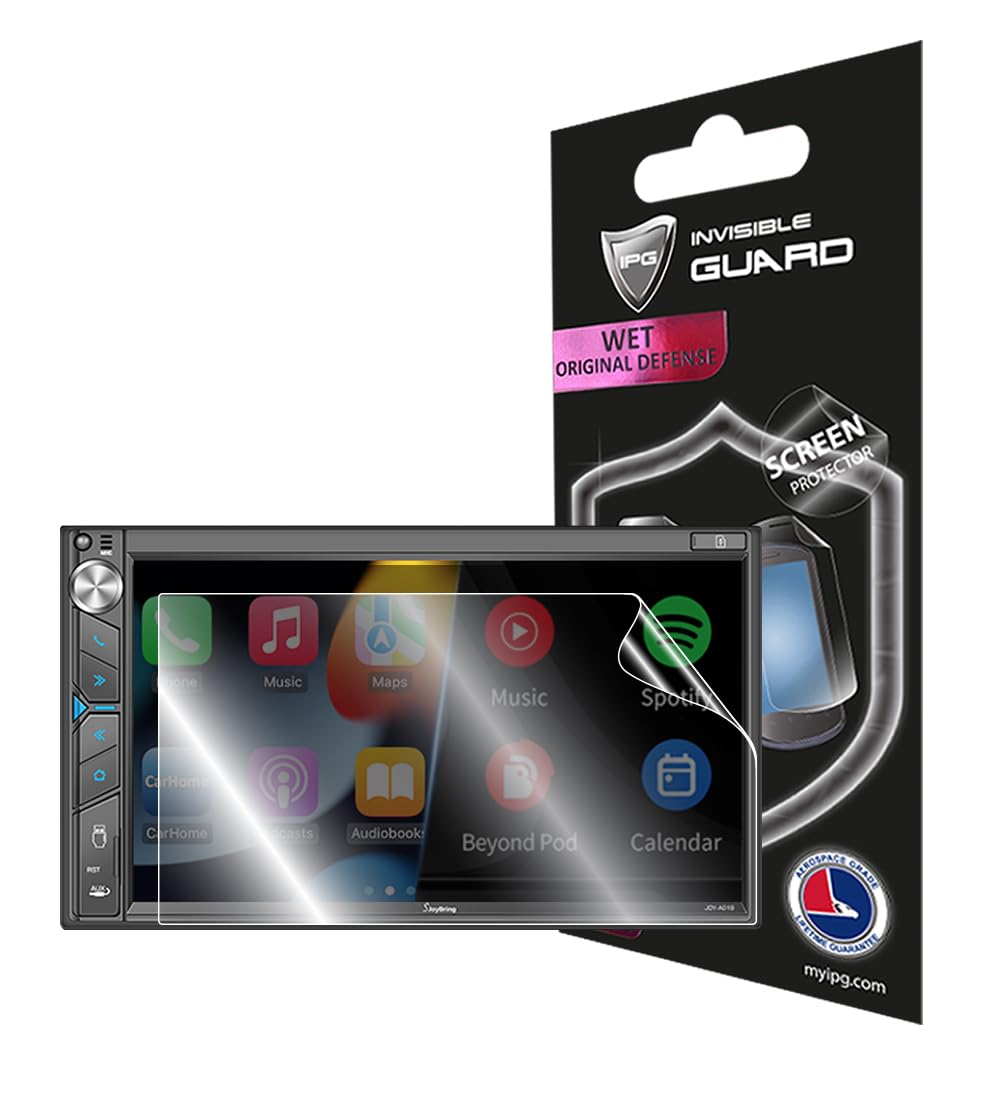
Image 1.1: IPG HydroGel Screen Protector on a SJOYBRING JOY-A019 Car Stereo.
2. Product Features
- Aerospace Grade Material: Constructed from patented HydroGel material for precise fit and wet application.
- Self-Healing Properties: Unique ingredients allow the protector to self-heal minor scratches, maintaining a clear surface.
- Invisible Protection: Virtually invisible film protects your display from unwanted scratches and repels dust.
- Anti-Fingerprint: Designed to reduce fingerprint smudges for a cleaner screen.
- High Touch Sensitivity: Does not interfere with the touchscreen technology, ensuring smooth and responsive interaction.
- Bubble-Free Application: Engineered for a smooth, bubble-free installation when following the wet application method.

Image 2.1: Overview of IPG screen protector benefits.


Image 2.2: Demonstrations of self-healing and scratch resistance.
3. Installation Guide
Follow these steps carefully for optimal installation of your IPG HydroGel Screen Protector. A wet application method is used to ensure a perfect, bubble-free fit.
- Wash Hands: Thoroughly wash your hands to remove any oils or dirt.
- Turn Off Device: Ensure your SJOYBRING JOY-A019 car stereo is completely turned off.
- Prepare Cleaning Solution: Mix a small amount of dishwashing detergent with water in a bowl. This will be used to wet the screen protector and your fingertips.
- Clean Device Screen: Use a soft, dry cloth to wipe off any dust or smudges from the car stereo screen.
- Wet Fingertips: Dip your fingertips into the prepared water-detergent mixture. This prevents fingerprints on the adhesive side of the protector.
- Peel Protector from Backing: Carefully peel the IPG screen protector from its backing.
- Wet Adhesive Side: Generously wet the adhesive side of the IPG screen protector with your wet fingertips.
- Align and Apply: Carefully align the wet screen protector to your device's screen. The wet surface allows for minor adjustments.
- Squeegee Out Bubbles: Use the provided IPG installation card (or a similar soft-edged card) wrapped in a soft cloth to gently squeegee out water and air bubbles. Start from the center and move towards the edges, working away from any open ports.
- Secure Edges: Use your palm to gently press down on the corners and edges for 1-2 minutes to help them adhere.

Image 3.1: Visual guide for screen protector installation.
4. Operating Instructions
Once installed, the IPG HydroGel Screen Protector is designed to be virtually invisible and fully compatible with your SJOYBRING JOY-A019 car stereo's touchscreen functionality. No special operating procedures are required. Simply use your device as normal, enjoying enhanced protection without compromise to touch sensitivity or display clarity.
5. Maintenance
To maintain the clarity and effectiveness of your screen protector:
- Cleaning: Wipe the screen gently with a soft, lint-free cloth. For stubborn smudges, lightly dampen the cloth with water or a screen-safe cleaning solution. Avoid harsh chemicals or abrasive materials.
- Avoid Sharp Objects: While the protector is scratch-resistant and self-healing, extreme pressure from sharp objects can still cause damage.
6. Troubleshooting
Foggy Appearance After Installation
If the screen protector appears foggy or has small bubbles after installation, do not panic. This is normal due to the wet application process. The remaining moisture will evaporate over time. Allow the device to dry for at least 12 hours. For best results, avoid using the device during this drying period. The fog and small bubbles should disappear completely as it dries.
7. Specifications
| Attribute | Detail |
|---|---|
| Product Dimensions | 5 x 3.7 x 0.5 inches |
| Item Weight | 1 ounces |
| ASIN | B0CHW65T1B |
| Item Model Number | IPG 3715 |
| Color | Clear |
| Screen Size | 7 Inches |
| Screen Surface Description | Glossy |
| Number of Items | 1 |
| UPC | 810108539322 |
8. Warranty and Support
IPG offers a free lifetime replacement warranty for the life of your SJOYBRING JOY-A019 Double Din Car Stereo with Dash Cam 7" Touchscreen. This warranty covers manufacturing defects and issues with the screen protector itself. For warranty claims or technical support, please refer to the contact information provided with your product packaging or visit the official IPG website.

Image 8.1: Example of IPG Registration & Installation Card.