
Introduction
Thank you for choosing the SENCOR EasyClean+ SRV 3160TQ Robot Vacuum and Mop. This device is designed to provide efficient and convenient cleaning for various floor types, combining vacuuming, sweeping, and mopping functions. This manual provides essential information for safe operation, setup, maintenance, and troubleshooting to ensure optimal performance and longevity of your robot cleaner.
Safety Instructions
Please read all safety instructions carefully before using the appliance. Keep this manual for future reference.
- Ensure the power adapter voltage is compatible with your local power supply.
- Do not use the robot in wet environments or near water.
- Keep children and pets away from the robot during operation.
- Do not allow the robot to pick up large objects, liquids, or burning materials.
- Regularly clean the brushes and filters to maintain optimal performance.
- Do not attempt to repair the robot yourself. Contact authorized service personnel.
- Unplug the charging station during long periods of non-use.
Package Contents
Verify that all components are present in the package:
- Robot Vacuum Body (including two side brushes and filters)
- Charging Station
- Mop Attachment
- 3x Textile Mop Pads
- Remote Control
- 2x AAA Batteries (for remote control)
- 2x Spare Side Rotating Brushes
- Power Adapter
- 1x Spare HEPA Filter
- 1x Spare Foam Filter
- Cleaning Brush
Product Overview
Familiarize yourself with the main parts of your SENCOR SRV 3160TQ robot vacuum.

Image: Front view of the SENCOR SRV 3160TQ robot vacuum, showing its sleek design and main power button.

Image: Side view of the SENCOR SRV 3160TQ robot vacuum, highlighting its ultra-slim profile of 7.5 cm, allowing it to clean under furniture.
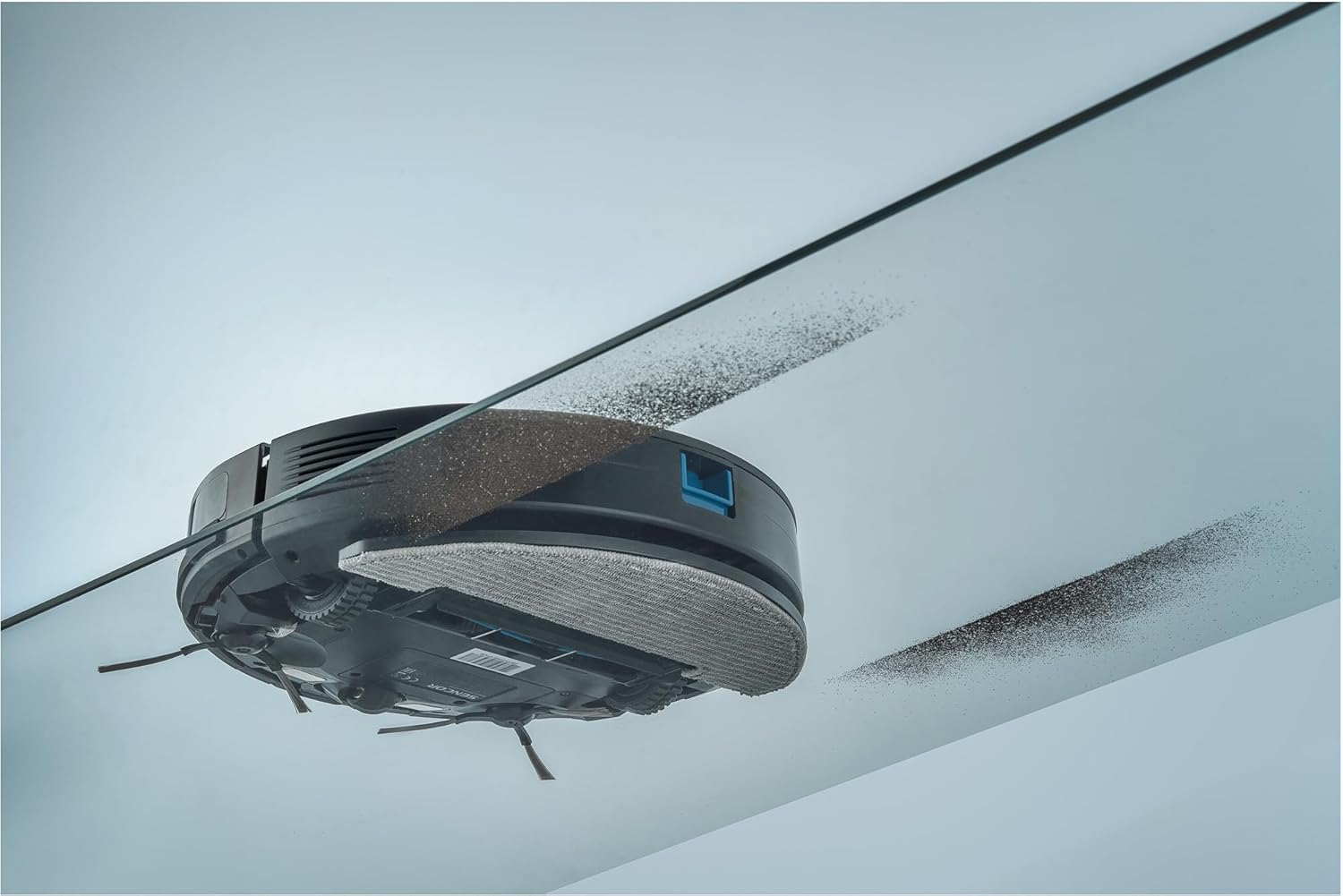
Image: Back view of the SENCOR SRV 3160TQ robot vacuum, showing the exhaust vents and rear wheel assembly.
Setup
1. Charging Station Placement
Place the charging station against a wall in an open area, ensuring there are no obstacles within 1 meter (3 feet) to the sides and 2 meters (6 feet) in front. Connect the power adapter to the charging station and plug it into a wall outlet.
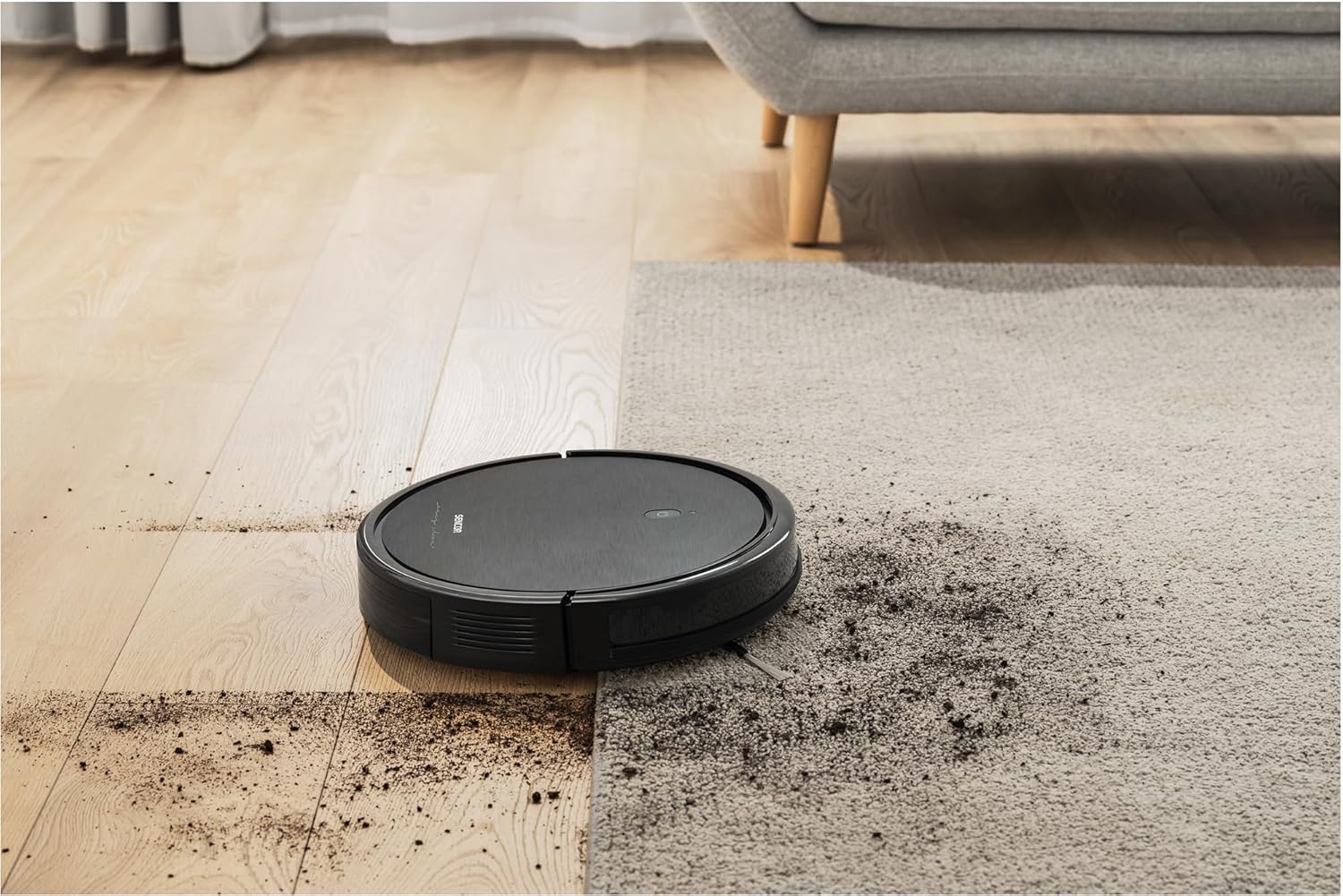
Image: The SENCOR SRV 3160TQ robot vacuum automatically returning to its charging station after a cleaning cycle or when its battery is low. The image also indicates a 100-minute runtime.
2. Initial Charging
Place the robot onto the charging station. Ensure the charging contacts on the robot align with those on the station. The indicator light on the robot will show charging status. Fully charge the robot before first use (approximately 4-5 hours).
3. Installing Side Brushes
Flip the robot over. Align the side brushes with the corresponding posts on the bottom of the robot and press them down until they click into place.
4. Installing Mop Pad
Attach a clean textile mop pad to the mop attachment. Fill the water tank (integrated with the dust bin) with clean water. Slide the mop attachment into the designated slot at the rear of the robot.
Operating the Robot
1. Control Methods
- On-Device Control: Press the power button on the robot to start or pause cleaning.
- Remote Control: Use the provided remote control to start/stop cleaning, select cleaning modes, adjust suction power, and direct the robot manually.
- Sencor HOME App: Download the Sencor HOME app from your smartphone's app store. Follow the in-app instructions to connect your robot. The app allows for advanced scheduling, mode selection, suction power adjustment, and real-time monitoring.
2. Cleaning Modes
The SENCOR SRV 3160TQ offers various cleaning modes:
- Auto Mode: The robot intelligently navigates and cleans the entire area.
- Spot Mode: Cleans a specific area more intensely.
- Edge Mode: Cleans along walls and furniture edges.
- Scheduled Cleaning: Set specific times for the robot to clean automatically via the app.

Image: The SENCOR SRV 3160TQ robot vacuum cleaning a wood floor, demonstrating its ability to sweep and vacuum dirt, leaving a clean path behind it.

Image: The SENCOR SRV 3160TQ robot vacuum moving from a wood floor onto a carpeted area, showcasing its versatility across different floor types.

Image: The SENCOR SRV 3160TQ robot vacuum navigating a 1.5 cm height difference between a tiled floor and a wood floor, illustrating its obstacle climbing capability.

Image: The SENCOR SRV 3160TQ robot vacuum cleaning under a low-clearance glass table, demonstrating its ability to reach confined spaces and sweep dirt effectively.
Maintenance
Regular maintenance ensures optimal performance and extends the lifespan of your robot vacuum.
1. Dust Bin and Filter Cleaning
Empty the dust bin after each use. Remove the HEPA and foam filters, tap them to remove dust, and rinse them with water if necessary. Ensure filters are completely dry before reinserting.
2. Side Brush Cleaning/Replacement
Remove any hair or debris tangled around the side brushes. If brushes are worn or damaged, replace them with the spare brushes provided.
3. Main Brush Cleaning
Remove the main brush cover and lift out the main brush. Use the cleaning tool to cut and remove any tangled hair or debris.
4. Mop Pad Cleaning
Remove the mop pad after each mopping session and wash it by hand or machine. Allow it to air dry completely.
5. Sensor Cleaning
Wipe the cliff sensors, anti-collision sensors, and charging contacts with a clean, dry cloth to ensure proper function.
Troubleshooting
| Problem | Possible Cause | Solution |
|---|---|---|
| Robot does not start | Low battery; Power switch off; Obstruction | Charge the robot; Turn on the power switch; Remove any obstructions. |
| Reduced suction power | Full dust bin; Clogged filter; Tangled brushes | Empty dust bin; Clean/replace filters; Clean main and side brushes. |
| Robot gets stuck frequently | Too many obstacles; Dirty sensors | Clear the cleaning area; Clean all sensors. |
| Robot does not return to charging station | Charging station obstructed; Robot too far from station | Ensure clear path to charging station; Manually place robot near station. |
Specifications
| Feature | Detail |
|---|---|
| Model Number | SRV 3160TQ |
| Dimensions (L x W x H) | 30.6 x 7.4 x 7.4 cm |
| Weight | 2.15 kg |
| Battery Type | Lithium-ion |
| Battery Capacity | 2600 mAh |
| Runtime | Up to 100 minutes |
| Charging Time | Approx. 4-5 hours |
| Noise Level | 60 dB |
| Control Methods | App, Remote Control, On-device buttons |
| Special Features | Automatic docking, Anti-fall, Anti-collision, Simultaneous vacuuming and mopping, Programmable, Smart Room navigation |
| Surface Recommendation | Linoleum, Carpet, Parquet, Tile |
Warranty and Support
SENCOR provides a warranty for this product according to local regulations. For detailed warranty information, technical support, or service inquiries, please refer to the official SENCOR website or contact your local distributor. Keep your purchase receipt as proof of purchase.
Spare parts availability: 5 Years.


