
1. Introduction
Thank you for choosing the Inwa MZ-612 Bluetooth Soundbar Speakers. This device is designed to provide enhanced audio for your computer, laptop, tablet, smartphone, or TV, offering versatile connectivity and a portable design. Please read this manual carefully to ensure proper use and to maximize your listening experience.

Image 1.1: Inwa MZ-612 Bluetooth Soundbar Speaker with RGB lighting.
2. Package Contents
Please check the box for the following items:
- Inwa MZ-612 Bluetooth Soundbar Speaker
- 3.5mm Audio Cable (x1)
- Type-C Charging Cable (x1)
- User Manual (x1)
3. Product Overview
3.1. Controls and Ports
Familiarize yourself with the buttons and ports on your soundbar:

Image 3.1: Overview of the soundbar's controls and connection ports.
- Power/Volume Knob: Rotate to adjust volume. Press and hold to power on/off.
- Mode Button (M): Press to switch between Bluetooth, AUX, USB, and FM radio modes.
- Play/Pause Button: Controls media playback.
- Previous/Next Track Buttons: Skips to the previous or next track.
- Light Button: Cycles through RGB lighting modes (Flow, Breathing, Dynamic, Beats-driven, Off).
- USB Port: For USB flash drive playback.
- AUX Input: 3.5mm audio jack for wired connection.
- USB-C Charging Port: For charging the internal battery.
3.2. Audio Features
The Inwa MZ-612 features dual driver units and dual diaphragms for enhanced bass and clear sound. It also incorporates anti-magnetic technology to minimize interference.
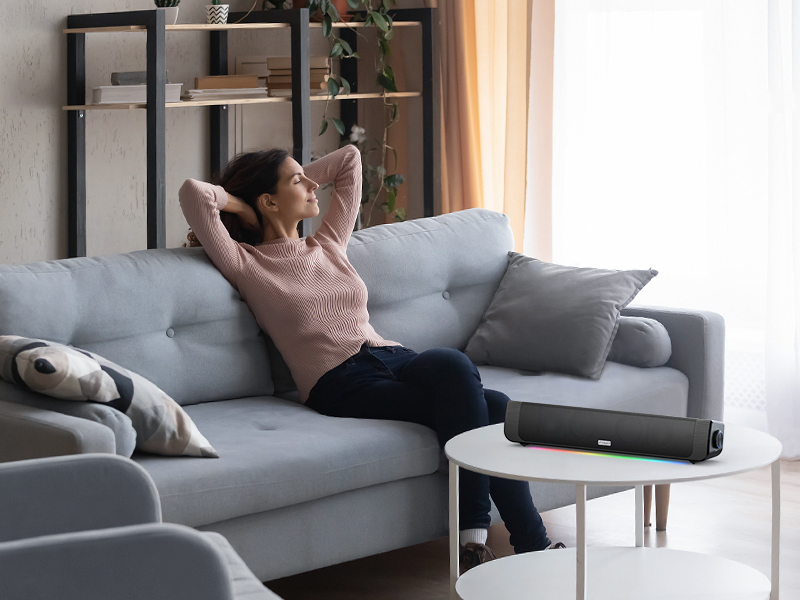
Image 3.2: Internal audio components for enhanced sound.
4. Setup
4.1. Powering On/Off
To power on the soundbar, press and hold the Power/Volume knob until the indicator light illuminates. To power off, press and hold the same knob again.
4.2. Charging the Battery
The soundbar can be powered via the included Type-C charging cable or its built-in 2000mAh battery. Before first use, it is recommended to fully charge the device.
- Connect the Type-C charging cable to the soundbar's USB-C charging port.
- Connect the other end of the cable to a USB power adapter (not included) or a computer's USB port.
- The indicator light will show charging status (refer to LED indicator section for details).
A full charge provides approximately 7 hours of playback at 50% volume or 3 hours at 100% volume.

Image 4.1: The soundbar can be powered by a USB cord or its internal battery.
5. Operating Modes
The Inwa MZ-612 offers multiple connectivity options:

Image 5.1: The soundbar supports AUX, USB, and Bluetooth connections.
5.1. Bluetooth Connection
- Power on the soundbar. It will automatically enter Bluetooth pairing mode if no other connection is active. The indicator light will flash.
- On your device (smartphone, tablet, computer), enable Bluetooth and search for available devices.
- Select "Inwa MZ-612" from the list.
- Once paired, the indicator light will become solid, and you will hear a confirmation tone.
5.2. AUX Input
- Connect one end of the 3.5mm audio cable to the AUX port on the soundbar.
- Connect the other end to the 3.5mm audio output jack of your device.
- Press the Mode button (M) on the soundbar until it enters AUX mode.
5.3. USB Drive Playback
- Insert a USB flash drive containing audio files into the USB port on the soundbar.
- Press the Mode button (M) on the soundbar until it enters USB mode. The soundbar will automatically begin playing audio files from the USB drive.
5.4. FM Radio
- Press the Mode button (M) on the soundbar until it enters FM radio mode.
- Press and hold the Play/Pause button to initiate an automatic station scan. The soundbar will save available stations.
- Use the Previous/Next Track buttons to navigate between saved FM stations.
5.5. TWS Function (True Wireless Stereo)
The TWS function allows you to pair two Inwa MZ-612 speakers for a stereo sound experience.
- Ensure both MZ-612 speakers are powered on and in Bluetooth mode, but not connected to any device.
- On one speaker (this will be the primary speaker), press and hold the Mode button (M) for a few seconds until you hear a pairing tone.
- The two speakers will automatically connect to each other. Once connected, you will hear a confirmation tone.
- Now, connect your device to the primary speaker via Bluetooth as described in section 5.1. Audio will play through both speakers in stereo.
5.6. RGB Lighting
The soundbar features dynamic RGB lighting. Press the Light button to cycle through various modes:
- Flow
- Breathing
- Dynamic
- Beats-driven (lights react to music)
- Off

Image 5.2: The soundbar features multiple RGB lighting modes.
6. Maintenance
To ensure the longevity and optimal performance of your Inwa MZ-612 soundbar, follow these maintenance guidelines:
- Cleaning: Use a soft, dry cloth to wipe the surface of the soundbar. Do not use liquid cleaners or abrasive materials, as they may damage the finish or internal components.
- Storage: When not in use for extended periods, store the soundbar in a cool, dry place away from direct sunlight and extreme temperatures.
- Battery Care: If the soundbar will not be used for a long time, charge it at least once every three months to maintain battery health.
- Avoid Water: This product is not waterproof. Keep it away from water and high humidity environments.
7. Troubleshooting
If you encounter issues with your soundbar, please refer to the following common problems and solutions:
| Problem | Possible Cause | Solution |
|---|---|---|
| No power | Battery is depleted; Power cable not connected. | Charge the soundbar using the Type-C cable; Ensure the power cable is securely connected. |
| No sound | Volume too low; Incorrect input mode; Device not connected properly. | Increase volume on soundbar and connected device; Press 'M' button to select correct input mode (Bluetooth, AUX, USB); Reconnect device. |
| Bluetooth pairing failed | Soundbar not in pairing mode; Device too far; Interference. | Ensure soundbar is in Bluetooth pairing mode (flashing indicator); Move device closer to soundbar; Turn off other Bluetooth devices. |
| Sound distortion at high volume | Volume set too high. | Reduce the volume on the soundbar or the connected device. |
| FM radio not receiving stations | Poor signal; No auto-scan performed. | Move the soundbar to a location with better signal; Perform an auto-scan by pressing and holding the Play/Pause button in FM mode. |
| Audio latency with video | Bluetooth connection inherent delay. | For critical applications like video, consider using the wired AUX connection to minimize latency. |
8. Specifications
| Feature | Detail |
|---|---|
| Model Name | MZ-612 |
| Speaker Type | Soundbar |
| Material | Acrylonitrile Butadiene Styrene (ABS) |
| Connectivity Technology | Bluetooth 5.3, 3.5mm Aux-in, USB Flash Drive |
| Audio Output Mode | Stereo (2.0 Channel) |
| Speaker Maximum Output Power | 20 Watts |
| Power Source | Built-in Battery (2000mAh) and Corded Electric (USB-C) |
| Battery Life | Approx. 7 hours (50% volume), 3 hours (100% volume) |
| Special Features | Built-in FM Radio, Multiple RGB Light Modes, TWS (True Wireless Stereo) Function |
| Product Dimensions | 2.6"D x 15.7"W x 3.2"H (6.6cm D x 39.9cm W x 8.1cm H) |
| Item Weight | 860 Grams (1.9 pounds) |
| Compatible Devices | Desktop, Laptop, Smartphone, Tablet, Television |
| Indoor/Outdoor Usage | Indoor |
9. Warranty and Support
The Inwa MZ-612 Bluetooth Soundbar Speakers come with a limited warranty. For detailed warranty information or technical support, please refer to the warranty card included in your package or contact Inwa customer service through the retailer where the product was purchased.
Please retain your proof of purchase for warranty claims.