
1. Introduction
Thank you for choosing the TrustFire GM23S Pistol Light with Green Aiming Laser. This compact and powerful tactical accessory is designed to provide reliable illumination and precise aiming for various compatible firearms. It features an 800-lumen white light, a highly visible green aiming laser, and a built-in rechargeable battery. This manual provides essential information for safe operation, installation, and maintenance of your GM23S.
2. Safety Information
- Always handle firearms safely. Ensure the firearm is unloaded and pointed in a safe direction before installing, adjusting, or removing the GM23S.
- Never look directly into the laser beam or allow others to do so. The green laser output is <5mW (Class 3R) and can cause eye damage.
- Do not aim the laser at aircraft or vehicles.
- Keep the device out of reach of children.
- Use only the provided charging cable and ensure proper charging practices to prevent battery damage or overheating.
- Avoid exposing the device to extreme temperatures or harsh chemicals.
3. Package Contents
- TrustFire GM23S Pistol Light with Green Aiming Laser
- USB Type-C Charging Cable
- Picatinny Rail Adapter (GL rail adapter pre-installed)
- User Manual
- Hex Wrench for adjustments
4. Product Features
- High Performance: Delivers up to 800 lumens of white light with a maximum throw of 160 meters, complemented by a highly visible green aiming laser (<5mW, Class 3R).
- Versatile Compatibility: Designed to fit most GL and Picatinny rails. A GL rail adapter is pre-installed, and a Picatinny adapter is included.
- Extended Runtime: Equipped with a built-in 3.7V 460mAh lithium polymer battery, offering a maximum runtime of 155 minutes at 100 lumens. Fully charges in approximately 80 minutes via Type-C.
- Enhanced Accuracy: The integrated green laser provides additional aiming precision and offers operational flexibility with white light only, green laser only, or combined modes.
- User-Friendly Operation: Features dual rear switches for ambidextrous momentary-on or constant-on activation.
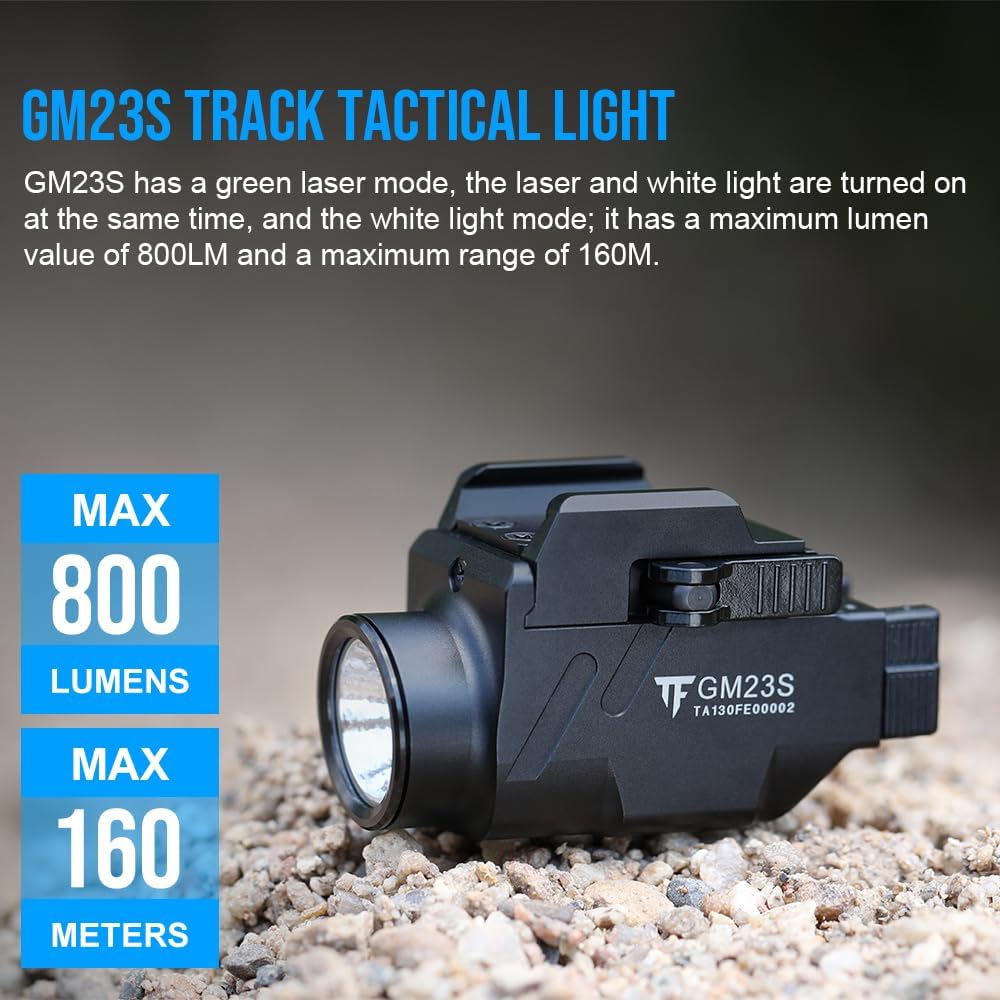
Image: The TrustFire GM23S Pistol Light, highlighting its maximum output of 800 lumens and a maximum beam distance of 160 meters.
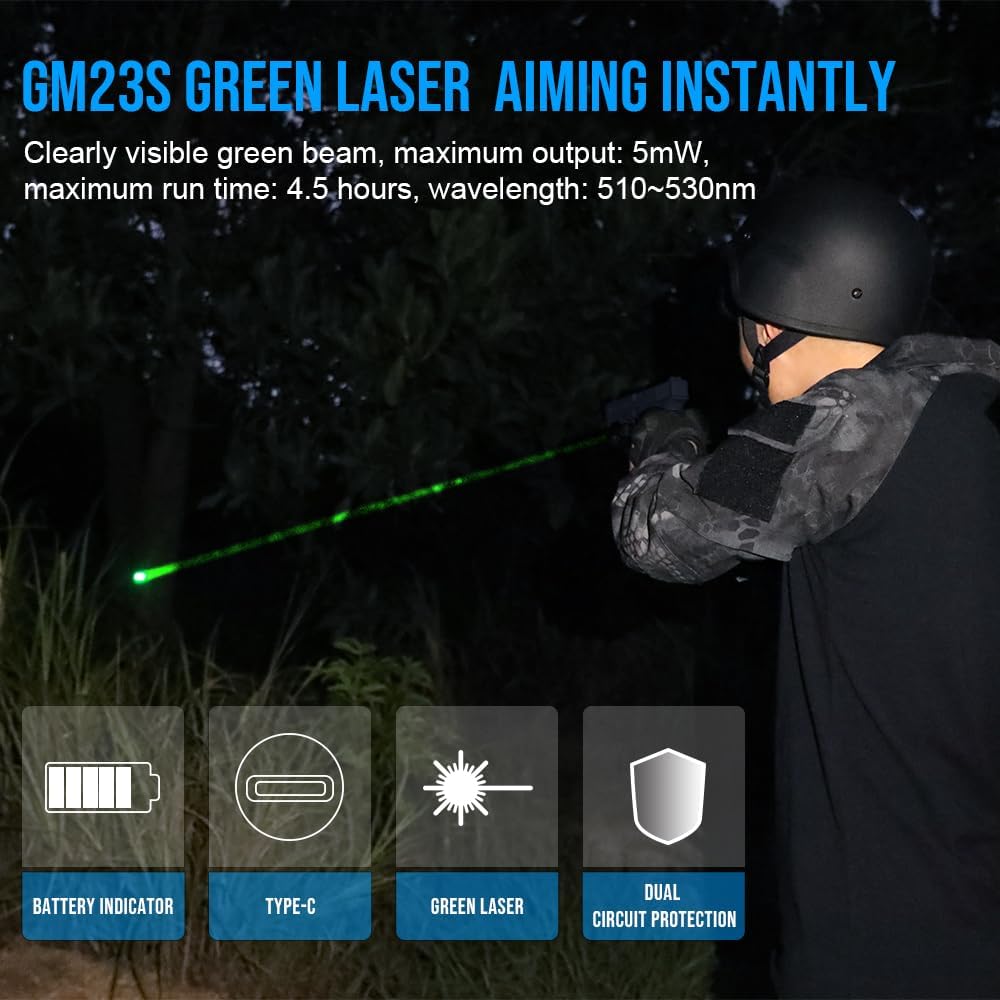
Image: A user demonstrating the GM23S green laser aiming feature in a low-light environment, illustrating its visibility.
5. Setup and Installation
5.1 Rail Compatibility
The GM23S comes with a GL rail adapter pre-installed. If your firearm uses a Picatinny rail, you will need to replace the GL adapter with the included Picatinny adapter. Use the provided hex wrench to loosen and tighten the adapter screws.

Image: The GM23S light demonstrating its adaptability to both GL and 1913 Picatinny guide rails, with separate adapters shown.
5.2 Mounting the GM23S
- Ensure the firearm is unloaded and safe.
- Select the appropriate rail adapter (GL or Picatinny) for your firearm.
- Align the GM23S with the accessory rail on your firearm.
- Push the rocker arm in the direction of the arrow to open the mounting bayonet.
- Slide the GM23S onto the rail until it clicks into place. Ensure it is securely fastened.

Image: A visual guide illustrating the quick disassembly design of the GM23S, showing how to lift the rocker arm to release the mounting bayonet for easy installation and removal.
6. Operating Instructions
6.1 Power On/Off and Mode Selection
The GM23S features dual rear switches for operation. These switches allow for ambidextrous control.
- Momentary-On: Press and hold either switch. The light/laser will remain on as long as the switch is held. Release to turn off.
- Constant-On: Press and release either switch quickly. The light/laser will stay on until you press and release the switch again.
- Strobe Mode: Double-press either switch quickly to activate strobe mode. Double-press again to return to constant-on.
6.2 Light and Laser Mode Conversion
The GM23S offers three primary output modes: Laser Mode, White Light + Laser Mode, and White Light Mode. A selector switch located on the side of the unit allows you to cycle through these options.

Image: A detailed view of the mode conversion switch on the GM23S, indicating the positions for Laser Mode, White Light + Laser Mode, and White Light Mode.
6.3 Daily Mode (High Light) and Economic Mode (Low Light)
The GM23S has two power modes for the white light:
- Mode 1 (Daily Mode): This is the default high-output mode (800 lumens).
- Mode 2 (Economic Mode): This is a lower-output mode (100 lumens) for extended runtime.
To switch between modes:
- From Mode 1, press and hold either switch for 3.5 seconds to enter Mode 2.
- From Mode 2, press and hold either switch for 3.5 seconds to enter Mode 1.
Note: The economic mode is not available when only the green laser is active.
6.4 Transport Lock Mode
The transport lock mode prevents accidental activation during storage, conserving battery life and preventing unintended laser exposure. To activate or deactivate, refer to the specific instructions in the full product manual or manufacturer's website, as this feature is typically engaged by a specific button sequence or physical switch.
7. Charging
The GM23S features a built-in rechargeable lithium polymer battery and a Type-C charging port for convenience.
- Locate the Type-C charging port on the device.
- Connect the provided USB Type-C cable to the GM23S and a compatible USB power source (e.g., wall adapter, computer USB port).
- The charging indicator light will illuminate red during charging.
- Once fully charged (approximately 80 minutes), the indicator light will turn green.
- Disconnect the charging cable after charging is complete.
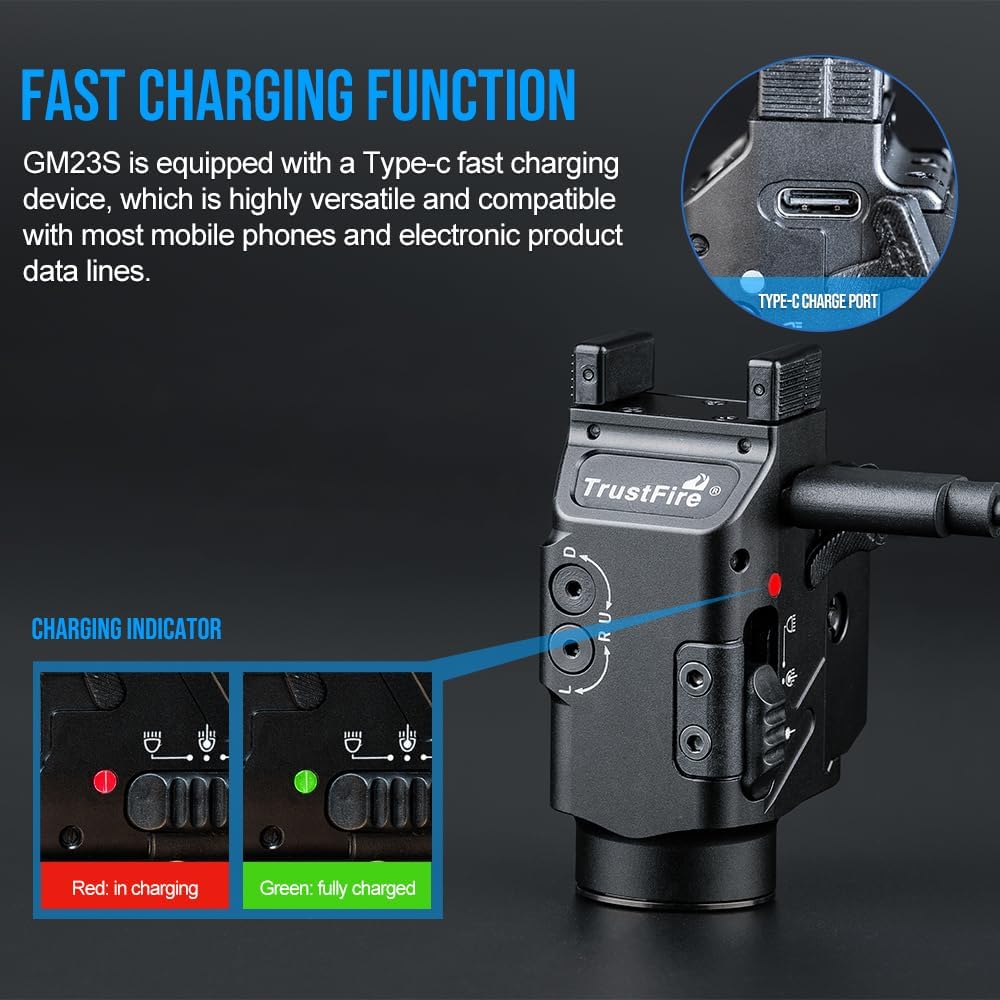
Image: The GM23S highlighting its Type-C charging port and the charging indicator lights, showing red for 'in charging' and green for 'fully charged'.
8. Compatible Models
The TrustFire GM23S is designed for broad compatibility with various handgun models equipped with GL or Picatinny rails. Below is a list of commonly compatible brands and models:

Image: A table listing compatible handgun brands and models for the TrustFire GM23S, including Glock, Smith & Wesson, Sig Sauer, and others.
| Compatible Brand | Model |
|---|---|
| GLOCK | GLOCK 17, GLOCK 19, GLOCK 20, GLOCK 22, GLOCK 23, GLOCK 25, GLOCK 32 |
| SMITH & WESSON | M&P M2.0 3.6/4.0/4.25 IN., M&P M2.0 FULL SIZE VERSIONS |
| SIG SAUER | SIG SAUER P226, SIG SAUER P229, SIG SAUER P320V |
| OTHER | HK VP9 SK, CZ P10C, RUGER SR9 |
9. Maintenance
- Cleaning: Use a soft, damp cloth to clean the exterior of the device. Do not use abrasive cleaners or solvents. Keep the lens and laser aperture clean for optimal performance.
- Battery Care: Charge the battery regularly, even if not in use, to maintain its lifespan. Avoid fully discharging the battery for extended periods.
- Storage: Store the GM23S in a cool, dry place away from direct sunlight and extreme temperatures. Ensure the transport lock mode is engaged during storage.
10. Troubleshooting
- Light/Laser Not Turning On:
- Check battery level and charge the device if necessary.
- Ensure the device is not in transport lock mode.
- Verify that the switches are being pressed correctly for momentary or constant-on activation.
- Charging Indicator Not Working:
- Ensure the Type-C cable is securely connected to both the device and the power source.
- Try a different USB cable or power adapter.
- Light Output is Dim:
- The battery may be low; recharge the device.
- Ensure the device is not in Economic Mode (100 lumens) if you expect full brightness.
11. Specifications
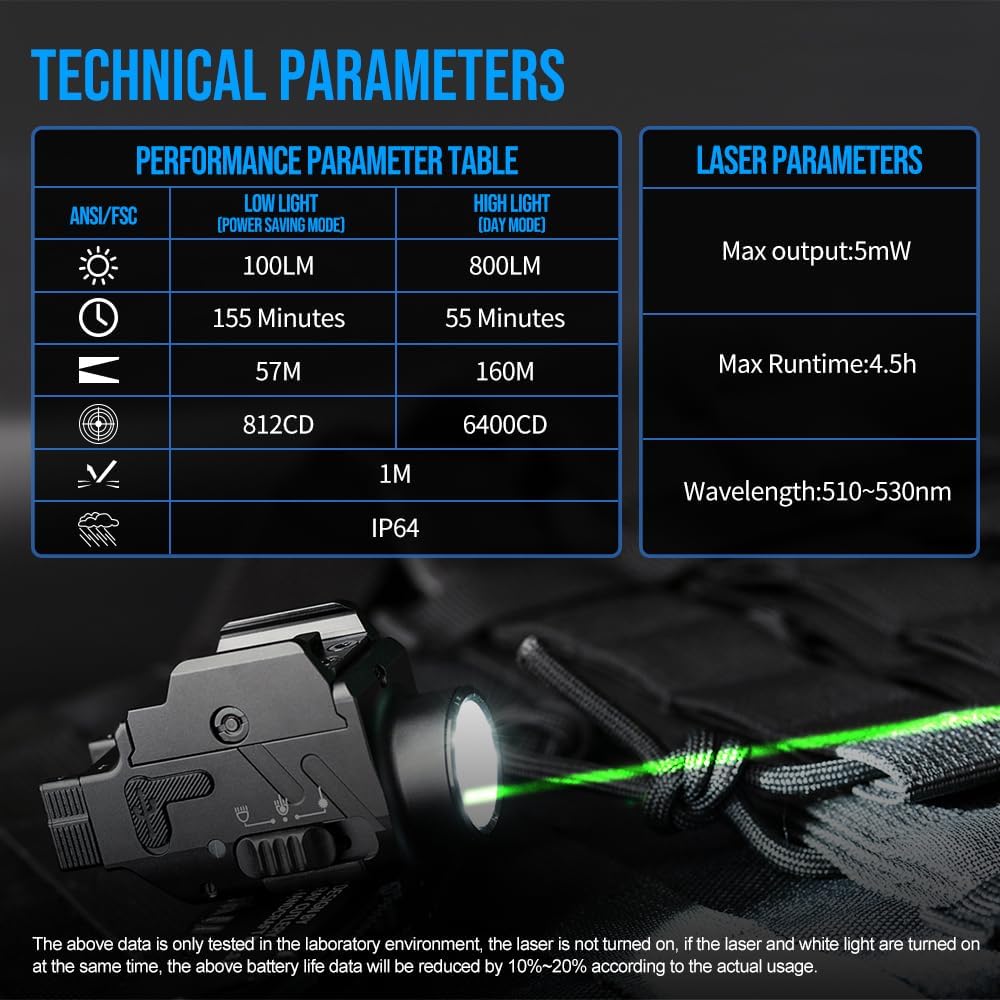
Image: A table detailing the performance and laser parameters of the TrustFire GM23S, including lumen output, runtime, beam distance, and laser specifications.
| Parameter | Value |
|---|---|
| Brand | TrustFire |
| Model Name | GM23S |
| Light Output (High) | 800 Lumens |
| Light Output (Low) | 100 Lumens |
| Max Beam Distance | 160 Meters |
| Laser Type | Green Aiming Laser |
| Laser Output | <5mW (Class 3R) |
| Wavelength | 510-530nm |
| Battery Type | Built-in 3.7V 460mAh Lithium Polymer |
| Charging Port | USB Type-C |
| Charging Time | Approx. 80 minutes |
| Max Runtime (100 Lumens) | 155 minutes |
| Material | Aluminum |
| Dimensions | 4.09 x 2.13 x 1.14 inches |
| Weight | 5.3 ounces |
| Water Resistance | IP64 (Dust tight and splash resistant) |
12. Warranty and Support
For warranty information, technical support, or service inquiries, please refer to the official TrustFire website or contact their customer service directly. Keep your purchase receipt as proof of purchase.