
Introduction
The IOWODO R8 Smartwatch is a versatile wearable device designed to help you monitor your health and stay connected. It features 24/7 heart rate and blood oxygen monitoring, sleep tracking, message notifications, and 25 sports modes. This manual provides essential information for setting up, operating, and maintaining your smartwatch.
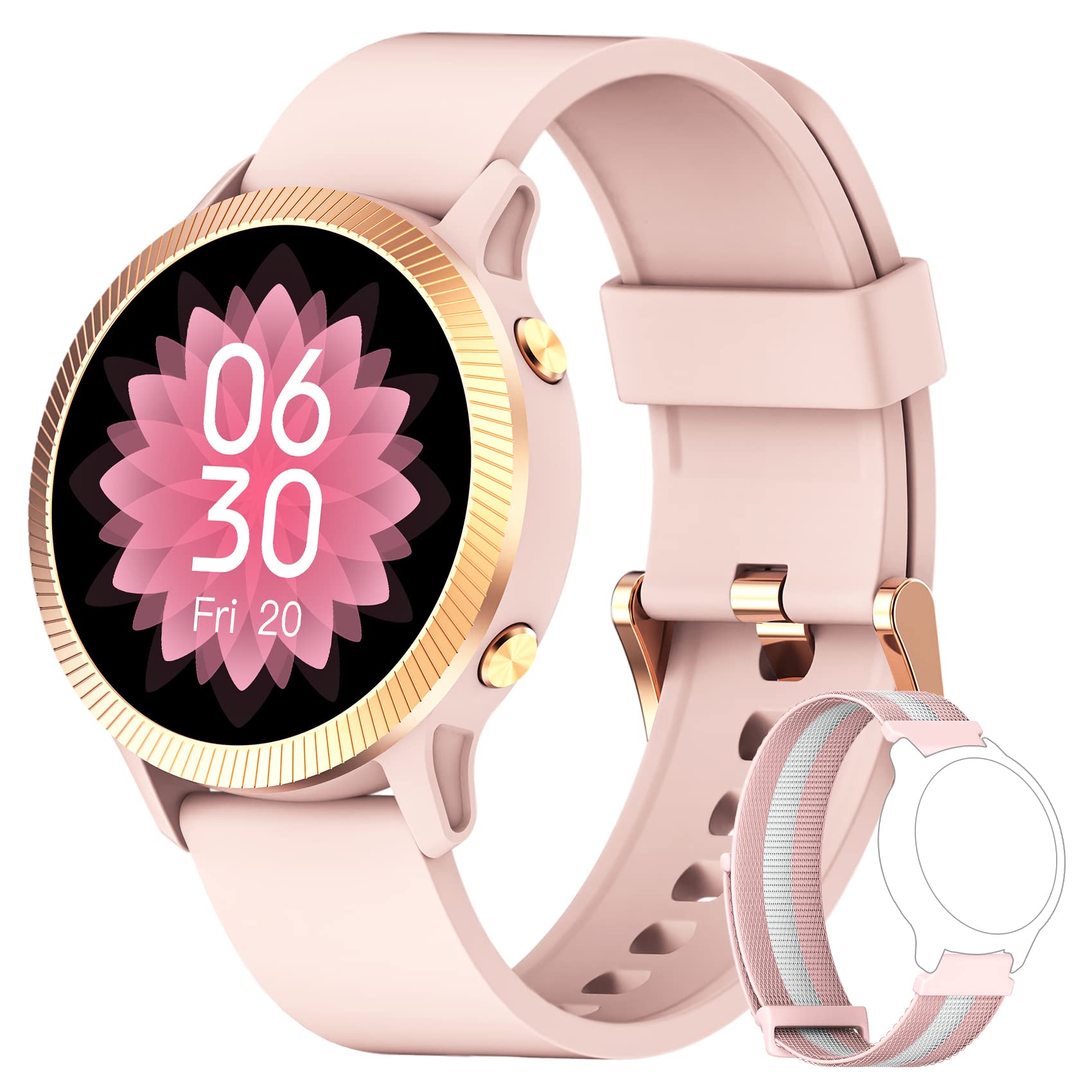
Image: The IOWODO R8 Smartwatch, showcasing its display and sleek design. This image illustrates the device's appearance and user interface.
1. Setup
1.1 Charging the Smartwatch
Before first use, fully charge your IOWODO R8 Smartwatch. Connect the magnetic charging cable to the charging contacts on the back of the watch and plug the USB end into a standard USB power adapter (not included).
- A full charge typically takes approximately 2 hours.
- The watch display will show the charging status.
1.2 Powering On/Off
- Power On: Press and hold the side button for a few seconds until the screen lights up.
- Power Off: Navigate to the 'Settings' menu on the watch, then select 'Power Off' or 'Shutdown'. Confirm your choice.
1.3 Installing the GloryFit App
The IOWODO R8 Smartwatch requires the GloryFit application for full functionality and data synchronization. Download the app from your smartphone's app store (Google Play Store for Android or Apple App Store for iOS).
- Search for "GloryFit" in your app store.
- Install the application on your smartphone.
1.4 Pairing with Your Smartphone
To pair your smartwatch with the GloryFit app:
- Ensure Bluetooth is enabled on your smartphone.
- Open the GloryFit app.
- Follow the on-screen instructions to create an account or log in.
- Navigate to the 'Device' section within the app and select 'Add Device'.
- The app will search for nearby devices. Select "IOWODO R8" or a similar device name from the list.
- Confirm the pairing request on both your smartphone and the smartwatch if prompted.
- Once paired, the watch will synchronize time and data with your phone.
2. Operating Instructions
2.1 Basic Navigation
- Swipe Up/Down: Scroll through menus and notifications.
- Swipe Left/Right: Access quick functions or different data screens.
- Tap: Select an item or confirm an action.
- Side Button: Press to return to the home screen or wake the display.
2.2 Health Monitoring
The IOWODO R8 continuously monitors various health metrics:
- Heart Rate: The watch automatically monitors your heart rate 24/7. View real-time data on the watch or detailed historical data in the GloryFit app.
- Blood Oxygen (SpO2): Your blood oxygen levels are also monitored automatically. Access current readings on the watch and trends in the app.
- Sleep Tracking: The smartwatch records your sleep patterns at fixed times and analyzes sleep quality. Review your sleep data in the GloryFit app to understand your sleep health.
- Pedometer: Tracks your daily steps, distance, and calories burned.
2.3 Smart Notifications
Once paired with the GloryFit app, your smartwatch can receive notifications:
- Message Alerts: Receive notifications for messages from various apps (e.g., SMS, Facebook, WhatsApp, Instagram). You can view the message text directly on your smartwatch.
- Incoming Calls: The watch will alert you to incoming calls. You can reject calls directly from the smartwatch.
- Other Reminders: Includes features like female menstrual period tracking, alarm clock, and sedentary reminders. Configure these in the GloryFit app.
2.4 Sports Modes
The IOWODO R8 offers 25 sports modes to track your workouts:
- Navigate to the 'Sports' or 'Workout' menu on your watch.
- Select your desired activity (e.g., running, cycling, walking).
- Start the activity. The watch will record real-time data such as heart rate, steps, training time, distance, and calories burned.
- For outdoor activities, the watch can share GPS data with your mobile phone via the GloryFit app for more accurate route tracking.
- End the activity when finished. Detailed workout logs are available in the GloryFit app.
2.5 Customizing Watch Faces
Personalize your smartwatch display:
- The watch comes with 4 pre-defined watch faces.
- Through the GloryFit app, you can access over 200 online watch face options for download.
- You can also customize your watch face by selecting a photo from your phone's gallery via the GloryFit app.
2.6 Weather Notifications
View local weather notifications for the most recent week directly on your watch. Ensure your watch is connected to the GloryFit app for updated weather information.
3. Maintenance
3.1 Cleaning Your Smartwatch
- Regularly clean the watch screen and strap with a soft, damp cloth.
- Avoid using harsh chemicals or abrasive materials, as these can damage the device.
- Ensure the charging contacts are clean and dry before charging to prevent corrosion.
3.2 Water Resistance (IP68)
The IOWODO R8 Smartwatch is rated IP68, meaning it is resistant to dust and can withstand immersion in water up to 1.5 meters for up to 30 minutes. However, it is not suitable for hot water, saunas, or diving. Avoid prolonged exposure to water and dry the watch thoroughly if it gets wet.
3.3 Battery Care
- To prolong battery life, avoid fully discharging the battery frequently.
- Charge the watch using the provided magnetic charging cable.
- Store the watch in a cool, dry place when not in use for extended periods.
4. Troubleshooting
If you encounter issues with your IOWODO R8 Smartwatch, refer to the following common solutions:
| Problem | Solution |
|---|---|
| Watch does not power on. | Ensure the watch is fully charged. Connect it to the charger for at least 30 minutes. |
| Cannot pair with smartphone / Bluetooth connection issues. |
|
| Notifications are not received. |
|
| Inaccurate step count or health data. |
|
| Watch performance is slow or unresponsive. |
|
5. Specifications
| Feature | Detail |
|---|---|
| Brand | IOWODO |
| Model Name | R8 Smartwatch |
| Screen Size | 1.09 Inches |
| Connectivity Technology | Bluetooth |
| Special Features | GPS (integrated), Music Player, Heart Rate Monitor |
| Compatible Devices | Smartphone (iOS & Android) |
| Water Resistance Rating | IP68 |
| Battery | 1 Lithium-ion (included), Rechargeable |
| Manufacturer | IOWODO |
| Date First Available | September 12, 2023 |
6. Warranty and Support
6.1 Warranty Information
IOWODO provides a 24-month after-sales service for this product. If you encounter any issues, please do not return the product immediately. Contact our support team for assistance.
6.2 Customer Support
For support or inquiries, please follow these steps:
- Go to your Amazon account.
- Navigate to 'My Orders'.
- Find the order number for your IOWODO R8 Smartwatch.
- Select 'Order Issue' or a similar option.
- Choose 'Contact Seller'.
Our customer service team aims to respond within 24 hours to provide a satisfactory solution.


