
1. Introduction
Thank you for choosing the Emerson MWRG0901RD Retro Microwave Oven. This appliance combines microwave cooking with a powerful grill function, offering versatile meal preparation options. Designed for convenience and efficiency, this manual provides essential information for safe operation, maintenance, and troubleshooting to ensure optimal performance and longevity of your microwave oven.
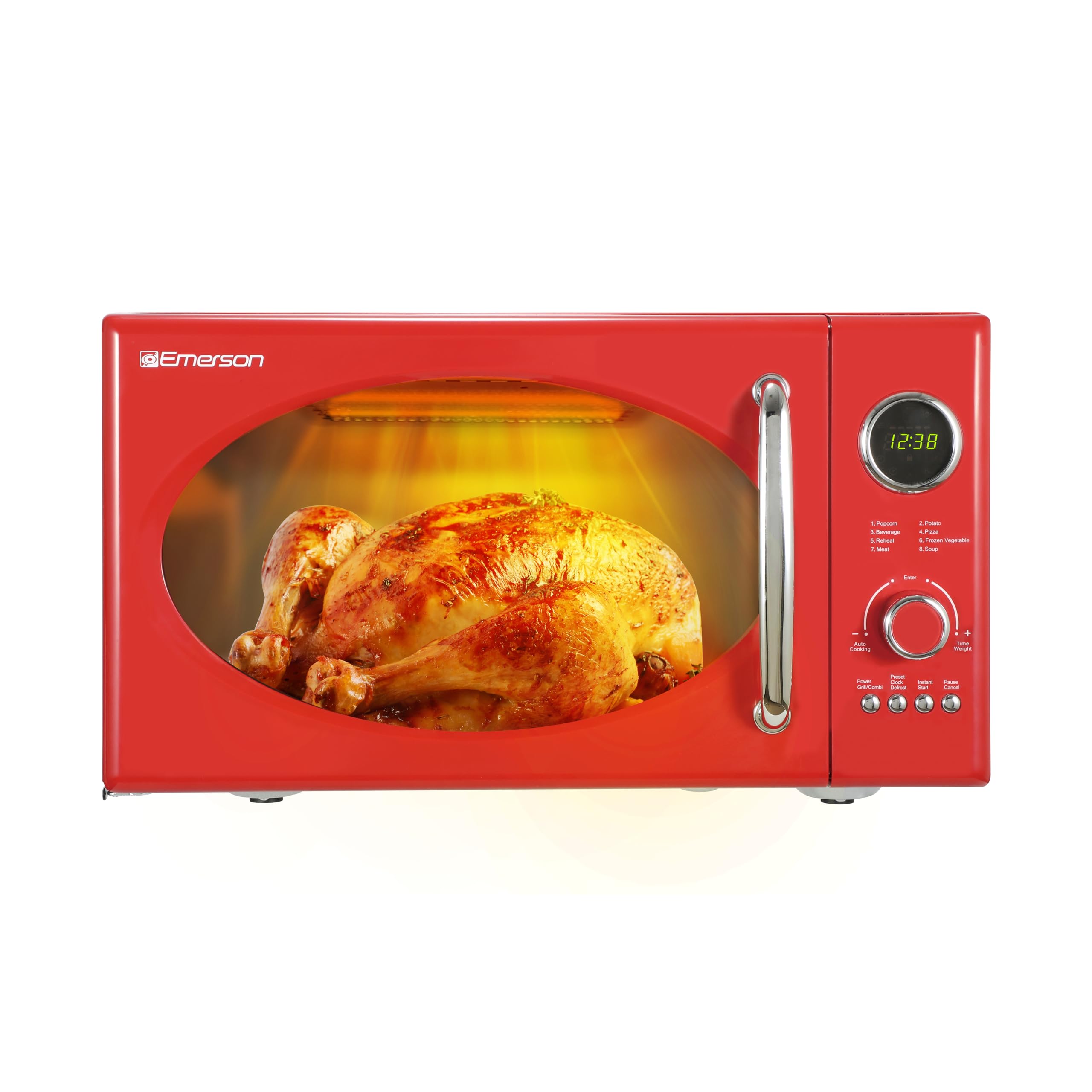
Front view of the Emerson MWRG0901RD Retro Microwave Oven in red.
2. Important Safety Instructions
When using electrical appliances, basic safety precautions should be followed, including the following:
- Read all instructions before using the appliance.
- Do not operate the oven when empty.
- Do not attempt to tamper with, or make adjustments or repairs to the door, control panel, safety interlock switches, or any other part of the oven.
- Do not heat liquids or other foods in closed containers since they are liable to explode.
- Do not use corrosive chemicals or vapors in this appliance.
- Close supervision is necessary when the appliance is used by or near children.
- Always ensure the glass turntable and roller ring are correctly positioned before operation.
- Only use utensils suitable for microwave ovens.
- Do not use the grill function with plastic containers. Use the provided metal grill rack.
- Ensure proper ventilation around the appliance.
3. Product Overview and Features
The Emerson MWRG0901RD offers a blend of retro design with modern functionality, including both microwave and grill capabilities.
Key Features:
- Built-In 1,000W Grill Function: Achieve golden-brown finishes and crispy textures.
- 800W Microwave Cooking Power: Efficient heating with 5 adjustable power levels.
- 0.9 Cu. Ft. Capacity: Compact yet spacious for everyday use.
- LED Display: Clear and easy-to-read digital interface.
- 8 Auto Menus: Pre-programmed settings for popular meals and snacks.
- Glass Turntable: Ensures even cooking and is removable for easy cleaning.
- Child Lock: Enhances safety by preventing unintended operation.
- Smart Defrost: Options for both time and weight-based defrosting.
Components:
- Microwave Oven Unit
- Removable Glass Turntable
- Roller Ring
- Metal Grill Rack
- User Manual (this document)

The front of the microwave oven, showcasing its retro design.

Side profile of the microwave, highlighting its compact form factor.

Diagram showing the dimensions of the Emerson MWRG0901RD microwave oven.
Product Overview Video:
This video provides a general overview of the Emerson 0.9 Cu. Ft. Retro Digital Microwave Oven, highlighting its design and features.
4. Setup
Placement:
- Place the oven on a flat, stable surface that can support its weight and the heaviest food likely to be cooked in it.
- Ensure adequate ventilation: leave at least 3 inches (7.5 cm) of space on the top, sides, and back of the oven for proper airflow. Do not block any ventilation openings.
- Keep the oven away from heat sources, steam, or splashing liquids.
Turntable Installation:
- Place the roller ring in the center of the oven cavity floor.
- Position the glass turntable securely on top of the roller ring. Ensure it sits properly in the center hub.

Interior view of the microwave showing the glass turntable in place.
Power Connection:
Plug the power cord into a standard grounded electrical outlet. Ensure the voltage matches the appliance's requirements.
5. Operating Instructions
Setting the Clock:
Upon initial plug-in or after a power outage, the display will show '0:00'. Follow the instructions in your full user manual to set the correct time.
Basic Microwave Cooking:
- Place food in a microwave-safe container on the glass turntable.
- Close the oven door.
- Select desired power level using the 'Power' button (5 levels available).
- Turn the 'Time/Weight' knob to set the cooking time.
- Press 'Start' to begin cooking.
Grill Function:
The grill function allows for browning and crisping. Use the provided metal grill rack for best results.
- Place food on the metal grill rack, then place the rack on the glass turntable.
- Press the 'Grill/Combi' button to select the grill mode.
- Turn the 'Time/Weight' knob to set the grilling time.
- Press 'Start' to begin grilling.

A chicken being grilled inside the microwave oven, demonstrating the grill function.

A visual representation of the grill function's capabilities, including a wire rack.
Grill Function Video:
This video demonstrates the grill function of the microwave, showcasing its effectiveness for various foods.
Auto Menus:
The oven features 8 pre-programmed auto menus for common food items:
- Popcorn
- Potato
- Beverage
- Pizza
- Reheat
- Frozen Vegetable
- Meat
- Soup
To use an auto menu:
- Press the 'Auto Cooking' button repeatedly to cycle through the menu options, or refer to the control panel for the corresponding number.
- Turn the 'Time/Weight' knob to select the desired quantity/weight.
- Press 'Start' to begin.

The control panel with the list of 8 auto cook menus.
Defrost Function:
The oven offers both time and weight defrost options.
- Time Defrost: Press 'Preset/Defrost' once, then turn the 'Time/Weight' knob to set the defrosting time. Press 'Start'.
- Weight Defrost: Press 'Preset/Defrost' twice, then turn the 'Time/Weight' knob to select the food weight. Press 'Start'.
Child Lock:
To activate the child lock, press and hold the 'Pause/Cancel' button for 3 seconds. The lock indicator will appear on the display. To deactivate, press and hold the 'Pause/Cancel' button again for 3 seconds.
6. Maintenance
Cleaning the Oven:
- Always unplug the oven before cleaning.
- Wipe the interior and exterior surfaces with a damp cloth and mild detergent. Avoid abrasive cleaners.
- The glass turntable and roller ring can be washed in warm soapy water or in the dishwasher.
- For stubborn stains, place a bowl of water with lemon juice inside the oven and microwave on high for a few minutes to loosen residue.
Care of the Grill Rack:
The metal grill rack should be cleaned after each use with warm soapy water. Ensure it is completely dry before storing or reusing.
7. Troubleshooting
If you encounter issues with your microwave oven, refer to the following common problems and solutions:
| Problem | Possible Cause | Solution |
|---|---|---|
| Oven does not start | Door not closed properly; Power cord not plugged in; Fuse blown or circuit breaker tripped. | Ensure door is securely closed; Check power cord connection; Check household fuse or reset circuit breaker. |
| Food not heating | Incorrect cooking time/power level; Door not closed; Child lock activated. | Adjust time/power; Ensure door is closed; Deactivate child lock. |
| Turntable not rotating | Turntable or roller ring not correctly placed; Debris under turntable. | Reposition turntable and roller ring; Clean under the turntable. |
| Unusual noise during operation | Food container touching oven walls; Turntable not centered. | Ensure container is not touching walls; Center the turntable. |
If the problem persists after attempting these solutions, please contact customer support.
8. Specifications
| Feature | Detail |
|---|---|
| Brand | Emerson |
| Model Number | MWRG0901RD |
| Capacity | 0.9 Cubic Feet |
| Product Dimensions (D x W x H) | 16.5"D x 21.13"W x 12.75"H |
| Microwave Cooking Power | 800 Watts |
| Grill Function Wattage | 1000 Watts |
| Number of Power Levels | 5 |
| Number of Auto Programs | 8 |
| Installation Type | Countertop |
| Material | Painted Metal |
| Color | Red |
| Special Features | Child Safety Lock, Defrost, Shortcut Keys, Timer, Turntable |
| Voltage | 120 Volts |
| Item Weight | 31.4 Pounds |
9. Warranty
This Emerson microwave oven is covered by a 1-year warranty from the date of purchase. A valid proof of purchase is required for warranty claims. The warranty covers manufacturing defects and malfunctions under normal use. It does not cover damage resulting from misuse, accident, alteration, or unauthorized repair.
10. Support
For technical assistance, warranty service, or general inquiries, please contact Emerson customer support. Refer to the contact information provided on the Emerson official website or your product packaging.
Online Resources: Visit the official Emerson website for FAQs, additional product information, and support resources.


