
Introduction
This manual provides detailed instructions for the installation, operation, and maintenance of your CROSSIO 20-inch Outdoor Ceiling Fan with Lights and Remote Control, Model FS6938-01. Please read these instructions carefully before installation and use to ensure safe and efficient operation.
Product Features
- Multiple Ceiling Compatibility: Designed for easy installation on ceilings/gazebos with hooks, fixed to solid wood ceilings, or mounted with an outlet box. Includes two downrod lengths for varying hanging heights.
- Splashproof Design: Features a lightweight, splashproof, and rustproof motor, making it suitable for outdoor gazebos, pergolas, patios, corridors, porches, and indoor bathrooms.
- Plug-In Cable: Equipped with a 16 ft plug-in cable for immediate use without requiring an electrician for wiring.
- Integrated LED Lighting: Includes a built-in 15W bright LED light panel with adjustable brightness and three lighting tone options (warm white, neutral white, cool white).
- Indoor & Outdoor Versatility: Suitable for various locations including outdoor gazebos, pergolas, patios, balconies, outdoor shower cabinets, outdoor kitchens, and indoor bathrooms, bedrooms, living rooms, attics, and garages.
- Remote and App Control: Control fan speeds, light settings, and other functions via the included remote control or a dedicated mobile application.
- Reversible Fan Motor: Features a reversible motor for both downdraft (cooling) and updraft (air circulation) modes.
- 6 Wind Speeds: Offers 6 wind speed settings for customized comfort.
Package Contents
Please verify that all components are present and undamaged before proceeding with installation.
- Ceiling Fan Unit (with integrated LED light panel and ABS fan blades)
- Remote Control
- 16 ft Plug-in Cable
- 2 Downrods (4" and 8" lengths)
- Mounting Bracket (for various installation types)
- Hardware Pack (screws, washers, pins)
- Instruction Manual
Video: Unboxing and overview of the CROSSIO 20-inch outdoor ceiling fan components. This video demonstrates the initial unboxing process and displays all included parts, such as the fan unit, downrods, remote control, and mounting hardware.
Safety Information
Always follow basic safety precautions when installing and operating electrical appliances to reduce the risk of fire, electric shock, and personal injury.
- Ensure the power is turned off at the circuit breaker before installation or maintenance.
- All wiring must be in accordance with national and local electrical codes.
- Consult a qualified electrician if you are unsure about wiring or installation procedures.
- Mount the fan securely to a structural support capable of holding the fan's weight.
- Do not insert objects into the fan blades while the fan is operating.
- This fan is splashproof, but it is recommended to install it in covered outdoor areas to prolong its lifespan and prevent direct exposure to heavy rain.
Installation Instructions
This fan offers multiple installation options. Choose the method suitable for your ceiling type.
Step 1: Assemble the Fan
- Choose the desired downrod length (short or long) based on your ceiling height.
- Insert the chosen downrod into the fan motor housing. Secure it with the provided pin and screw.
- Attach the canopy to the downrod, ensuring it sits flush against the fan motor housing.

Image: A person assembling the downrod to the fan motor, securing it with screws. This image illustrates the process of attaching the downrod to the main fan unit.
Step 2: Mount the Bracket (Choose one option)
Option 1: With Outlet Box
- Remove pre-installed screws and parts from the bracket.
- Attach the bracket to an existing ceiling outlet box using appropriate screws.
- Secure the bracket firmly.

Image: Diagram illustrating three different mounting options: outlet box, solid wood structure, and hanging hook. This visual guide helps in selecting the correct installation method.
Option 2: With Solid Wood Ceiling
- Remove the round bracket from the U-shape bracket.
- Attach the U-shape bracket directly to the solid wood ceiling using wood screws.
- Ensure the bracket is securely fastened.
Option 3: With Ceiling Hook
- Remove the U-shape bracket from the round bracket.
- Assemble the hook component.
- Attach the assembled hook to a pre-installed ceiling hook or a suitable structural support.
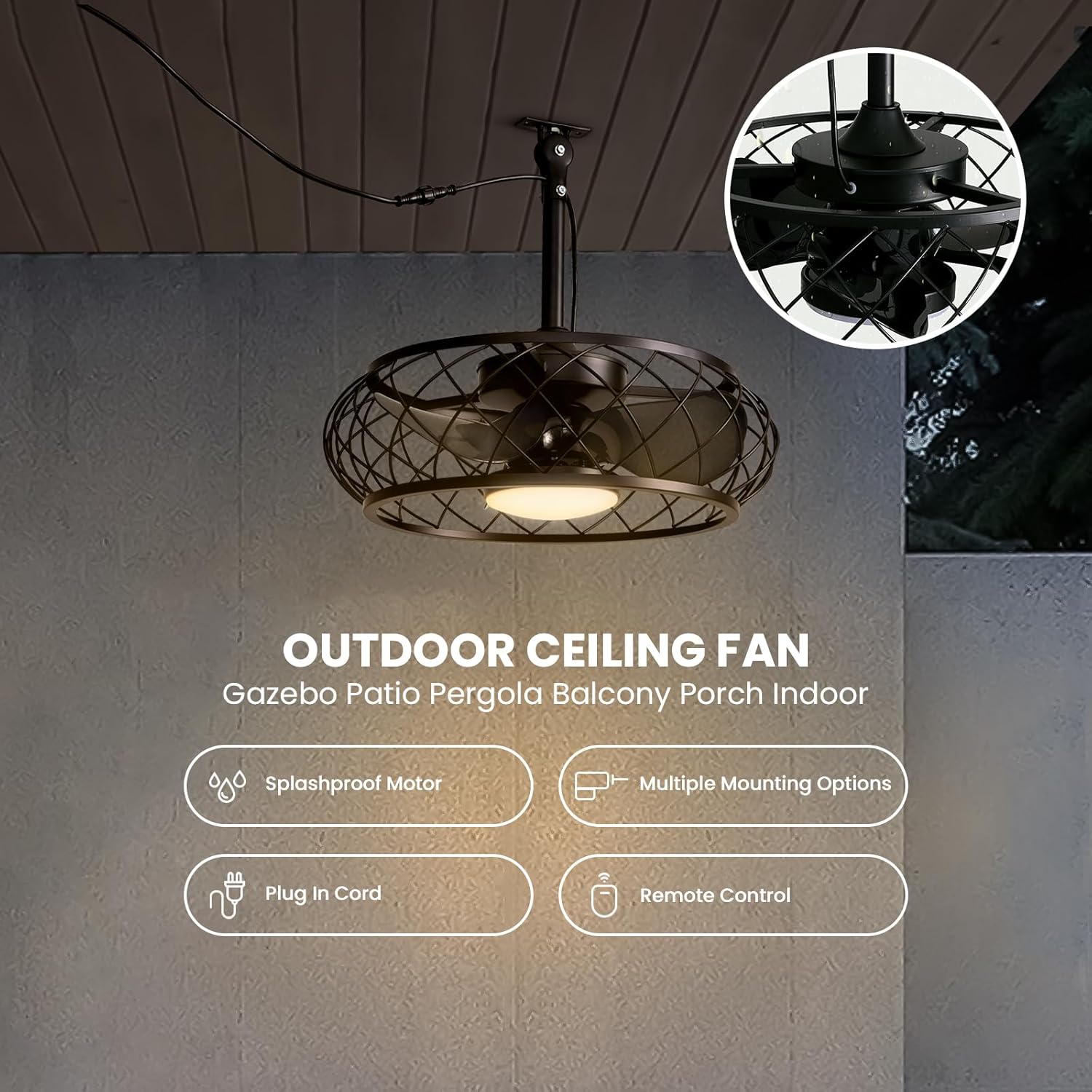
Image: The CROSSIO outdoor ceiling fan installed using a hanging hook on a gazebo. This image demonstrates a common installation scenario for outdoor use.
Step 3: Hang the Fan and Connect Wires
- Carefully lift the assembled fan and hang it onto the mounted bracket or hook.
- Connect the fan's wires to the power supply wires, ensuring a secure connection.
- Install the lampshade by twisting it into place.
- Plug the 16 ft power cord into a suitable 3-prong outlet.

Image: A close-up of hands connecting the electrical wires of the ceiling fan. This step is crucial for proper electrical function.
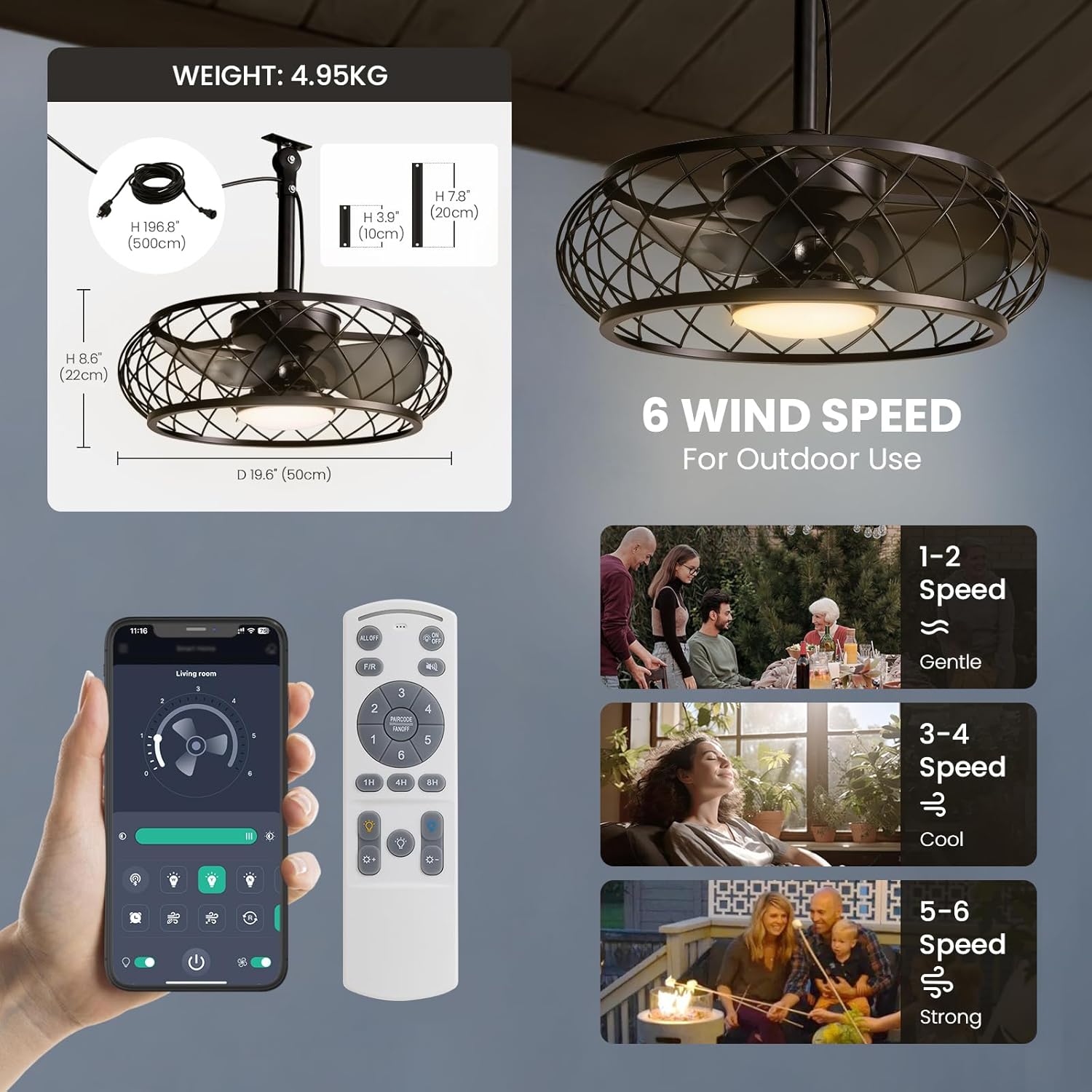
Image: A person installing the lampshade onto the fan unit. This completes the assembly of the light component.

Image: A detailed view of the 3-prong plug and a standard outlet, highlighting the plug-in design of the fan. This shows the power connection method.
Operating Instructions
Your CROSSIO ceiling fan can be operated using the included remote control or a compatible mobile application.
Remote Control Functions
- ON/OFF: Power the fan and light on or off.
- Fan Speed: Adjust between 6 wind speeds (1-2 Gentle, 3-4 Cool, 5-6 Strong).
- Light Brightness: Stepless dimming from 10% to 100%.
- Light Color Temperature: Change between 3000K (Warm White), 4500K (Neutral White), and 6000K (Cool White).
- Reverse Function: Switch between downdraft (summer cooling) and updraft (winter air circulation) modes.
- Timer: Set a 1-hour, 4-hour, or 8-hour timer for automatic shutdown.

Image: The remote control and a smartphone screen displaying the mobile application interface for controlling the fan. This shows the various control options available.
Video: Demonstration of remote control and app functions, including light dimming, color changing, fan speed adjustment, and reverse mode. This segment of the video provides a visual guide to using the fan's controls.
Mobile Application Control
Download the compatible mobile application (refer to the packaging or a QR code in the physical manual for app details). Follow the in-app instructions to pair your fan. The app provides similar controls to the remote, including fan speed, light settings, and scheduling.
- Pairing: The video shows a "PAIR CODE" step, indicating a pairing process for the app. Follow the app's instructions for successful pairing.
Maintenance
Regular maintenance ensures optimal performance and longevity of your ceiling fan.
- Cleaning: Turn off power before cleaning. Use a soft, damp cloth to wipe down the fan blades and motor housing. Do not use abrasive cleaners or solvents.
- Inspection: Periodically check all connections and mounting hardware to ensure they are secure.
- Light Panel: The LED light panel is integrated and generally does not require replacement. If issues arise, contact customer support.
Troubleshooting
If you encounter issues with your fan, refer to the following common problems and solutions:
| Problem | Possible Cause | Solution |
|---|---|---|
| Fan does not operate | No power supply; loose wiring; remote control battery dead. | Check power outlet and circuit breaker. Ensure all wires are securely connected. Replace remote control batteries. |
| Light does not turn on | Loose wiring; LED panel issue; remote control battery dead. | Check wiring connections. Replace remote control batteries. If issue persists, contact customer support. |
| Fan makes unusual noise | Loose screws; fan blades unbalanced; motor issue. | Ensure all mounting screws are tight. Check if fan blades are properly installed and balanced. If noise continues, contact customer support. |
| Remote control not working | Battery dead; remote not paired; obstruction. | Replace batteries. Re-pair the remote control with the fan (refer to pairing instructions in the app or physical manual). Ensure no obstructions between remote and fan. |
Specifications
| Feature | Detail |
|---|---|
| Brand | CROSSIO |
| Model Name | CROSSIO 20'' Outdoor Ceiling Fan |
| Item Model Number | FS6938-01 |
| Product Dimensions | 20"L x 20"W x 16.4"H |
| Item Weight | 10.9 Pounds |
| Material | Metal |
| Color | Black |
| Indoor/Outdoor Usage | Indoor, Outdoor |
| Power Source | DC |
| Voltage | 120 Volts |
| Light Source Type | LED |
| Wattage | 15 watts |
| Brightness | 1000 lumen |
| Light Color | White or Warm White (3000K, 4500K, 6000K adjustable) |
| Control Method | App, Remote |
| Special Feature | 2H Timming, 3 Light Color, 6 Speeds, Dimmable, Splashproof |
Warranty and Support
This product comes with a limited warranty. For detailed warranty information, product support, or to purchase replacement parts, please refer to the warranty card included in your package or visit the official CROSSIO website. You can also contact customer service through your retailer.
