
Introduction
Thank you for purchasing the LONPOO LP-118W Portable CD Player Boombox. This device offers versatile audio playback options including CD, Bluetooth, FM radio, USB, and AUX input, along with a microphone port for karaoke. Designed for portability and ease of use, this manual provides essential information for safe and optimal operation. Please read this manual thoroughly before using the product and retain it for future reference.
Safety Information
- Do not expose the unit to rain or moisture to prevent fire or electric shock.
- Do not open the casing. Refer all servicing to qualified personnel.
- Avoid placing the unit near heat sources such as radiators, heat registers, stoves, or other apparatus (including amplifiers) that produce heat.
- Protect the power cord from being walked on or pinched, particularly at plugs, convenience receptacles, and the point where they exit from the apparatus.
- Only use attachments/accessories specified by the manufacturer.
- Unplug this apparatus during lightning storms or when unused for long periods of time.
- Dispose of batteries responsibly. Do not expose batteries to excessive heat.
Package Contents
Verify that all items listed below are included in your package:
- LONPOO LP-118W Portable CD Player Boombox
- Remote Control
- AC Power Cable
- User Manual

Image: The LONPOO LP-118W boombox shown with its included remote control, AC power cable, and user manual, illustrating the complete package contents.
Product Overview
Familiarize yourself with the main components and controls of your LP-118W boombox.
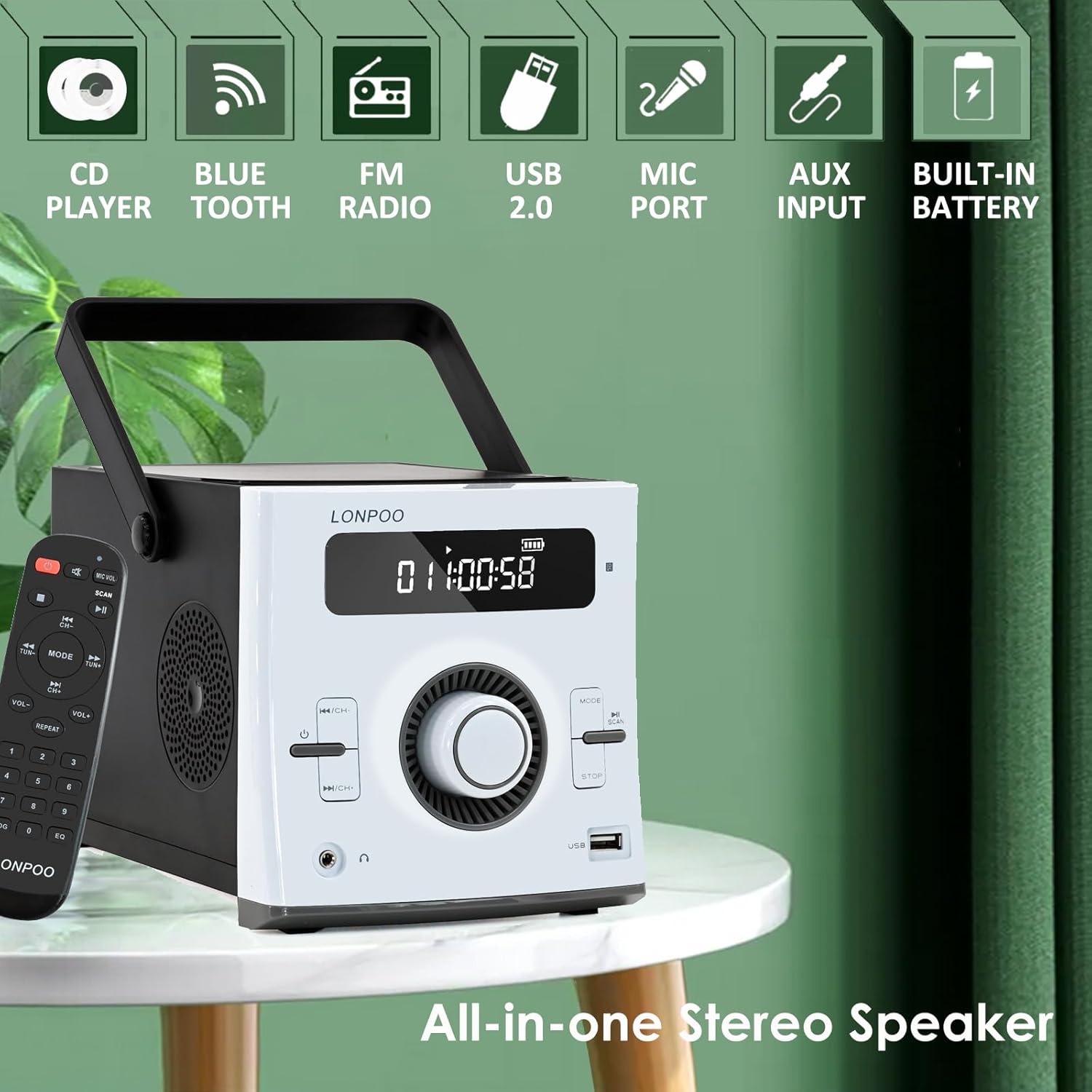
Image: Front view of the LONPOO LP-118W boombox, highlighting its multi-functional capabilities including CD playback, Bluetooth connectivity, FM radio, USB port, microphone input, AUX input, and built-in rechargeable battery.
Front Panel Controls:
- LCD Display: Shows track number, time, mode, volume, and battery status.
- Power Button: Turns the unit on/off.
- Mode Button: Switches between CD, Bluetooth, FM, USB, and AUX modes.
- Play/Pause Button: Starts or pauses playback.
- Stop Button: Stops playback.
- Skip/Search Buttons (Previous/Next): Navigates tracks or radio stations.
- Volume Knob: Adjusts the audio output level.
- USB Port: For USB drive playback.
- Headphone Output: 3.5mm jack for private listening.
Rear Panel Ports:
- DC IN: Power input for AC adapter.
- AUX IN: 3.5mm input for external audio devices.
- MIC Port: 6.35mm input for a microphone (microphone not included).
- FM Antenna: External wire antenna for FM reception.
Setup
Powering the Unit
The LP-118W can be powered by the included AC power cable or its internal rechargeable battery.
- AC Power: Connect the AC power cable to the DC IN port on the rear of the unit and plug the other end into a standard wall outlet.
- Battery Power: The unit has a built-in 2000mAh rechargeable battery. Ensure the battery is charged before portable use.
Initial Battery Charge
For optimal performance, fully charge the battery before first use. Connect the unit to AC power; the battery indicator on the LCD display will show charging status. A full charge provides over 5 hours of continuous playback.
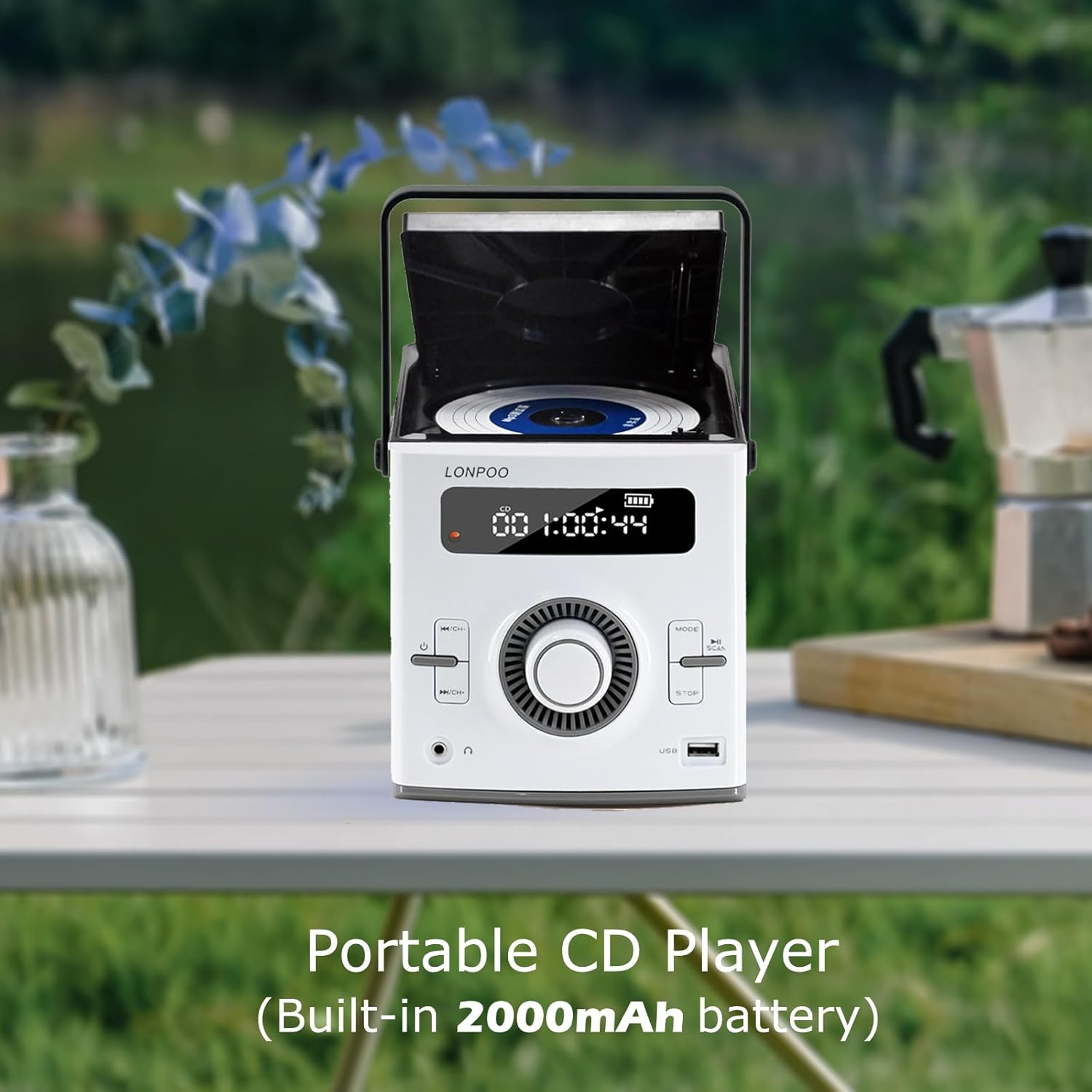
Image: The LONPOO LP-118W portable CD player with its top-loading CD compartment open, displaying the built-in 2000mAh battery capacity on the screen, indicating its portable nature.
FM Antenna Setup
For best FM radio reception, fully extend the wire antenna located at the rear of the unit. Position it for optimal signal strength.
Operating Instructions
General Operation
- Press the Power button to turn the unit on.
- Rotate the Volume Knob to adjust the sound level.
- Press the Mode button repeatedly to cycle through available input sources: CD, Bluetooth, FM, USB, AUX.
CD Playback
- Open the CD compartment door.
- Place a CD with the label side facing up.
- Close the CD compartment door securely.
- Press the Mode button until "CD" appears on the display.
- The CD will begin playing automatically. If not, press the Play/Pause button.
- Use the Skip/Search buttons to navigate tracks.
Bluetooth Mode

Image: A person relaxing on a couch, using a smartphone to wirelessly connect to the LONPOO LP-118W boombox via Bluetooth, demonstrating its stable and fast connection for streaming music.
- Press the Mode button until "BT" (Bluetooth) appears on the display. The unit will enter pairing mode.
- On your Bluetooth-enabled device (e.g., smartphone, tablet), search for available devices and select "LP-118W".
- Once paired, you can play audio from your device through the boombox.
FM Radio
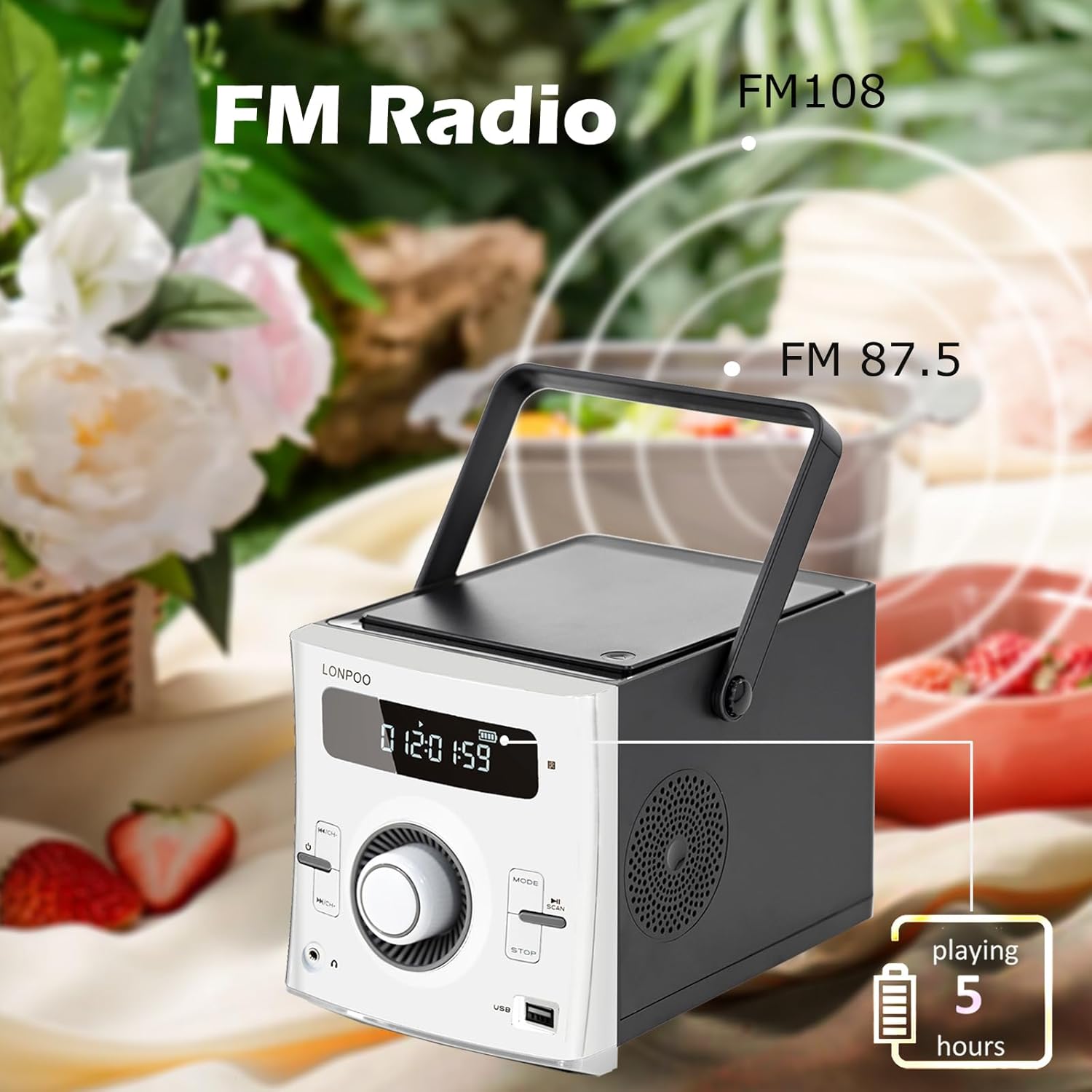
Image: The LONPOO LP-118W boombox positioned outdoors, illustrating its FM radio capability with a frequency range from FM 87.5 to FM 108, and indicating over 5 hours of playback on battery.
- Press the Mode button until "FM" appears on the display.
- Press and hold the Play/Pause button to auto-scan and save available FM stations.
- Use the Skip/Search buttons to cycle through saved stations.
USB Playback
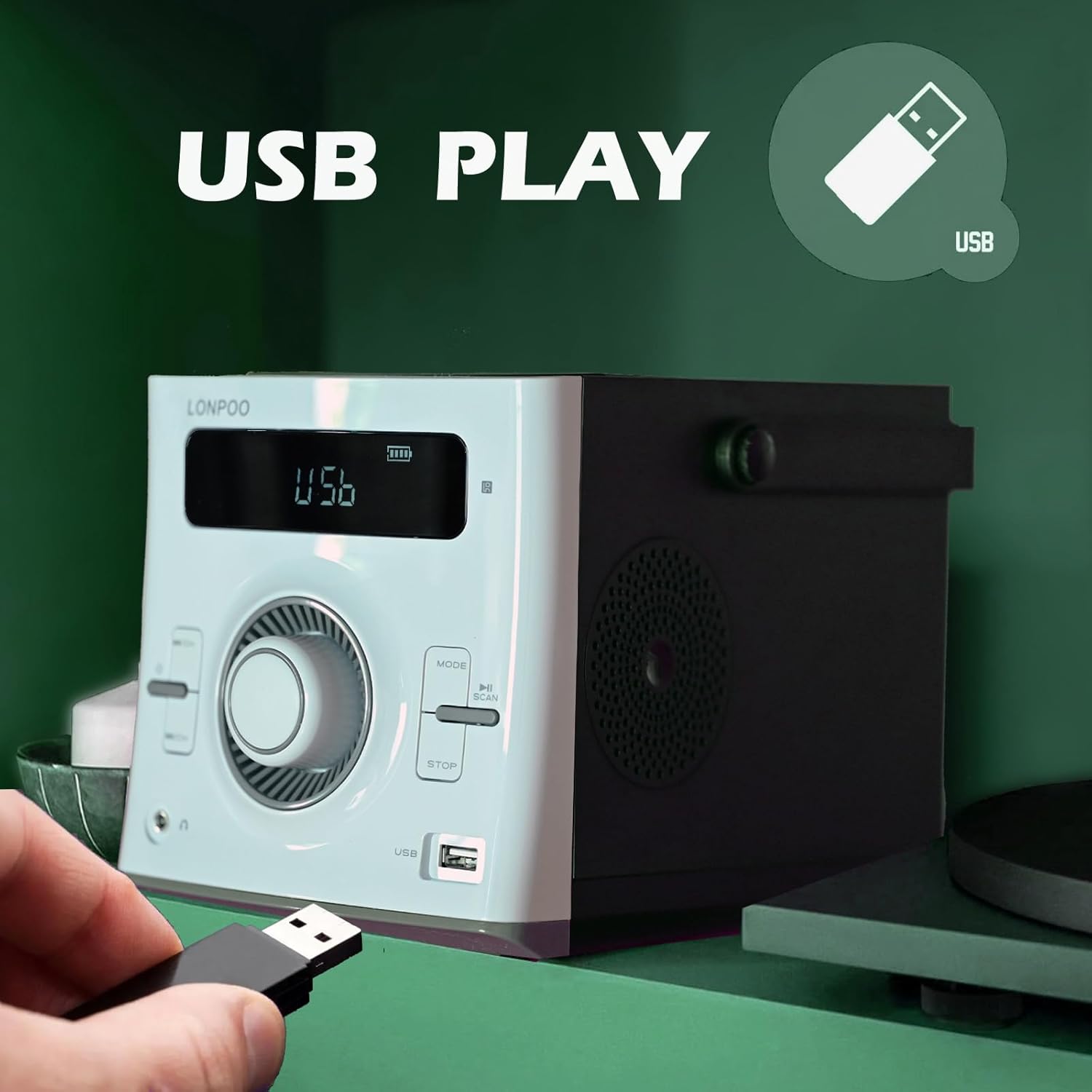
Image: A hand inserting a USB flash drive into the dedicated USB port on the front of the LONPOO LP-118W boombox, demonstrating its USB playback functionality.
- Insert a USB flash drive containing MP3 audio files into the USB port.
- Press the Mode button until "USB" appears on the display.
- Playback will start automatically. Use the Play/Pause and Skip/Search buttons to control playback.
AUX Input
- Connect an external audio device (e.g., smartphone, MP3 player) to the AUX IN port on the rear of the unit using a 3.5mm audio cable (not included).
- Press the Mode button until "AUX" appears on the display.
- Control playback from your external audio device.
Microphone Use
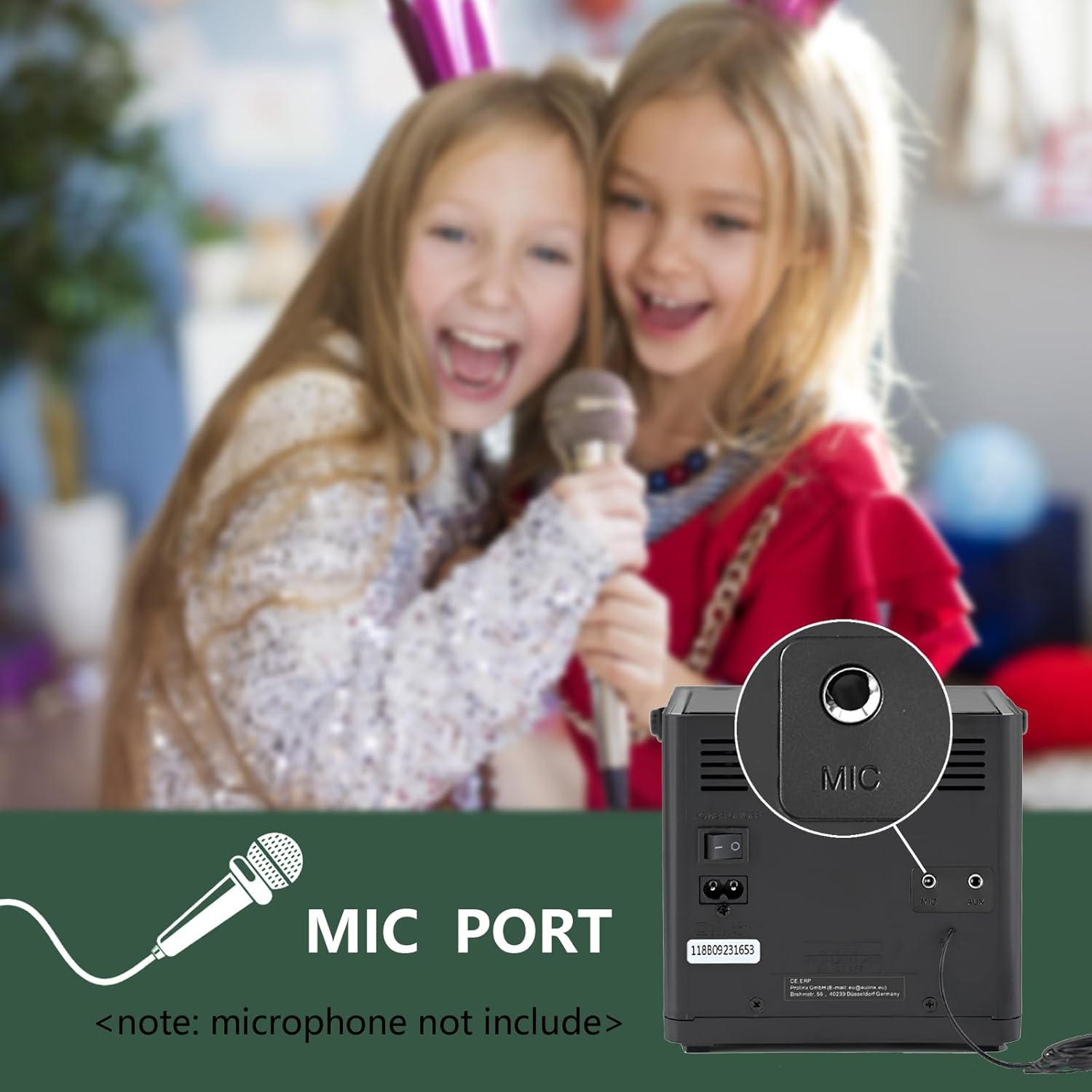
Image: A close-up view of the microphone port located on the rear panel of the LONPOO LP-118W boombox, with a note indicating that the microphone is not included. Children are visible in the background, suggesting karaoke use.
- Connect a 6.35mm microphone (not included) to the MIC Port on the rear of the unit.
- Adjust the microphone volume using the dedicated control on the microphone itself, if available, or the main volume knob on the boombox.
Remote Control
The included remote control allows for convenient operation from a distance. Functions include power, mode selection, volume adjustment, track navigation, play/pause, stop, and EQ settings.
Maintenance
- Cleaning: Use a soft, dry cloth to clean the exterior of the unit. Do not use abrasive cleaners or solvents.
- CD Lens Care: If CD playback issues occur, use a commercially available CD lens cleaner.
- Storage: When not in use for extended periods, store the unit in a cool, dry place away from direct sunlight and extreme temperatures.
- Battery Care: To prolong battery life, avoid fully discharging the battery frequently. Charge the unit regularly, even if not in use.
Troubleshooting
| Problem | Possible Cause | Solution |
|---|---|---|
| Unit does not power on. | No power, discharged battery, faulty power cable. | Ensure AC cable is securely connected. Charge the battery. Try a different power outlet. |
| No sound. | Volume too low, incorrect mode, headphone connected. | Increase volume. Select correct input mode. Disconnect headphones. |
| CD skips or does not play. | Dirty or scratched CD, dirty CD lens, unit moved during playback. | Clean or replace CD. Use a CD lens cleaner. Place unit on a stable surface. |
| Bluetooth device won't pair. | Unit not in pairing mode, device too far, interference. | Ensure boombox is in BT mode. Move device closer. Restart both devices. |
| Poor FM reception. | Antenna not extended, weak signal. | Fully extend and adjust the wire antenna. Try repositioning the unit. |
| USB playback not working. | Unsupported file format, corrupted USB drive, incorrect mode. | Ensure files are MP3. Try a different USB drive. Select USB mode. |
Specifications
Image: The LONPOO LP-118W boombox with its dimensions (5.9 inches width, 8.5 inches depth, 5.9 inches height) and weight (3.9 lbs / 1.77 kg) clearly labeled, providing a visual reference for its compact size.
| Feature | Detail |
|---|---|
| Model Number | LP-118W |
| Brand | LONPOO |
| Power Output | 20 Watts (10W x 2 RMS) |
| Connectivity Technology | Bluetooth, USB, AUX (3.5mm), FM Radio |
| Supported Media | CD, CD-R/RW, MP3 (via USB) |
| Power Source | AC Power, Built-in Rechargeable Battery (2000mAh) |
| Battery Life | Up to 5+ hours (approx.) |
| Dimensions (L x W x H) | 21 x 20 x 15 cm (8.5 x 5.9 x 5.9 inches) |
| Item Weight | 1.77 kg (3.9 lbs) |
| Compatible Devices | Laptop, Smartphone, MP3 Players |
| Special Features | Microphone Port, Remote Control, LCD Display, Programmable CD Memory (20 tracks) |
Warranty and Support
LONPOO products are designed for reliability and performance. This product comes with a standard manufacturer's warranty. Please refer to the warranty card included in your package for specific terms and conditions, including the warranty period and coverage details.
For technical support, troubleshooting assistance, or warranty claims, please contact LONPOO customer service through the retailer where you purchased the product or visit the official LONPOO website for contact information.
Please have your model number (LP-118W) and proof of purchase ready when contacting support.


