
1. Introduction
Thank you for choosing the SUPERJARE Nightstand Set of 2 with Charging Station. This manual provides detailed instructions for assembly, operation, and maintenance to ensure safe and efficient use of your new nightstands. Please read this manual thoroughly before beginning assembly or use.

Image 1.1: SUPERJARE Nightstand Set of 2
2. Safety Information
CAUTION:
- This product requires assembly. Follow the included instructions carefully to avoid injury from pinch points and ensure stability.
- Keep away from heat sources.
- Do not place heavy objects on the table that could cause it to tip over.
- Ensure all connections for the charging station are secure before use.
3. Package Contents
Please verify that all components are present before beginning assembly. If any parts are missing or damaged, contact customer support.
- Tabletop Panels (Rustic Brown)
- Metal Frame Components (Black)
- Fabric Drawer with Handle
- Charging Station Unit (2 AC Outlets, 2 USB Ports)
- Adjustable Feet
- Assembly Hardware (Screws, Allen Wrench)
- Instruction Manual

Image 3.1: All components included in the package
4. Assembly Instructions
Follow these steps carefully for proper assembly. It is recommended to assemble on a soft, clean surface to prevent scratches.
- Step 1: Assemble the Metal Frame. Connect the metal frame components using the provided screws and Allen wrench. Ensure all connections are finger-tight before fully tightening.
- Step 2: Attach Tabletop Panels. Secure the rustic brown tabletop panels to the assembled metal frame.
- Step 3: Install the Charging Station. Insert the charging station unit into the designated slot on the top panel. Ensure it is flush and secure.
- Step 4: Install the Fabric Drawer. The fabric drawer can be installed in two positions: middle or bottom. Choose your preferred position and slide the drawer into the frame. The drawer features a wooden front with a canvas body.
- Step 5: Attach Adjustable Feet. Screw the adjustable feet into the bottom of the metal frame. Adjust them as needed to ensure the nightstand is stable and level on uneven surfaces.
Image 4.1: Drawer Installation Options

Image 4.2: Adjustable Floor Protectors
5. Operating Instructions
5.1. Charging Station
The integrated charging station provides convenient power access. It includes:
- 2 Power Outlets: 125V/12A for standard electrical devices.
- 2 USB Ports: 5V/2A for charging mobile phones, tablets, and other USB-powered devices.
To use, simply plug the nightstand's power cord into a wall outlet. Then, connect your devices to the available AC outlets or USB ports on the nightstand's top surface.
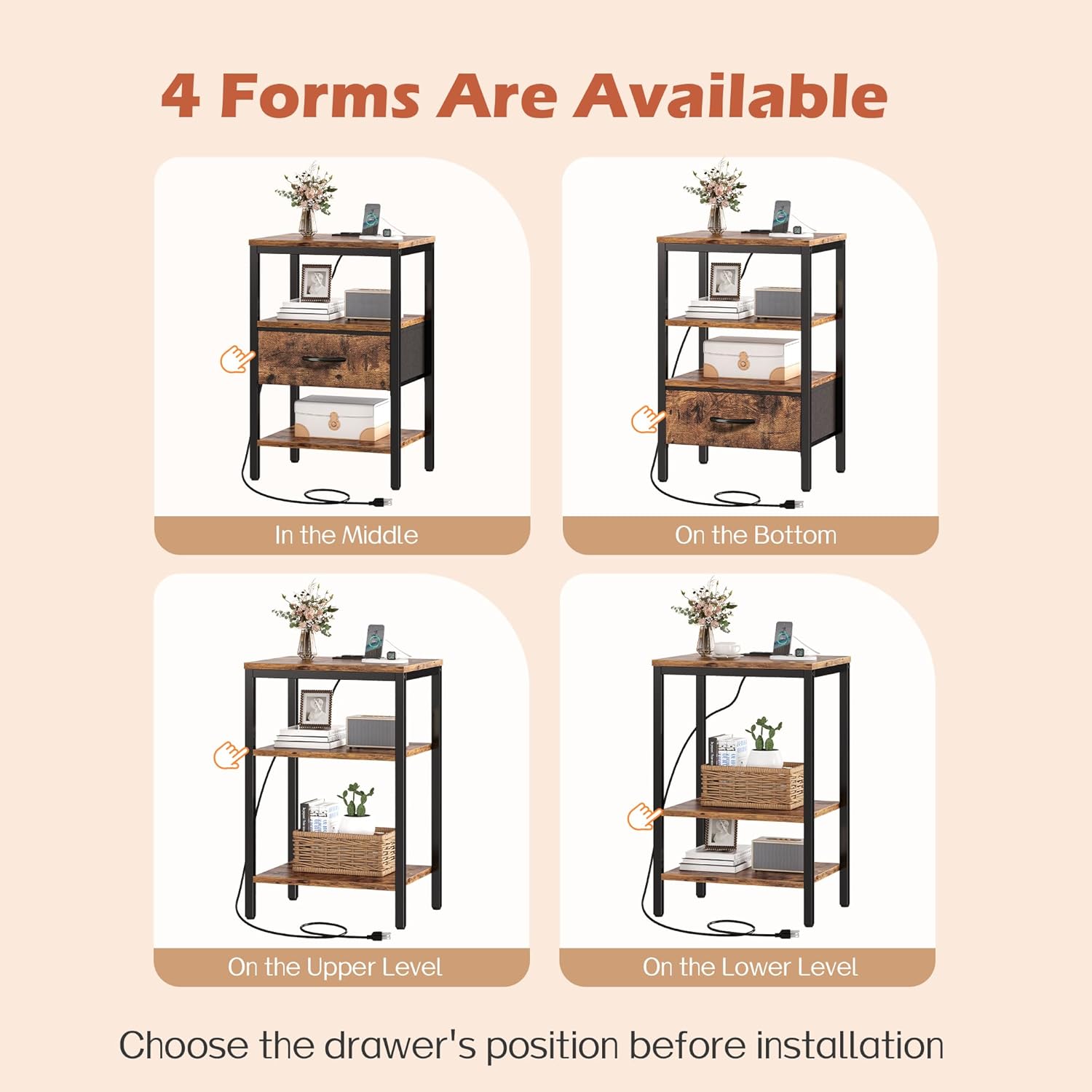
Image 5.1: Charging Station Details
5.2. Fabric Drawer
The fabric drawer offers concealed storage for various items. It can be easily pulled out and pushed in. As mentioned in assembly, its position can be adjusted during initial setup to suit your storage needs.
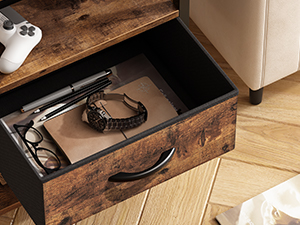
Image 5.2: Fabric Drawer Storage
6. Maintenance
- Cleaning: Wipe the wooden surfaces and metal frame with a damp cloth. Avoid harsh chemicals or abrasive cleaners that may damage the finish.
- Fabric Drawer Care: The fabric drawer can be spot cleaned with a mild detergent and damp cloth. Allow to air dry completely. Do not machine wash.
- Stability Check: Periodically check all screws and connections to ensure they remain tight. Re-tighten if necessary to maintain stability.
- Charging Station: Keep the charging ports free of dust and debris. Do not expose the charging station to liquids.
7. Troubleshooting
- Issue: Nightstand is wobbly or unstable.
Solution: Adjust the leveling feet at the bottom of the nightstand until it sits firmly on the floor. Ensure all assembly screws are securely tightened. - Issue: Devices are not charging or charging slowly.
Solution: Ensure the nightstand's power cord is securely plugged into a functional wall outlet. Verify that your device's charging cable is properly connected to the nightstand's USB port or AC outlet. Some devices may require specific chargers for optimal speed; the nightstand's USB ports provide 5V/2A. - Issue: Missing parts during assembly.
Solution: Double-check the package contents against the provided list. If parts are genuinely missing, contact SUPERJARE customer support for assistance.
8. Specifications
| Feature | Specification |
|---|---|
| Brand | SUPERJARE |
| Model | M-2 |
| Product Dimensions (D x W x H) | 11.8"D x 15.7"W x 23.4"H |
| Color | Rustic Brown |
| Material Type | Engineered Wood, Metal |
| Number of Drawers | 1 (Fabric) |
| Number of Items | 2 |
| Power Outlets | 2 (125V/12A) |
| USB Ports | 2 (5V/2A) |
| Power Cord Length | 4.9 feet |
| Maximum Weight Recommendation | 50 Kilograms |

Image 8.1: Product Dimensions
9. Warranty and Support
SUPERJARE products are designed for quality and durability. For any questions, missing parts, or assistance with assembly and operation, please contact SUPERJARE customer support. Refer to your purchase documentation for specific warranty details.
For further assistance, please visit the official SUPERJARE store or contact their customer service directly.