
1. Introduction
Thank you for choosing the Livory 52-inch Smart Wood Low Profile Ceiling Fan with Light. This manual provides essential information for the safe installation, operation, and maintenance of your new ceiling fan. Please read it thoroughly before installation and keep it for future reference.
2. Safety Information
WARNING: To reduce the risk of fire, electric shock, or personal injury, always follow these instructions:
- Read all instructions and safety information before installing your new fan.
- All wiring must be in accordance with national and local electrical codes. If you are unfamiliar with wiring, consult a qualified electrician.
- Before installation, disconnect power by turning off the circuit breakers at the main fuse box.
- Ensure the installation site can support the fan's weight.
- Do not operate the fan with damaged wiring or if the fan is not functioning correctly.
- Avoid placing objects in the path of the fan blades.
- This fan is designed for indoor and outdoor covered patio use. Do not expose to direct water spray.
3. Package Contents
Carefully unpack your fan and check that all contents are present and undamaged. If any parts are missing or damaged, contact customer support.
- Fan Motor Assembly
- Fan Blades (3)
- Light Kit
- Remote Control
- Mounting Bracket & Hardware
- Instruction Manual
4. Setup & Installation
This ceiling fan is designed for flush mounting, ensuring a low-profile aesthetic. Installation typically takes 25-45 minutes. It is recommended to have basic electrical knowledge or consult a professional for installation.
4.1. Pre-Installation Steps
- Power Disconnection: Before beginning, ensure the power supply to the installation area is turned off at the circuit breaker.
- Mounting Location: Select a suitable location that can support the fan's weight and allows for proper blade clearance.
4.2. Mounting the Fan
Attach the mounting bracket securely to the ceiling junction box. Ensure all connections are tight and stable. This fan is designed for flush mounting only, meaning the fan canopy sits directly against the ceiling.

Image: Easy Installation. This image illustrates the simple installation process, highlighting that it typically takes 25-45 minutes and includes an installation video and manual. It also shows the natural wood grain of the blades.
4.3. Wiring Connections
Connect the fan's electrical wires to your household wiring according to the provided wiring diagram in the separate installation guide. Ensure all wire nuts are secure and connections are properly insulated. Due to the low-profile design, the wiring canopy is shallow, requiring careful and neat wire management.
4.4. Attaching Blades and Light Kit
Securely attach the three wooden blades to the motor assembly. Then, install the integrated LED light kit following the instructions. Ensure all screws are tightened.
5. Operating Instructions
Your Livory ceiling fan offers multiple control options for convenience.
5.1. Remote Control Operation
The included remote control allows you to manage all fan functions:
- Fan Speed: Select from 6 fan speeds.
- Fan Direction: Reverse the fan direction for summer (downward airflow) or winter (upward airflow) modes.
- Light On/Off: Turn the light on or off.
- Light Dimming: Adjust the brightness of the light.
- Color Temperature: Change the light color temperature (Warm, Natural, Cool).
5.2. Voice Control
The fan is compatible with smart home systems like Google Assistant and Amazon Alexa, allowing for convenient voice commands.
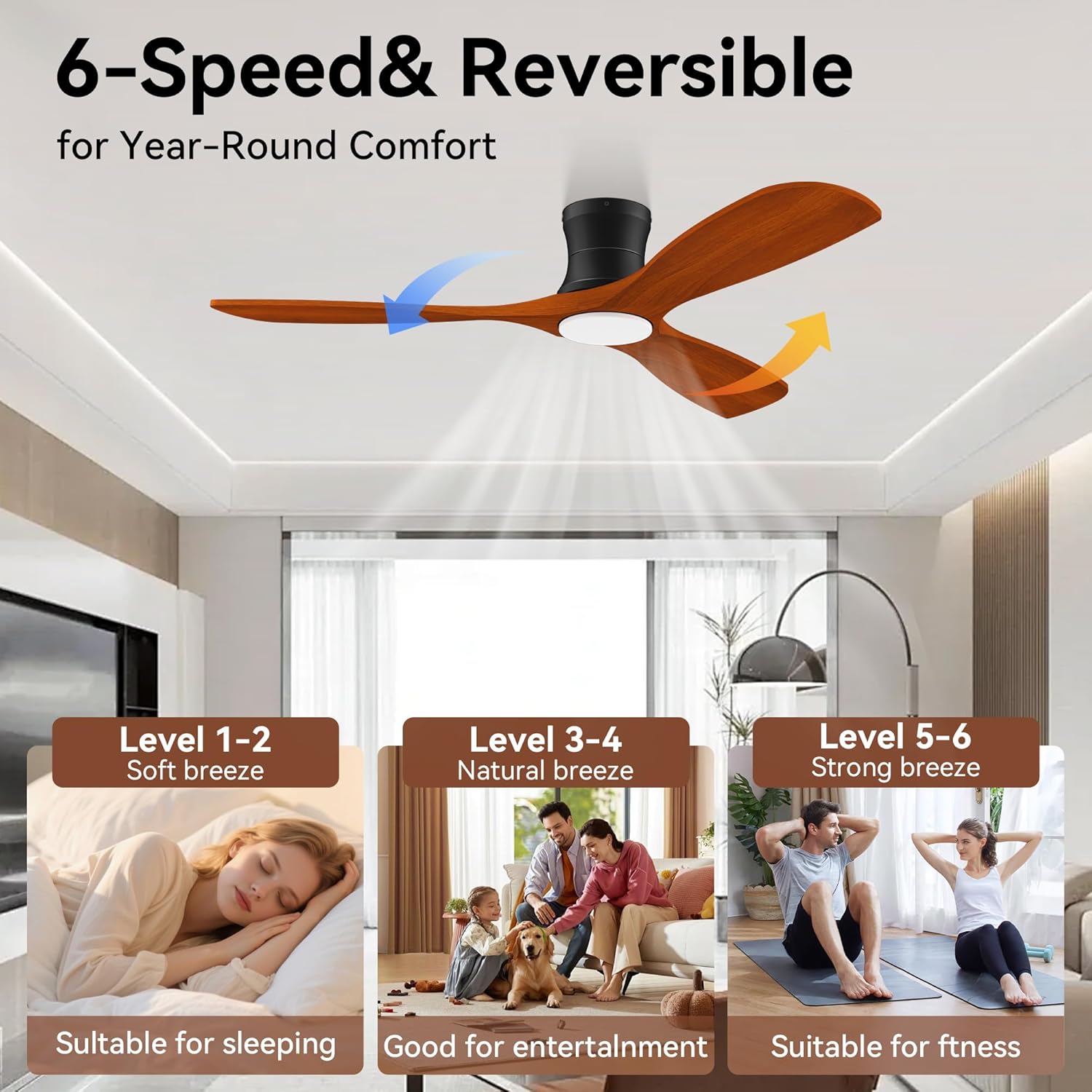
Image: Voice Control. This image demonstrates how to control the fan using voice commands with Amazon Alexa and Google Assistant, showing a user saying "Alexa, turn on living room fan."
5.3. App Control (WIFI)
Download the compatible smart home app (e.g., Tuya app) to control your fan from your smartphone or tablet. The app provides full control over fan speeds, light settings, and scheduling.
5.4. Fan Speed Settings
The fan features 6 adjustable speeds and a reversible motor for year-round comfort.
- Levels 1-2: Soft breeze, ideal for sleeping.
- Levels 3-4: Natural breeze, suitable for entertainment.
- Levels 5-6: Strong breeze, effective for fitness or rapid cooling.
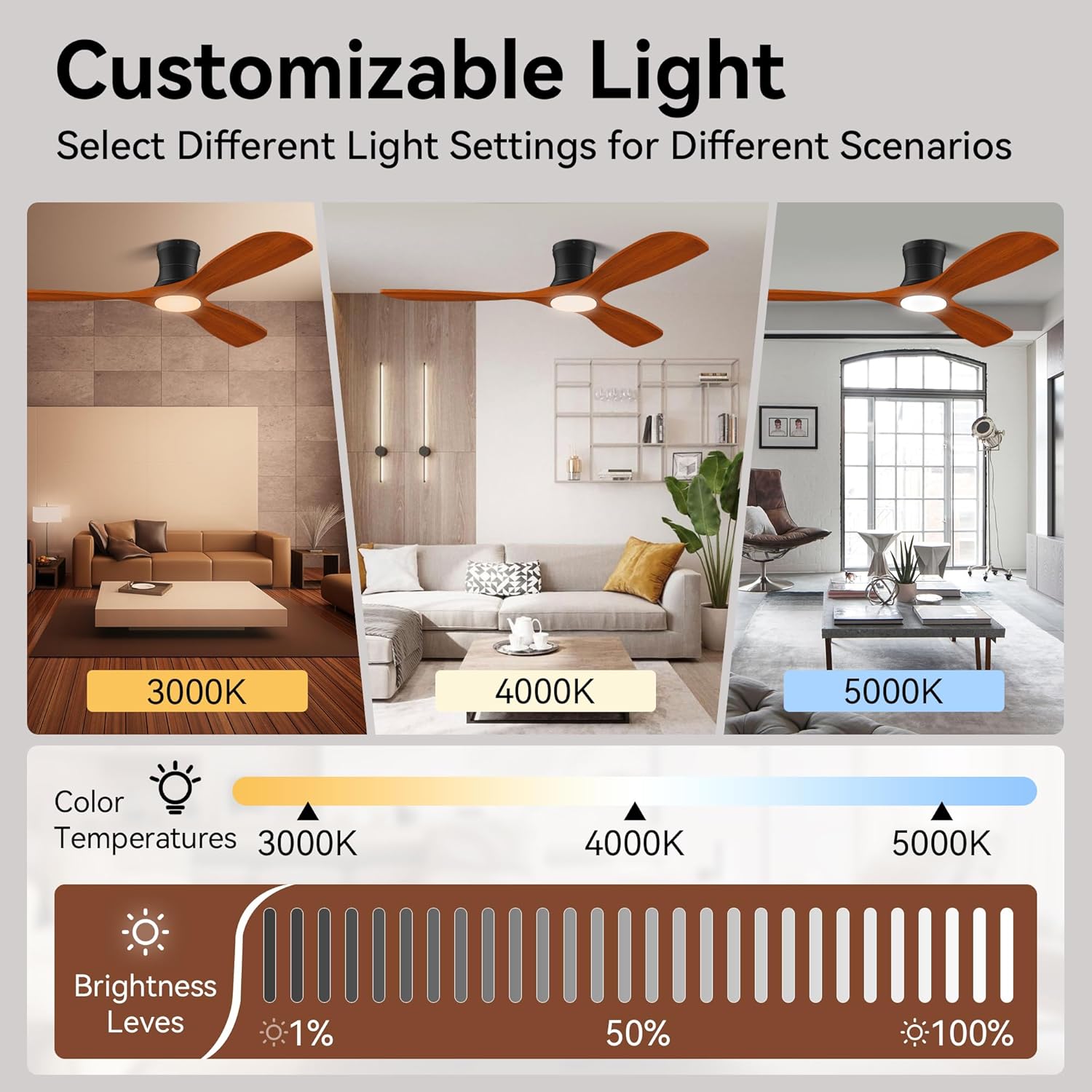
Image: 6-Speed & Reversible. This image illustrates the fan's 6-speed settings and reversible airflow, showing different comfort levels for sleeping, entertainment, and fitness.
5.5. Customizable Lighting
The integrated LED light offers customizable settings to suit various scenarios.
- Color Temperatures: Choose between 3000K (Warm White), 4000K (Natural White), and 5000K (Cool White).
- Brightness Levels: Adjust brightness from 1% to 100%.

Image: Customizable Light. This image displays the fan's ability to select different light settings, showing examples of 3000K, 4000K, and 5000K color temperatures with a brightness adjustment scale.
6. Maintenance
Regular maintenance ensures optimal performance and longevity of your ceiling fan.
- Cleaning: Periodically clean the fan blades and motor housing with a soft, damp cloth. Do not use abrasive cleaners or solvents.
- Blade Inspection: Check the fan blades for any signs of damage or warping. Ensure they are securely attached.
- Tighten Screws: Occasionally check and tighten all screws on the fan assembly to prevent loosening due to vibration.
- No Lubrication Needed: The DC motor is permanently lubricated and does not require additional oiling.
7. Troubleshooting
If you experience issues with your fan, refer to the following common problems and solutions:
| Problem | Possible Cause | Solution |
|---|---|---|
| Fan does not start | No power supply; Loose wiring; Remote not paired. | Check circuit breaker; Verify all wiring connections; Re-pair remote control. |
| Light does not work | Loose wiring; LED module failure. | Check light kit wiring; Contact customer support for LED replacement. |
| Fan wobbles | Loose blades; Uneven blade balance; Loose mounting bracket. | Ensure all blade screws are tight; Use a balancing kit (not included) if necessary; Tighten mounting bracket screws. |
| Remote not responding | Dead batteries; Remote not paired; Interference. | Replace remote batteries; Re-pair remote with fan; Ensure no obstructions. |
| Noise from fan | Loose screws; Internal motor issue. | Check and tighten all screws; If noise persists, contact customer support. |
If the problem persists after attempting these solutions, please contact Livory customer support.
8. Specifications
Detailed technical specifications for the Livory 52-inch Smart Wood Low Profile Ceiling Fan.
- Brand: Livory
- Model Number: 52-YJ682 (HS682)
- Electric Fan Design: Ceiling Fan
- Power Source: Corded Electric
- Style: Modern
- Room Type: Living Room, Bedroom, Patio (covered outdoor)
- Material: Wood (Blades)
- Number of Speeds: 6
- Noise Level: 30 Decibels (Ultra Quiet DC Motor)
- Wattage: 30 Watts
- Number of Blades: 3
- Voltage: 120 Volts
- Control Method: Application (WIFI), Remote Control, Voice (Alexa, Google Assistant)
- Components Included: Remote Control
- Fan Size: 52 inches
- Recommended Room Size: 144 FT² - 324 FT²
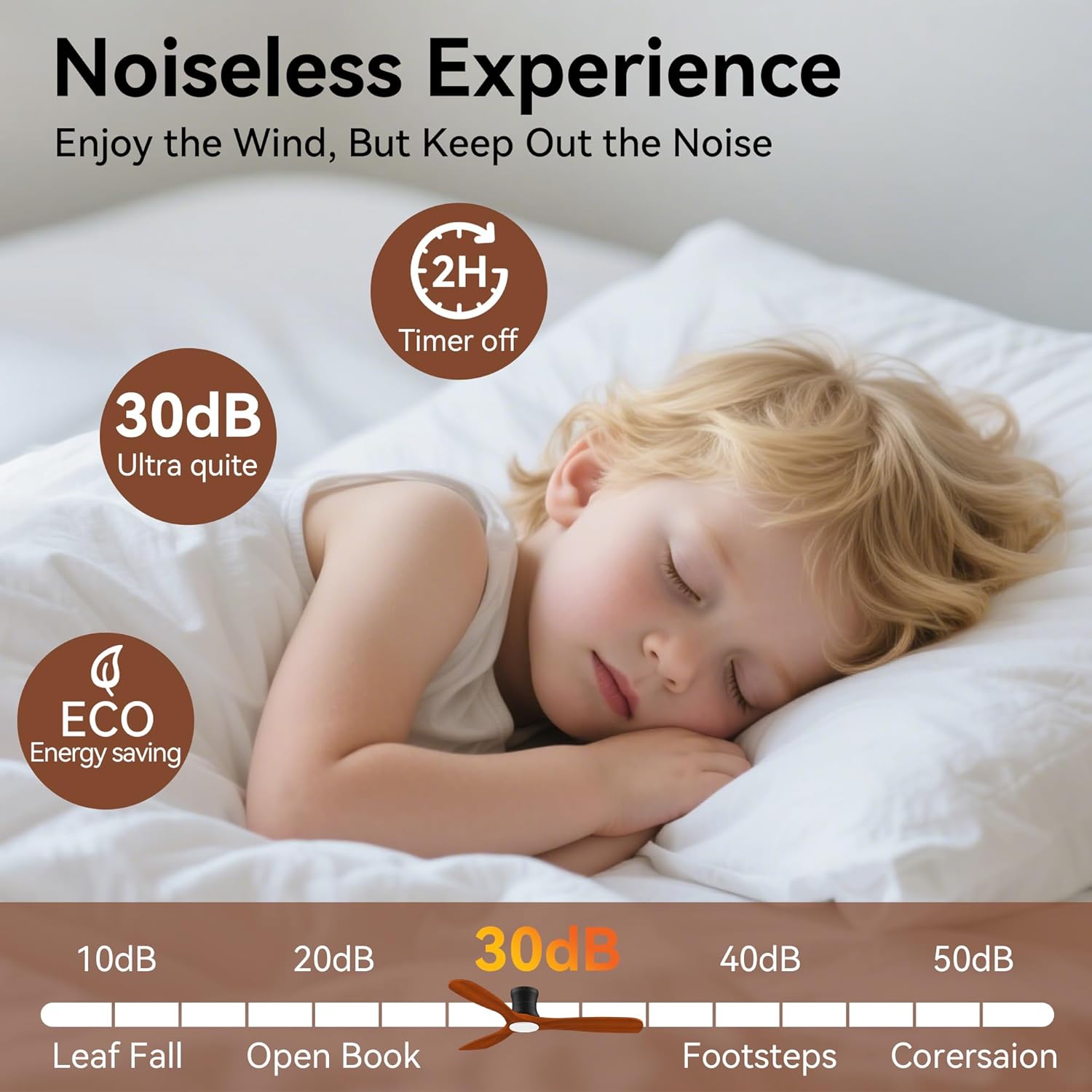
Image: 52-inch Fan Size Parameters. This image provides key dimensions of the fan (5.91" height, 7.87" mounting height, 52" blade sweep) and recommends a room size of 144 FT² to 324 FT². It also visually confirms the fan is for flush mounting only.
9. Warranty & Support
For warranty information, technical support, or to order replacement parts, please contact Livory customer service. Refer to your purchase documentation for specific warranty terms and contact details.
Customer Service: Please refer to the contact information provided at the point of purchase or on the Livory official website.