
1. Introduction
The Retevis Ailunce HA1G is a robust GMRS handheld radio designed for reliable communication in various environments. It features IP67 waterproofing, NOAA weather alerts, USB-C charging, and repeater compatibility. This manual provides essential information for setting up, operating, and maintaining your radio.
2. Setup and Components
2.1 Package Contents
Verify that all items are present in your package:
- 1 x HA1G GMRS Handheld Radio
- 1 x Speaker Microphone
- 1 x Charger Adapter
- 1 x Desktop Charging Base
- 1 x Lithium Ion Battery (2800mAh)
- 1 x USB-C Cable
- 1 x Belt Clip
- 1 x Hand Strap
- 1 x User Manual

Image: All components included in the Retevis Ailunce HA1G GMRS Radio package, including the radio, speaker microphone, charging accessories, battery, belt clip, hand strap, and user manual.
2.2 Product Overview
Familiarize yourself with the radio's physical components:

Image: Front and side view of the HA1G radio with labels for Power/VOL Knob, Channel Knob, LED indicator, Audio output speaker, PTT button, SK1/SK2 programmable keys, Keypad, LCD display, SP/MIC/Program Jack, Battery Pack, and Antenna.
2.3 Battery Installation and Charging
The HA1G radio is equipped with a 2800mAh Lithium Ion battery for extended use. It supports two charging methods: via the desktop charging base or directly via a USB-C cable.
- Installation: Align the battery with the back of the radio and slide it into place until it clicks securely.
- Desktop Charging: Place the radio with the battery installed into the desktop charging base. Connect the charger adapter to the base and a power outlet. The LED indicator on the radio will show charging status.
- USB-C Charging: For convenience, the radio can be charged directly using a USB-C cable connected to the battery pack. This is ideal for outdoor or on-the-go charging.

Image: The 2800mAh battery being charged in the desktop charging base, illustrating its large capacity for all-day use.

Image: The HA1G radio being charged via its desktop base and a separate image showing the USB-C port on the battery for outdoor charging.
Video: Demonstrates the USB-C charging capability of the HA1G two-way radio.
3. Operating Instructions
3.1 Power On/Off and Volume
To power on the radio, rotate the Power/VOL knob clockwise. Continue rotating to adjust the volume. To power off, rotate the knob counter-clockwise until it clicks.
3.2 Channel Selection and Transmission
Use the Channel Knob on top of the radio to select desired channels. Press and hold the PTT (Push-To-Talk) button on the side to transmit. Release the PTT button to receive.

Image: The HA1G GMRS radio in an outdoor setting, highlighting its long-range capabilities with 22 GMRS channels and 8 repeater channels.
3.3 VFO Mode and CHIRP Programming
The HA1G supports VFO (Variable Frequency Oscillator) mode, allowing users to manually input frequencies via the keypad. For advanced programming and channel management, the radio is compatible with CHIRP software, enabling easy setup of new channels and settings via a PC.
3.4 Dual Band Receiving
The radio can receive and monitor two channels simultaneously, enhancing situational awareness.

Image: The HA1G radio display showing two active frequencies for dual band receiving.
Video: Demonstrates the multi-functional capabilities of the HA1G radio, including dual band receiving.
3.5 NOAA Weather Alert
The HA1G includes 12 NOAA channels to receive real-time weather warnings and updates. This feature is crucial for outdoor enthusiasts to adjust plans and ensure safety during travel.

Image: Icons representing various weather conditions, indicating the NOAA weather alert function of the HA1G radio.
Video: Explains the NOAA function of the Retevis Ailunce HA1G and its usage scenarios.
3.6 VOX Function
When used with the included waterproof speaker microphone, the VOX (Voice Operated Exchange) function allows for hands-free communication. You can transmit by speaking into the microphone without pressing the PTT button.

Image: The external speaker microphone for the HA1G radio, designed for convenient communication.
Video: Shows how to turn on the VOX function on the Retevis Ailunce HA1G radio.
3.7 Emergency Alarm
In an emergency, simply press the designated button to send an emergency signal to a preset recipient. The radio will emit a siren and flashing lights to help emergency teams quickly locate your position.

Image: The HA1G radio displaying an emergency alarm icon, indicating its safety feature.
Video: Demonstrates the SOS function and brightness adjustment display on the HA1G ham radio.
3.8 Screen Brightness Adjustment
The 1.77-inch color backlit screen features adjustable brightness, ensuring readability of radio information day or night, even under strong sunlight.

Image: A hand holding the HA1G radio outdoors, demonstrating the screen's adjustable brightness for clear visibility in sunlight.
Video: Shows the HA1G radio's screen readability in direct sunlight.
4. Maintenance
To ensure the longevity and optimal performance of your Retevis Ailunce HA1G radio, follow these maintenance guidelines:
- Cleaning: Wipe the radio with a soft, damp cloth. Avoid using harsh chemicals or abrasive cleaners.
- Waterproof Care: Although IP67 waterproof, ensure all port covers are securely closed before exposing the radio to water. After exposure to saltwater, rinse with fresh water and dry thoroughly.
- Battery Care: Store the battery in a cool, dry place when not in use. Avoid overcharging or completely draining the battery to prolong its lifespan.
- Storage: Store the radio in a dry, dust-free environment away from extreme temperatures.
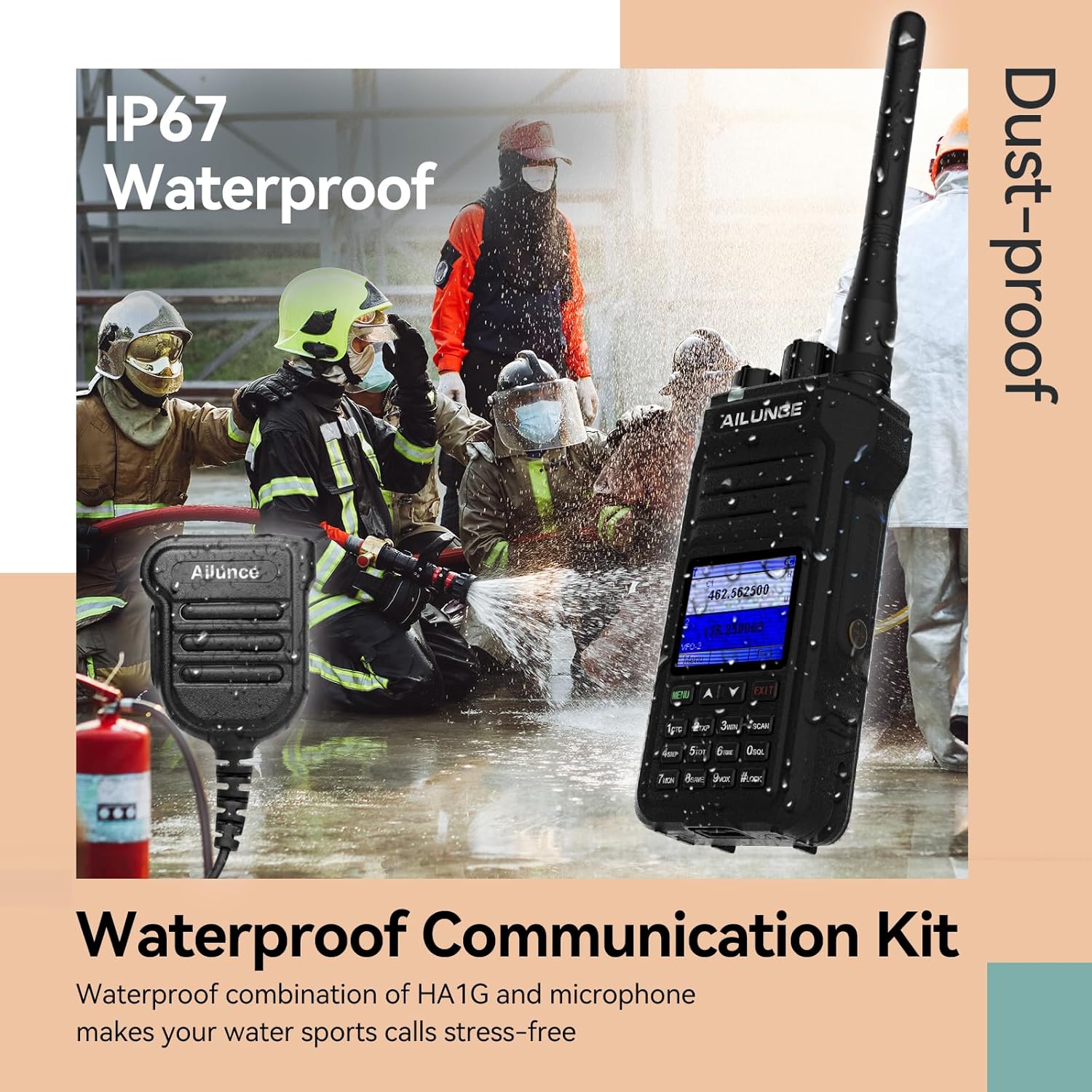
Image: The HA1G radio being splashed with water, demonstrating its IP67 waterproof and dustproof capabilities.
Video: Highlights the IP67 waterproof feature of the HA1G ham radio.
5. Troubleshooting
If you encounter issues with your HA1G radio, refer to the following common troubleshooting steps:
- No Power: Ensure the battery is fully charged and correctly installed. Check the Power/VOL knob is rotated clockwise.
- Cannot Transmit/Receive: Verify that you are on the correct channel and that the volume is adjusted appropriately. Check for any interference or obstructions. Ensure the PTT button is functioning correctly.
- Poor Audio Quality: Adjust the squelch level and microphone gain settings in the radio's menu. Ensure the speaker microphone is securely connected if in use.
- Repeater Issues: Confirm the repeater's frequency and CTCSS/DCS codes are correctly programmed.
6. Specifications
| Feature | Detail |
|---|---|
| Item Weight | 1.81 pounds |
| Package Dimensions | 10.08 x 8.19 x 2.64 inches |
| Item Model Number | HA1G |
| Batteries | 1 Lithium Ion battery required (included) |
| Number of Channels | 256 |
| Special Features | Long Range; IP67 Waterproof; Durable; USB-C Rechargeable; NOAA; Emergency alarm; Large color screen |
| Frequency Range | GMRS: TX: 462.5500-467.7250MHz RX: 462.5500-467.7250MHz, FM: 86.7-108MHz |
| Talking Range Maximum | 5 Miles |
| Voltage | 7.4 Volts (DC) |
| Water Resistance Level | Waterproof |
7. Warranty and Support
Retevis provides a 2-year warranty for the radio body and a 1-year warranty for accessories. A 30-day no-reason return policy is also available. For service beyond the warranty period, maintenance is offered, with buyers responsible for associated costs.
For any inquiries or support needs, please contact Retevis customer service on Amazon. Responses are typically provided within 12 hours.


