
Yrzper WFCC4 Compatible Silicone Case
Yrzper Silicone Case for Wahoo ELEMNT ROAM GPS (WFCC4) User Manual
Brand: Yrzper
Introduction
This manual provides comprehensive instructions for the use and maintenance of your Yrzper Silicone Case, designed specifically for the Wahoo ELEMNT ROAM GPS Cycling Computer. Please read this manual carefully to ensure proper installation and care, maximizing the lifespan and protective capabilities of your case.
Product Overview
The Yrzper Silicone Case offers robust protection for your Wahoo ELEMNT ROAM GPS device. Crafted from high-quality, soft silicone, it provides 360-degree protection against dust, dirt, scratches, and impacts, ensuring your device remains safe during cycling activities.

Figure 1: The Yrzper Silicone Case (Red) and a Wahoo ELEMNT ROAM GPS device.
Key Features:
- Compatible Model: Specifically designed for Wahoo ELEMNT ROAM GPS Cycling computers (Bumper case only, screen protector not included).
- Perfect Protective: Covers all four corners and sides, offering comprehensive protection against bumps, scratches, and impacts.
- High Quality Soft Silicone Material: Adds minimal bulk while providing full-side protection. Features precise cutouts for easy access to all buttons.
- Charge Without Removal: Designed to allow charging of your Wahoo ELEMNT ROAM without needing to remove the case.
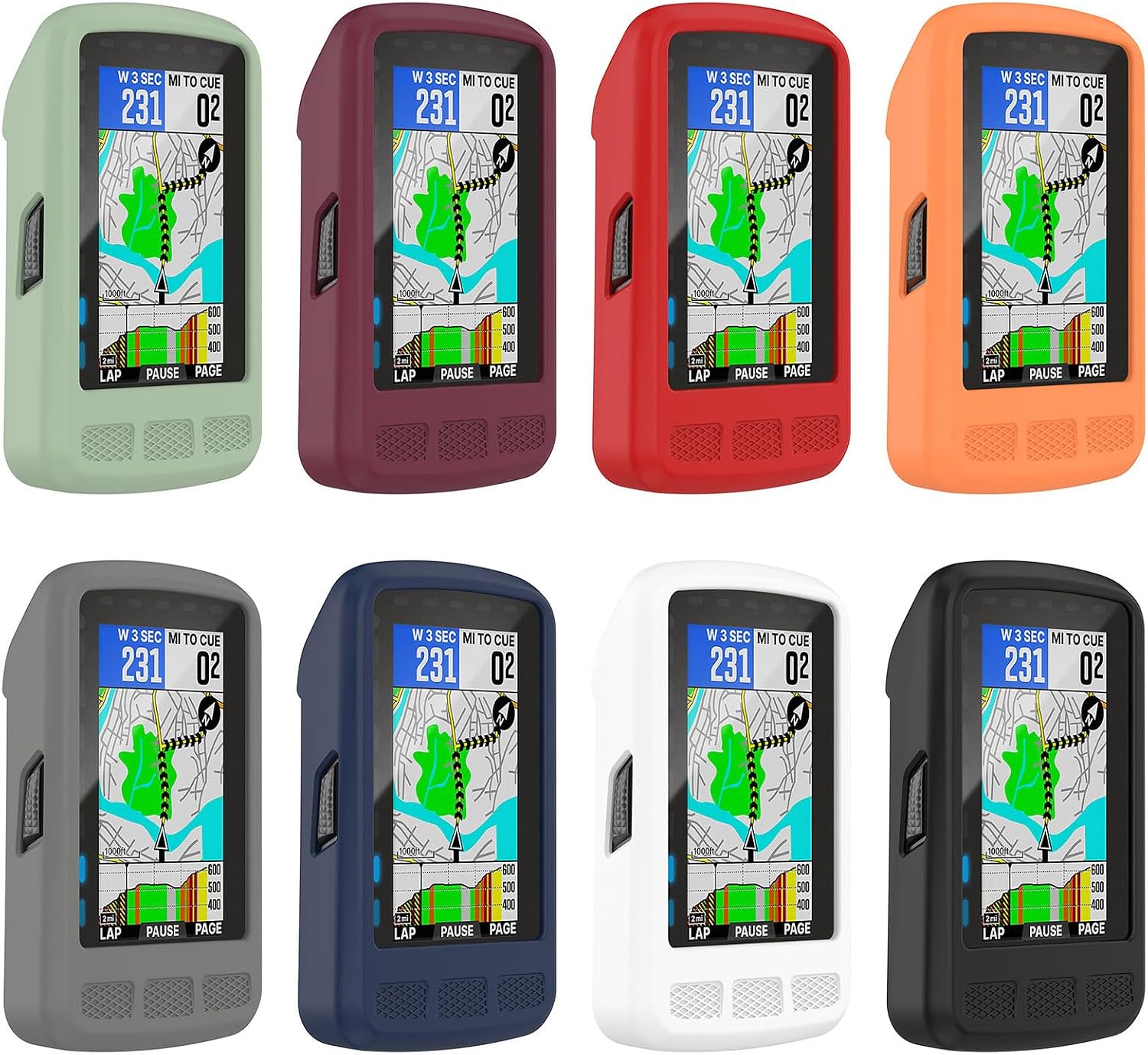
Figure 2: Various color options for the Yrzper Silicone Case.
Setup and Installation
Installing the Yrzper Silicone Case on your Wahoo ELEMNT ROAM GPS is a straightforward process. Follow these steps to ensure a secure and proper fit:
- Prepare Your Device: Ensure your Wahoo ELEMNT ROAM GPS device is clean and free of dust or debris.
- Align the Case: Gently align the silicone case with your Wahoo ELEMNT ROAM GPS. The case is designed to fit snugly around the device.
- Insert the Device: Carefully push the Wahoo ELEMNT ROAM GPS into the silicone case, starting from one end. Ensure all corners and edges of the device are fully seated within the case.
- Check for Proper Fit: Once inserted, gently press around the edges of the case to ensure it is fully wrapped around the device and all buttons align with the case's cutouts.
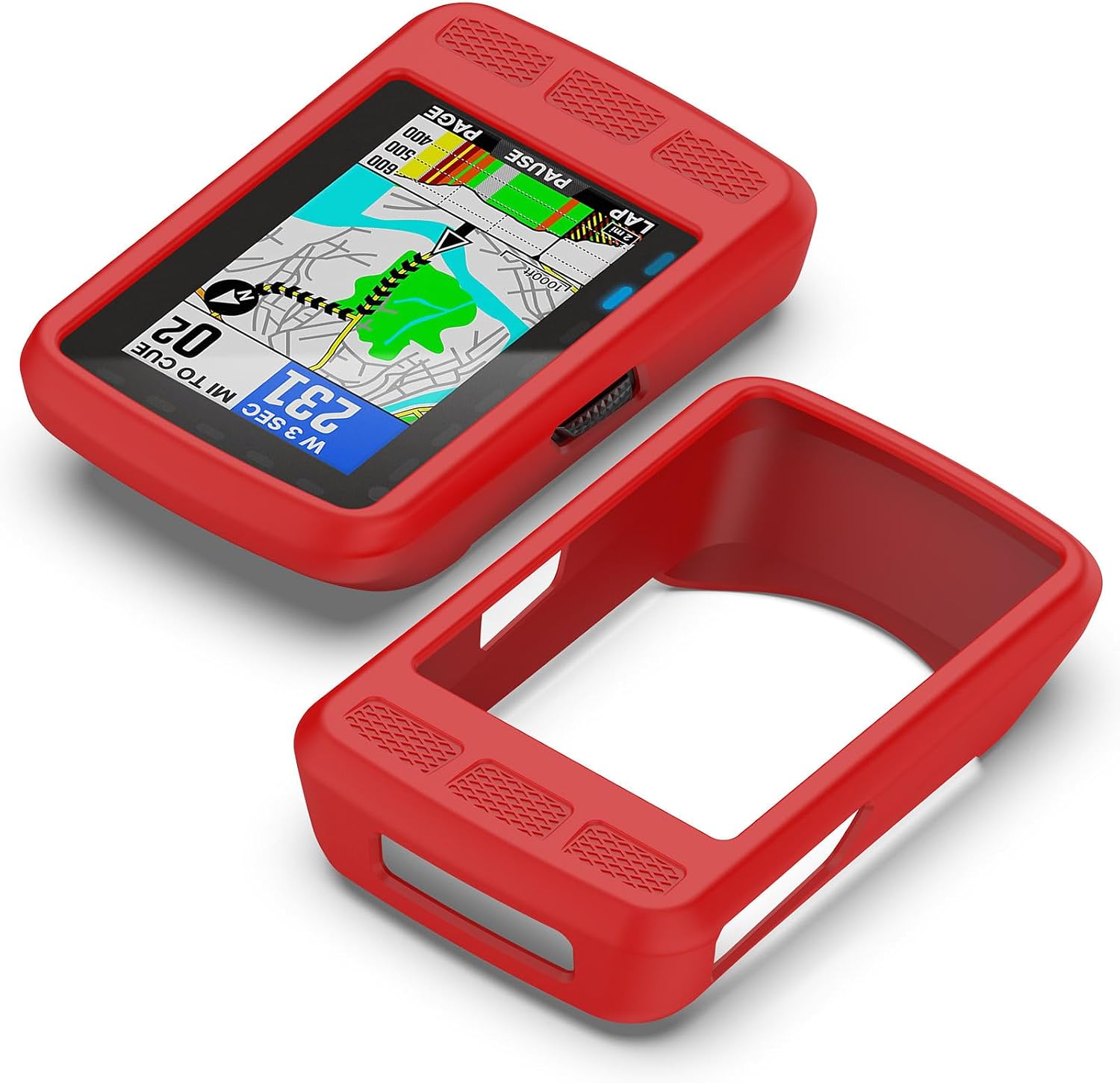
Figure 3: Illustrating the fit of the silicone case with the Wahoo ELEMNT ROAM GPS.
Operating and Usage
The Yrzper Silicone Case is designed to enhance the usability and protection of your Wahoo ELEMNT ROAM GPS without hindering its functionality.
- Button Access: Precise cutouts ensure full and easy access to all functional buttons on your Wahoo ELEMNT ROAM GPS.
- Charging: The case is designed so you do not need to remove it when charging your device. The charging port remains accessible.
- Enhanced Grip: The silicone material provides an improved grip, reducing the chance of accidental drops.

Figure 4: Side view showing button access with the case installed.
Maintenance
To keep your Yrzper Silicone Case in optimal condition and ensure its longevity, follow these simple maintenance guidelines:
- Cleaning: The silicone case can be easily cleaned with a damp cloth and mild soap. Avoid harsh chemicals or abrasive cleaners, as these may damage the material.
- Drying: After cleaning, allow the case to air dry completely before re-installing your Wahoo ELEMNT ROAM GPS.
- Storage: When not in use, store the case in a cool, dry place away from direct sunlight to prevent material degradation.
Troubleshooting
If you encounter any issues with your Yrzper Silicone Case, refer to the following common troubleshooting tips:
| Problem | Possible Cause | Solution |
|---|---|---|
| Case does not fit properly. | Incorrect device model or improper installation. | Ensure your device is a Wahoo ELEMNT ROAM GPS. Re-attempt installation, ensuring the device is fully seated as per the "Setup and Installation" section. |
| Buttons are difficult to press. | Case not aligned correctly. | Adjust the case slightly to ensure the button cutouts align perfectly with the device's buttons. |
| Case appears dirty or discolored. | Accumulation of dirt or exposure to staining agents. | Clean the case using a damp cloth and mild soap as described in the "Maintenance" section. |
Specifications
- Brand: Yrzper
- Compatible Devices: Wahoo ELEMNT ROAM GPS
- Material: High Quality Soft Silicone
- Form Factor: Bumper Case
- Special Features: Heavy Duty Protection, Shockproof, Anti-Scratch, Anti-collision
- Color: Red (This specific model. Other colors available.)
Warranty and Support
Yrzper is committed to providing high-quality products and excellent customer service.
- Quality Guarantee: If you are not 100% satisfied with your Yrzper Silicone Case for any reason, please contact us.
- Customer Service: Our customer support team is available 24 hours a day to assist you. We are happy to send out a replacement if your case has any quality issues.
- Contact: For support inquiries, please refer to the contact information provided with your purchase or visit the official Yrzper support channels.
Ask a question about this manual
Ask about setup, troubleshooting, compatibility, parts, safety, or missing instructions. Manuals+ will review the question and use this page’s manual context to help answer it.