
1. Introduction
This manual provides instructions for the installation and maintenance of the USonline911 replacement foil and blade combo, designed for specific Panasonic electric shaver models. Regular replacement of shaver components ensures optimal performance and a comfortable shaving experience.
2. Compatibility
This replacement foil and blade combo (model WES9015Y1361) is compatible with the following Panasonic shaver models:
- Panasonic ES-LT2
- Panasonic ES-LT4
- Panasonic ES-LT6
Please verify your shaver model before installation to ensure proper fit and function.
3. Why Replace Your Shaver Components?
Over time, the foil and blades of your electric shaver can become dull, pitted, or damaged. This can lead to:
- Reduced shaving efficiency, requiring more passes.
- Skin irritation, redness, or discomfort.
- A less close and satisfying shave.
Replacing these components regularly helps maintain your shaver's cutting performance and ensures a comfortable shave.

Image: Recommended replacement schedule for shaver components. It is advised to replace the outer foil approximately every year and the inner blade approximately every two years for optimal performance.
4. Package Contents
Your package includes:
- 1 x Shaving Foil (Outer Foil System)
- 1 x Blade (Inner Blade)

Image: The complete replacement shaving foil and blade set, ready for installation.
5. Installation Instructions
Before installing the new foil and blade, ensure your shaver is turned off and disconnected from any power source. Clean the razor head thoroughly before proceeding.
5.1. Disassembly of Old Components
- Remove Outer Tool Rest: Hold the left and right buttons on the shaver head and gently pull the outer tool rest upwards to remove it.
- Remove Outer Tool Head: With the outer tool rest removed, hold the left and right buttons on the outer tool head and pull it upwards to detach.
- Remove Internal Tool Head (Blades): Carefully grab both sides of the internal blades and pull them out one by one.
5.2. Installation of New Components
- Install Internal Tool Head (Blades): Align the new internal blades with their respective slots and press them down until they click into place. Ensure they are securely seated.
- Install Outer Tool Head: Place the new outer tool head onto the shaver body. Press down firmly until you hear a click, ensuring it is securely attached.
- Install Outer Tool Rest: Position the outer tool rest over the outer tool head. Apply even force from left to right and press down until it clicks into place.

Image: Detailed tutorial for tool head installation, showing disassembly and reassembly steps for the outer tool rest, outer tool head, and internal tool head.
6. Maintenance and Cleaning
Proper maintenance extends the life of your replacement components and ensures hygienic use.
- Daily Cleaning: After each shave, remove the outer foil and rinse the blades and foil under running water to remove hair clippings and debris.
- Thorough Cleaning: Periodically, disassemble the shaver head as described in the installation section and clean all components with a brush and warm soapy water. Rinse thoroughly and allow to air dry completely before reassembling.
- Waterproof Design: The components are made of high-quality, waterproof materials, allowing for easy cleaning under running water.

Image: The replacement foil and blades are designed for easy cleaning under water, facilitating hygiene and maintenance.
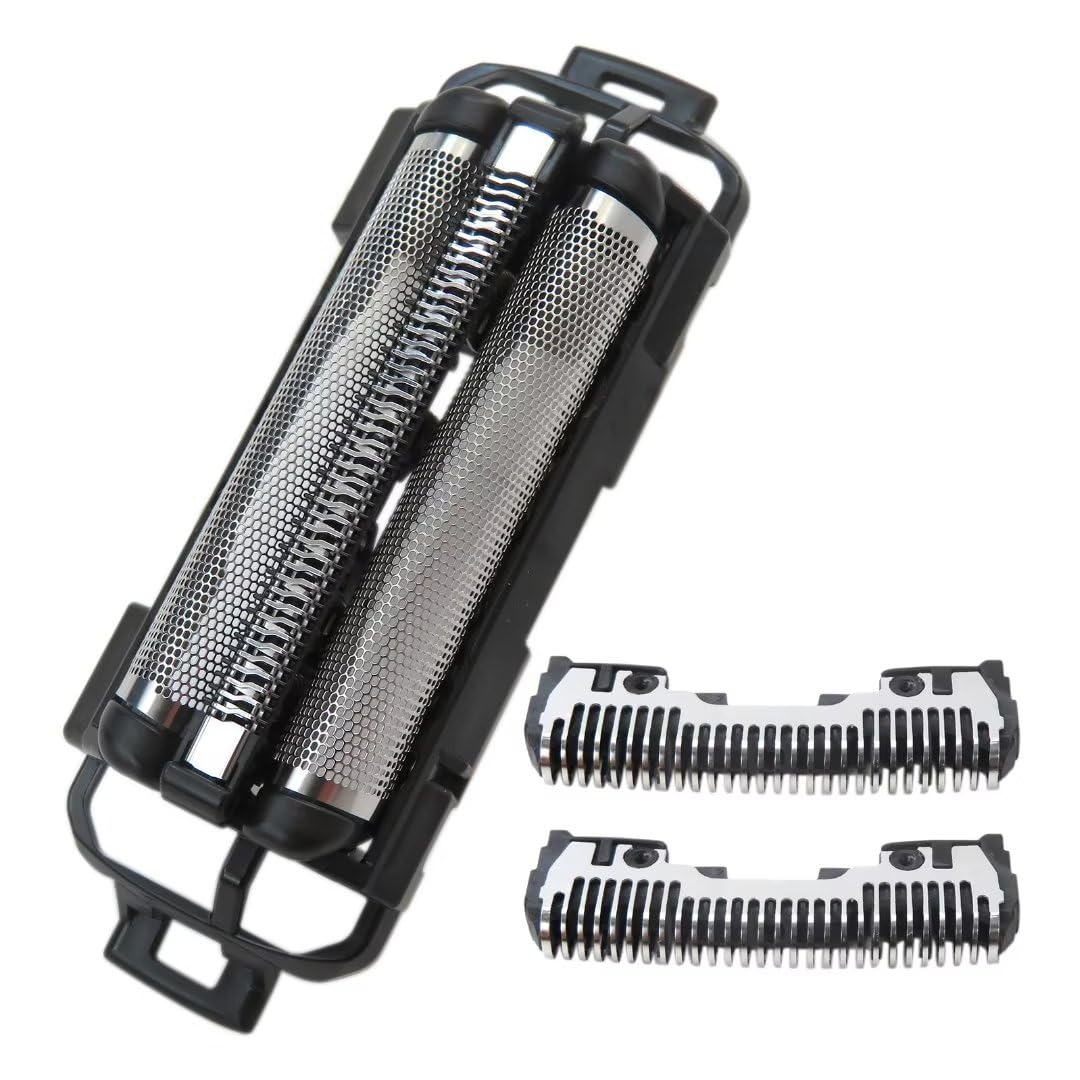
Image: The shaver components are waterproof, allowing for convenient and thorough cleaning under running water.
7. Product Specifications
| Product Name | Replacement Foil and Blade Combo |
| Model Number | WES9015Y1361 |
| Compatible Shaver Models | Panasonic ES-LT2, ES-LT4, ES-LT6 |
| Manufacturer | USonline911 |
| Materials | ABS + Stainless Steel (Hypoallergenic) |
| Unit Count | 1.00 Count (1 foil, 1 blade set) |
| Features | Micro-thin arched hypoallergenic stainless steel foils, effective for short beard and stubble, waterproof. |
8. Troubleshooting
If you experience issues after replacing the foil and blade:
- Poor Shaving Performance: Ensure the components are correctly installed and fully clicked into place. Verify that the replacement parts are compatible with your specific shaver model.
- Skin Irritation: Ensure the shaver head is clean and free of debris. If irritation persists, ensure the components are correctly seated and consider if the issue might be related to your shaving technique or skin sensitivity.
For further assistance, please contact customer support.
9. Warranty and Support
For any questions regarding this product, including warranty information or technical support, please contact USonline911 customer service. Refer to your purchase documentation for specific contact details or visit the USonline911 store on Amazon: USonline911 Store.


