
Introduction
Thank you for choosing the KONGTEN Nicetymeter 0310 Professional WiFi Weather Station. This device provides comprehensive weather monitoring, including indoor and outdoor temperature, humidity, wind speed and direction, rainfall, UV index, and barometric pressure. It features a 10.2-inch color display console and connects to the internet via WiFi for live weather server synchronization. This manual will guide you through the setup, operation, and maintenance of your weather station.
Safety Information
- Read all instructions carefully before operating the device.
- Do not expose the console to extreme temperatures, direct sunlight, or moisture.
- Ensure the outdoor sensor is mounted securely to prevent damage from wind or falling.
- Use only specified batteries and power adapters.
- Keep the device away from strong magnetic fields.
- Do not attempt to disassemble or repair the unit yourself. Contact support if issues arise.
Package Contents
Verify that all components are present in the package:
- 1 x Display Console
- 1 x Integrated Outdoor Sensor Array (7-in-1)
- 1 x Mounting Pole and Hardware
- 1 x Power Adapter for Console
- 1 x User Manual
- Batteries (1 x LR41 included for console backup)
Product Overview
Display Console
The 10.2-inch full-color LED display console provides a clear overview of all weather data. It can be placed on a tabletop or mounted on a wall.
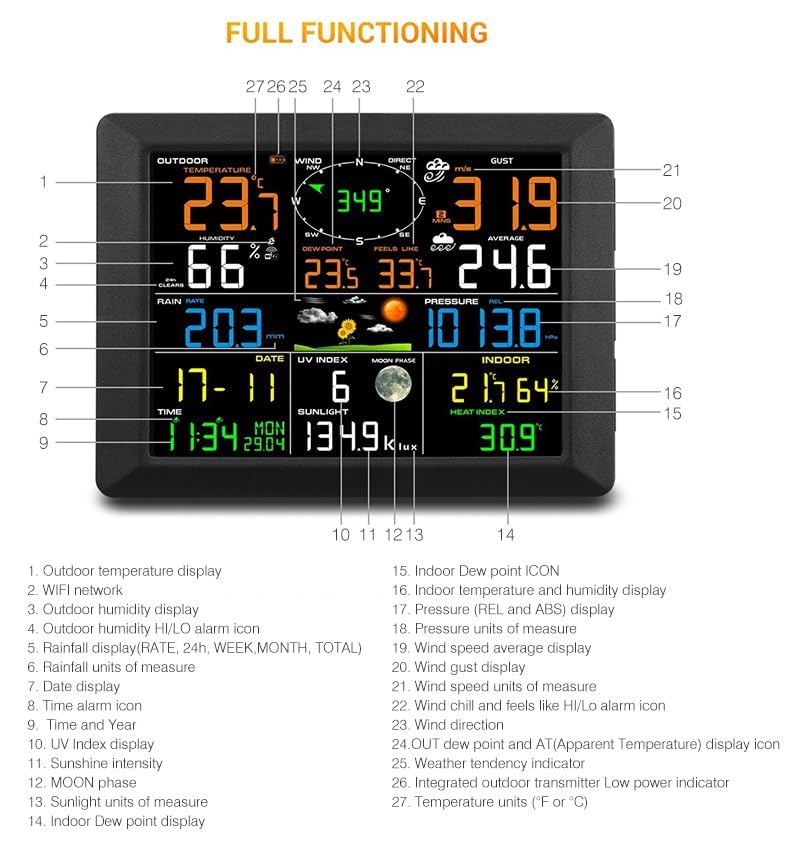
Image: The Nicetymeter 0310 weather station display console showing various weather parameters with numbered labels indicating specific data points like outdoor temperature, wind direction, rainfall, and indoor conditions.
Integrated Outdoor Sensor Array
The 7-in-1 outdoor sensor array measures multiple weather parameters and transmits data wirelessly to the console. It is solar-powered for energy efficiency.
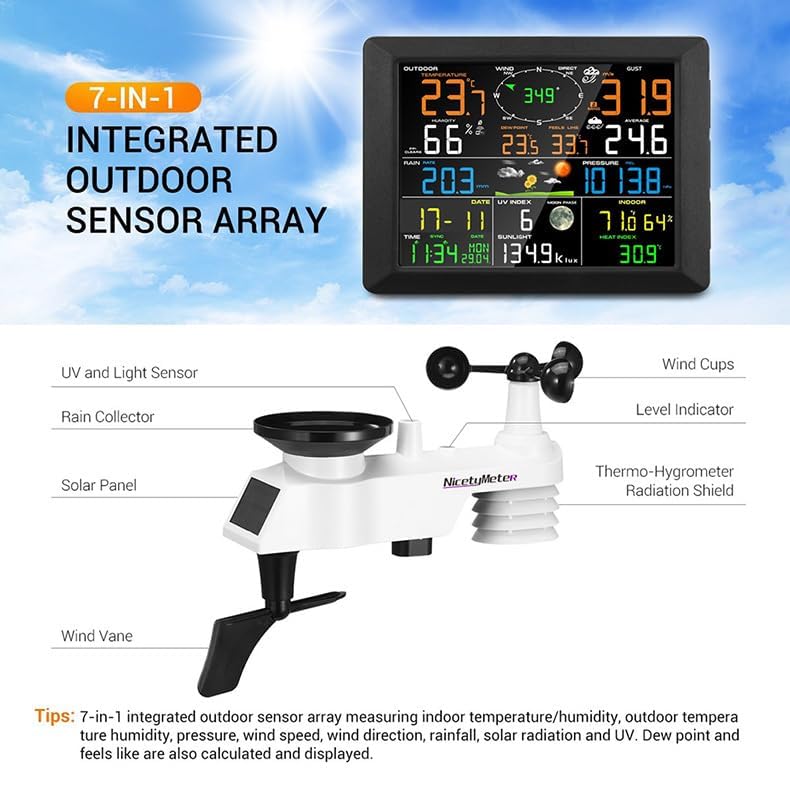
Image: A detailed view of the Nicetymeter 0310 7-in-1 integrated outdoor sensor array, highlighting its components such as the UV and light sensor, rain collector, solar panel, wind vane, wind cups, level indicator, and thermo-hygrometer radiation shield.
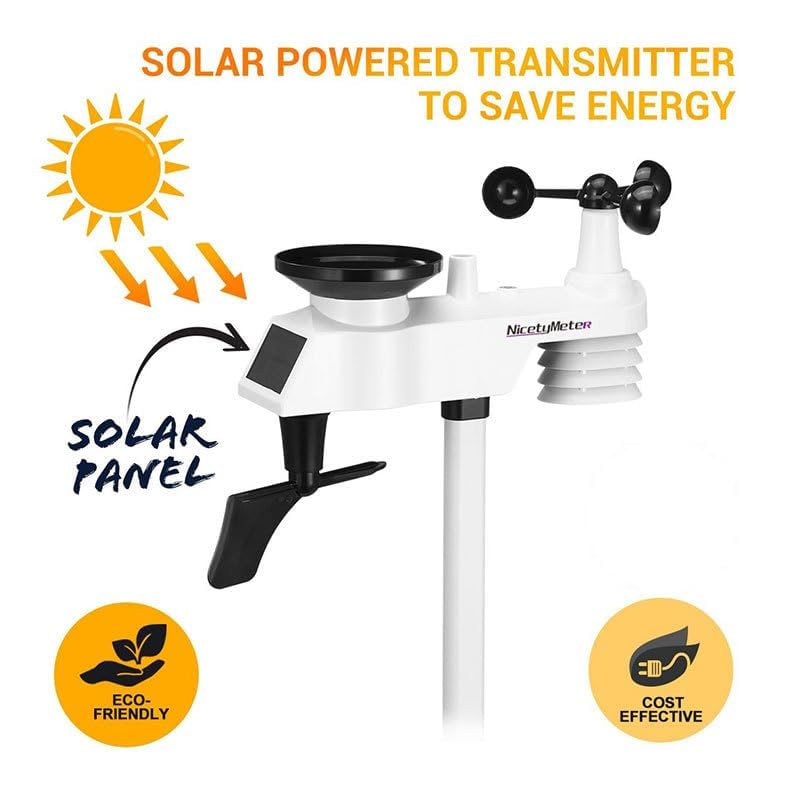
Image: The outdoor sensor array featuring its solar panel, illustrating its solar-powered design for energy saving and environmental friendliness.
Setup
1. Unpacking and Initial Inspection
Carefully remove all components from the packaging. Inspect for any signs of damage. Retain packaging for future transport or storage.
2. Outdoor Sensor Assembly and Placement
Assemble the wind cups, wind vane, and mounting pole according to the diagrams in the included quick start guide. Choose an open location for the outdoor sensor, free from obstructions, to ensure accurate readings for wind, rain, and sunlight. The sensor should be mounted at least 1.5 meters (5 feet) above the ground.
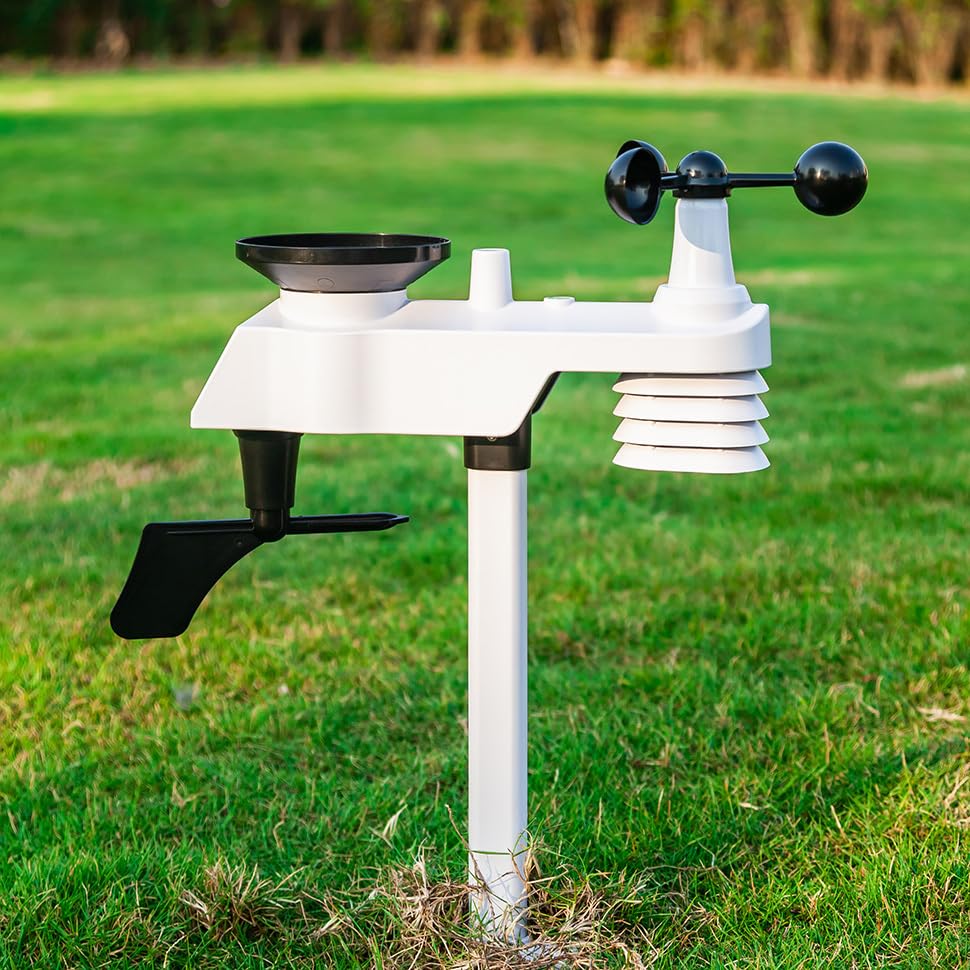
Image: The Nicetymeter 0310 outdoor sensor array, including the rain gauge, wind cups, and wind vane, securely mounted on a pole in a green, open outdoor environment.
3. Console Setup
- Power Connection: Connect the power adapter to the console and plug it into a wall outlet.
- Battery Backup: Install the included LR41 battery into the designated compartment for time and settings backup during power outages.
- Initial Sync: The console will automatically attempt to connect with the outdoor sensor. Ensure both units are powered on and within range. This process may take a few minutes.
4. WiFi Connection
To enable internet features and live weather server synchronization, connect your console to your home WiFi network.
- Access the WiFi settings menu on the console (refer to the quick start guide for specific button presses).
- Select your WiFi network from the list of available networks.
- Enter your WiFi password using the console's interface.
- Once connected, the WiFi icon on the display will illuminate, indicating successful internet synchronization.

Image: The Nicetymeter 0310 weather station console displaying weather data, with an outdoor sensor in the background and a smartphone showing a weather application, indicating WiFi connectivity and remote monitoring capabilities.
Operating
1. Display Overview
The console's 10.2-inch display is organized into several sections, providing real-time and historical weather data.
- Outdoor Temperature/Humidity: Current readings from the outdoor sensor.
- Wind Speed/Direction: Current wind speed (gust and average) and direction.
- Rainfall: Daily, weekly, monthly, and total rainfall measurements.
- Barometric Pressure: Current atmospheric pressure with historical trends.
- UV Index/Sunlight: Current UV index and light intensity.
- Indoor Temperature/Humidity: Readings from the console's internal sensors.
- Weather Forecast: Animated icons predicting weather for the next 24-48 hours (sunny, cloudy, partly cloudy, rainy).
- Time/Date/Moon Phase: Current time, date, and moon phase display.
2. Basic Settings
Use the console buttons to navigate and adjust settings:
- Time and Date: Automatically synchronized via WiFi, but can be manually adjusted if needed.
- Units: Change temperature (°C/°F), wind speed (mph/km/h/m/s), rainfall (mm/inch), and pressure (hPa/inHg) units.
- Backlight: Adjust display backlight brightness.
3. Alerts and Alarms
The weather station supports various alerts for extreme weather conditions and customizable alarms.
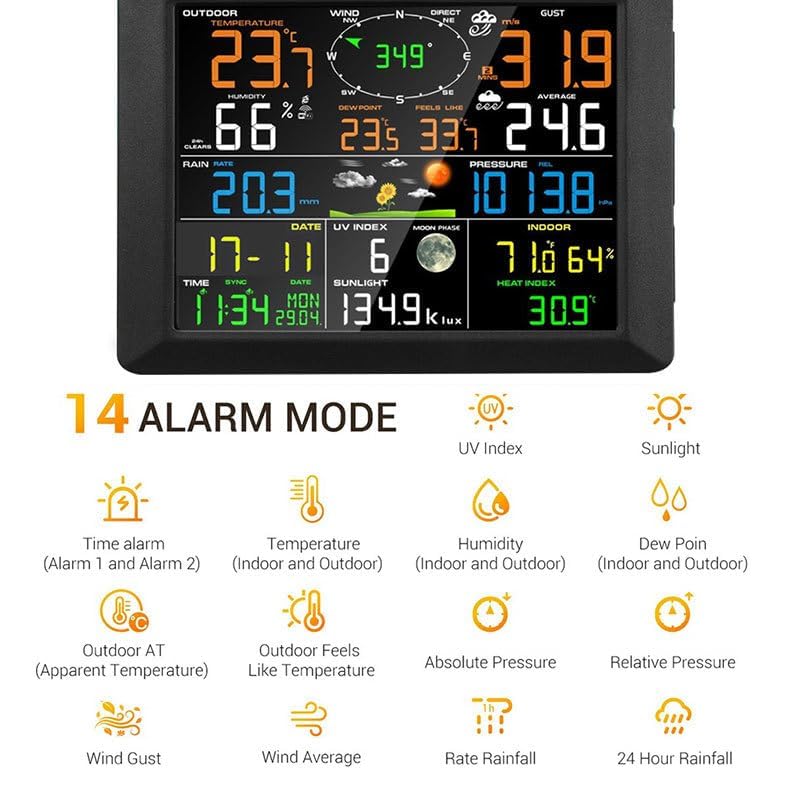
Image: A graphic illustrating the 14 alarm modes available on the Nicetymeter 0310 weather station, including time alarms, temperature, humidity, dew point, outdoor apparent temperature, outdoor feels like temperature, absolute pressure, relative pressure, wind gust, wind average, rate rainfall, and 24-hour rainfall alerts.
- Weather Alerts: Set high/low alerts for temperature, humidity, wind speed, barometric pressure, heat index, wind chill, and dew point. The console will provide notifications when these thresholds are met.
- Time Alarms: Configure up to two daily alarms.
4. Moon Phase
After setting the correct time and date, the display will show the current moon phase, cycling from new moon to full moon.
Maintenance
- Cleaning: Periodically clean the outdoor sensor array, especially the rain collector and wind cups, to remove debris (leaves, insects) that may affect accuracy. Use a soft, damp cloth. Do not use abrasive cleaners.
- Battery Replacement: The console's backup battery (LR41) should be checked annually and replaced if the time/date settings are lost during power outages. The outdoor sensor is solar-powered with internal rechargeable batteries; ensure the solar panel is clean and exposed to sunlight.
- Firmware Updates: Check the manufacturer's website for any available firmware updates for your weather station model to ensure optimal performance and new features.
Troubleshooting
| Problem | Possible Cause | Solution |
|---|---|---|
| No outdoor data on console | Outdoor sensor not powered, out of range, or interference. | Ensure outdoor sensor is receiving power (solar panel clean). Move console closer to sensor. Check for obstructions between units. Re-sync sensor with console. |
| WiFi connection fails | Incorrect password, weak signal, or router issues. | Double-check WiFi password. Move console closer to router. Restart router. Ensure router is on 2.4GHz band. |
| Inaccurate rainfall readings | Rain collector blocked by debris. | Clean the rain collector funnel and tipping bucket mechanism. Ensure sensor is level. |
| Wind speed/direction inaccurate | Wind cups/vane obstructed or stuck. | Ensure wind cups and vane spin freely. Clear any obstructions (e.g., spiderwebs, leaves). |
| Console display is blank | Power adapter disconnected or faulty. | Check power adapter connection. Try a different power outlet. |
Specifications
| Feature | Detail |
|---|---|
| Model Number | Rk-WS-0310 RF |
| Display Type | 10.2 inch Full-Color LED |
| Connectivity | WiFi, Wireless (RF) |
| Power Source (Console) | AC Adapter, 1 x LR41 battery (backup) |
| Power Source (Outdoor Sensor) | Solar Powered |
| Material | Acrylonitrile Butadiene Styrene (ABS) |
| Product Dimensions | 20 x 15 x 10 cm (Console) |
| Weight | 700 g |
| Upper Temperature Rating | 50 Degrees Celsius |
Warranty and Support
This KONGTEN Nicetymeter 0310 Professional WiFi Weather Station comes with a standard manufacturer's warranty. Please refer to the warranty card included in your package for specific terms and conditions. For technical support, troubleshooting assistance, or warranty claims, please contact your retailer or the manufacturer directly. Contact information can typically be found on the product packaging or the manufacturer's official website.