
1. Product Overview
The PayLessHere Office Computer Chair is designed to provide a comfortable and functional seating solution for home and office environments. It features a ventilated mesh back with lumbar support, a high-density sponge seat, and adjustable components for personalized comfort.
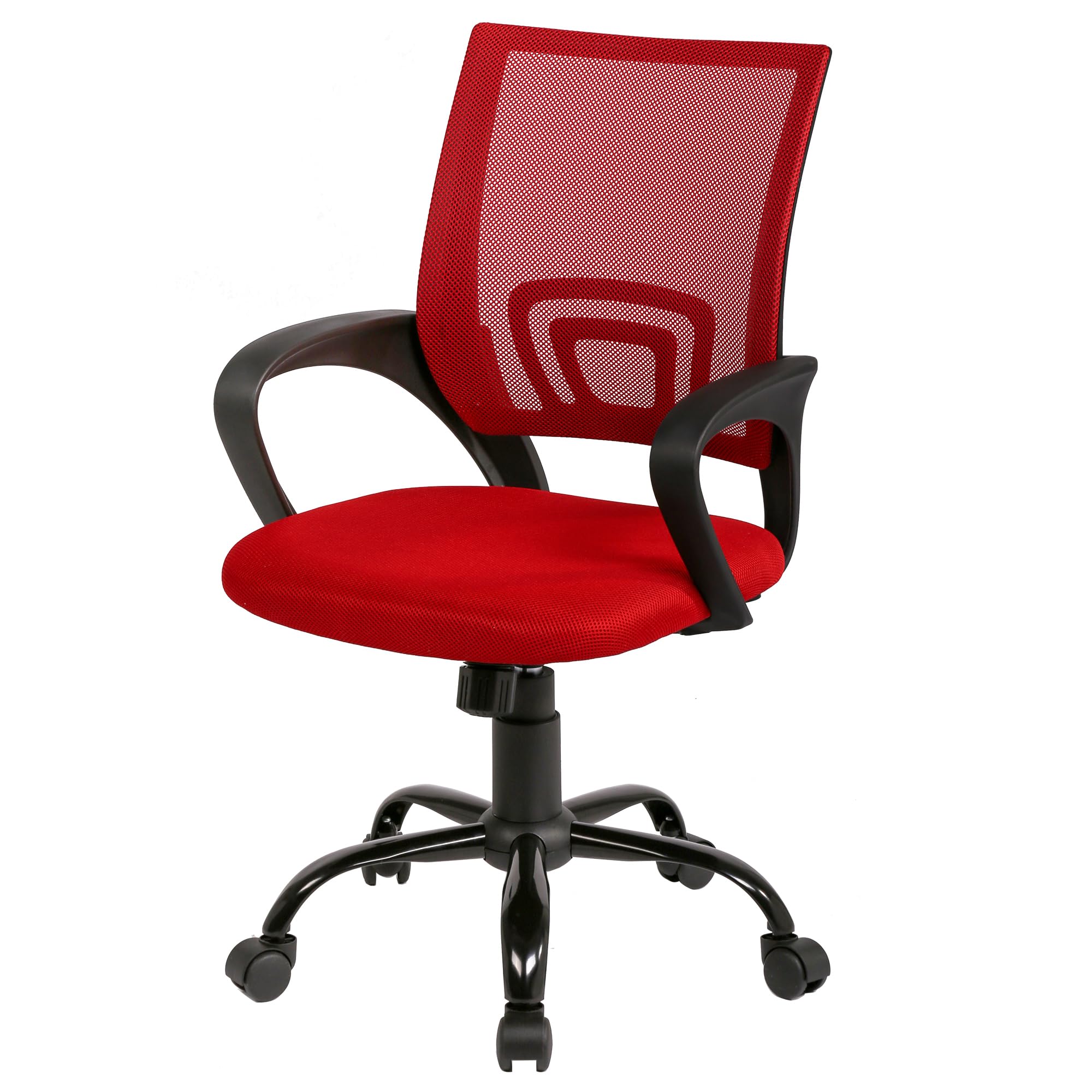
Image 1.1: The PayLessHere Office Computer Chair in red, showcasing its design in an office setting.
Key Features:
- Ventilated Nylon Lumbar Support: Conforms to the lower back's natural curve, promoting airflow and preventing discomfort.
- Solid & Stable Construction: Robust frame and high-quality components ensure durability and stability.
- 360-Degree Swivel & Casters: Allows for freedom of movement and easy maneuverability across various floor surfaces.
- Ergonomic Armrests: Provide support and reduce strain on shoulders and arms, adjustable for personalized comfort.
- Adjustable Height: Gas lift mechanism allows for easy height adjustment to match different desk heights.
2. Safety Information
Please read and understand all safety instructions before assembling and using the chair. Failure to follow these instructions may result in injury or damage to the product.
- Weight Limit: Ensure the chair is used by a single person weighing up to 100 pounds (approximately 45 kg) for optimal safety and stability. Exceeding this limit may cause the chair to become unstable or break.
- Adjustments: Adjust the lumbar support and armrests carefully to prevent injury. Avoid sudden movements when adjusting chair components.
- Assembly: Follow all assembly instructions precisely. Ensure all screws and bolts are securely tightened before use. Periodically check and re-tighten fasteners.
- Placement: Use the chair on a flat, stable surface. Avoid using the chair on uneven ground or near stairs.
- Children: Keep children away from the assembly area. Small parts may pose a choking hazard. Do not allow children to play on or with the chair.
- Maintenance: Do not use harsh chemicals or abrasive cleaners on the chair. Wipe clean with a damp cloth as instructed in the maintenance section.
3. Package Contents
Before assembly, verify that all components are present and undamaged. If any parts are missing or damaged, please contact customer support.
- Backrest (Mesh)
- Seat Cushion (High-density Sponge)
- Armrests (2)
- Gas Lift Cylinder
- Base (Five-star)
- Casters (5)
- Connecting Plate/Mechanism
- Hardware Pack (Screws, Washers, Allen Wrench)
4. Assembly Instructions
The chair requires assembly. Clear instructions and included tools make the setup process straightforward. It is recommended to assemble the chair on a soft, clean surface to prevent scratches.
Step-by-Step Assembly:
- Attach Casters to Base: Insert each of the five casters into the holes at the end of each leg of the five-star base. Push firmly until they click into place.
- Insert Gas Lift Cylinder: Place the gas lift cylinder into the center hole of the assembled five-star base.
- Attach Connecting Plate to Seat: Secure the connecting plate/mechanism to the underside of the seat cushion using the provided screws. Ensure the front of the plate aligns with the front of the seat.
- Attach Armrests to Seat and Backrest: Connect the armrests to both the seat cushion and the backrest using the designated screws. Do not fully tighten all screws until all components are loosely attached to allow for alignment.
- Connect Seat Assembly to Gas Lift: Carefully place the assembled seat and backrest onto the gas lift cylinder, ensuring the cylinder fits securely into the mechanism on the underside of the seat.
- Final Tightening: Once all parts are aligned and loosely assembled, fully tighten all screws.
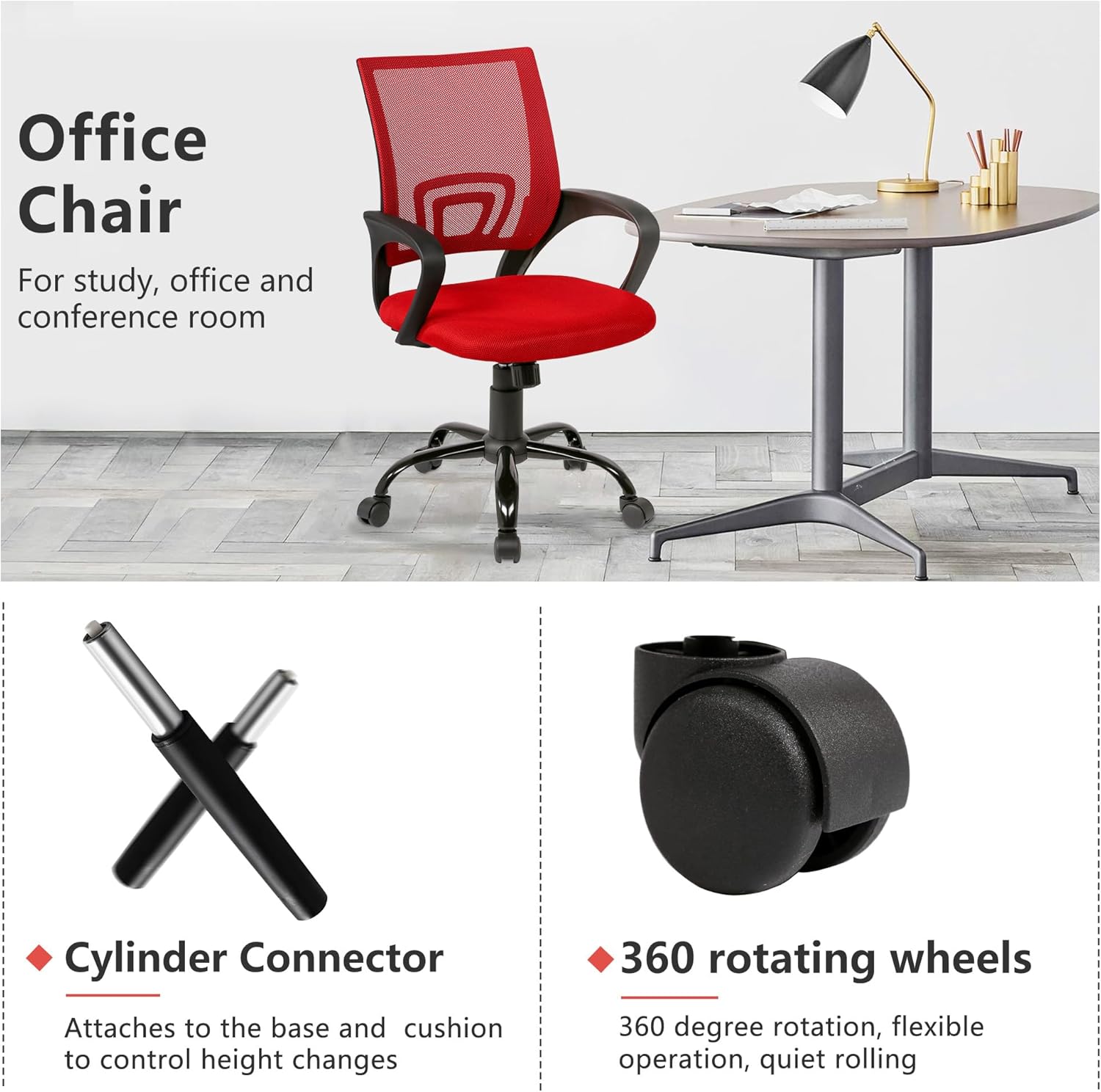
Image 4.1: Illustration of the cylinder connector and 360-degree rotating wheels, key components for assembly and mobility.
5. Operating Instructions
This chair offers several adjustable features to enhance your comfort and support.
5.1. Height Adjustment
To adjust the chair's height:
- To Raise: While standing, pull the adjusting handle (typically located on the right side under the seat) upwards. The seat will rise. Release the handle at the desired height.
- To Lower: While seated, pull the adjusting handle upwards. The seat will lower. Release the handle at the desired height.

Image 5.1: Illustration of the adjustable height feature, demonstrating how the chair can be set to match various worktable heights.
5.2. Swivel Function
The chair is equipped with a 360-degree swivel function, allowing you to rotate freely without moving the base. This enhances accessibility within your workspace.

Image 5.2: Diagram illustrating the chair's lifting function and 360-degree rotation capability.
5.3. Lumbar Support
The ventilated nylon backrest provides integrated lumbar support designed to conform to your lower back. While not independently adjustable, its ergonomic design aims to support the natural curve of your spine.

Image 5.3: Close-up of the chair's ergonomic backrest, designed to fit the spine's curve and provide support.
6. Maintenance
Proper care and maintenance will extend the life of your PayLessHere Office Computer Chair.
- Cleaning: Wipe clean with a damp cloth. Avoid using abrasive cleaners, solvents, or harsh chemicals, as these can damage the mesh, fabric, or plastic components.
- Inspection: Periodically check all screws and bolts to ensure they are tight. Re-tighten if necessary to maintain stability and safety.
- Casters: Keep casters free of hair, dust, and debris to ensure smooth rolling. Clean them regularly if the chair is used on carpeted surfaces.
- Avoid Overloading: Do not exceed the maximum weight recommendation of 100 pounds.
7. Troubleshooting
If you encounter any issues with your chair, refer to the following common problems and solutions:
| Problem | Possible Cause | Solution |
|---|---|---|
| Chair does not adjust height. | Gas lift cylinder is faulty or handle mechanism is stuck. | Ensure the adjusting handle is fully engaged. If the issue persists, the gas lift may need replacement. Contact customer support. |
| Chair is wobbly or unstable. | Loose screws or improper assembly. | Check and re-tighten all assembly screws, especially those connecting the seat, backrest, and mechanism to the base. Ensure the gas lift is fully seated in the base. |
| Casters do not roll smoothly. | Debris (hair, dust) caught in casters. | Turn the chair over and carefully remove any debris from the caster wheels. |
| Squeaking noises. | Loose connections or friction between parts. | Tighten all screws. Apply a small amount of silicone lubricant to moving parts if necessary, avoiding contact with fabric. |
8. Specifications
| Feature | Detail |
|---|---|
| Brand | PayLessHere |
| Model Name | Ergonomic Cheap Desk Chair Adjustable Comfortable Mid Back Task Rolling Swivel with Lumbar Support for Home Office |
| Color | Red |
| Product Dimensions (D x W x H) | 18"D x 18"W x 38"H (45.7 cm D x 45.7 cm W x 96.5 cm H) |
| Maximum Weight Recommendation | 100 Pounds (approximately 45 kg) |
| Item Weight | 18 pounds (approximately 8.16 kg) |
| Material | Mesh (Backrest), Nylon (Fill Material), Unspecified (Seat Cushion) |
| Special Feature | Adjustable Height, Lumbar Support, Swivel |
| Back Style | Solid Back (Mesh) |
| Arm Style | With arms |
| Furniture Base Movement | Swivel, Rolling Casters |
| Product Care Instructions | Wipe Clean |
| UPC | 195030091590 |

Image 8.1: Detailed product parameter diagram showing the dimensions of the chair in inches.
9. Warranty and Support
PayLessHere is committed to providing quality products. While specific warranty details are not provided in this manual, we offer a customer guarantee to ensure your satisfaction.
If you encounter any issues with your PayLessHere Office Computer Chair, require replacement parts, or have questions regarding its use or maintenance, please contact our dedicated customer support team. Refer to your purchase documentation or the retailer's website for contact information.