
DEWALT 8DXFRS300-BCH6
DEWALT DXFRS300 1 Watt Heavy Duty Walkie Talkies User Manual
Waterproof, Shock Resistant, Long Range & Rechargeable Two-Way Radio with VOX
1. Product Overview
The DEWALT DXFRS300 series walkie talkies are engineered for demanding environments, offering robust communication solutions for jobsites, businesses, and various professional settings. These radios provide clear, long-distance reception and are built to withstand harsh conditions.

The DEWALT DXFRS300 1 Watt Heavy Duty Walkie Talkie system, including multiple radios and gang chargers.

Close-up view of two DEWALT DXFRS300 walkie talkies, highlighting their compact and durable build.
Key Features:
- Guaranteed Tough: Designed for durability in demanding professional environments.
- Ultra-Clear Long Distance Reception: 1 Watt RF output providing coverage up to 250,000 sq.ft or 20 floors.
- Rugged Durability: IP67 rated for water and dust protection, with shock resistance capable of withstanding drops up to 2 meters.
- Secure Talk with Long Runtime: Features 22 preset channels and 121 privacy codes to minimize interference. Battery saving technology allows for up to 12 hours of continuous use.
- Versatility for the Whole Team: Includes hands-free VOX operation, vibration alert, roger beep, and auto squelch. Compatible with convenient accessories like 6-port gang chargers and earpieces (sold separately).
2. What's in the Box
Your DEWALT DXFRS300 package includes the following components:
- DXFRS300 Walkie Talkie Two Way Radios (48 units)
- Li-Polymer Batteries (48 units)
- Holsters (48 units)
- Six Port Gang Chargers (8 units)
- AC Adapters (8 units)
- User Guide (this manual)

View of the radio with its battery and back cover, illustrating the components.

The 6-port gang charger for efficient multi-unit charging.
3. Setup
3.1 Battery Installation
- Ensure the radio is powered off.
- Locate the battery compartment cover on the back of the radio.
- Carefully remove the cover by sliding it down or unlatching it.
- Connect the Li-Polymer battery pack to the radio's battery connector, ensuring proper alignment.
- Insert the battery pack into the compartment.
- Replace the battery compartment cover, ensuring it clicks securely into place.
Illustration of battery installation into the radio.
3.2 Charging the Batteries
For optimal performance, fully charge the batteries before first use. Use the provided 6-port gang charger and AC adapter.
- Connect the AC adapter to the 6-port gang charger.
- Plug the AC adapter into a standard wall outlet.
- Place the walkie talkies into the charging slots on the gang charger. Ensure they are seated correctly.
- The charging indicator light on the radio or charger will illuminate, typically red for charging and green for fully charged.
- A full charge typically takes several hours. Refer to the radio's display for battery status.

Charging a DEWALT walkie talkie using the 6-port gang charger.
4. Operating Instructions
4.1 Power On/Off
- To power on, press and hold the Power/Menu button until the display illuminates.
- To power off, press and hold the Power/Menu button until the display turns off.
4.2 Channel Selection
- Press the Mode button to enter channel selection mode.
- Use the Up or Down buttons to scroll through the 22 available channels.
- Press the Mode button again to confirm your selection.
4.3 Privacy Codes (CTCSS/DCS)
Privacy codes help minimize interference from other users on the same channel.
- After selecting a channel, press the Mode button repeatedly until the privacy code setting appears.
- Use the Up or Down buttons to select one of the 121 privacy codes.
- Press Mode to confirm. All radios in your group must use the same channel and privacy code.
4.4 Transmitting and Receiving
- To transmit, press and hold the Push-to-Talk (PTT) button located on the side of the radio. Speak clearly into the microphone.
- Release the PTT button to stop transmitting and listen for a response.
- The radio will automatically receive transmissions when not transmitting.

Operating the DEWALT walkie talkie in a typical work setting.
4.5 VOX (Voice Operated Exchange) Operation
VOX allows for hands-free communication. When activated, the radio transmits automatically when it detects your voice.
- To activate VOX, navigate through the menu using the Mode button until the VOX setting appears.
- Use the Up or Down buttons to select a VOX sensitivity level (e.g., 1-5, with 5 being most sensitive).
- Press Mode to confirm.
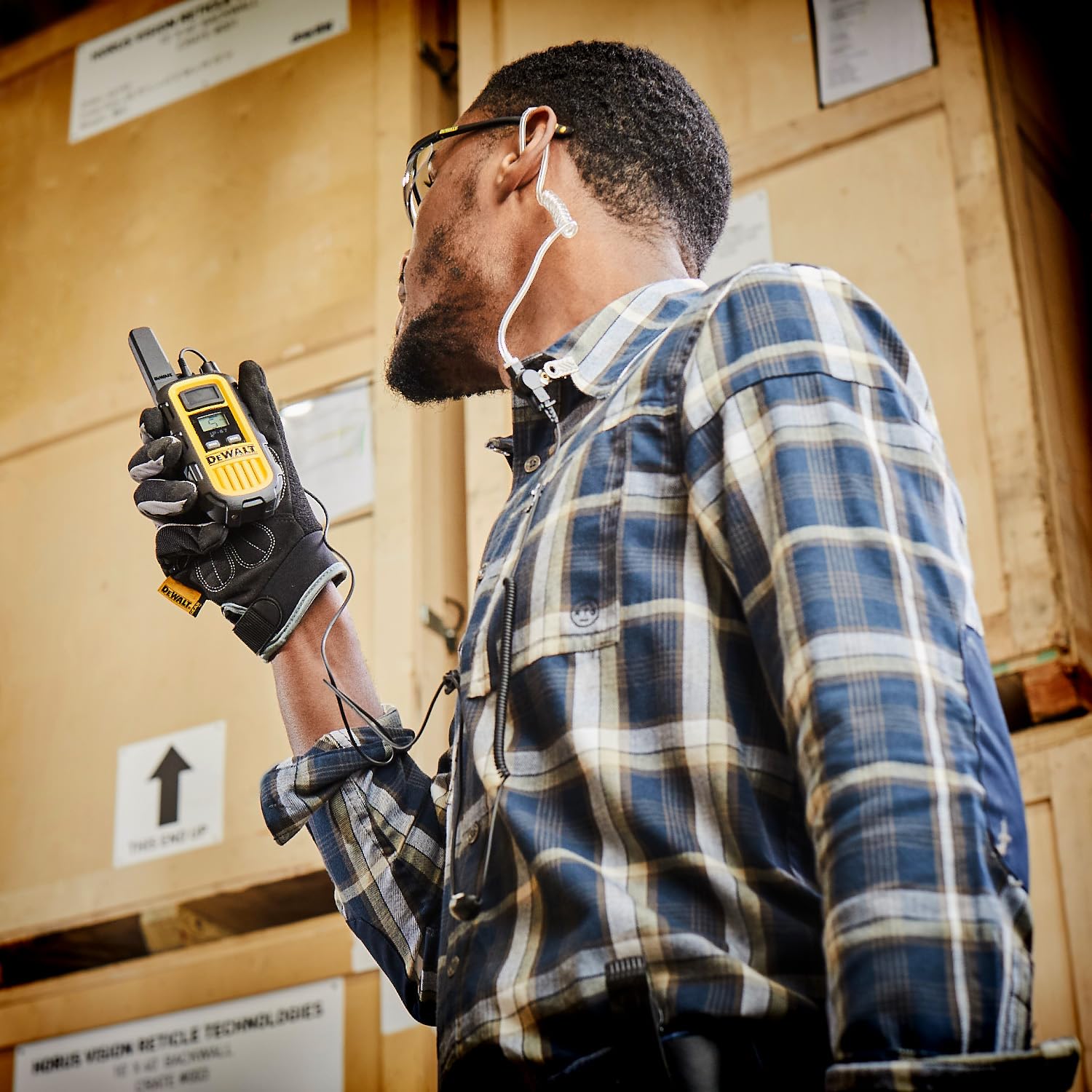
Hands-free operation with an accessory earpiece, ideal for VOX functionality.
4.6 Vibration Alert
The vibration alert feature provides a silent notification for incoming calls, useful in noisy environments or when discretion is required.
- Consult your radio's on-screen menu or user guide for specific steps to enable or disable the vibration alert. This is typically found within the settings menu.
5. Maintenance
5.1 Cleaning
- Wipe the radio's exterior with a soft, damp cloth. Do not use harsh chemicals or abrasive cleaners.
- Ensure the charging contacts on both the radio and charger are clean and free of debris for efficient charging.
5.2 Storage
- Store radios in a cool, dry place away from direct sunlight and extreme temperatures.
- For long-term storage, remove batteries from the radios to prevent potential leakage.
5.3 Battery Care
- Avoid overcharging or completely draining the Li-Polymer batteries.
- If a battery appears damaged or swollen, discontinue use immediately and dispose of it properly.
6. Troubleshooting
| Problem | Possible Cause | Solution |
|---|---|---|
| Radio does not power on. | Battery is not installed or is depleted. | Ensure battery is correctly installed and fully charged. |
| Poor reception or static. | Out of range; interference; incorrect channel/privacy code. | Move closer to other radios; change channel/privacy code; check for obstructions. |
| Cannot transmit. | Battery low; PTT button not pressed correctly; radio in scan/monitor mode. | Recharge battery; ensure PTT is fully pressed; exit scan/monitor mode. |
| Radio not charging. | Charger/AC adapter not connected; dirty charging contacts; faulty battery. | Check connections; clean contacts; try a different battery if available. |
7. Specifications
| Feature | Detail |
|---|---|
| Model Number | 8DXFRS300-BCH6 |
| RF Output Power | 1 Watt |
| Range | Up to 250,000 sq.ft / 20 floors |
| Channels | 22 |
| Privacy Codes | 121 (CTCSS/DCS) |
| Water Resistance | IP67 (Waterproof & Dustproof) |
| Shock Resistance | Withstands drops up to 2 meters |
| Battery Type | Li-Polymer |
| Battery Life | Up to 12 hours (continuous use) |
| VOX Operation | Yes |
| Vibration Alert | Yes |
| Item Weight | 44.9 pounds (total package) |
| Package Dimensions | 20.5 x 20 x 20 inches |
8. Warranty
DEWALT products are built to last and are backed by a limited lifetime warranty. We pledge to replace any product that is defective in material or workmanship as long as you are the original purchaser.
Please note: This limited lifetime warranty does not cover failures due to abuse, accidental damage, or when repairs have been made or attempted by anyone other than DEWALT Authorized Service Centers. This warranty also does not apply to accessories and consumables.

DEWALT Limited Lifetime Warranty details.
9. Support
For additional support, product information, or to explore other DEWALT products and accessories, please visit the official DEWALT store.
Related documents8DXFRS300-BCH6


Ask a question about this manual
Ask about setup, troubleshooting, compatibility, parts, safety, or missing instructions. Manuals+ will review the question and use this page’s manual context to help answer it.