Introduction
This manual provides essential information for the safe and effective use of the 100Balance Hardware 1A Active Balancer 6S Equalizer. This active equalization module is designed for lithium batteries, including LiFePO4 and Li-ion types, and is compatible with various Battery Management Systems (BMS). It ensures balanced energy dissipation without internal resistance, leading to low heat generation during prolonged connection to the battery pack. This product is suitable for power battery applications (e.g., electric vehicles, forklifts, AGVs, cleaning vehicles) and energy storage systems (e.g., outdoor power supplies, RVs, home energy storage, base stations, photovoltaic systems).
Safety Information
- Always ensure correct wiring polarity. Incorrect connections can damage the balancer and battery.
- This 6S Active Balancer is specifically designed for 6 cells connected in series. Do not use it for battery packs with a different number of series cells.
- Avoid short circuits during installation and operation. Use appropriate insulation materials.
- Keep the device away from moisture and extreme temperatures. The upper temperature rating is 60 degrees Celsius.
- If you are unsure about any installation steps, consult a qualified professional.
Product Overview
Key Features
- High equalization efficiency.
- Extends battery lifespan.
- Energy saving design.
- Ultra-low power consumption and low heat generation.
- Ensured qualified and safe operation.
- Compatible with all other brands of BMS.
Product Dimensions
The 100Balance Hardware 1A Active Balancer 6S Equalizer has compact dimensions for easy integration:
- Length: 3.43 inches (87 mm)
- Width: 1.93 inches (49 mm)
- Height: 0.71 inches (18 mm)
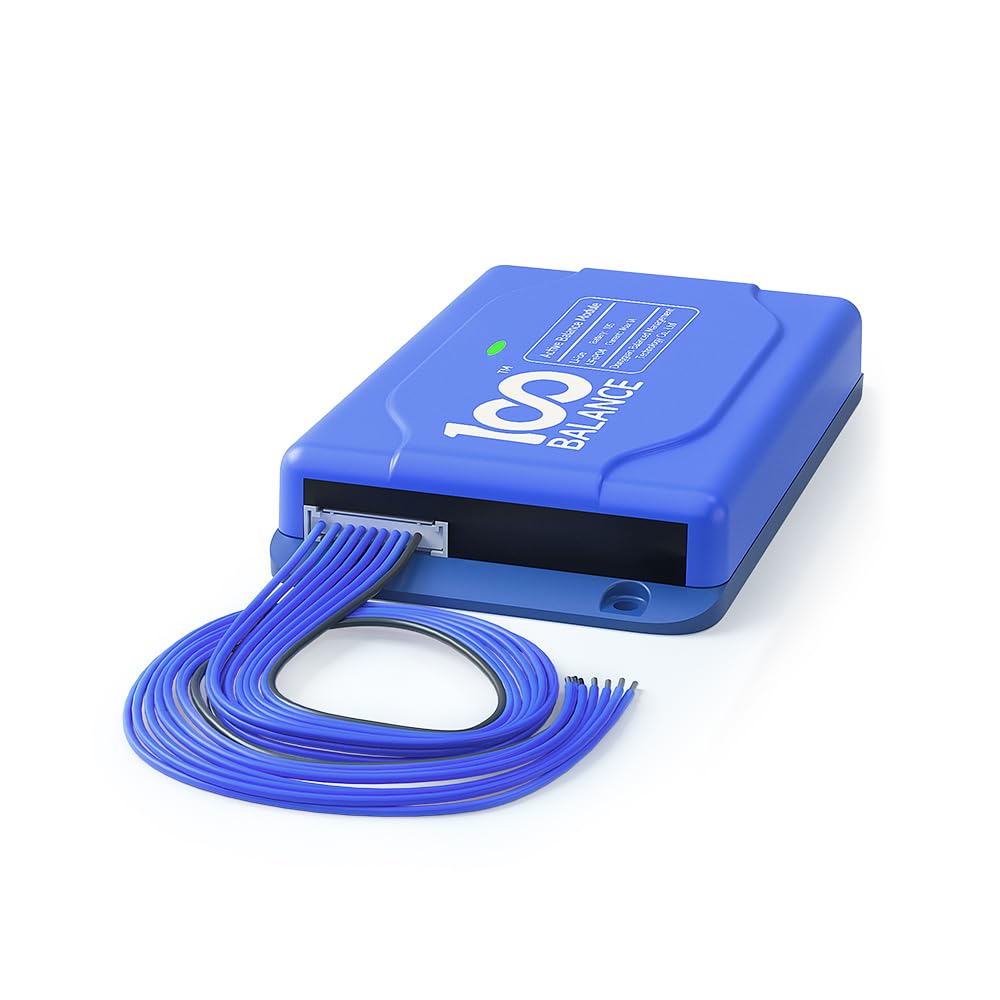
Figure 1: Product dimensions of the 100Balance Hardware 1A Active Balancer 6S Equalizer.
Capacitive Active Balance Technology
The balancer utilizes capacitive active balance technology for 24-hour voltage difference monitoring and automatic balancing. This ensures that individual cell voltages within the battery pack are maintained within optimal ranges, improving overall battery health and performance.

Figure 2: Illustration of the capacitive active balance technology, showing continuous voltage monitoring and automatic balancing.
Product Structure
The balancer features a durable blue ABS case with clear UV printing. Internally, it contains high-quality electronic components and an anti-misinsertion interface for safe connections. Screw holes are provided for easy installation.
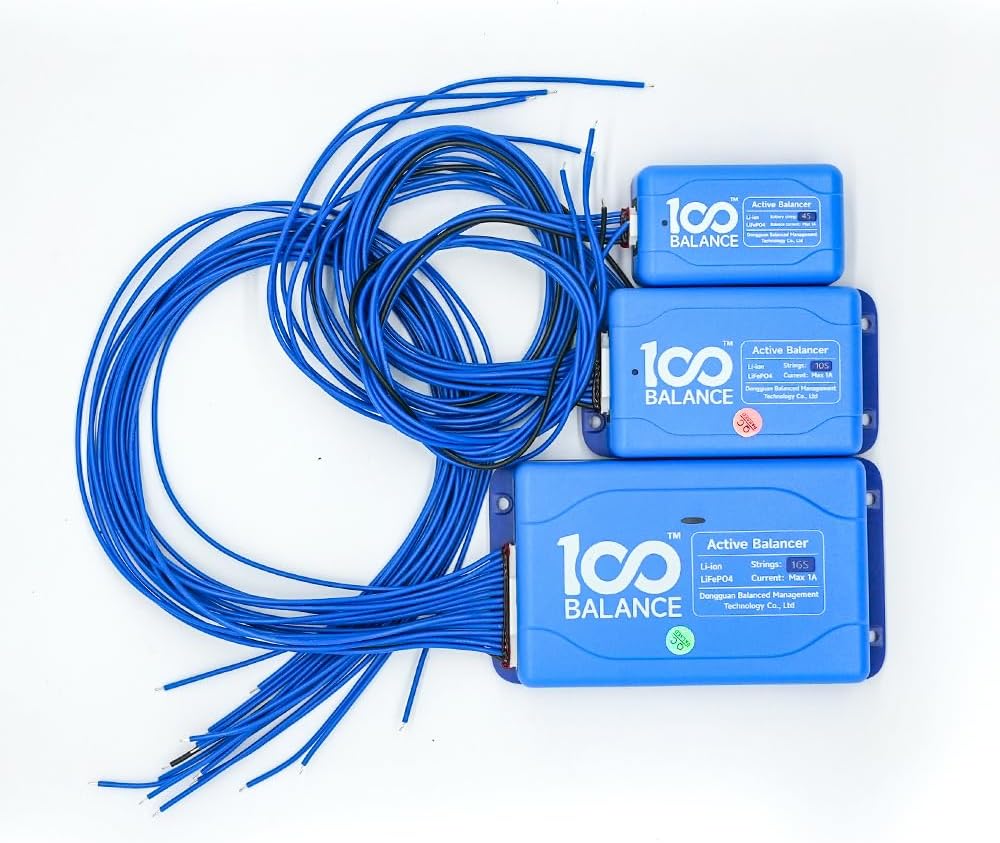
Figure 3: Exploded view of the balancer, highlighting its durable ABS shell, LED indicator, high-quality electronic components, and anti-misinsertion interface.
Setup
Unpacking and Inspection
Upon receiving your 100Balance Hardware 1A Active Balancer, carefully unpack the contents and inspect for any damage. The packing list typically includes:

Figure 4: Typical contents of the product package, including the 1A Active Equalizer module, sampling wire, and user manual.
Wiring Instructions
Proper wiring is crucial for the safe and effective operation of the active balancer. Follow these steps carefully:
- Prepare the Battery Pack: Ensure the battery pack is insulated. Use Highland barley paper and epoxy boards on the terminals for further insulation.
- Identify Terminals: Use a multimeter to identify the total negative terminal (B0) and subsequent positive terminals (B1, B2, ..., B6 for a 6S system). Mark these terminals clearly.
- Pre-tin Terminals: Add a small amount of solder (tin) to each battery terminal where the balance wires will connect. This makes soldering easier and ensures a strong connection.
- Connect Balance Wires: The wiring harness typically has a black wire for B0 and blue wires for B1 through B6. Connect the black wire to B0. Then, connect the first blue wire to B1, the second to B2, and so on, until all cells are connected. Ensure the wires are cut to appropriate lengths and stripped before soldering.
- Solder Connections: Carefully solder each balance wire to its corresponding battery terminal. Ensure secure and clean solder joints.
- Verify Wiring: Before connecting the main connector to the balancer module, verify the wiring. Use a multimeter to measure the voltage between adjacent wires on the harness. The voltage should be within the nominal range for a single cell. Alternatively, a testing light board or cable tester can be used to confirm correct connections.
- Connect to Balancer Module: Once all wiring is verified, carefully plug the wiring harness connector into the active equalizer module.

Figure 5: General wiring diagram for connecting the active balancer to a battery pack. Ensure B0 is the total negative and subsequent Bx wires connect to the positive terminals of each cell in series.
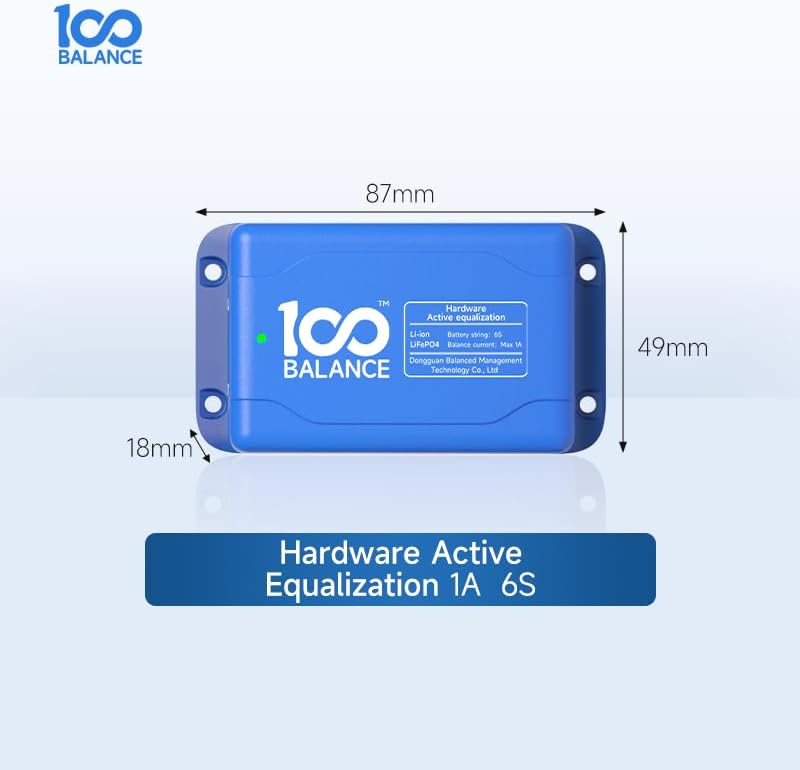
Figure 6: Example of the active balancer connected to a battery pack, illustrating the physical setup.
Setup Video Tutorial
For a visual guide on the wiring process, please refer to the following video tutorials:
1A Active Equalizer Module Wiring Tutorial
Video 1: A detailed tutorial demonstrating the wiring process for 1A and 5A equalizer modules, including insulation, terminal identification, soldering, and verification steps.
100Balance 1A Hardware Active Balancer Equalizer Module Overview
Video 2: An overview of the 100Balance 1A hardware active balancer equalizer module, showcasing its features and application.
Operating Instructions
Once correctly installed, the 100Balance Hardware 1A Active Balancer operates automatically. It continuously monitors the voltage of each cell in the series and transfers energy from higher-voltage cells to lower-voltage cells to maintain balance. The green LED indicator on the module will illuminate when the balancer is active and performing its equalization function.
- Automatic Operation: The balancer works autonomously, requiring no manual intervention after installation.
- Continuous Monitoring: It constantly monitors cell voltages to detect and correct imbalances.
- Energy Transfer: Energy is actively transferred between cells to achieve voltage equilibrium, preventing overcharging or over-discharging of individual cells.
Maintenance
The 100Balance Hardware 1A Active Balancer is designed for minimal maintenance. However, periodic checks can help ensure its longevity and optimal performance:
- Visual Inspection: Periodically inspect the module and its wiring for any signs of physical damage, loose connections, or corrosion.
- Cleanliness: Keep the module clean and free from dust and debris. Use a dry, soft cloth for cleaning.
- Environmental Conditions: Ensure the operating environment remains within the specified temperature and humidity ranges to prevent damage.
Troubleshooting
If you encounter issues with your active balancer, consider the following troubleshooting steps:
- No LED Activity:
- Check all wiring connections to ensure they are secure and correctly polarized.
- Verify the battery pack voltage is within the operational range for the 6S balancer.
- Ensure the connector is fully seated into the balancer module.
- Persistent Voltage Imbalance:
- Re-check individual cell voltages with a multimeter to confirm the extent of the imbalance.
- Ensure the balancer has been connected for a sufficient period. Significant imbalances may take longer to correct.
- Inspect the balance wires for any damage or poor solder joints that might interrupt the connection to specific cells.
- Overheating:
- While designed for low heat generation, excessive heat could indicate a fault or an extreme imbalance condition. Disconnect the balancer and contact support.
- Ensure adequate ventilation around the module.
If troubleshooting steps do not resolve the issue, please refer to the Warranty & Support section for further assistance.
Specifications
| Brand | 100 BALANCE |
| Model Number | 1A 6S |
| Style | 6S (for 6 series cells) |
| Color | Hardware 1A (Blue ABS Case) |
| Power Source | Battery Powered |
| Item Dimensions (L x W x H) | 3.43 x 1.93 x 0.71 inches (87 x 49 x 18 mm) |
| Item Weight | 4 ounces |
| Measurement Type | Ammeter (for internal balancing current) |
| Upper Temperature Rating | 60 Degrees Celsius |
| Certifications | CE, RoHS |
| Manufacturer | Dongguan Balanced Management Technology Co., Ltd |
Warranty & Support
We stand by the quality of our products. The 100Balance Hardware 1A Active Balancer comes with a 1-year product warranty from the date of purchase.
For any inquiries, technical assistance, or warranty claims, our customer support team is available 24/7 online. Please feel free to contact us through the platform where you purchased the product or visit the official 100 BALANCE store for contact information.
Official Store: 100 BALANCE Store


