Introduction
This manual provides essential information for the proper setup, operation, and maintenance of your Hosa CMS-105 3.5 mm TRS to 1/4" TRS Stereo Interconnect Cable. Please read this manual thoroughly to ensure optimal performance and longevity of your product.
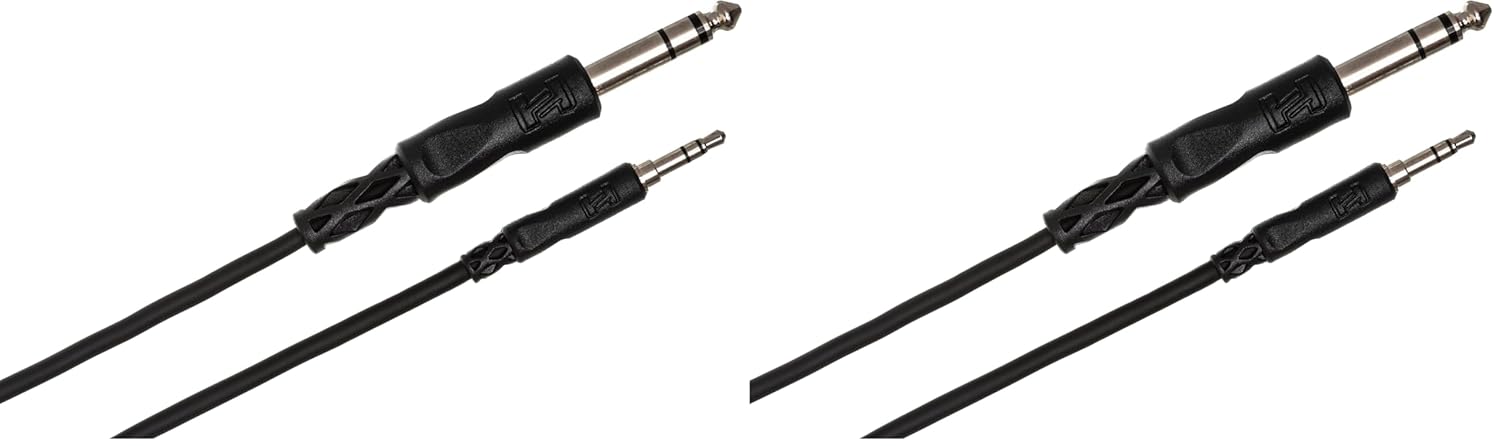
An image showing two Hosa CMS-105 cables, each featuring a 3.5mm TRS connector on one end and a 1/4-inch TRS connector on the other, designed for stereo audio interconnection. These cables are black with durable connectors.
Setup Instructions
The Hosa CMS-105 cable is designed for simple plug-and-play connectivity between audio devices. Follow these steps for proper setup:
- Identify Connectors: The cable has two distinct connectors: a smaller 3.5 mm (1/8") TRS connector and a larger 1/4" TRS connector. Both are stereo (TRS - Tip, Ring, Sleeve) for balanced or stereo unbalanced audio signals.
- Source Connection: Connect the 3.5 mm TRS end of the cable to the output jack of your audio source device. Common sources include smartphones, tablets, laptops, or portable media players with a 3.5 mm headphone or line-out jack.
- Destination Connection: Connect the 1/4" TRS end of the cable to the input jack of your audio destination device. Common destinations include mixing consoles, audio interfaces, powered speakers, or amplifiers with a 1/4" TRS input.
- Secure Connection: Ensure both connectors are fully inserted into their respective jacks to establish a secure and reliable connection. Avoid forcing the connectors, as this may cause damage.
Note: Always ensure that both devices are powered off or their volume levels are set to minimum before connecting or disconnecting audio cables to prevent sudden loud noises or potential damage to equipment.
Operating Instructions
Once the Hosa CMS-105 cable is properly connected, operating it involves managing the audio signal flow between your devices:
- Power On Devices: After connecting the cable, power on your audio source device first, then your audio destination device.
- Adjust Volume: Gradually increase the volume on your audio destination device to a comfortable listening level. Then, adjust the volume on your source device as needed.
- Signal Flow: The cable transmits stereo audio signals from the 3.5 mm output to the 1/4" input. Ensure that the input on your destination device is configured to receive a stereo signal if applicable.
- Testing: Play audio from your source device to confirm that the signal is being transmitted clearly through the cable to the destination device.
Maintenance
Proper care and maintenance will extend the life of your Hosa CMS-105 cable:
- Cleaning: Use a soft, dry cloth to wipe down the cable and connectors. Avoid using harsh chemicals or abrasive materials, which can damage the cable's jacket or connectors.
- Storage: When not in use, coil the cable loosely. Avoid tight coiling or sharp bends, as this can stress the internal wiring and lead to damage. Store the cable in a cool, dry place away from direct sunlight and extreme temperatures.
- Handling: Always grasp the connector housing when plugging or unplugging the cable. Never pull on the cable itself, as this can damage the internal connections.
- Inspection: Periodically inspect the cable for any signs of wear, such as frayed insulation, bent connectors, or exposed wires. If damage is observed, discontinue use to prevent potential electrical hazards or poor audio performance.
Troubleshooting
If you encounter issues with your Hosa CMS-105 cable, consider the following troubleshooting steps:
| Problem | Possible Cause | Solution |
|---|---|---|
| No Sound |
|
|
| Static or Hissing Noise |
|
|
| Intermittent Audio |
|
|
Specifications
Key specifications for the Hosa CMS-105 cable:
- Type: Balanced (TRS)
- Connectors: Male 3.5 mm (1/8") TRS to Male 1/4" TRS
- Length: 5 Feet (approx. 1.5 meters)
- Color: Black
- Product Dimensions: 10 x 2 x 5 inches (packaging); 3.53 ounces (weight)
- Model Number: CMS105
Warranty Information
Specific warranty details for the Hosa CMS-105 cable are not provided within this manual. For information regarding warranty coverage, terms, and conditions, please refer to the official Hosa website or contact Hosa customer support directly.
Customer Support
For further assistance, technical support, or inquiries about your Hosa CMS-105 cable, please visit the official Hosa website or contact their customer service department. You can often find contact information and FAQs on the manufacturer's website:


