1. Important Safety Information
Please read all instructions carefully before assembly and use. Keep this manual for future reference.
Warning: Assemble the desk with care and use it only on a stable, level surface. The weight and height of the desk can cause stability issues if not assembled or used correctly. Do not overload the desk or drawers.
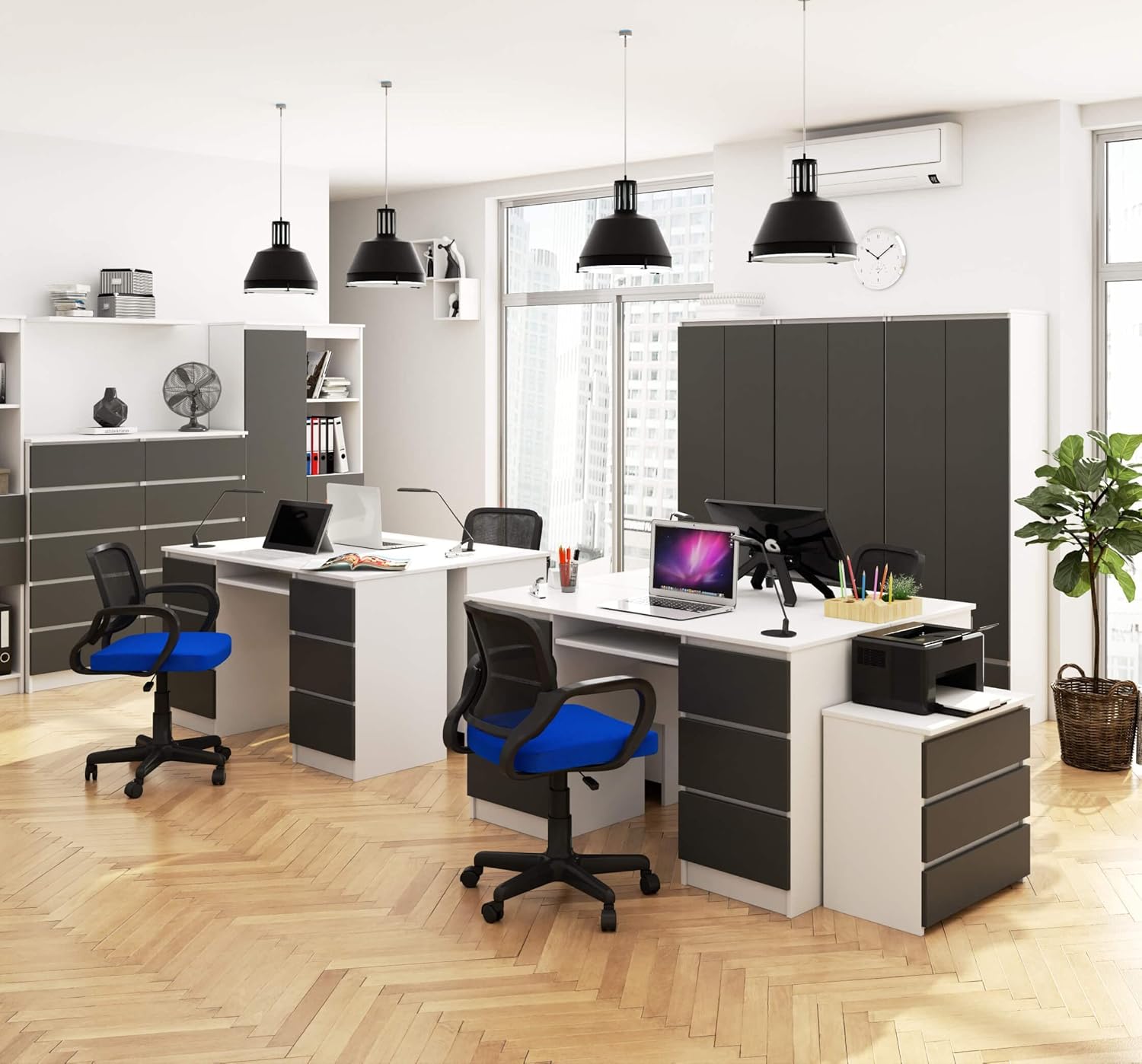
Image 1.1: AKORD A11 Computer Desk in a typical office environment. This image illustrates the desk's appearance and potential use.
2. Package Contents
Before beginning assembly, ensure all parts are present and undamaged. The package includes:
- All necessary desk components (laminated panels for body, fronts, top, and sides).
- 6 drawer units with metal runners.
- Keyboard tray with metal runners.
- Assembly hardware kit (screws, dowels, cam locks, etc.).
- Detailed assembly instructions (separate document).
If any parts are missing or damaged, please contact customer support before proceeding with assembly.
3. Setup and Assembly
The AKORD A11 desk is designed for easy home assembly. Follow the step-by-step instructions provided in the separate assembly manual included in your package. It is recommended to assemble the desk on a soft, clean surface to prevent scratches.
Assembly Tips:
- Identify all components and hardware before starting.
- Use appropriate tools as specified in the assembly manual.
- Ensure all connections are secure but do not overtighten screws.
- For optimal stability, assemble the desk in its intended final location.

Image 3.1: Dimensional diagram of the AKORD A11 Computer Desk, illustrating overall measurements and drawer sizes for planning your space.
4. Operating and Usage
The AKORD A11 computer desk provides a functional workspace with ample storage. Its design accommodates various office equipment and supplies.
Key Features:
- Spacious Work Surface: The desk measures 135 cm (length) x 50 cm (depth), offering sufficient space for a monitor, keyboard, mouse, and other work essentials.
- Integrated Storage: Six drawers (31 cm length x 34.5 cm depth) are provided, three on each side, for organizing stationery, documents, and personal items.
- Keyboard Tray: A dedicated pull-out keyboard tray enhances ergonomic comfort and keeps the main desk surface clear.
- Legroom: The design ensures generous legroom, with a width of 53 cm and a height of 62 cm, suitable for comfortable use.
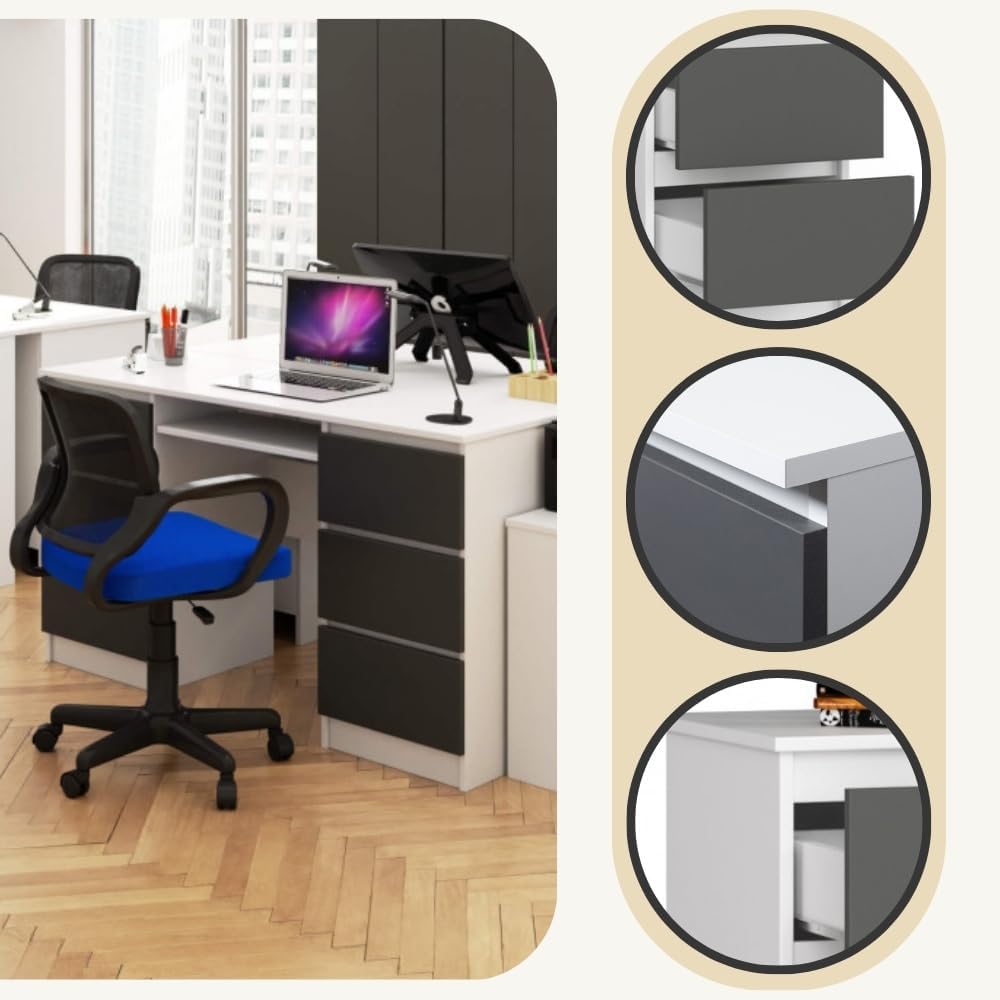
Image 4.1: The AKORD A11 desk with drawers partially open, showcasing the storage capacity and the pull-out keyboard tray.
5. Maintenance
To ensure the longevity and appearance of your AKORD A11 desk, follow these simple maintenance guidelines:
- Cleaning: The laminated surface is resistant to scratches and easy to clean. Use a soft, damp cloth or a dry cloth for regular dusting.
- Stains: For heavier dirt or stains, a mild furniture cleaner can be used. Avoid abrasive cleaners or harsh chemicals that may damage the finish.
- Spills: Wipe up spills immediately to prevent moisture absorption.
- Drawer Runners: Periodically check the metal drawer runners for smooth operation. If needed, a small amount of silicone spray can be applied to lubricate them.
- Hardware: Occasionally check all screws and fittings to ensure they remain tight. Retighten if necessary.

Image 5.1: Close-up detail of the desk's laminated panel and ABS edge, highlighting the material quality and finish.
6. Troubleshooting
If you encounter any issues with your AKORD A11 desk, refer to the following common problems and solutions:
- Problem: Desk feels wobbly or unstable.
Solution: Ensure all assembly hardware is securely tightened. Verify that the desk is placed on a flat, level surface. Adjust any leveling feet if present. - Problem: Drawers do not slide smoothly or get stuck.
Solution: Check that the metal runners are correctly installed and aligned. Ensure no objects are obstructing the drawer's path. Lubricate runners with silicone spray if necessary. - Problem: Missing or damaged parts during assembly.
Solution: Stop assembly immediately. Refer to the package contents list and contact customer support with details of the missing or damaged items. Do not attempt to force parts or use incorrect hardware. - Problem: Difficulty following assembly instructions.
Solution: Review the assembly manual carefully. Some users have reported that the order of steps might require close attention. If you are unsure, consider seeking assistance from someone experienced in furniture assembly.
7. Specifications
| Brand | AKORD |
| Model Number | IP0PBIUBIASZAA11 |
| Color | White/Graphite Grey |
| Overall Dimensions (L x D x H) | 135 cm x 50 cm x 77 cm |
| Weight | 56.8 kg |
| Material | Laminated Panel (Engineered Wood) |
| Base Material | Metal (for drawer runners) |
| Special Feature | Lightweight (as per manufacturer specification) |
| Drawer Dimensions (L x D) | 31 cm x 34.5 cm |
| Legroom (W x H) | 53 cm x 62 cm |
8. Warranty and Support
For information regarding product warranty, returns, or customer support, please refer to the documentation provided at the time of purchase or contact your retailer directly. Specific warranty details are not included in this manual.
For further assistance, you may also visit the official AKORD website or contact their customer service department.


