
1. Introduction
Thank you for choosing the CELLECOR BROPODS CB55 TWS Earbuds. This manual provides essential information for the safe and efficient use of your device. Please read it carefully before use and retain it for future reference.
2. Package Contents
Ensure all items are present in the package:
- 1 Pair of CELLECOR BROPODS CB55 TWS Earbuds
- 1 Wireless Charging Case
- 1 USB Type-C Charging Cable
- 1 Warranty Card
3. Setup
3.1 Initial Charging
Before first use, fully charge the earbuds and the charging case. Connect the provided USB Type-C cable to the charging port on the case and a compatible USB power source. The LED indicator on the case will show the charging status. A full charge takes approximately 60 minutes.

Image: The charging case with a USB Type-C cable connected, indicating fast charging capability and battery level.
3.2 Pairing with Your Device (Instant Wake 'N' Pair)
- Open the charging case. The earbuds will automatically power on and enter pairing mode.
- On your smartphone or other Bluetooth-enabled device, go to Bluetooth settings.
- Search for available devices and select "Cellecor CB55" from the list.
- Once connected, you will hear a confirmation tone, and the earbuds will be ready for use.
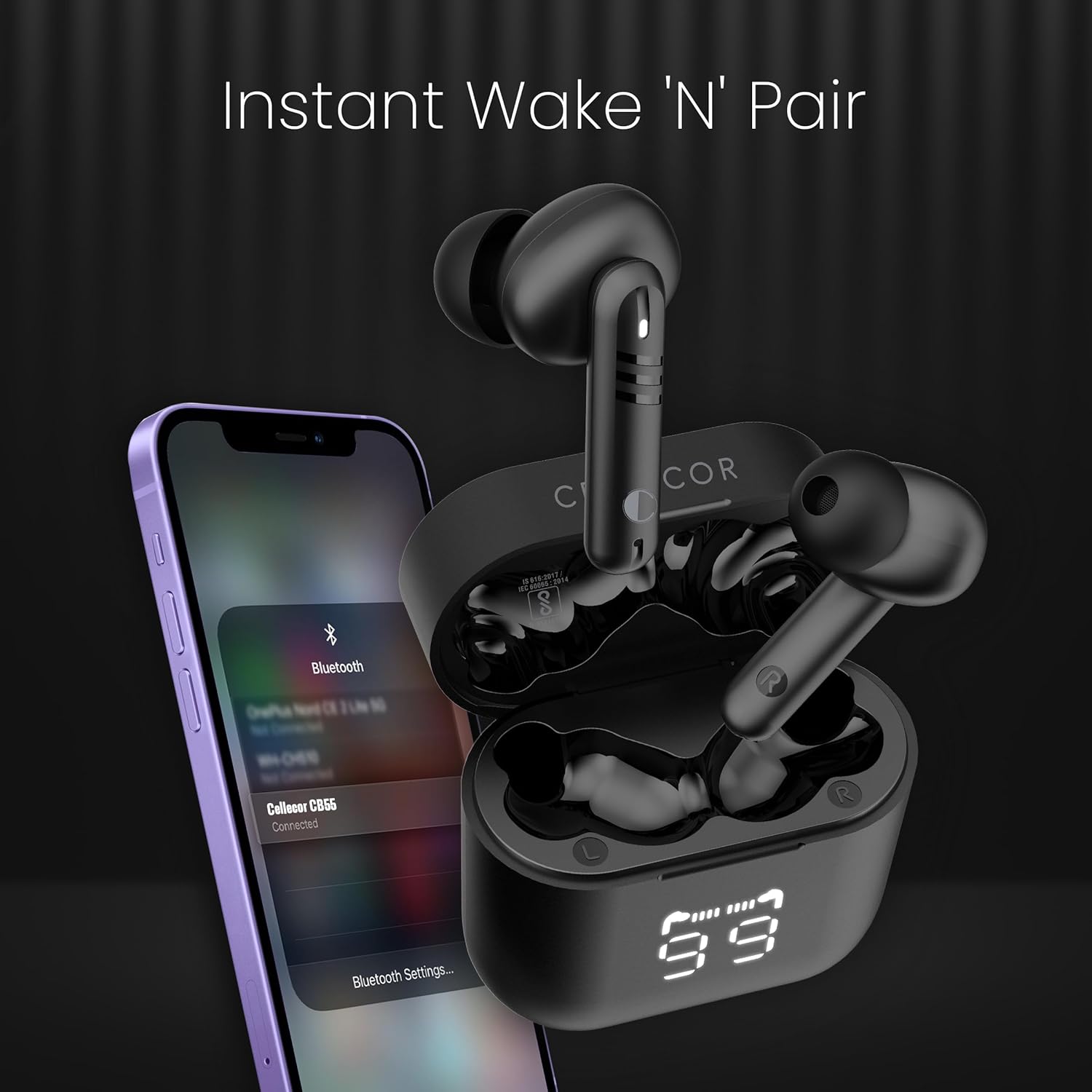
Image: The earbuds and charging case demonstrating the 'Instant Wake 'N' Pair' feature with a smartphone's Bluetooth menu.
4. Operating Instructions
4.1 Touch Controls
The CELLECOR BROPODS CB55 feature intuitive touch controls for managing audio playback and calls.
- Play/Pause: Single tap on either earbud.
- Next Track: Double tap on the right earbud.
- Previous Track: Double tap on the left earbud.
- Answer/End Call: Single tap on either earbud.
- Reject Call: Press and hold either earbud for 2 seconds.
- Activate Voice Assistant: Triple tap on either earbud.
- Volume Up/Down: Specific gestures may vary; refer to the quick start guide for detailed volume control instructions.

Image: A detailed view of the earbud, illustrating the quick response touch control functionality.
4.2 Environmental Noise Cancellation (ENC)
The earbuds are equipped with Environmental Noise Cancellation technology to reduce ambient noise during calls, ensuring clearer communication.

Image: A user wearing the earbud, demonstrating the Environmental Noise Cancellation feature.
4.3 Playback Time
Enjoy up to 60 hours of total playback time with the charging case. A quick 10-minute charge via USB-C provides approximately 120 minutes of playtime.

Image: The earbuds and charging case highlighting the impressive 60-hour playback time.
5. Maintenance
5.1 Cleaning
Regularly clean your earbuds and charging case with a soft, dry, lint-free cloth. Avoid using abrasive materials or harsh chemicals. Do not immerse the earbuds or case in water.
5.2 Water Resistance
The CELLECOR BROPODS CB55 are rated IP67 for water resistance, meaning they are protected against dust and can withstand immersion in water up to 1 meter for 30 minutes. They are resistant to sweat and drizzles, making them suitable for workouts and outdoor activities. However, they are not designed for swimming or prolonged water immersion.

Image: The charging case with water droplets, illustrating its sweat and water-resistant design.
5.3 Storage
Store the earbuds in their charging case when not in use to protect them and ensure they remain charged. Avoid extreme temperatures and direct sunlight.
6. Troubleshooting
If you encounter issues with your CELLECOR BROPODS CB55, try the following steps:
- No Sound: Ensure earbuds are charged and properly paired. Check device volume and earbud placement.
- Pairing Issues: Turn off Bluetooth on your device, then turn it back on. Reset the earbuds by placing them in the case, closing it, and then reopening. Try pairing again.
- One Earbud Not Working: Place both earbuds back in the charging case, close the lid, wait a few seconds, then open it again. This often re-syncs them.
- Charging Problems: Ensure the charging cable is securely connected to both the case and the power source. Try a different USB port or cable.
- Unresponsive Touch Controls: Ensure your fingers are clean and dry. Try restarting the earbuds by placing them in the case.
If problems persist, please contact customer support.
7. Specifications
| Feature | Specification |
|---|---|
| Model Name | CB-55 TWS |
| Bluetooth Version | 5.1 |
| Playback Time | Up to 60 hours (with charging case) |
| Charging Type | USB Type-C Fast Charging |
| Charging Time | Approx. 60 minutes |
| Driver Unit | 13mm Dynamic Driver |
| Water Resistance Level | IP67 (Water Resistant) |
| Noise Control | Environmental Noise Cancellation (ENC) |
| Control Method | Touch |
| Compatible Devices | Smartphones, Laptops, Gaming Consoles, Desktops, Tablets |
| Ear Placement | In Ear |
| Weight | 100 Grams (approx.) |
8. Warranty and Support
8.1 Warranty Information
The CELLECOR BROPODS CB55 TWS Earbuds come with a 6 Months Manufacturer Warranty from the date of purchase. Please retain your proof of purchase for warranty claims. The warranty covers manufacturing defects but does not cover damage caused by misuse, accidents, unauthorized modifications, or normal wear and tear.
8.2 Customer Support
For technical assistance, warranty claims, or any other inquiries, please contact CELLECOR customer support:
- Importer Contact: Cellecor Gadgets Limited, New Delhi-110085, India
- Manufacturer: SEI LLP, Noida, Uttar Pradesh, 201301, India / Shen zhen shi King Boll Technology Co., LTD.
- Visit the official CELLECOR website for the latest support information and contact details.
