Introduction
Thank you for choosing the Philips Series 3000 Electric Shaver. This manual provides essential information for the safe and effective use of your new shaver. Please read all instructions carefully before first use and keep this manual for future reference.
Important Safety Information
Warning: Use this shaver with caution to avoid cuts or skin irritation. Exercise care when using the shaver in the shower or under running water. Follow the cleaning and charging instructions to reduce the risk of bacterial growth and prevent battery damage. Always ensure the appliance is switched off and unplugged before cleaning or performing maintenance.
What's in the Box
Carefully unpack your Philips Series 3000 Electric Shaver and check for the following components:
- 1x Philips Series 3000 Electric Shaver for men
- 1x Protective cap
- 1x Travel case
- 1x USB-A charging cable (power adapter not included)

Image: The Philips Series 3000 electric shaver, its protective cap, travel case, and USB charging cable are included in the package.
Setup
Initial Charging
Before first use, fully charge your shaver. Connect the USB-A charging cable to the shaver and plug the USB-A end into a compatible USB power adapter (not included). A full charge takes approximately 1 hour and provides up to 60 minutes of shaving time. A 5-minute quick charge provides enough power for one shave.
- Ensure the shaver is dry before charging.
- The battery indicator lights will show the charging status.
- Once fully charged, disconnect the shaver from the power source.
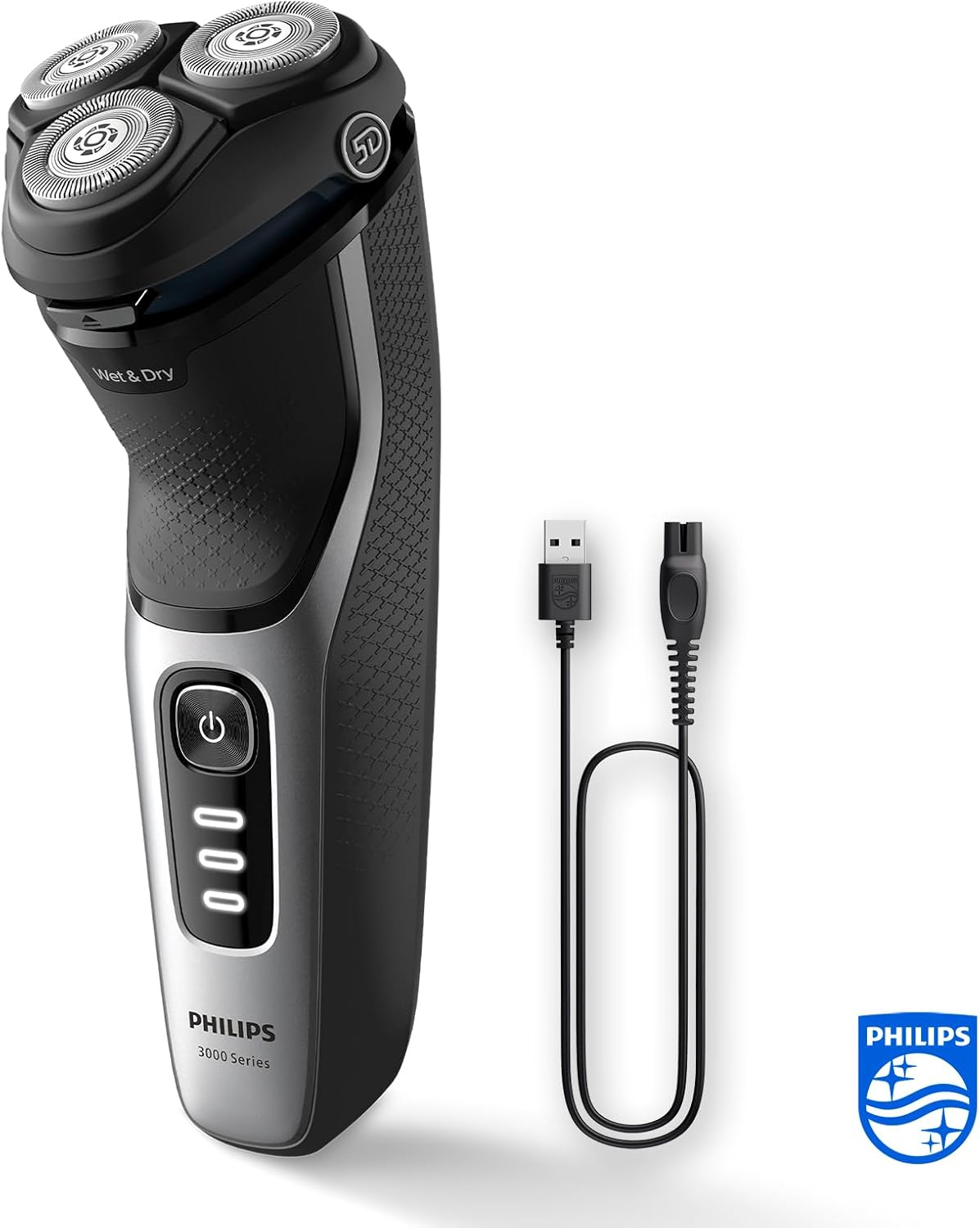
Image: The Philips Series 3000 electric shaver connected to its USB-A charging cable, ready for charging.
Operating Instructions
Shaving Your Face
The Philips Series 3000 shaver is designed for both wet and dry shaving, offering flexibility and comfort.
- Dry Shaving: For a quick and convenient shave, simply switch on the shaver and move it in circular motions over your face.
- Wet Shaving: For a refreshing shave, you can use the shaver with shaving foam or gel, or even under the shower. Apply foam or gel to your skin and then shave in circular motions.
The shaver features SkinProtect technology and 5D Pivot & Flex heads that follow the contours of your face, ensuring a comfortable and precise shave while protecting your skin from nicks and cuts. The PowerCut blades are self-sharpening and cut hair just above the skin's surface for a smooth finish.

Image: A man shaves his face with the Philips Series 3000 shaver, demonstrating the SkinProtect technology for a comfortable shave.

Image: The Philips Series 3000 shaver can be used for both wet shaving with foam or dry shaving, offering versatility.
Using the Pop-Up Trimmer
The integrated pop-up trimmer is ideal for maintaining your mustache and sideburns. To activate, simply slide the trimmer switch upwards. Use the trimmer to create precise lines and edges.

Image: A close-up view of the pop-up trimmer in use, perfect for detailing sideburns and mustaches.
Maintenance and Cleaning
Regular cleaning ensures optimal performance and extends the lifespan of your shaver.
Cleaning After Each Use
- Switch off the shaver and disconnect it from the power source.
- Press the one-touch release button to open the shaver head.
- Rinse the shaver head thoroughly under warm running water until all hair and debris are removed.
- Shake off excess water and allow the shaver head to air dry before closing it or attaching the protective cap.
Blade Care
The Philips Series 3000 features self-sharpening PowerCut blades made from hypoallergenic steel, designed for durability and consistent performance. These blades are expected to last up to 2 years with proper care. Replace the shaving heads when you notice a decrease in shaving performance.

Image: A close-up of the Philips PowerCut blades, engineered for a precise and comfortable shave.
Troubleshooting
If you encounter any issues with your Philips Series 3000 shaver, please refer to the following common solutions:
- Shaver not turning on: Ensure the shaver is fully charged. If the battery is completely drained, it may take a few minutes of charging before the shaver responds.
- Poor shaving performance: Clean the shaving heads thoroughly. If the issue persists, the shaving heads may need replacement.
- Skin irritation: Ensure you are using the shaver correctly, applying gentle pressure. If wet shaving, try using a different shaving foam or gel. Allow your skin to adapt to the new shaver for a few weeks.
- Charging issues: Verify that the USB-A cable is properly connected to both the shaver and a working USB power adapter.
For more detailed troubleshooting, please visit the official Philips support website or contact customer service.
Specifications
| Model Number | S3241/12 |
| Shaving System | PowerCut blades, 5D Pivot & Flex heads |
| Shaving Type | Wet & Dry |
| Battery Type | Lithium-ion |
| Run Time | Up to 60 minutes |
| Charging Time | 1 hour for full charge, 5-minute quick charge |
| Power Source | Cordless, USB-A charging |
| Special Features | SkinProtect technology, Pop-up trimmer, One-touch open for cleaning |
| Blade Material | Hypoallergenic Stainless Steel |
| Color | Deep Black / Silver |
| Dimensions (Packaging) | 21.3 x 14.1 x 8.4 cm |
| Weight | 420 grams |
Warranty and Support
Warranty Information
Your Philips Series 3000 Electric Shaver is covered by a manufacturer's warranty. Please refer to the warranty card included in your product packaging or visit the official Philips website for detailed terms and conditions specific to your region. Keep your proof of purchase for warranty claims.
Customer Support
For further assistance, product registration, or to purchase replacement parts, please visit the official Philips support website or contact their customer service department. Contact details can typically be found on the Philips website or in your product documentation.
Online Support: www.philips.com/support


