
CHROX B0CHMMX18S
CHROX Dashboard Cover User Manual
For Hyundai i10 2nd Generation (2014-2018) - Left Hand Drive
1. Product Overview
The CHROX Car Inner Dashboard Cover is designed to protect and enhance the dashboard of your Hyundai i10 2nd Generation (2014-2018) Left Hand Drive vehicle. Crafted from high-quality polyester, this dash mat offers protection against sun damage, reduces glare, and helps regulate interior temperature.
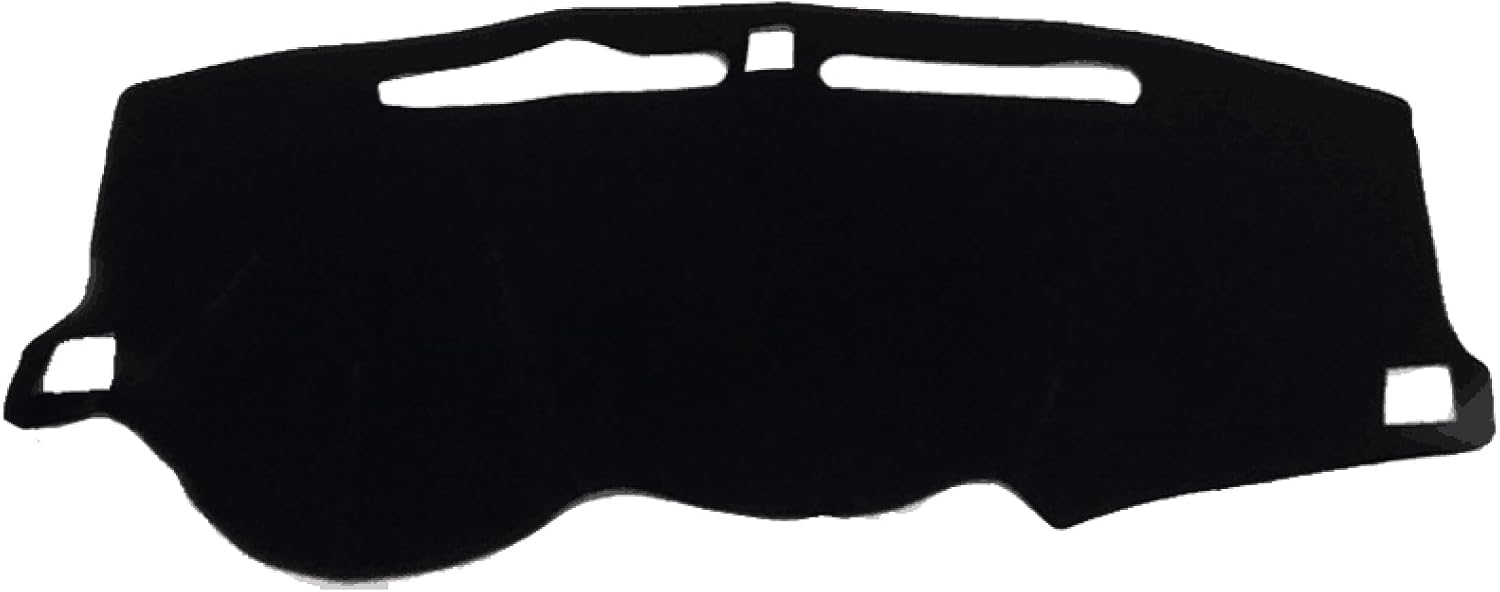
Image: The CHROX Dashboard Cover, a black mat designed to fit the contours of a car dashboard.

Image: The dashboard cover precisely fitted onto the dashboard of a Hyundai i10, showing its integration with the car's interior.
2. Features
- Temperature Regulation: Helps keep your vehicle's interior cooler in summer and warmer in winter by insulating the dashboard.
- Glare Reduction: Significantly reduces dangerous glare from the sun reflecting off the dashboard, improving driving visibility and safety.
- Dashboard Protection: Shields your dashboard from harmful UV rays, preventing sun damage, cracking, and fading over time.
- Durable Material: Made from high-quality polyester that is designed not to shrink, fade, or distort.
- Environmental Friendly: Constructed from environmental material with no chemical smells or odors.
- Anti-Slip Design: Helps prevent items from sliding on your car dash.
3. Compatibility
This dashboard cover is specifically designed for the following vehicle model:
- Vehicle: Hyundai i10 2nd Generation (IA BA Series)
- Model Years: 2014, 2015, 2016, 2017, 2018
- Steering Position: Only for Left Hand Drive (LHD) models.
Important: This product is not suitable for Right Hand Drive (RHD) models. Please verify your car model and dashboard configuration to ensure correct fitment before installation.
4. Package Contents
Upon opening the package, you should find the following item:
- 1 x CHROX Car Dashboard Cover (Black)
5. Setup and Installation
Installing your CHROX Dashboard Cover is a simple process that takes approximately 3 minutes. No special tools are required.
- Clean the Dashboard: Before placing the cover, ensure your car's dashboard surface is clean and free of dust or debris. You may use a damp cloth to wipe it down, then allow it to dry completely.
- Position the Cover: Carefully unroll and place the dashboard cover onto your car's dashboard, aligning it with the vents, sensors, and contours of the dashboard.
- Secure with Velcro Tabs: The cover comes with velcro tabs to help secure it in place and prevent slippage. Press down firmly on the cover where the velcro tabs are located to ensure a snug fit.
- Allow to Settle: If the dashboard cover appears wavy or creased from packaging, lay it flat for 24 hours in a warm environment (e.g., inside the car on a sunny day) to allow it to flatten out completely.

Image: A four-panel illustration demonstrating the installation process: 1. Wiping the dashboard clean. 2. Placing the cover. 3. Securing with velcro. 4. Final installed appearance.
6. Care and Maintenance
To maintain the appearance and longevity of your CHROX Dashboard Cover, follow these simple care instructions:
- Cleaning: Gently wipe the surface with a clean, damp cloth to remove dust and light dirt. For more stubborn stains, a mild soap solution can be used, followed by wiping with a clean, damp cloth and air drying.
- Avoid Harsh Chemicals: Do not use harsh detergents, bleach, or abrasive cleaners, as these can damage the polyester material and affect its color.
- Drying: Allow the cover to air dry completely before reinstalling it on the dashboard.
- Storage: If removing the cover for extended periods, store it flat or loosely rolled to prevent creasing.
7. Troubleshooting
If you encounter any issues with your dashboard cover, please refer to the following common solutions:
| Problem | Solution |
|---|---|
| Dashboard cover appears wavy or creased. | Lay the cover flat for at least 24 hours, preferably in a warm environment (e.g., inside the car on a sunny day), to allow the material to relax and flatten out. |
| Cover does not stay in place. | Ensure the dashboard surface is clean and dry before installation. Press down firmly on the velcro tabs to ensure they adhere properly. If needed, additional adhesive velcro strips can be used (not included). |
8. Specifications
| Attribute | Detail |
|---|---|
| Product Name | Car Inner Dashboard Cover Dash Mat Carpet Cape |
| Brand | CHROX |
| Material | High quality Polyester |
| Color (This Variant) | Black |
| Compatibility | Hyundai i10 2nd Generation (2014-2018), Left Hand Drive |
| ASIN | B0CHMMX18S |
| Manufacturer Reference | 4971733510578 |
| Date First Available | 8 September 2023 |
9. Customer Support
We are committed to providing a good shopping experience. If you have any questions regarding the product, its compatibility, installation, or any other concerns, please do not hesitate to contact us. We are here to assist you and resolve any issues you may encounter.
Please refer to your purchase platform for specific contact methods for CHROX customer service.
Ask a question about this manual
Ask about setup, troubleshooting, compatibility, parts, safety, or missing instructions. Manuals+ will review the question and use this page’s manual context to help answer it.