
1. Introduction
Thank you for purchasing the WUYJTIF Pandora Box 30S Portable Arcade System. This manual provides essential information for setting up, operating, and maintaining your device. Please read it thoroughly before use to ensure optimal performance and longevity of your arcade system.
The Pandora Box 30S is a portable arcade system featuring a 14-inch HD screen, a vast library of pre-installed games, and a built-in battery for on-the-go entertainment. Its design allows for easy portability and quick setup.
2. Package Contents
Verify that all items listed below are included in your package:
- Game Console (1)
- Gamepad (1)
- User Manual (1)
- HDMI Cable (3m) (1)
- VGA Cable (3m) (1)
- 12V Power Adapter (1)
- Spare Buttons (2)
3. Setup Instructions
3.1 Unpacking and Initial Inspection
Carefully remove all components from the packaging. Inspect the arcade system and accessories for any signs of damage. If any items are missing or damaged, please contact customer support.
3.2 Installing the Joystick
The joystick is stored separately for portability. To install:
- Open the arcade system by unlatching the front clasps.
- Locate the joystick shaft on the side of the unit.
- Gently screw the joystick handle onto the shaft until it is secure.
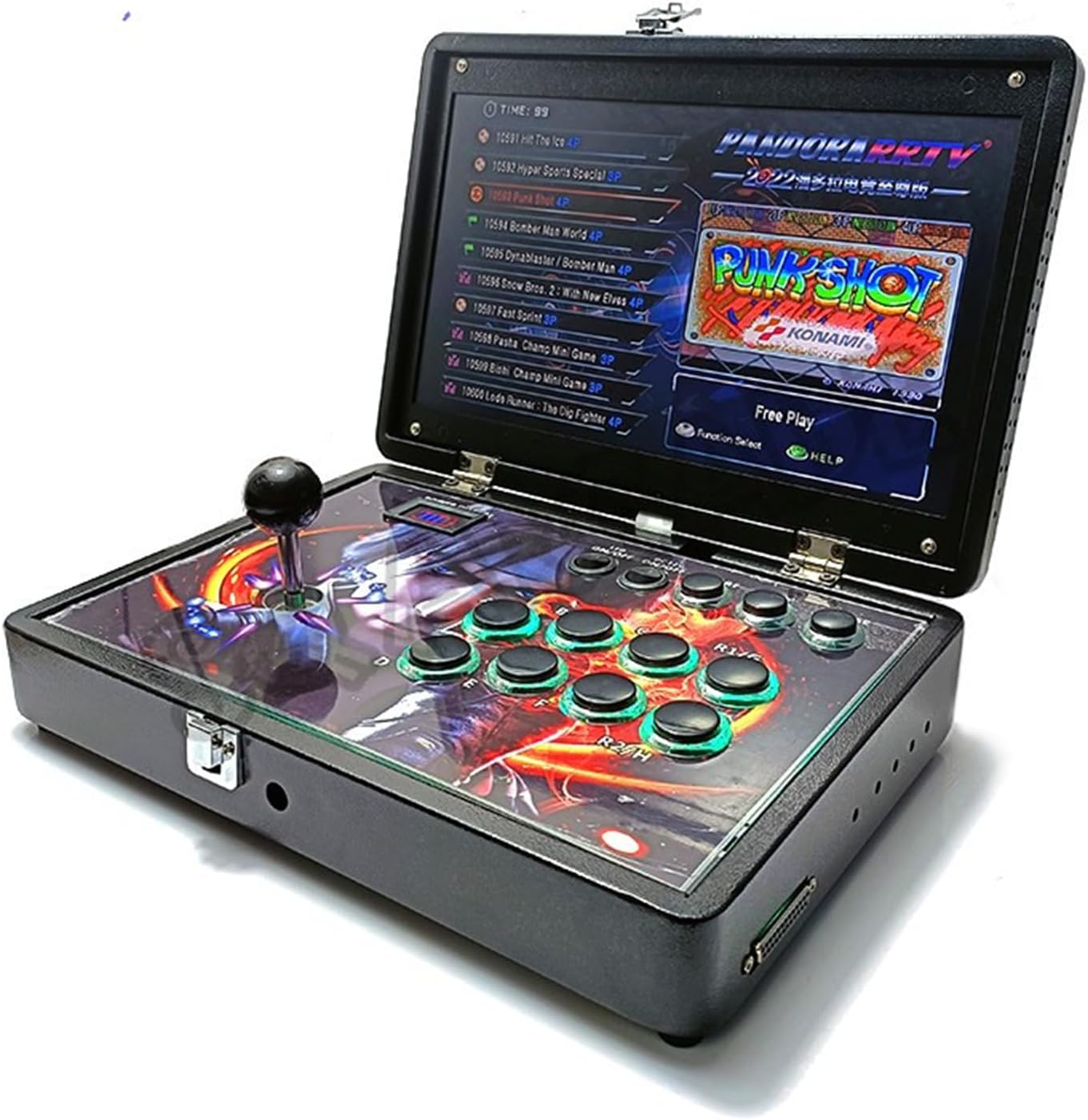
Figure 3.2.1: The image shows a hand screwing the joystick handle onto the arcade system's base. The system is open, revealing the control panel with buttons and the screen.
3.3 Powering On the System
The Pandora Box 30S can be powered by its internal battery or by the included 12V power adapter.
- Battery Power: Ensure the internal 9000mAh lithium battery is charged. The system can operate for approximately 4 hours on a full charge.
- AC Power: Connect the 12V power adapter to the DC 12V port on the back of the unit and plug it into a wall outlet.
Once powered, locate the 'DC 12V ON/OFF' switch on the control panel and set it to 'ON'. The system will boot up automatically.

Figure 3.3.1: This image displays the Pandora Box 30S arcade system with a close-up of its power display, indicating battery charge level. The text 'POWER DISPLAY' and 'Battery meter' are visible.
3.4 Connecting to External Displays (Optional)
The system supports external display connections via HDMI or VGA.
- HDMI: Use the provided HDMI cable to connect the system's HDMI port to an HDMI-compatible display (e.g., 4K TV).
- VGA: Use the provided VGA cable to connect the system's VGA port to a VGA-compatible display or projector.

Figure 3.4.1: This image illustrates the various interface ports on the back of the Pandora Box 30S, including DC 12V, HDMI, VGA, AUDIO, VOL, SET, and USB ports, along with the system's dimensions.
4. Operating Instructions
4.1 Navigating the User Interface
The Pandora Box 30S features a user-friendly interface. Use the joystick and buttons to navigate through menus and select options.
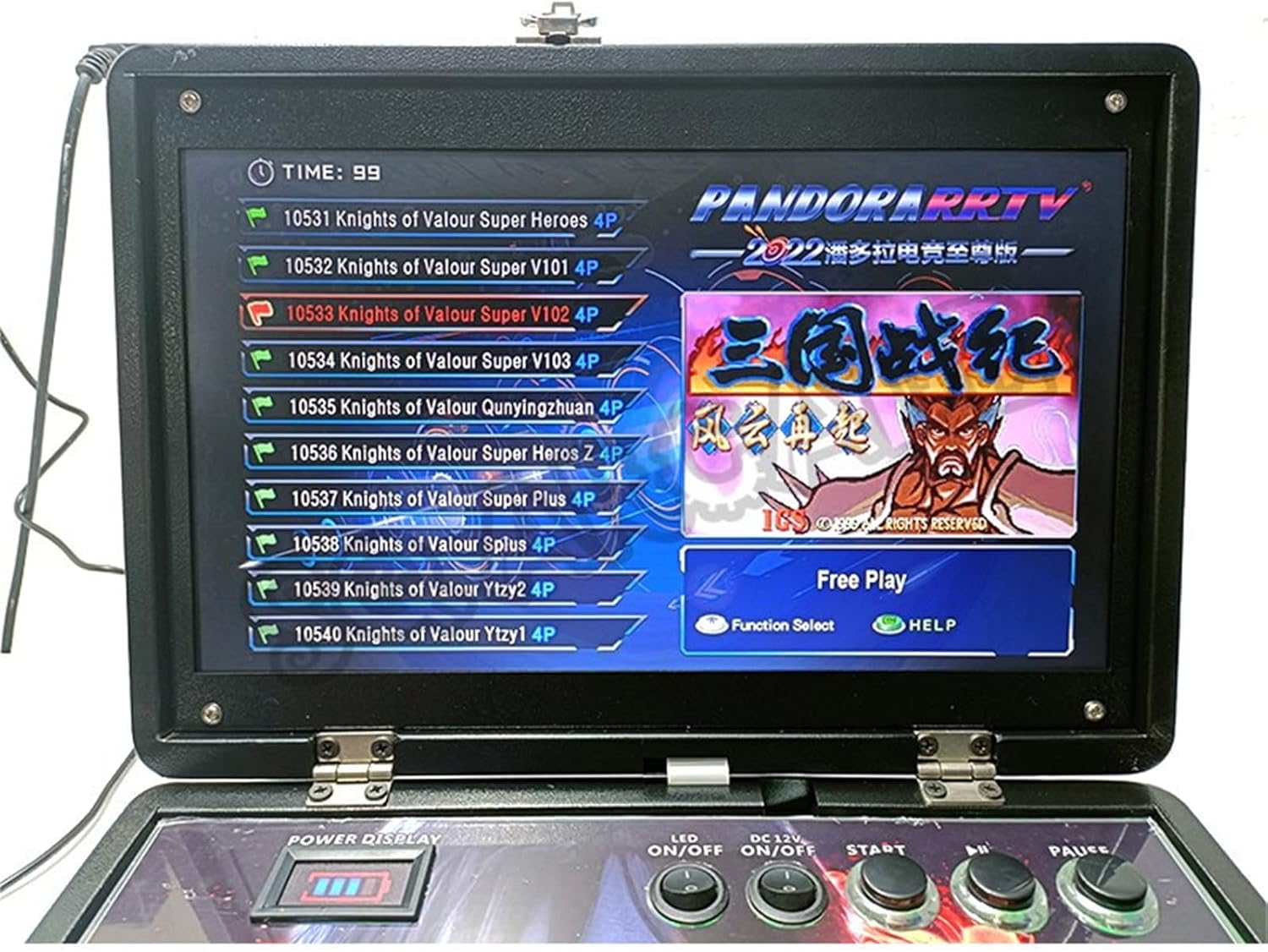
Figure 4.1.1: A close-up view of the Pandora Box 30S screen displaying a list of games, with 'Function Select' and 'HELP' options at the bottom.
4.2 Game Selection and Play
The system comes pre-loaded with approximately 10,000 classic arcade games, categorized for easy searching (e.g., fighting, shooting, sports, 3D).
- Use the joystick to scroll through the game list.
- Press the 'A' button (or equivalent action button) to select a game.
- Press the 'START' button to begin playing.
4.3 System Functions
The Pandora Box 30S includes several enhanced functions:
- Search Games: Quickly find specific titles within the extensive game library.
- Pause Games: Temporarily halt gameplay.
- Save/Load Games: Save your progress and resume later.
- Edit Favorite List: Create a personalized list of your most played games for quick access.
- Hide Games: Remove unwanted games from the visible list.
- Recent Games: Access a list of recently played titles.
- Key Settings: Customize button layouts, perform I/O tests, and configure gamepad settings.
- Edit Difficulty and Life: Adjust game difficulty and number of lives for a tailored experience.
- Language Settings: Switch between English, Korean, and Spanish.
- One-click Burst: Activate rapid-fire functionality for certain games.
Video 4.3.1: This video demonstrates the key features of the Pandora Box 30S, including its portability, joystick installation, game pausing and saving, HD display quality, and overall ease of use. It highlights the system's functionality and design.
4.4 Connecting External Controllers (Optional)
The USB port on the back of the unit allows for connection of additional game controllers, enabling multi-player gameplay if supported by the game.
5. Maintenance
5.1 Cleaning
To clean the arcade system, use a soft, dry cloth. For stubborn marks, slightly dampen the cloth with water. Avoid using harsh chemicals or abrasive cleaners, as these can damage the finish and screen.
5.2 Battery Care
The built-in 9000mAh lithium battery provides approximately 4 hours of playtime. To prolong battery life:
- Avoid fully discharging the battery frequently.
- Store the device in a cool, dry place when not in use.
- If storing for an extended period, charge the battery to about 50% before storage.
6. Troubleshooting
If you encounter any issues with your Pandora Box 30S, please refer to the following common problems and solutions:
| Problem | Possible Cause | Solution |
|---|---|---|
| System does not power on | Low battery or power adapter issue | Ensure the power adapter is securely connected and plugged into a working outlet. Check battery charge level. |
| No image on external display | Incorrect cable connection or display input | Verify HDMI/VGA cable connections. Ensure the external display is set to the correct input source. |
| Joystick or buttons unresponsive | Loose connection or system glitch | Ensure the joystick is securely installed. Restart the system. If using external controllers, check their connection. |
| Game performance issues | Software or system load | Restart the system. Ensure no background processes are consuming resources (if applicable). |
If the problem persists after attempting these solutions, please contact customer support for further assistance.
7. Specifications
| Feature | Detail |
|---|---|
| Model | Pandora Box 30S |
| Screen Size | 14 inches |
| Display Resolution | 1280x720 HD |
| Processor | 8-core processor |
| RAM | 16GB |
| Storage Capacity | 128GB (for games) |
| Pre-installed Games | Approx. 10,000 classic arcade games |
| Battery | 9000mAh Lithium (approx. 4 hours playtime) |
| Connectivity | HDMI, VGA, USB |
| Material | All-metal casing, Plastic components |
| Dimensions (Folded) | 9.45 inches x 13.78 inches x 2.87 inches |
| Number of Players | 1 (supports external controllers for additional players) |
| Controller Type | Integrated Joystick and Buttons |
8. Warranty and Support
For warranty information or technical support, please refer to the contact details provided with your purchase or visit the official WUYJTIF website. Our support team is available to assist with any questions or issues you may encounter.
Please retain your proof of purchase for warranty claims.