Introduction
This manual provides essential information for the proper assembly, operation, maintenance, and troubleshooting of your GAZHOME 20 Gallon Double Tilt Out Wooden Trash Cabinet with Charging Station. Please read these instructions carefully before use and retain them for future reference.

Image: The GAZHOME Double Tilt Out Wooden Trash Cabinet in white, featuring two tilt-out compartments and a top drawer, with a charging station visible on the countertop.
Safety Information
Observe the following safety guidelines to prevent injury or damage to the product:
- Keep the charging station dry and away from water to prevent electrical hazards.
- Ensure the cabinet is placed on a stable, level surface to prevent tipping.
- Do not overload the countertop (maximum 150 lbs) or storage drawer (maximum 35 lbs).
- Regularly empty and clean trash cans to prevent pest infestations and maintain hygiene.
- Keep small children and pets away from the tilt-out mechanism during operation to avoid pinching.
Parts List
Before assembly, verify that all components are present and undamaged. Refer to the detailed parts list included in your product packaging. If any parts are missing or damaged, contact GAZHOME customer service.
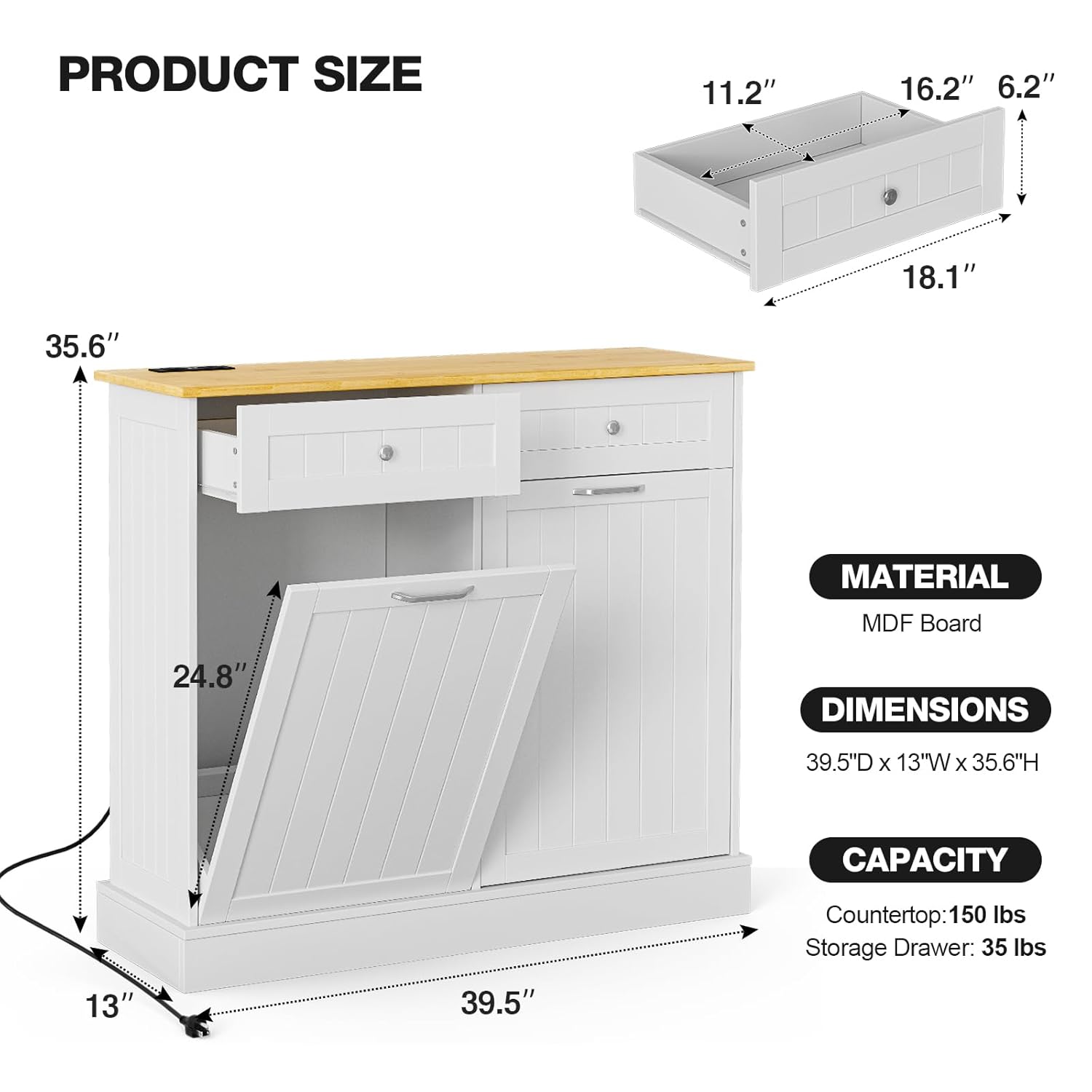
Image: Diagram illustrating the product dimensions (39.5"W x 13"D x 35.6"H), material (MDF Board), and weight capacities (Countertop: 150 lbs, Storage Drawer: 35 lbs).
Setup and Assembly
The GAZHOME trash cabinet is designed for straightforward assembly. All necessary hardware and detailed instructions are included in the package. We recommend having a Phillips head screwdriver and potentially an electric screwdriver for efficiency.
Assembly Steps:
- Unpack Components: Carefully remove all parts from the packaging and lay them out on a clean, soft surface to prevent scratches.
- Identify Parts: Match each component with the corresponding labels in the instruction manual.
- Follow Step-by-Step Instructions: Adhere to the numerical sequence provided in the included assembly manual. Pay close attention to the orientation of each piece, especially for pre-drilled holes.
- Secure Connections: Ensure all screws, dowels, and fasteners are tightened securely. Avoid over-tightening to prevent damage to the wood.
- Install Charging Station: Integrate the charging station into the designated top panel slot as per instructions.
- Final Adjustments: After full assembly, check the alignment of doors and drawers. Minor adjustments may be needed for optimal function.
Note: While assembly is designed to be simple, some users may find certain steps challenging. If you encounter difficulties, refer to the detailed diagrams in your included manual or seek assistance.
Operating Instructions
Using the Tilt-Out Trash Compartments:
- The cabinet is designed to accommodate two 10-gallon trash cans (not included).
- To access a trash can, gently pull the handle on the front panel. The panel will tilt forward, allowing easy removal and insertion of the trash can.
- To close, push the panel back into the cabinet until it is flush.
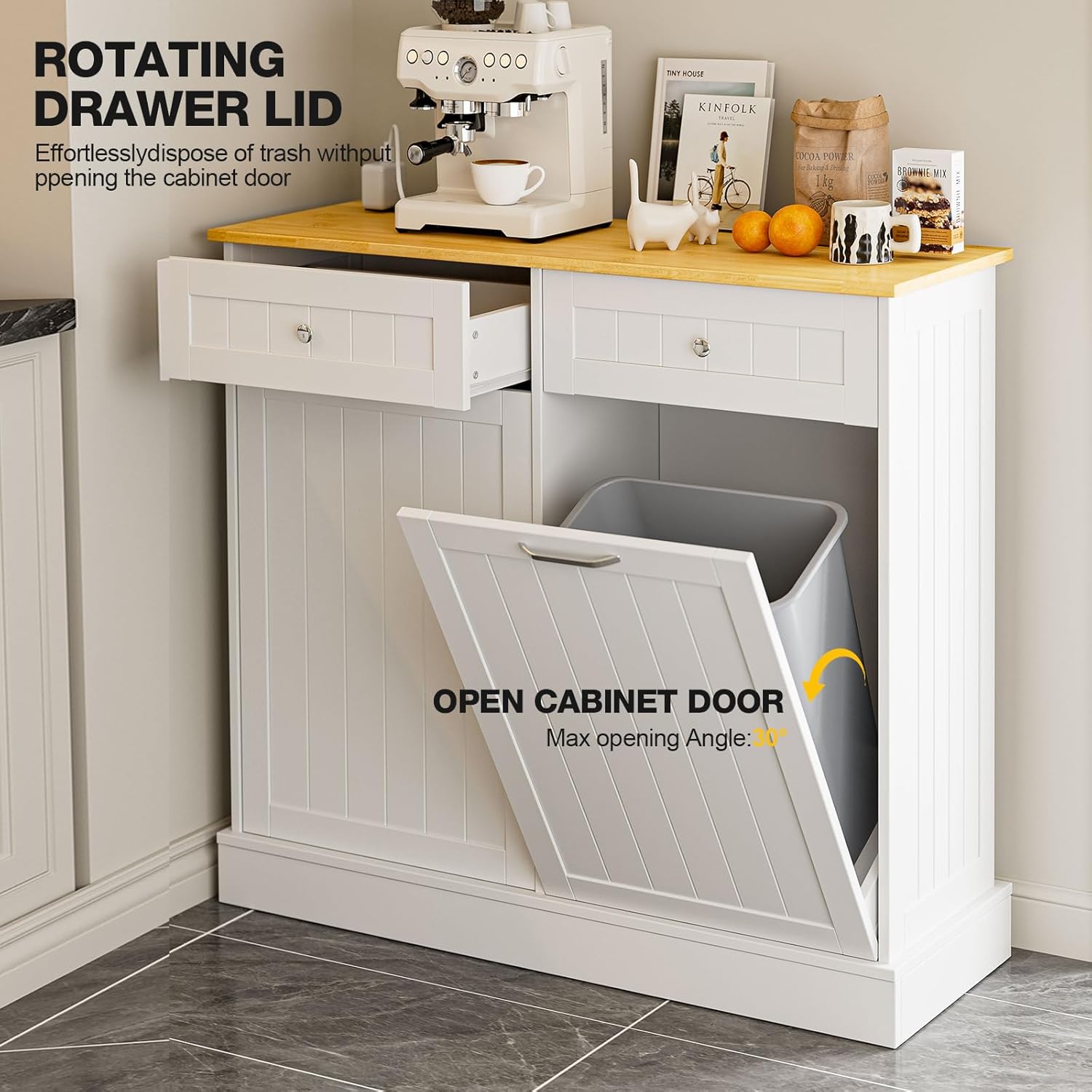
Image: The tilt-out cabinet door shown open, revealing a trash can. A top drawer with a rotating lid is also visible, designed for effortless disposal without fully opening the cabinet door.
Utilizing the Charging Station:
- The top panel features an integrated charging station with 2 standard AC outlets and 2 USB ports.
- Plug the cabinet's power cord into a standard wall outlet.
- Use the AC outlets for appliances such as coffee makers or microwaves.
- Use the USB ports to charge compatible electronic devices.
- Ensure the charging station remains dry and free from spills.

Image: A close-up view of the charging station embedded in the cabinet's countertop, showing two AC outlets and two USB ports, with a power cord extending from the unit.
Using the Storage Drawer:
- The cabinet includes a built-in drawer for additional storage.
- This drawer is suitable for storing items such as trash bags, cleaning supplies, or other kitchen essentials.
- Do not exceed the drawer's weight capacity of 35 lbs.
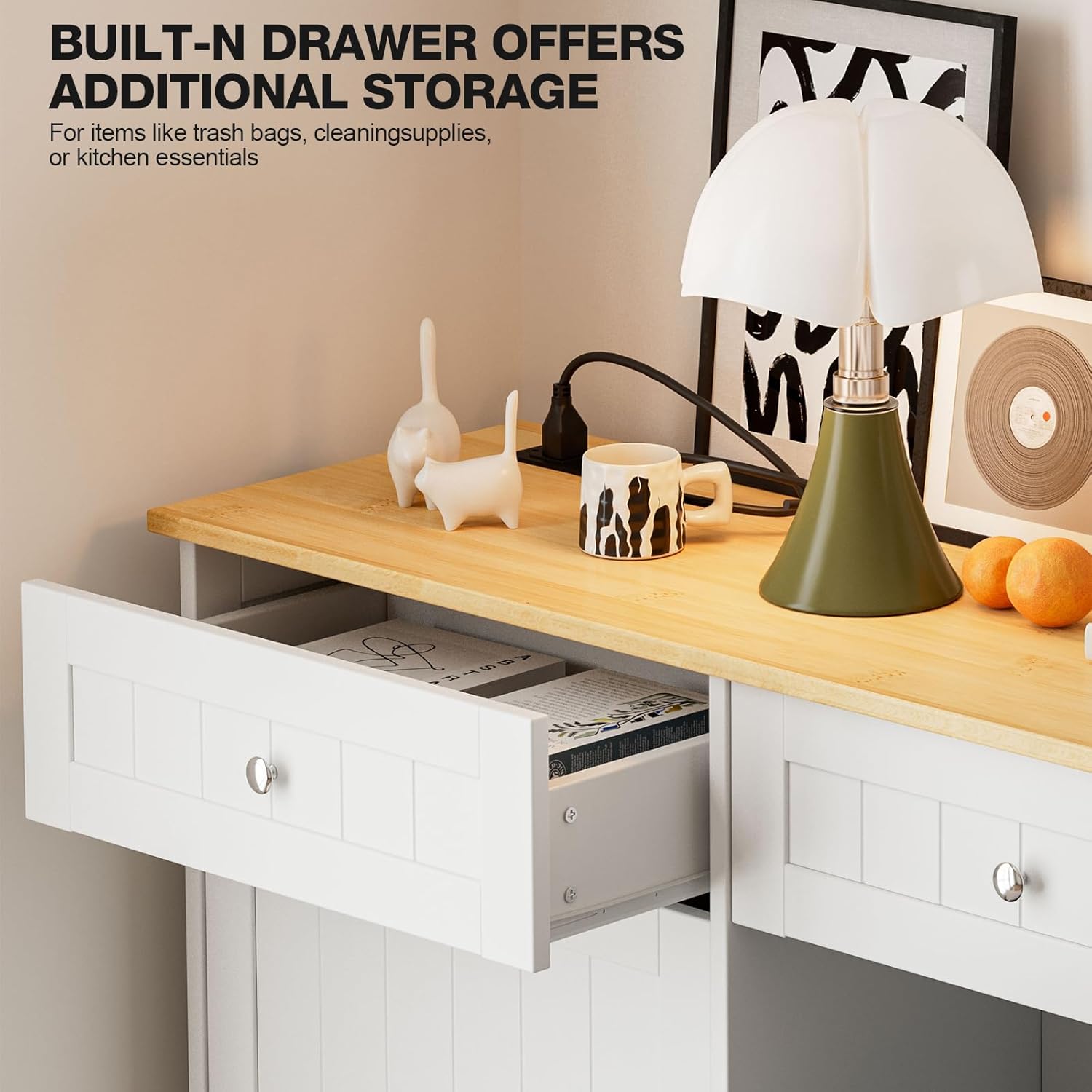
Image: The top storage drawer of the cabinet pulled open, showing space for small items like books or kitchen accessories.
Maintenance and Care
Regular maintenance ensures the longevity and appearance of your GAZHOME trash cabinet.
Cleaning:
- Wood Surfaces: Wipe with a soft, damp cloth daily. Avoid abrasive cleaners or harsh chemicals that can damage the finish. For spills, clean immediately.
- Stainless Steel Handles: Clean with a soft cloth and a mild, non-abrasive cleaner designed for stainless steel.
- Charging Station: Ensure the charging station is unplugged before cleaning. Wipe with a dry cloth. Do not use liquid cleaners near electrical components.
- Interior: Periodically clean the interior of the tilt-out compartments to prevent odors and maintain hygiene.
General Care:
- Avoid exposing the cabinet to excessive moisture or direct sunlight, which can cause warping or fading.
- Check all fasteners periodically and tighten if necessary to maintain structural integrity.
- Ensure the tilt-out doors operate smoothly. If they become stiff, check for obstructions or apply a small amount of silicone lubricant to the hinges if needed.
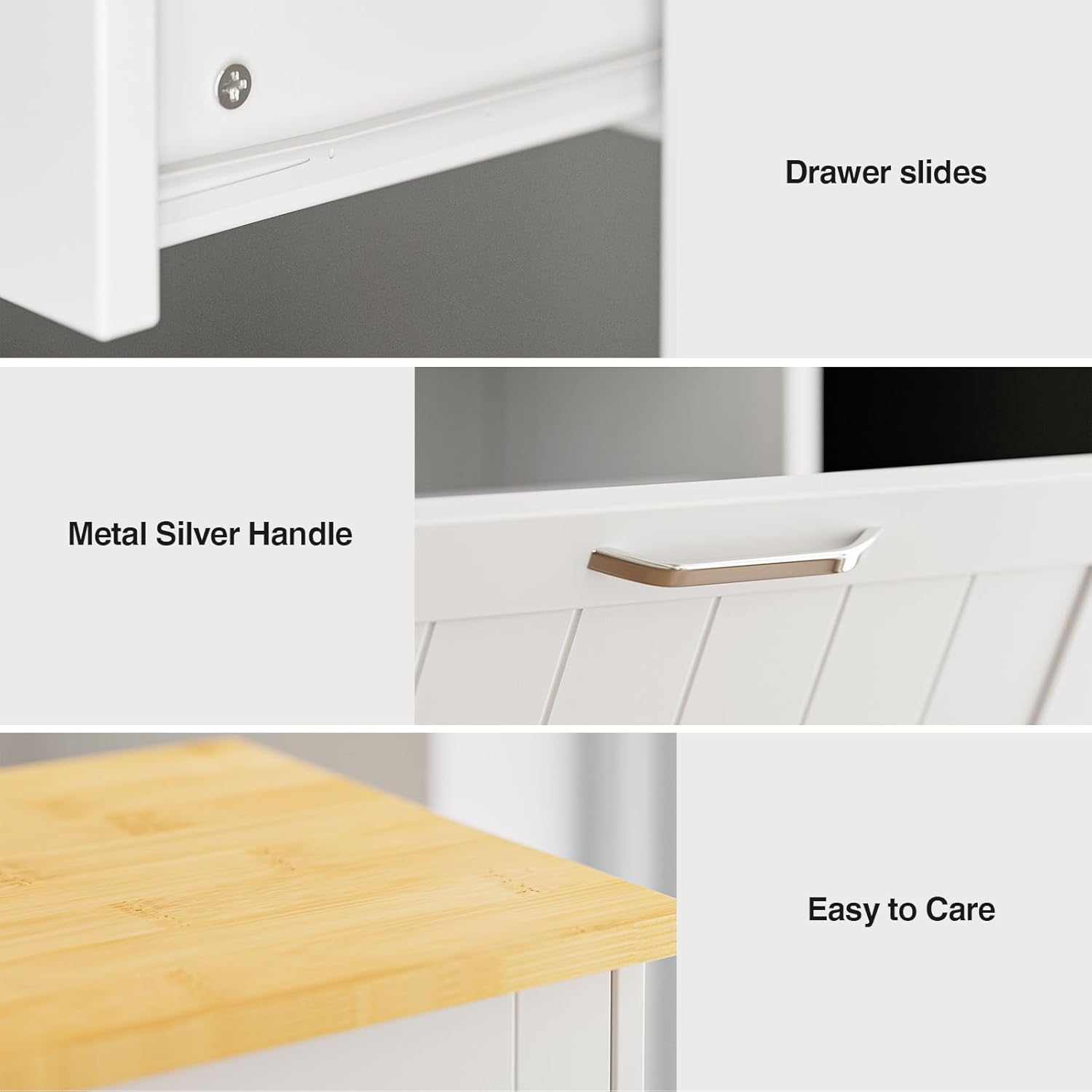
Image: Detailed views showing smooth drawer slides, a durable metal silver handle, and the easy-to-care-for countertop surface.
Troubleshooting
This section addresses common issues you might encounter with your trash cabinet.
| Problem | Possible Cause | Solution |
|---|---|---|
| Doors do not align properly. | Incorrect assembly; loose hinges. | Review assembly instructions for correct panel orientation. Tighten hinge screws. Adjust hinges if they offer adjustment points. |
| Drawer slides open unexpectedly. | Cabinet not level; drawer slides not properly installed or damaged. | Ensure the cabinet is on a level surface. Check drawer slide installation. If slides are damaged, contact customer service for replacement. |
| Charging station not working. | Power cord unplugged; circuit breaker tripped; faulty device. | Verify the cabinet's power cord is securely plugged into a functional wall outlet. Check your home's circuit breaker. Test with a different device to rule out device issues. |
| Cabinet feels wobbly or unstable. | Loose fasteners; uneven floor. | Tighten all assembly screws. Ensure the cabinet is on a flat, level surface. Use furniture levelers if necessary. |
If you experience issues not listed here or if the suggested solutions do not resolve the problem, please contact GAZHOME customer support.
Specifications
- Overall Dimensions: 39.5"W x 13.2"D x 36"H
- Material: High-quality MDF wood sheet, Stainless Steel
- Color: White
- Weight: Approximately 64 lbs
- Countertop Weight Capacity: 150 lbs
- Storage Drawer Weight Capacity: 35 lbs
- Recommended Trash Can Size: Two 10-gallon trash cans
- Charging Station: 2 Standard AC Outlets, 2 USB Ports
- Power Cord Length: Approximately 4.9 feet
- Model Number: trash cabinet
- ASIN: B0CHMFXSNC
Warranty and Support
For specific warranty details, please refer to the documentation included with your purchase or contact GAZHOME directly. GAZHOME is committed to customer satisfaction and provides support for its products.
Customer Service:
If you have any questions, require assistance with assembly, or need to report missing/damaged parts, please contact GAZHOME customer service. Our team is ready to assist you promptly and effectively.
For the most current contact information, please visit the official GAZHOME website or refer to your purchase receipt.


