
Devoko 0077B-1422
Devoko Electric Lift Desk User Manual
Model: 0077B-1422
1. Introduction
Thank you for choosing the Devoko Electric Lift Desk. This height-adjustable desk is designed to provide a versatile and ergonomic workspace, allowing you to effortlessly switch between sitting and standing positions. Featuring a robust electric lift system, memory presets, anti-collision function, and a built-in USB-A charging port, this desk enhances productivity and comfort in any home or office environment. Please read this manual thoroughly before assembly and operation to ensure safe and optimal use.
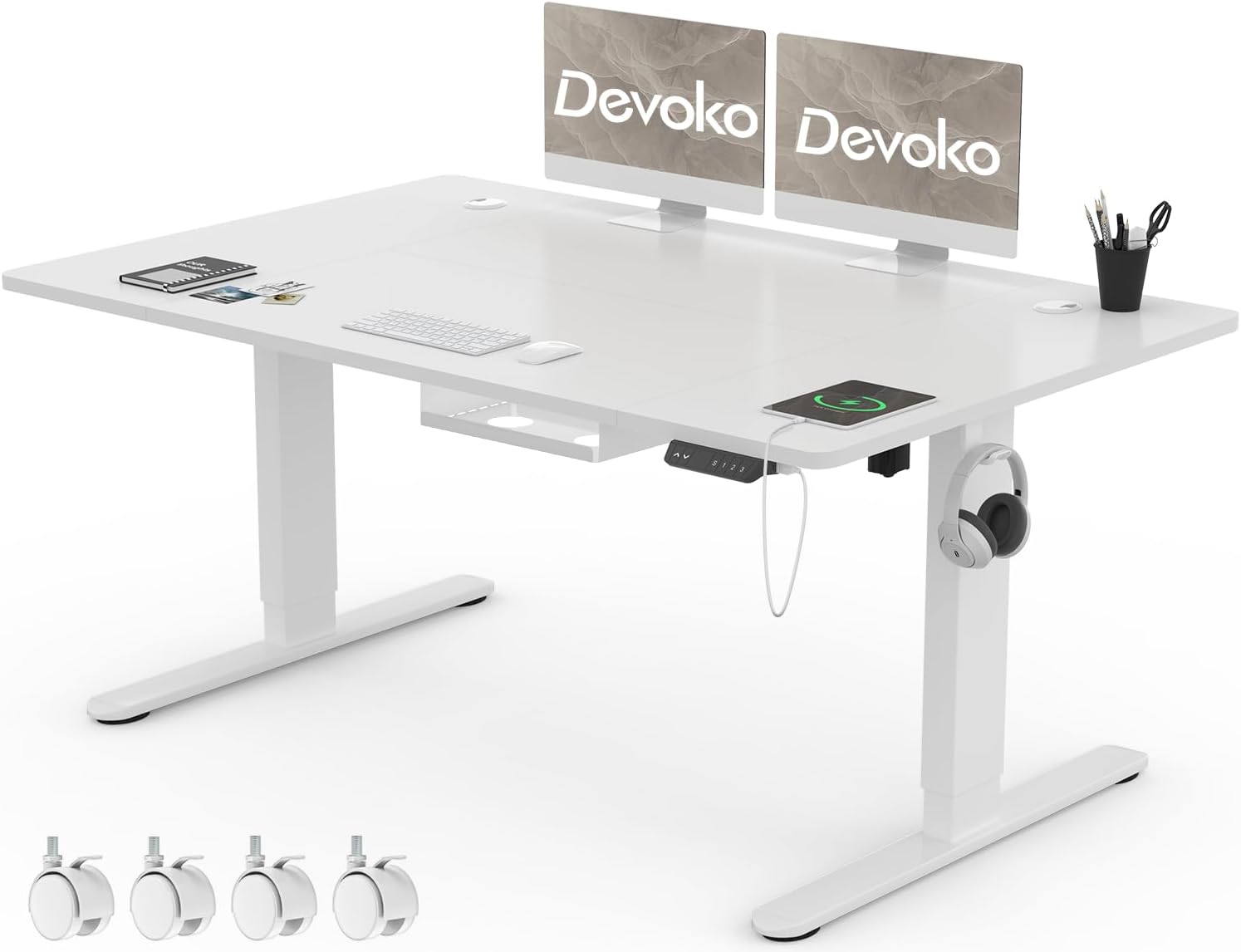
Image: The Devoko Electric Lift Desk, showcasing its spacious white tabletop, sturdy legs, integrated control panel, and convenient USB-A charging port. The image also highlights the included casters for mobility.
2. Safety Instructions
To ensure safe operation and prolong the lifespan of your Devoko Electric Lift Desk, please adhere to the following safety guidelines:
- Ensure all components are securely fastened before use.
- Keep children and pets away from the desk during operation to prevent injury.
- Do not place hands or other objects near the moving parts of the desk frame.
- Avoid overloading the desk. The maximum weight capacity is 100 kg (220 lbs).
- Do not sit or stand on the desk.
- Disconnect the power supply before cleaning or maintenance.
- Use only the provided power adapter.
- If the desk malfunctions or makes unusual noises, immediately stop use and disconnect power. Refer to the troubleshooting section or contact customer support.
- Ensure there are no obstructions above or below the desk when adjusting height to allow the anti-collision function to work effectively.
3. Package Contents
Please check the package carefully to ensure all listed components are present and undamaged.
- Desk Top (140 x 80 cm)
- Electric Lift Legs (2)
- Control Box
- Control Panel with USB-A Port
- Power Adapter and Cable
- Cable Management Tray
- Casters (4)
- Assembly Hardware (screws, bolts, washers)
- Assembly Tools (Allen wrench, screwdriver)
- User Manual

Image: An illustration of various desk components, including frame parts and assembly hardware, indicating the items typically found in the package.
4. Setup and Assembly
Assembly of the Devoko Electric Lift Desk is designed to be straightforward. It is recommended to have a second person assist with assembly, especially when handling the tabletop.
- Unpack Components: Carefully remove all parts from the packaging and lay them out on a clean, soft surface to prevent scratches.
- Attach Lift Legs: Secure the electric lift legs to the desk top using the provided screws and tools. Ensure they are aligned correctly.
- Install Control Box: Mount the control box to the underside of the desk top.
- Connect Cables: Connect the motor cables from the lift legs to the control box. Connect the control panel cable to the control box.
- Install Control Panel: Secure the control panel to the desired location on the underside of the desk, typically at the front edge.
- Attach Casters (Optional): If you wish to use the casters for mobility, screw them into the bottom of the desk feet. Ensure they are securely tightened.
- Cable Management: Install the cable management tray to organize power cords and other cables.
- Power Connection: Connect the power adapter to the control box and then plug it into a wall outlet.
- Initial Setup: Before first use, perform an initial reset (refer to Operating Instructions).

Image: A detailed view of a desk frame component being assembled, illustrating the attachment of a metal bracket with screws.

Image: The partially assembled desk frame, highlighting the connection points for the legs and the central crossbar, crucial for stability.
5. Operating Instructions
5.1 Control Panel Overview

Image: The intelligent multifunction control panel, featuring up/down arrows, a digital height display, 'S' for save, three memory preset buttons (1, 2, 3), a child lock icon, an anti-collision function icon, and a built-in USB-A charging port.
- ▲ / ▼ Buttons: Press and hold to move the desk up or down. Release to stop at the desired height.
- Digital Display: Shows the current desk height in centimeters.
- S (Save) Button: Used to save current height settings to memory presets.
- 1, 2, 3 Buttons: Memory preset buttons. Press to automatically move the desk to a saved height.
- USB-A Charging Port: Located on the side of the control panel for convenient device charging.
5.2 Initial Reset
After initial assembly or if the desk encounters an error, a reset may be required.
- Press and hold the "▼" (down) button until the desk reaches its lowest position and slightly rebounds.
- Release the button. The desk is now reset and ready for use.
5.3 Setting Memory Presets
You can save up to three preferred heights for quick adjustments.
- Adjust the desk to your desired height using the ▲ or ▼ buttons.
- Press the "S" (Save) button. The display will show "S-" or flash.
- Within 3 seconds, press the desired memory preset button (1, 2, or 3). The display will show "S-1", "S-2", or "S-3" to confirm the height has been saved.
5.4 Anti-Collision Function
The desk is equipped with an anti-collision system that automatically stops and slightly reverses the desk's movement if it encounters an obstruction during height adjustment.
- Ensure the area above and below the desk is clear before adjusting height.
- If the anti-collision system is triggered, remove the obstruction and then resume adjustment.
- The sensitivity of the anti-collision function may be adjustable (refer to specific control panel instructions if issues persist).
5.5 USB-A Charging Port
The integrated USB-A port allows you to conveniently charge your mobile devices directly from the desk.
- Simply plug your device's USB charging cable into the port.
- Ensure the desk is powered on for the charging port to function.
6. Features
6.1 Height Adjustment Range
The Devoko Electric Lift Desk offers a wide height adjustment range from 72 cm (28.35 inches) to 118 cm (46.46 inches), accommodating various user heights and preferences for sitting or standing.
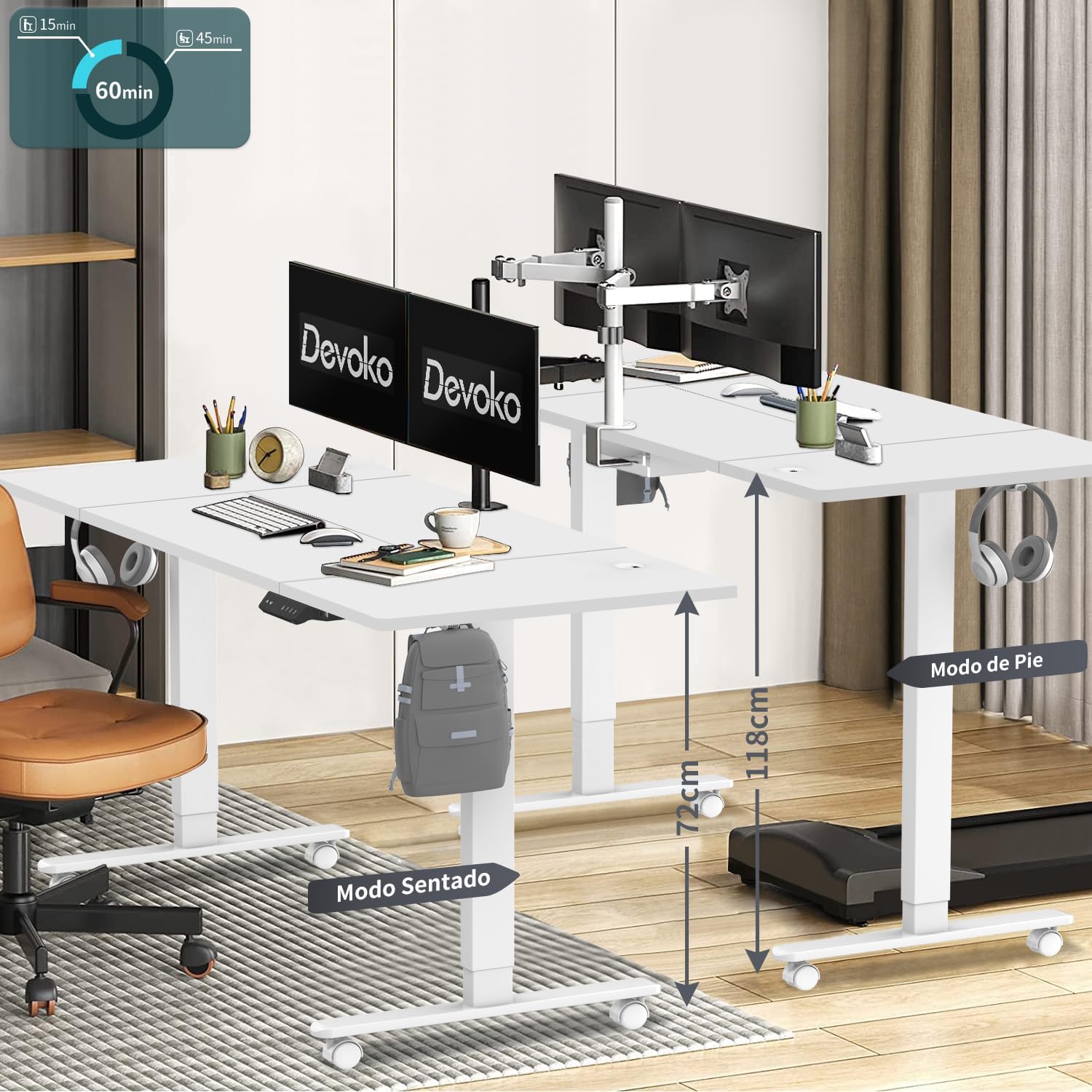
Image: The Devoko desk illustrating its adjustable height range, with visual indicators for sitting mode (72cm) and standing mode (118cm), demonstrating its ergonomic versatility.
6.2 Spacious Desktop
With dimensions of 140 cm (55.12 inches) in width and 80 cm (31.5 inches) in depth, the desk provides ample space for multiple monitors, a keyboard, mouse, and other office essentials.

Image: A technical diagram detailing the overall dimensions of the desk (140cm x 80cm, 72-118cm height) and the integrated cable management tray (56cm x 24cm x 15cm) and grommet (50mm diameter).
6.3 Cable Management
The desk includes a built-in cable management tray to help keep your workspace tidy and organized, reducing clutter from power cords and data cables.
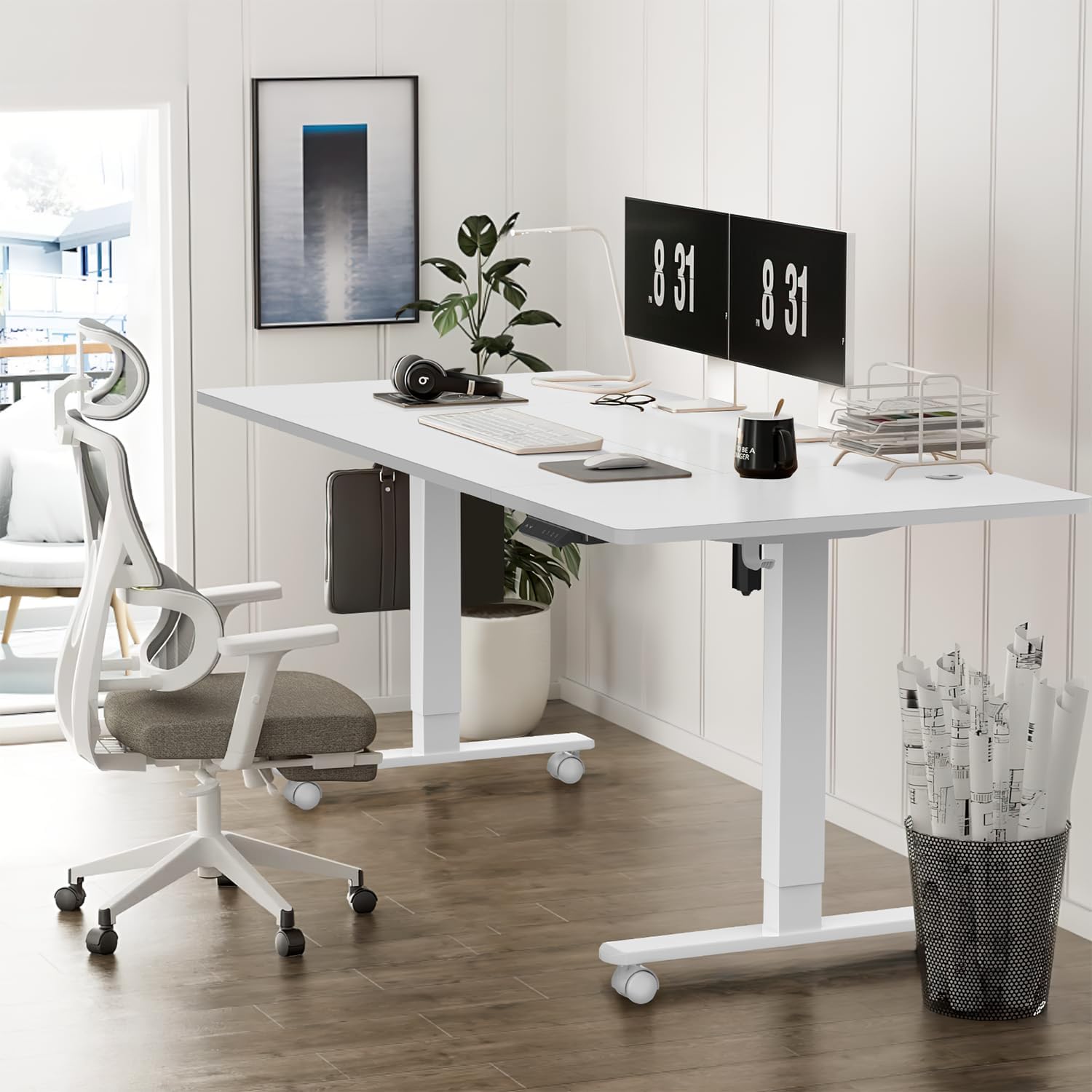
Image: A view of the integrated cable management tray, demonstrating how it effectively stores and organizes power strips and various cables, contributing to a cleaner workspace.
6.4 Mobility with Casters
The desk comes with four casters, allowing for easy movement and repositioning. These casters can be locked to ensure stability when the desk is in use.

Image: A diagram illustrating the two modes of the casters: free movement for easy relocation and a locked position for stability, highlighting their 360-degree mobility and ease of installation.
7. Maintenance
Regular maintenance will help keep your Devoko Electric Lift Desk in optimal condition.
- Cleaning: Wipe the desk surface and legs with a soft, damp cloth. Avoid abrasive cleaners or harsh chemicals that could damage the finish.
- Inspections: Periodically check all screws and bolts to ensure they are tight. Retighten if necessary.
- Cable Management: Ensure cables are neatly organized and not pinched or tangled, which could affect desk movement or damage wires.
- Power Cord: Inspect the power cord for any signs of damage. If damaged, discontinue use and contact customer support for a replacement.
8. Troubleshooting
If you encounter issues with your Devoko Electric Lift Desk, please refer to the following common problems and solutions:
| Problem | Possible Cause | Solution |
|---|---|---|
| Desk does not move. | Power cable disconnected, control box loose, motor cable loose, overload. | Check all cable connections. Ensure power is supplied. Reduce weight on desk. Perform initial reset. |
| Desk moves unevenly or makes unusual noise. | Loose connections, obstruction, damaged component. | Check all screws and connections. Ensure no obstructions. Perform initial reset. If problem persists, contact support. |
| Anti-collision function triggers too easily or not at all. | Sensitivity setting, obstruction. | Ensure no constant pressure on the desk. Some models allow sensitivity adjustment (refer to specific control panel instructions if available). |
| Error code displayed (e.g., E01, E02). | System malfunction, motor issue, overheating. | Disconnect power for 10 minutes, then reconnect and perform initial reset. If error persists, contact customer support with the specific error code. |
| USB charging port not working. | Desk not powered on, cable issue. | Ensure desk is powered on. Try a different USB cable or device. |
9. Specifications
| Feature | Detail |
|---|---|
| Model Number | 0077B-1422 |
| Brand | Devoko |
| Desktop Dimensions (W x D) | 140 cm x 80 cm (55.12" x 31.5") |
| Height Adjustment Range | 72 cm - 118 cm (28.35" - 46.46") |
| Maximum Weight Capacity | 100 kg (220 lbs) |
| Material | Engineered Wood (Desktop & Base) |
| Special Features | Electric Lift, 3 Memory Presets, Anti-Collision, USB-A Charging Port, Cable Management Tray, Casters |
| Power Input | AC 100-240V, 50/60Hz (via adapter) |
| Item Weight | 29.5 Kilograms |
10. Warranty and Support
The Devoko Electric Lift Desk comes with a Lifetime Warranty, ensuring peace of mind regarding the quality and durability of your product.
For technical support, warranty claims, or any questions regarding your product, please contact Devoko customer service through the following channels:
- Email: [Insert Devoko Support Email Here, if available, otherwise general support]
- Website: Visit the official Devoko website for FAQs and support resources.
- Amazon Store: You can also reach out via the Devoko store page on Amazon: Visit the Devoko Store
Please have your model number (0077B-1422) and purchase information ready when contacting support.
Ask a question about this manual
Ask about setup, troubleshooting, compatibility, parts, safety, or missing instructions. Manuals+ will review the question and use this page’s manual context to help answer it.