
Makita XCM01Z
Makita XCM01Z 18V LXT® Lithium-Ion Brushless Cordless 3" Cut-Off Tool User Manual
Model: XCM01Z | Brand: Makita
Introduction
The Makita 18V LXT® Brushless 3" Cut-Off Tool (XCM01Z) is designed to deliver power and speed in an ultra-compact size for a range of cutting applications. It is an ideal solution for users seeking a more compact cutting solution with less weight or for applications in tight spaces. This manual provides essential information for the safe and effective operation, maintenance, and troubleshooting of your Makita XCM01Z Cut-Off Tool.
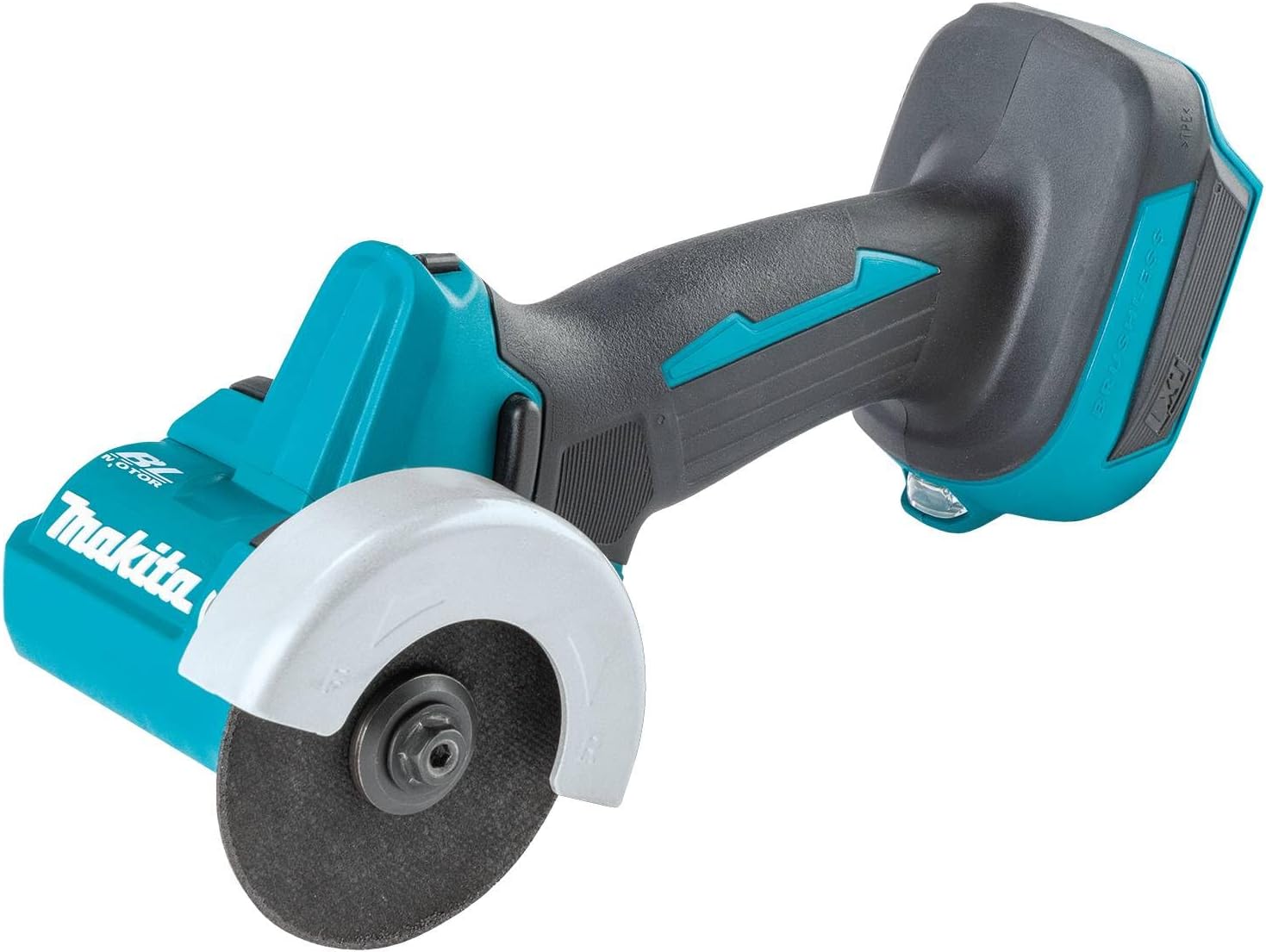
Figure 1: Makita XCM01Z 18V LXT® Lithium-Ion Brushless Cordless 3" Cut-Off Tool.
Safety Information
Always read and understand all safety warnings, instructions, illustrations, and specifications provided with this power tool. Failure to follow all instructions listed below may result in electric shock, fire, and/or serious injury. Save all warnings and instructions for future reference.
General Power Tool Safety Warnings:
- Keep work area clean and well lit. Cluttered or dark areas invite accidents.
- Do not operate power tools in explosive atmospheres, such as in the presence of flammable liquids, gases or dust. Power tools create sparks which may ignite the dust or fumes.
- Keep children and bystanders away while operating a power tool. Distractions can cause you to lose control.
- Wear eye protection. Always use safety glasses or goggles.
- Wear hearing protection. Prolonged exposure to loud noise can cause hearing damage.
- Use appropriate respiratory protection, especially when cutting materials that produce dust.
- Dress properly. Do not wear loose clothing or jewelry. Keep your hair and clothing away from moving parts.
- Do not overreach. Keep proper footing and balance at all times. This enables better control of the power tool in unexpected situations.
- Use safety clamps or other practical ways to secure and support the workpiece to a stable platform. Holding the work by hand or against your body is unstable and may lead to loss of control.
- Disconnect the battery pack from the power tool before making any adjustments, changing accessories, or storing power tools. Such preventive safety measures reduce the risk of starting the power tool accidentally.
What's in the Box
Your Makita XCM01Z 18V LXT® Lithium-Ion Brushless Cordless 3" Cut-Off Tool package includes the following components:
- Bare Tool (Makita XCM01Z Cut-Off Tool)
- Attachments (e.g., dust collection guard, wrench for blade changes)
Note: Battery and charger are sold separately.
Setup
1. Product Overview and Components
Familiarize yourself with the key components and features of your Makita XCM01Z Cut-Off Tool.

Figure 2: Key features of the Makita XCM01Z, including the forward/reverse function, narrow circumference grip, tool-less adjustable guard, and dust collection cover.
2. Battery Installation
Ensure the tool is switched off before installing or removing the battery. Align the battery pack with the grooves in the tool's handle and slide it in until it clicks into place. To remove, press the release button on the battery pack and slide it out.
Figure 3: The Makita XCM01Z tool with a battery (not included) attached to the base.
3. Blade Installation
Always use genuine Makita cutting wheels designed for this tool. To install a new blade:
- Ensure the tool is disconnected from the battery.
- Press the spindle lock button to secure the spindle.
- Use the provided wrench (often stored on the tool) to loosen the flange nut counter-clockwise.
- Remove the outer flange and the old cutting wheel.
- Clean the inner and outer flanges.
- Place the new cutting wheel onto the inner flange, ensuring the arrow on the wheel matches the rotation direction arrow on the tool.
- Replace the outer flange and tighten the flange nut clockwise with the wrench while holding the spindle lock button.

Figure 4: The Makita XCM01Z tool shown with various cutting blades and the dust collection cover.

Figure 5: Close-up view of the integrated hex key storage on the Makita XCM01Z, used for blade changes.
4. Guard and Dust Collection Attachment
The tool includes a tool-less dust collection cut-off guard that installs easily. This guard helps manage debris and allows for precise depth of cut adjustments.
- Attach the dust collection guard by aligning it with the tool and snapping it into place.
- Connect a vacuum hose to the dust port on the guard for efficient dust extraction.

Figure 6: The Makita XCM01Z tool with the dust collection attachment installed.

Figure 7: The Makita XCM01Z in operation, demonstrating the use of the dust collection system.
Operating Instructions
1. Powering On/Off
To start the tool, depress the trigger switch. To stop, release the trigger switch. The tool features a fast brake stop when the trigger is released.

Figure 8: Close-up view of the trigger mechanism on the Makita XCM01Z.
2. Forward and Reverse Operation
The XCM01Z features a conveniently located switch for easy forward and reverse operation. This allows you to direct debris in a desired direction, enhancing safety and cleanliness.

Figure 9: Close-up of the forward/reverse switch on the Makita XCM01Z.
3. Adjusting Depth of Cut
When using the dust collection cut-off guard, you can conveniently set the depth of cut up to 5/8 inch. Adjust the depth by loosening the locking mechanism on the guard and sliding the base plate to the desired depth, then re-tighten.
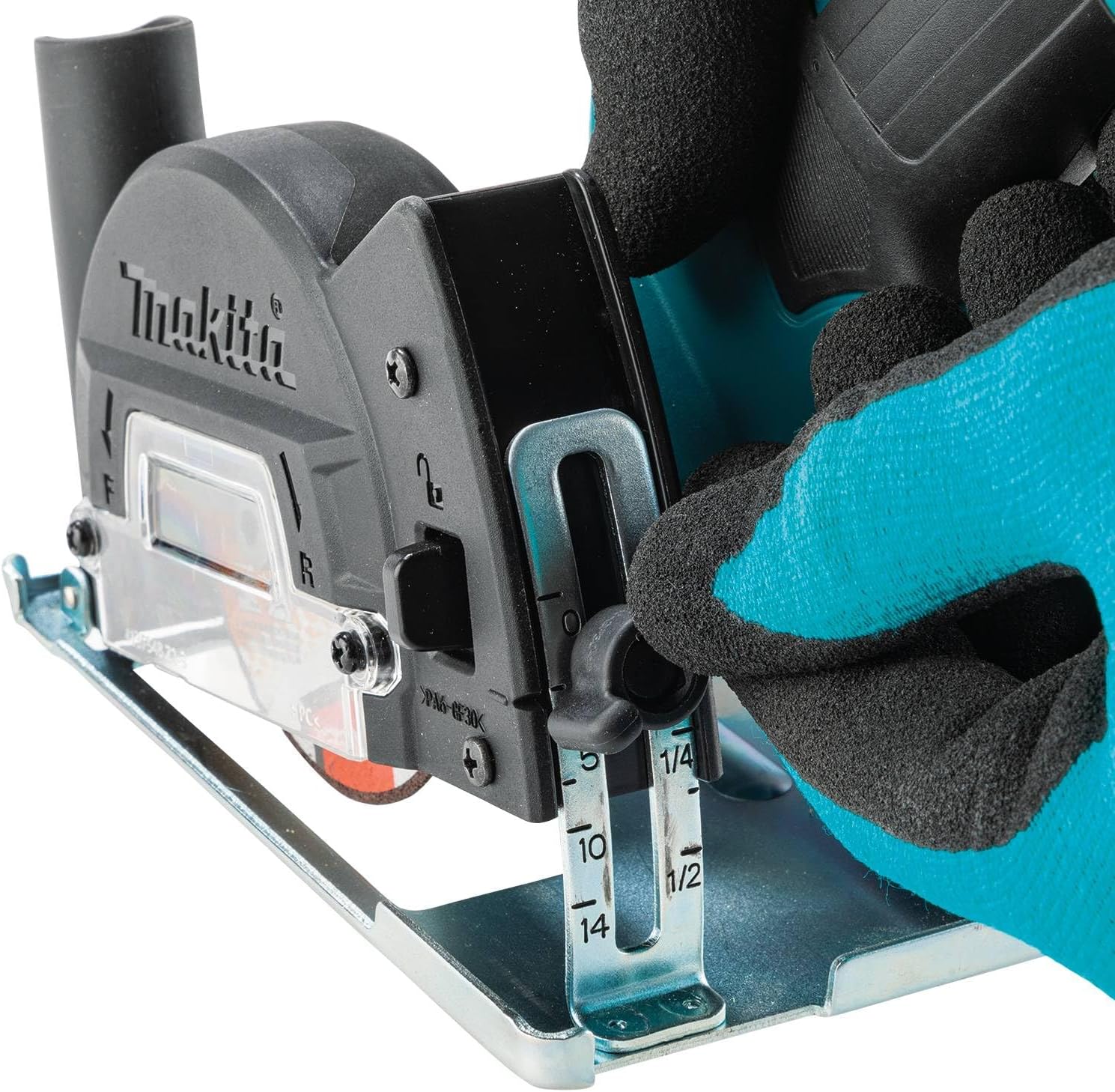
Figure 10: Close-up view of the depth adjustment mechanism on the dust collection guard.
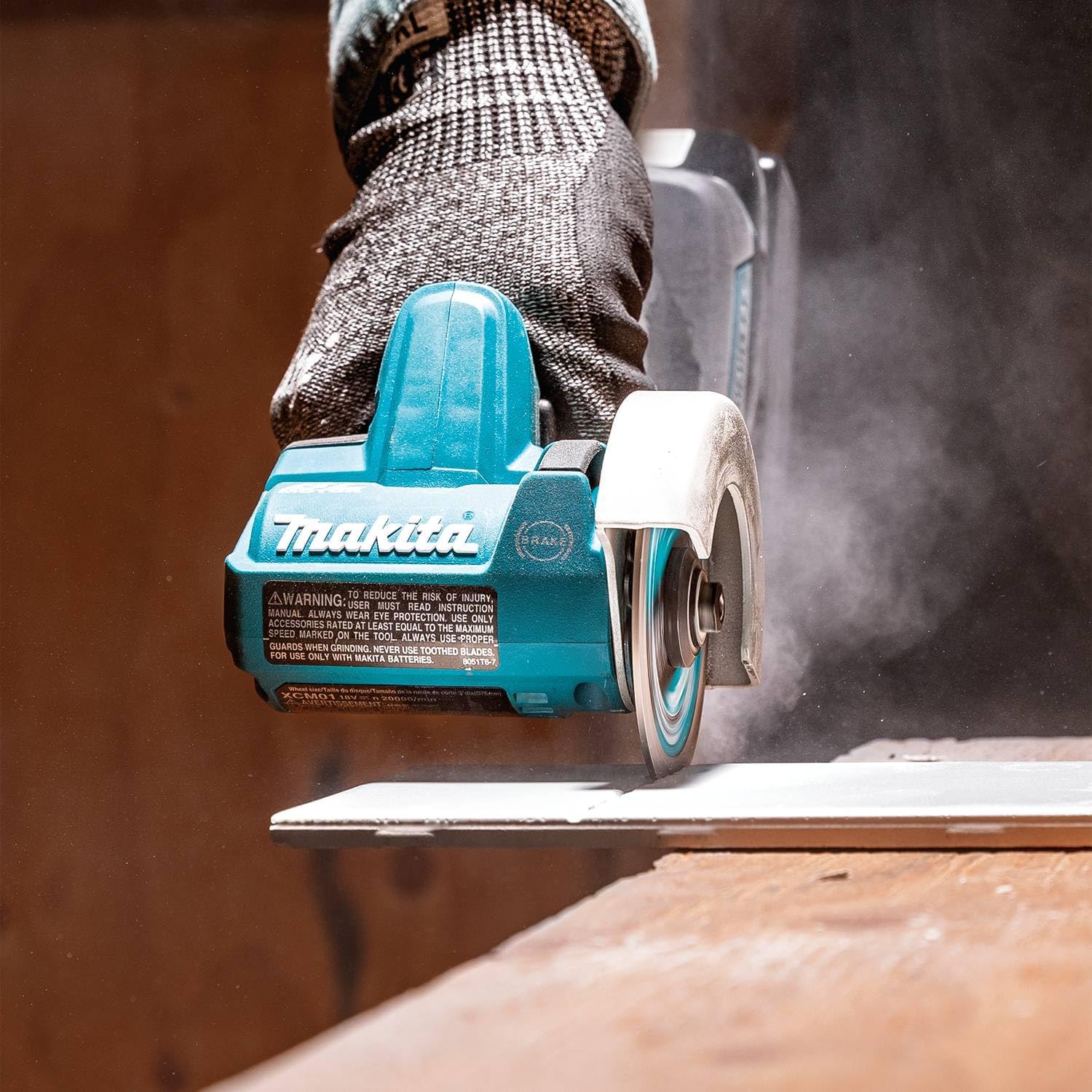
Figure 11: The Makita XCM01Z cutting a flat surface, demonstrating precise depth control.
4. General Cutting Tips
- Always secure your workpiece firmly before cutting.
- Allow the tool to reach full speed before engaging the material.
- Apply steady, even pressure. Do not force the tool.
- Be aware of sparks and debris, especially when cutting metal.

Figure 12: The Makita XCM01Z cutting a metal pipe, illustrating typical usage.
Maintenance
Regular maintenance ensures optimal performance and extends the life of your tool.
1. Cleaning
- After each use, clean the tool with a dry cloth to remove dust and debris.
- Ensure the air vents are clear of obstructions to prevent overheating.
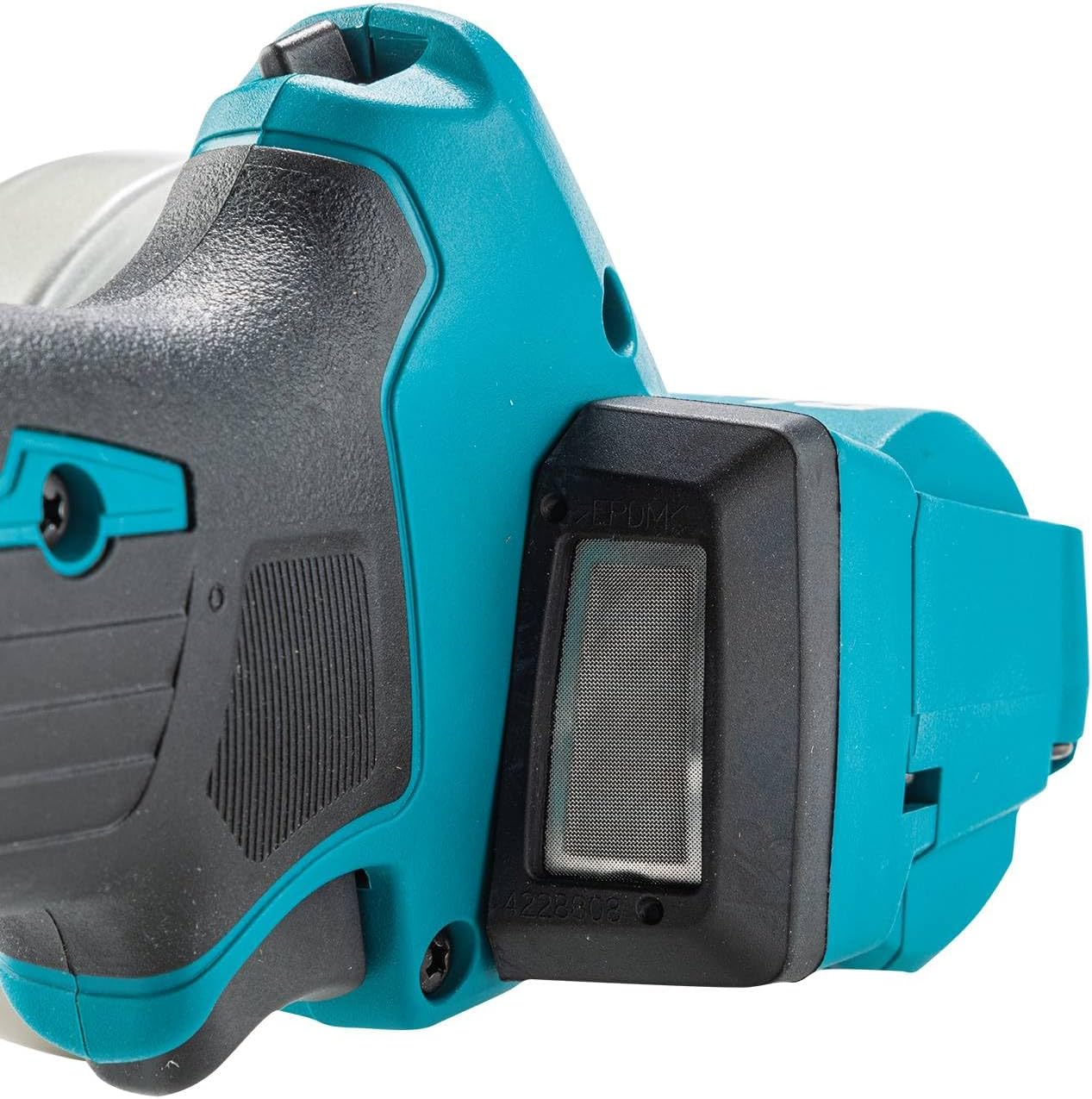
Figure 13: Close-up of the air vent on the Makita XCM01Z, important for cooling.
2. Blade Inspection and Replacement
- Regularly inspect cutting wheels for wear, cracks, or damage. Replace worn or damaged blades immediately.
- Store spare blades in a dry, safe place.

Figure 14: The Makita XCM01Z shown with various cutting blades, highlighting the importance of having suitable replacements.
3. General Inspection
- Check all screws and fasteners for tightness.
- Inspect the power cord (if applicable) and battery contacts for damage.
- Ensure the guard operates freely and is not damaged.
Troubleshooting
| Problem | Possible Cause | Solution |
|---|---|---|
| Tool does not start | Battery not installed correctly or discharged. | Ensure battery is fully seated. Charge battery if necessary. |
| Tool stops during operation | Overload protection activated (Star Protection Computer Controls™). | Reduce load on the tool. Allow tool to cool down. Check battery charge. |
| Excessive vibration or noise | Damaged or improperly installed cutting wheel. | Inspect cutting wheel for damage and proper installation. Replace if necessary. |
| Poor cutting performance | Dull or incorrect cutting wheel for the material. | Replace with a sharp, appropriate cutting wheel. |
Specifications
| Feature | Detail |
|---|---|
| Brand | Makita |
| Model Number | XCM01Z |
| Power Source | Battery Powered (18V LXT® Lithium-Ion) |
| Motor Type | Brushless |
| No-Load Speed | 20,000 RPM |
| Wheel Diameter | 3 inches |
| Max. Cut Depth (with dust guard) | 5/8 inch |
| Item Weight | 3.25 pounds (tool only, without battery) |
| Product Dimensions | 10.63"L |
| Special Features | Brushless motor, ergonomic design, forward/reverse switch, tool-less dust collection guard, L.E.D. light, Star Protection Computer Controls™ |
Warranty and Support
Makita provides a Limited Warranty for the XCM01Z 18V LXT® Lithium-Ion Brushless Cordless 3" Cut-Off Tool. For specific warranty details, terms, and conditions, please refer to the warranty card included with your product or visit the official Makita website. For technical support, service, or to locate an authorized service center, please contact Makita customer service.
Makita Customer Service:
- Phone: (800)4-MAKITA (800-462-5482)
- Website: www.makitatools.com
Important Notice Regarding Batteries:
"Knock-Off" Makita Lithium-Ion Batteries May Burst Causing Fires, Personal Injuries or Property Damage. Makita U.S.A., Inc. notifies tool users of the hazards and risks of using non-genuine ("knock-off") Makita Lithium-Ion batteries. For improved tool performance and extended battery life, Makita created Star Protection Computer Controls™. Star Protection is a communication technology that allows the Star Protection-equipped tool and battery to exchange data in real time and monitor conditions during use to protect against overloading, over-discharging, and overheating. For increased versatility, the tool can also be powered by Makita 18V LXT® and Compact Lithium-Ion batteries with the star symbol on the battery indicating Star Protection inside.

Figure 15: Warning from Makita regarding the use of non-genuine batteries.
Related documentsXCM01Z


Ask a question about this manual
Ask about setup, troubleshooting, compatibility, parts, safety, or missing instructions. Manuals+ will review the question and use this page’s manual context to help answer it.