
WOCKODER R608
WOCKODER Vinyl Record Player User Manual
Model: R608
Brand: WOCKODER
Introduction

Figure 1: WOCKODER R608 Vinyl Record Player
A front view of the white WOCKODER R608 turntable with a record playing and the clear dust cover raised.
This manual provides detailed instructions for the operation and maintenance of your WOCKODER R608 Vinyl Record Player. This belt-driven turntable supports 3-speed playback (33 1/3, 45, and 78 RPM) for 7, 10, and 12-inch records. It features built-in stereo speakers, Bluetooth wireless connectivity for streaming digital music, and versatile connectivity options including AUX-in and RCA line out. Please read this manual thoroughly before use to ensure proper setup and optimal performance.
What's in the Box
- Turntable Unit R608
- Power Adapter (DC 5V 1000mA)
- 45 RPM Adapter
- Instruction Manual (this document)
- Detachable Dust Cover
Product Overview
Familiarize yourself with the components of your WOCKODER R608 record player.

Figure 2: Turntable Components and Ports
This diagram highlights the key components and connection ports of the WOCKODER R608 record player, including the tone arm, stylus, speed switch, and various input/output jacks.
Front and Top Panel
- Platter: The rotating platform where records are placed.
- Spindle: The central pin on the platter for aligning records.
- 45 RPM Adapter: A small disc used for playing 7-inch records with a large center hole.
- Tone Arm: Holds the stylus and tracks the record grooves.
- Stylus (Needle): The diamond-tipped needle that reads the record grooves.
- Tone Arm Clip: Secures the tone arm when not in use.
- Tone Arm Raise Lever: Lifts and lowers the tone arm gently onto the record.
- LP Speed Switch: Selects playback speed (33 1/3, 45, or 78 RPM).
- Auto Stop Switch: Toggles the auto-stop function (turntable stops spinning at the end of a record).
- Power/Volume Knob: Turns the unit on/off and adjusts the volume of the built-in speakers.
- Headphone Jack: For connecting headphones (3.5mm).
- Built-in Speakers: Integrated stereo speakers for direct audio output.
Rear Panel
- AUX In Jack: For connecting external audio devices via a 3.5mm cable.
- RCA Output Jacks (L/R): For connecting the turntable to external powered speakers or an amplifier.
- DC IN Port: For connecting the power adapter.

Figure 3: Detailed Features
This image provides a closer look at the stylus, the belt-drive mechanism with spring for anti-vibration, the auto-stop button, and the AUX-in/RCA line out ports, highlighting key functional aspects.
Setup Guide
- Unpack the Turntable: Carefully remove the turntable and all accessories from the packaging. Retain the packaging for future transport or storage.
- Placement: Place the turntable on a flat, stable surface away from direct sunlight, heat sources, and excessive dust or vibration.
- Install Dust Cover: Gently place the detachable dust cover onto the hinges at the back of the turntable.
- Connect Power: Insert the DC plug of the power adapter into the DC IN port on the rear of the turntable. Plug the other end of the power adapter into a suitable wall outlet.
- Remove Stylus Protector: Before playing a record, carefully remove the clear plastic stylus protector from the stylus assembly. Be gentle to avoid damaging the stylus.
Operating Instructions
Playing Vinyl Records
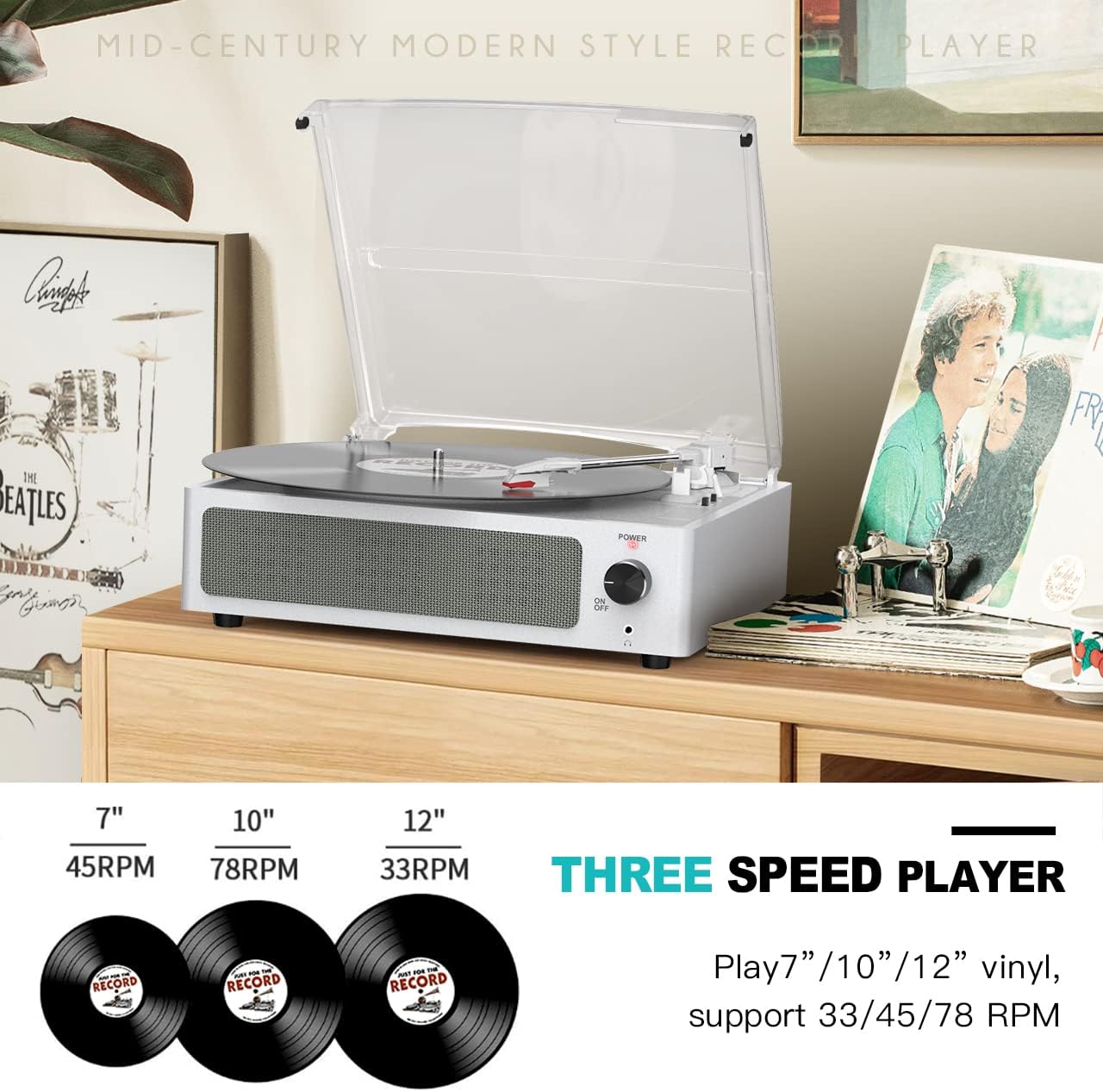
Figure 4: Three-Speed Playback Capability
The WOCKODER R608 supports 33 1/3, 45, and 78 RPM speeds for various record sizes.
- Power On: Turn the Power/Volume knob clockwise to turn on the unit. The LED indicator will light up.
- Select Speed: Set the LP Speed Switch to the correct speed (33 1/3, 45, or 78 RPM) for your record. Use the 45 RPM adapter for 7-inch singles if needed.
- Place Record: Place the record on the turntable platter.
- Auto Stop Setting: If you want the turntable to stop spinning automatically when the record finishes, ensure the Auto Stop Switch is in the "ON" position. If you prefer continuous spinning, set it to "OFF".
- Position Tone Arm: Gently lift the tone arm using the Tone Arm Raise Lever. Move the tone arm over the desired starting track of the record.
- Lower Tone Arm: Slowly lower the tone arm using the Tone Arm Raise Lever. The stylus will gently descend onto the record, and playback will begin.
- Adjust Volume: Adjust the volume using the Power/Volume knob.
- End of Playback: When the record finishes, the tone arm will automatically return to its rest position if auto-stop is enabled. If not, manually lift the tone arm and return it to its rest.
- Power Off: Turn the Power/Volume knob counter-clockwise until it clicks to turn off the unit.
Bluetooth Wireless Playback

Figure 5: Bluetooth Connectivity
Stream music wirelessly from your smartphone or other Bluetooth-enabled devices to the turntable's built-in speakers.
- Power On: Turn the Power/Volume knob clockwise to turn on the unit.
- Bluetooth Mode: The turntable will automatically enter Bluetooth pairing mode. The LED indicator will flash.
- Enable Bluetooth on Device: On your smartphone, tablet, or other Bluetooth-enabled device, enable Bluetooth and search for available devices.
- Pair: Select "WOCKODER R608" (or similar name) from the list of devices. Once paired, the LED indicator on the turntable will stop flashing and remain solid.
- Play Music: You can now play music from your device through the turntable's built-in speakers. Adjust volume using both your device and the turntable's Power/Volume knob.
AUX-in Connection
Connect external audio devices (e.g., MP3 players, CD players) to the turntable using a 3.5mm audio cable (not included).
- Connect Cable: Plug one end of the 3.5mm audio cable into the AUX In Jack on the rear of the turntable and the other end into the headphone or AUX output of your external audio device.
- Power On: Turn the Power/Volume knob clockwise to turn on the unit.
- Play Music: Play music from your external device. The audio will be routed through the turntable's built-in speakers. Adjust volume using both your external device and the turntable's Power/Volume knob.
RCA Line Out Connection
For enhanced sound or connection to a home audio system, use the RCA Line Out jacks.
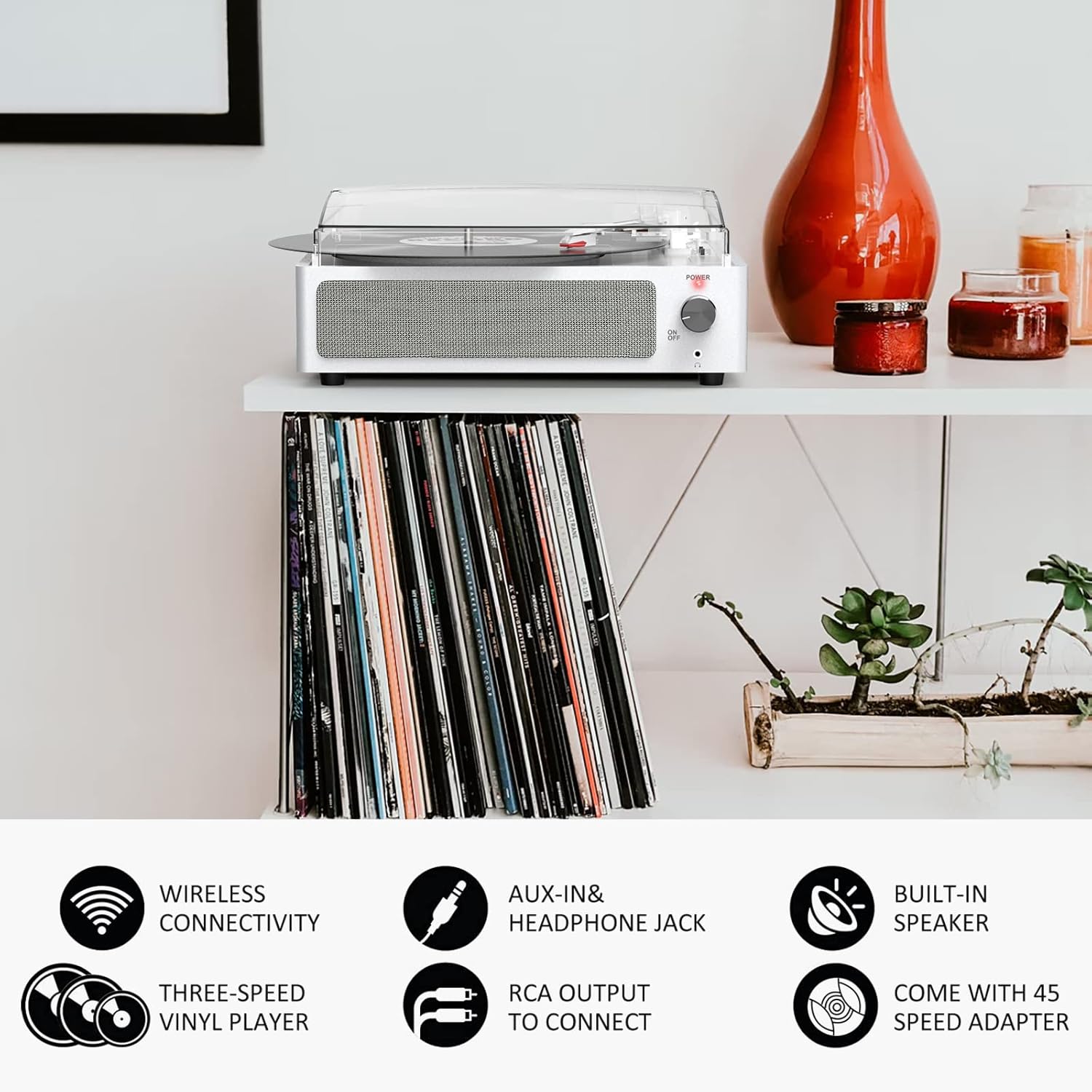
Figure 6: Versatile Connectivity Options
This image summarizes the various ways to connect and play audio with the turntable, including wireless, wired, and output options.
- Connect RCA Cables: Connect RCA audio cables (not included) to the RCA Output Jacks (Red for Right, White for Left) on the rear of the turntable.
- Connect to External System: Connect the other end of the RCA cables to the corresponding audio input jacks on your external amplifier or powered speakers.
- Playback: Play a record or stream via Bluetooth/AUX-in. The audio will now be output through your external audio system. Adjust volume via your external system.
Maintenance and Care
- Cleaning the Unit:
Wipe the turntable cabinet with a soft, dry cloth. Do not use abrasive cleaners, waxes, or solvents as they may damage the surface. Keep the unit dry.
- Stylus Care:
The stylus is delicate. Only touch it at the tone arm clip. Clean the stylus periodically with a soft brush, brushing gently from back to front. A dirty stylus can cause poor sound quality and damage to your records.
- Dust Cover:
Keep the dust cover closed when not in use to protect the turntable from dust and debris. Clean the dust cover with a soft, damp cloth. Do not use harsh chemicals.
- Record Care:
Handle records by their edges. Store them vertically in their sleeves to prevent warping. Clean records regularly with a dedicated record cleaning brush or solution.
Troubleshooting
| Problem | Possible Cause | Solution |
|---|---|---|
| No power | Power adapter not connected properly; Power outlet not working. | Ensure power adapter is securely plugged into the unit and a working wall outlet. Try a different outlet. |
| No sound from speakers | Volume too low; Incorrect input selected (if applicable); External speakers not connected/powered. | Increase volume using the Power/Volume knob. Ensure Bluetooth or AUX-in device is playing. If using RCA out, check external speaker connections and power. |
| Record skipping | Record is dirty or scratched; Stylus is dirty or damaged; Turntable not on a stable surface. | Clean the record. Clean the stylus. Place the turntable on a stable, level surface. Replace stylus if damaged. |
| Sound distorted or unclear | Stylus dirty or worn; Record is dirty; Volume too high; Incorrect speed selected. | Clean or replace stylus. Clean the record. Reduce volume. Ensure correct speed (33 1/3, 45, or 78 RPM) is selected for the record. |
| Bluetooth not connecting | Device too far; Bluetooth not enabled on device; Turntable not in pairing mode. | Ensure device is within range (approx. 10 meters). Enable Bluetooth on your device. Turn the turntable off and on again to re-enter pairing mode. |
Specifications
| Feature | Detail |
|---|---|
| Brand | WOCKODER |
| Model Name | R608 |
| Connectivity Technology | Bluetooth |
| Maximum Rotational Speed | 78 RPM (supports 33 1/3, 45, 78 RPM) |
| Included Components | Turntable Unit R608, Power Adapter, 45 RPM Adapter, Instruction Manual, Detachable Dust Cover |
| Special Features | Auto Stop, Removable Dust Cover, Vintage Looking, Built-in Bluetooth Receiver, AUX/Headphone Input, RCA Line Out, Anti-vibration Belt-driven System, Built-in Speakers, 3 speed selectable |
| Item Weight | 5.08 Pounds (2.3 kg) |
| Package Dimensions | 14.37 x 13.39 x 5.87 inches |
| Color | White |
| Style | Built-in Two Speakers |
| Compatible Devices | Headphone, Speaker |
Warranty and Support
WOCKODER is committed to providing quality products and customer satisfaction. For any questions, technical assistance, or warranty inquiries regarding your R608 Vinyl Record Player, please contact WOCKODER customer support through the retailer's platform or the official WOCKODER website. Please have your model number (R608) and purchase details ready when contacting support.
If any parts are received damaged or defective, please contact customer service for assistance. Replacement parts may be available.
Related documentsR608


Ask a question about this manual
Ask about setup, troubleshooting, compatibility, parts, safety, or missing instructions. Manuals+ will review the question and use this page’s manual context to help answer it.