
Introduction
Thank you for choosing the TrustFire H6R Headlamp. This manual provides essential information for the safe and effective operation, maintenance, and troubleshooting of your device. Please read it thoroughly before use and retain it for future reference.
The TrustFire H6R is a versatile and powerful headlamp designed for various outdoor activities and work environments. It features a triple light source design, offering spotlight, floodlight, and red light options, with a maximum output of 1350 lumens and a beam distance of up to 152 meters.

Image: TrustFire H6R Headlamp highlighting its triple light source design, 1350 lumens output, and 152-meter range.
Product Features
- High Brightness: Maximum output of 1350 lumens with a beam distance of up to 152 meters.
- Multiple Light Sources: Features spotlight, floodlight, and red light for diverse lighting needs.
- Versatile Modes: Includes various white light modes (High, Medium, Low, Moonlight) and a Red Light mode with SOS function.
- Rechargeable: Equipped with a USB-C charging port for convenient recharging.
- Durable Construction: IP68 waterproof rating and 1-meter drop resistance, built with aluminum alloy for enhanced durability and an anti-slip grip.
- 180-Degree Rotatable Head: Allows precise adjustment of the light beam direction.
- Magnetic Tailcap: Enables hands-free attachment to ferrous metal surfaces.
- Removable Pocket Clip: Converts the headlamp into a versatile handheld flashlight.
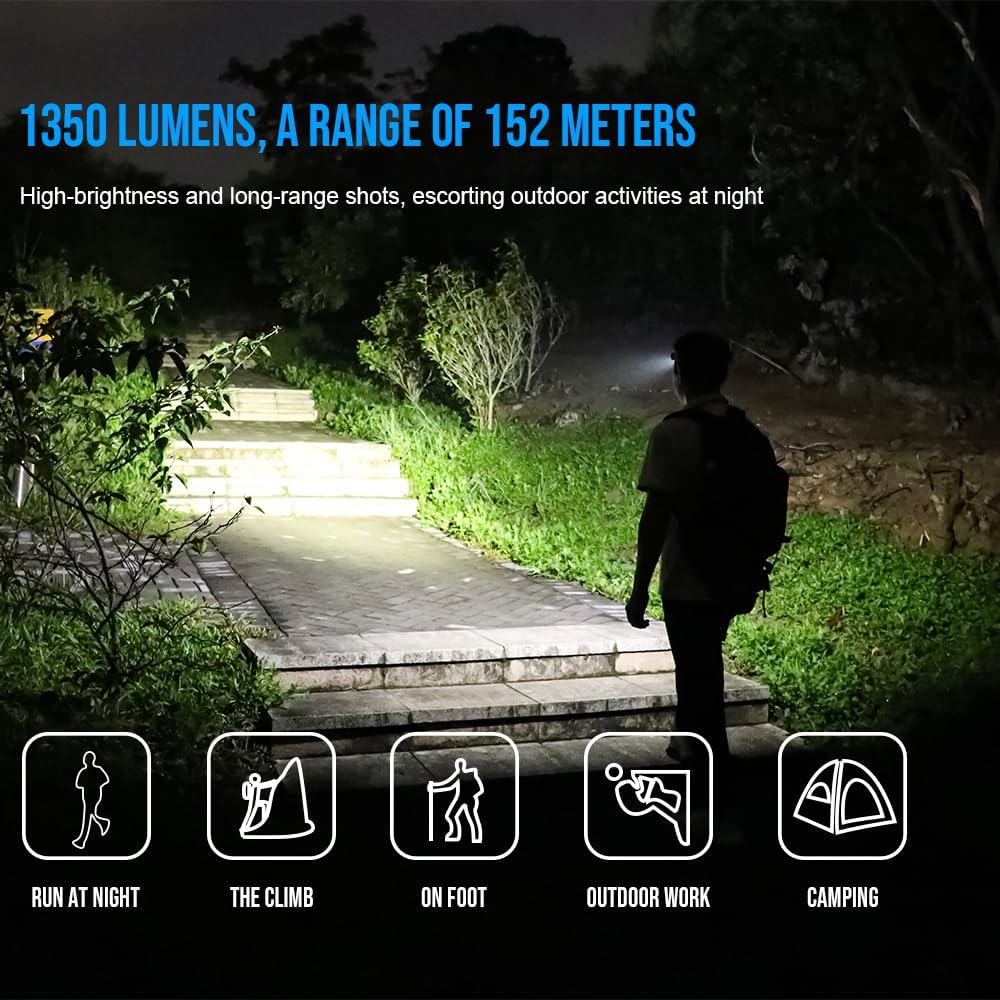
Image: TrustFire H6R Headlamp in use, demonstrating its 1350 lumens and 152-meter range for various outdoor activities.
Setup
1. Battery Installation and First Use
- The H6R headlamp comes with a pre-installed Lithium Ion battery.
- Before first use, fully charge the headlamp using the provided USB-C cable.
2. Attaching the Headband
- Thread the adjustable TrustFire headband through the designated slots on the headlamp body.
- Adjust the headband to ensure a comfortable and secure fit on your head.
3. Using the Pocket Clip (Optional)
- To use the H6R as a handheld flashlight, remove it from the headband.
- Attach the removable pocket clip to the headlamp body as desired for carrying on pockets, backpacks, or caps.
Operating Instructions
1. Power On/Off
- Press and hold the power button for approximately 0.5 seconds to turn the headlamp ON or OFF.
2. Switching Modes (White Light)
- When the headlamp is ON, short press the power button to cycle through white light modes: Moonlight → Low → Medium → High.
- The headlamp features a memory function and will turn on in the last used white light mode.
3. Activating Red Light / SOS
- From OFF, double-click the power button to activate the Red Light mode.
- From Red Light mode, short press the power button to switch to Red SOS mode.
- Short press again to return to Red Light mode.
- Press and hold for 0.5 seconds to turn OFF.

Image: Demonstration of the H6R's three light sources: spotlight, red light, and floodlight, for multi-scenario application.
4. Adjusting Beam Angle
- The headlamp body can be rotated up to 180 degrees to direct the light beam precisely where needed.

Image: The H6R's floodlighting capability, suitable for tasks like work maintenance and outdoor hiking, with a wide 100-degree flood angle.
5. Charging the Headlamp
- Connect the USB-C charging cable to the headlamp's charging port and to a USB power source.
- The indicator light will show charging status (e.g., red for charging, green for fully charged).
Maintenance
- Cleaning: Wipe the headlamp with a soft, damp cloth. Do not use abrasive cleaners or solvents.
- Battery Care: Recharge the battery regularly, especially if not used for extended periods, to maintain battery health. Avoid fully discharging the battery.
- Storage: Store the headlamp in a cool, dry place away from direct sunlight and extreme temperatures.
- Water Resistance: Ensure the USB-C port cover is securely closed to maintain IP68 water resistance.
Troubleshooting
| Problem | Possible Cause | Solution |
|---|---|---|
| Headlamp does not turn on. | Battery is depleted. | Charge the headlamp fully. |
| Light output is dim. | Low battery level. | Recharge the battery. |
| Headlamp does not charge. | Charging cable or adapter faulty. | Try a different USB-C cable or power adapter. Ensure the charging port is clean. |
| Water ingress after exposure. | USB-C port cover not properly sealed. | Ensure the USB-C port cover is always securely closed before exposing the headlamp to water. |
Specifications
| Brand | TrustFire |
| Model Name | H6R |
| Internal Model Number | MC12 |
| Maximum Luminous Power | 1350 Lumens |
| Light Travel Distance | 152 Meters |
| Light Source Type | LED (3 bulbs) |
| Power Source | Battery (Lithium Ion) |
| Battery Included | Yes |
| Run Time (High Mode) | Approximately 1 hour 5 minutes (at 1000 lumens) |
| Special Features | Weather resistant, Floodlight, Red light, SOS |
| Water Resistance Level | IP68 (Waterproof) |
| Drop Resistance | 1 meter |
| Material | Aluminum Alloy, ABS |
| Color | Red |
| Product Dimensions (D x W x H) | 4 x 13 x 18 cm |
| Weight | 220 g |
| Recommended Uses | Camping, fishing, hiking, hunting, running, industrial maintenance, outdoor travel, reading, car care, emergency lighting |
Note: Specifications are subject to change without prior notice.
Warranty and Support
TrustFire products are manufactured to high-quality standards. For warranty information, please refer to the warranty card included with your product or visit the official TrustFire website. If you encounter any issues or require technical assistance, please contact TrustFire customer support through their official channels.
For further information and support, please visit the TrustFire Brand Store on Amazon.


