
1. Product Overview
The KOORUI E2721H is a 27-inch WQHD (2560x1440) IPS monitor designed for both productivity and gaming. It features a 120Hz refresh rate and 1ms (MPRT) response time for smooth visuals. The monitor supports Adaptive Sync (compatible with FreeSync and G-Sync) to eliminate screen tearing and stuttering. It also incorporates eye-care technologies such as blue light reduction and flicker-free operation, certified by TÜV Rheinland, to minimize eye strain during extended use. With 95% DCI-P3 color gamut coverage and HDR10 support, it delivers vibrant and accurate colors.

Image: The KOORUI E2721H monitor showcasing its display capabilities with a high-resolution image, emphasizing WQHD resolution, wide color gamut, and HDR support.
2. Setup
2.1 Package Contents
Please check the box for the following items:
- KOORUI E2721H Monitor
- Monitor Stand (Base and Neck)
- Power Adapter
- Power Cable
- HDMI Cable
- DisplayPort Cable
- User Manual
2.2 Assembly and Installation
- Carefully remove the monitor from its packaging.
- Attach the stand neck to the monitor panel. Ensure it clicks securely into place.
- Attach the stand base to the stand neck. Tighten any screws if necessary.
- Place the assembled monitor on a stable, flat surface.
- The monitor supports VESA mount (100x100mm) for alternative mounting solutions (e.g., wall mount, monitor arm). Ensure the VESA mount is compatible and securely installed.

Image: The KOORUI E2721H monitor demonstrating VESA mount compatibility and tilt adjustment.
2.3 Connections
Connect the monitor to your computer or other devices using the available ports:
- Power: Connect the power adapter to the monitor's DC input and then to a power outlet.
- Video Input: Use either an HDMI cable (HDMI 2.0 x 2 ports) or a DisplayPort cable (DP 1.4 x 1 port) to connect the monitor to your device.
- Audio Output: Connect headphones or external speakers to the 3.5mm audio jack.

Image: Detailed view of the monitor's rear ports, including HDMI, DisplayPort, audio jack, and power input.
3. Operating Instructions
3.1 Power On/Off
Press the power button located on the back of the monitor to turn it on or off.
3.2 On-Screen Display (OSD) Menu
Use the control buttons on the back of the monitor to navigate the OSD menu. The OSD allows you to adjust various display settings:
- Brightness/Contrast: Adjust the overall luminance and contrast of the display.
- Color Settings: Modify color temperature, gamma, and individual RGB values.
- Input Source: Manually select between HDMI 1, HDMI 2, or DisplayPort inputs.
- Picture Mode: Choose from preset modes (e.g., Standard, Game, Movie, Text) or customize your own.
- Game Settings: Enable/disable Adaptive Sync, adjust response time, and activate game-specific modes (FPS/RTS).
- Eye Care: Toggle blue light reduction and flicker-free settings.
3.3 Display Features
The E2721H monitor offers several features to enhance your viewing experience:
- WQHD Resolution (2560x1440): Provides a sharp and detailed image, offering more screen real estate compared to Full HD.
- 120Hz Refresh Rate & 1ms MPRT: Ensures smooth motion and reduced ghosting, ideal for fast-paced content and gaming.
- IPS Panel: Delivers wide 178° viewing angles and consistent color reproduction from various perspectives.
- Adaptive Sync: Synchronizes the monitor's refresh rate with your graphics card's frame rate to eliminate screen tearing and minimize stuttering.
- HDR10 Support: Enhances contrast and color depth for compatible content, providing a more immersive visual experience.
- 95% DCI-P3 Color Gamut: Offers a broad range of colors, making it suitable for creative work and media consumption.

Image: Visual comparison illustrating the difference in detail between WQHD and FHD resolutions.
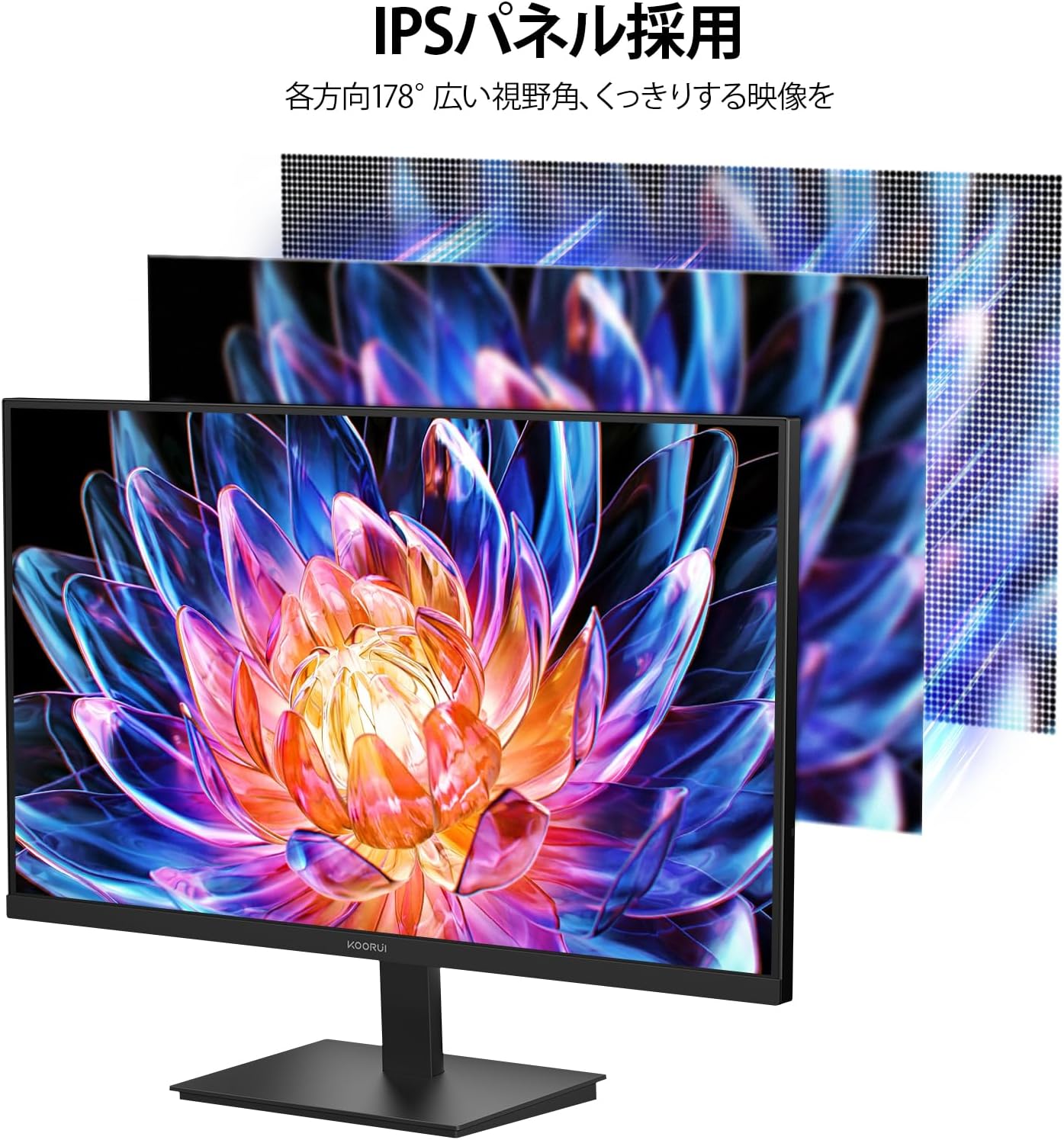
Image: Representation of IPS panel technology, highlighting wide viewing angles and color accuracy.
4. Maintenance
4.1 Cleaning the Monitor
- Always turn off the monitor and unplug the power cord before cleaning.
- Use a soft, lint-free cloth lightly dampened with water or a mild, non-abrasive screen cleaner.
- Do not spray cleaner directly onto the screen.
- Avoid using alcohol, ammonia, or abrasive cleaners, as they can damage the screen surface.
4.2 General Care
- Keep the monitor away from direct sunlight, heat sources, and excessive dust.
- Ensure adequate ventilation around the monitor to prevent overheating.
- Avoid placing heavy objects on the monitor or its cables.
5. Troubleshooting
If you encounter issues with your monitor, refer to the following common solutions:
| Problem | Possible Solution |
|---|---|
| No image on screen | Check power connections. Ensure video cable is securely connected to both monitor and source. Select correct input source via OSD. |
| Image is blurry or distorted | Adjust resolution to native WQHD (2560x1440). Check video cable for damage. |
| Flickering or unstable image | Ensure Adaptive Sync is enabled (if supported by your graphics card). Check refresh rate settings. Enable Flicker-Free mode in OSD. |
| No sound from headphone jack | Check audio settings on your computer. Ensure headphones are fully plugged in. |
| Buttons unresponsive | Unplug the monitor, wait 30 seconds, then plug it back in. |
If the problem persists after trying these solutions, please contact KOORUI technical support.
6. Specifications
| Feature | Detail |
|---|---|
| Model | E2721H |
| Screen Size | 27 inches |
| Panel Type | IPS |
| Resolution | WQHD (2560 x 1440) |
| Refresh Rate | 120Hz |
| Response Time | 1ms (MPRT) |
| Aspect Ratio | 16:9 |
| Contrast Ratio | 1000:1 |
| Brightness | 300 cd/m² |
| Color Gamut | 95% DCI-P3 |
| HDR Support | HDR10 |
| Viewing Angle | 178° (H/V) |
| Connectivity | 2 x HDMI 2.0, 1 x DisplayPort 1.4, 1 x 3.5mm Audio Out |
| VESA Mount | 100 x 100mm |
| Tilt Adjustment | -5° to 20° |
| Dimensions (W x H x D) | 61.3 x 46 x 18.5 cm |
| Weight | 3.6 kg |
| Eye Care Features | TÜV Rheinland Certified Blue Light Reduction, Flicker-Free |
7. Warranty and Support
7.1 Warranty Information
The KOORUI E2721H monitor comes with a 3-year manufacturer's warranty for the main unit and a 1-year warranty for the LCD panel. Accessories are covered by a 3-year warranty. This warranty covers defects in materials and workmanship under normal use.
If a display defect occurs within 30 days of purchase, please contact Amazon for a free return. After 30 days, please contact KOORUI technical support directly.
If the product malfunctions under normal use and environment, and KOORUI technical support determines it is a defect, service will be provided by a local repair center in Japan.
Note: Shipping costs to the repair center are the customer's responsibility. KOORUI will cover the return shipping cost after repair.
7.2 Technical Support
For technical assistance or inquiries regarding your product, please contact KOORUI support:
- Email: JP.support@Koorui.net (Response within 24 hours)
- Phone: 6633868555 (Available: 10:00-13:00; 14:30-19:00, Monday-Friday)
When contacting support, please have your product model (E2721H) and purchase information ready.
7.3 PC Recycling
KOORUI monitors are eligible for free collection and recycling through the PC 3R program. Please apply via the PC 3R website for this service.