
1. Introduction
This manual provides detailed instructions for the safe and effective operation of your ZKYMZL 150W LED Stage Light Bee-Eyes 3 Prisms Moving Head Light, Model RYSL-01. Please read this manual thoroughly before use and retain it for future reference.
The ZKYMZL 150W LED Stage Light is a versatile lighting fixture designed for various events, including discos, KTVs, clubs, parties, and weddings. It features a powerful 150W LED light source, 3-prism and Bee-eyes effects, 8 gobos, 8 colors, and 15 DMX channels for comprehensive control.
2. What's in the Box
Upon opening the package, verify that all components are present and undamaged:
- 1x ZKYMZL 150W LED Stage Light (Model RYSL-01)
- 1x Power Cable
- 1x Mounting Bracket
- 2x Mounting Screws
- 1x User Manual (this document)
3. Key Features
- 3-Prism & Bee-eyes Effects: Offers both beam effects with 8 colors and 8 patterns, and color effects including beam, color jump change, swing, rotation, and strobe.
- Multiple Control Modes: Supports Voice Control, Automatic, Master-Slave, and DMX512 (15 channels).
- Easy Installation: Features pan (540°) and tilt (270°) movement, with an electric fork frame and stable brackets for truss or wall mounting.
- Efficient Cooling System: An integrated fan automatically adjusts based on light bead temperature to ensure heat dissipation and extend product lifespan.
- DMX512 Compatibility: Designed for easy integration with DMX512 consoles, automatically linking in master/slave mode and recognizing console signals.
4. Setup and Installation
Before installation, ensure the power is disconnected. Choose a stable location for mounting, such as a truss or wall, using the provided bracket and screws.
4.1 Mounting
The moving head light can be mounted on a truss or wall. Use the two mounting screws at the bottom of the unit to secure the stable brackets. Ensure the mounting surface can support the weight of the fixture.

Figure 4.1: Installation schematic for the ZKYMZL 150W LED Stage Light, illustrating how to connect the hook to a steel pipe and the locations of the screw holes for secure mounting. (For reference only)
When mounting, ensure sufficient clearance around the fixture for proper ventilation and movement of the head (Pan 540°, Tilt 270°).
4.2 Power Connection
Connect the provided power cable to the power input on the rear of the fixture. Ensure the connection is secure. The working voltage is AC95V-245V/50Hz.
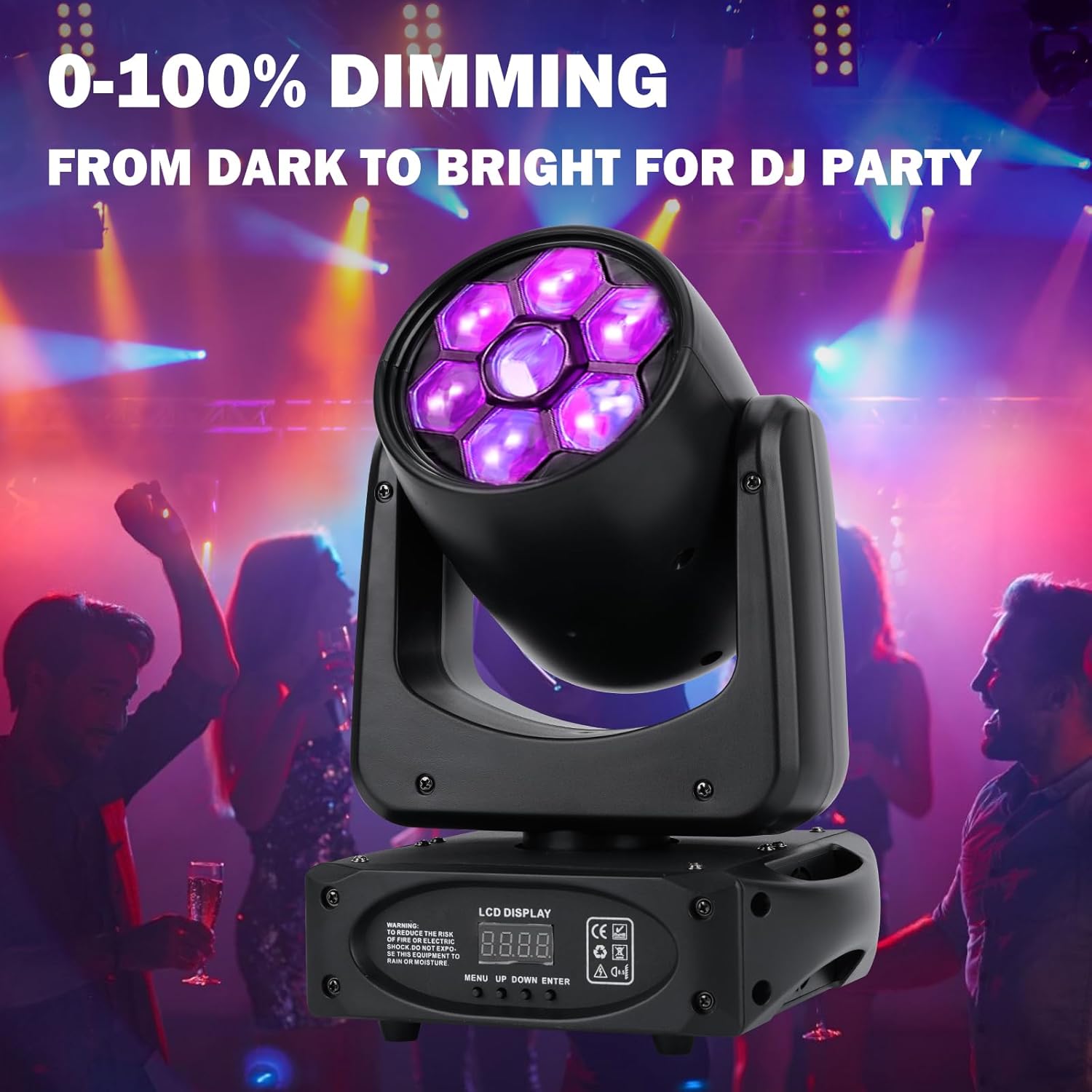
Figure 4.2: Rear panel of the ZKYMZL 150W LED Stage Light, highlighting the DMX IN, DMX OUT, and POWER ports, as well as the LCD display and navigation buttons (MENU, UP, DOWN, ENTER).
4.3 DMX Connection (Optional)
For DMX512 control, connect a DMX cable from your DMX controller to the DMX IN port of the first fixture. For multiple fixtures, daisy-chain them by connecting the DMX OUT of the first fixture to the DMX IN of the next, and so on. The light will automatically recognize the console signal.
5. Operating Modes
The ZKYMZL 150W LED Stage Light offers several operating modes:
- Voice Control Mode: The light reacts to sound and music, changing patterns and colors in sync with the audio.
- Automatic Mode: The light runs through pre-programmed sequences of patterns, colors, and movements without external input.
- Master-Slave Mode: Connect multiple lights via DMX cables. Set one unit as the master, and others as slaves. The slave units will mimic the master's operations. The light automatically links to identify the host when the master/slave signal line is plugged in.
- DMX512 Mode: For professional control, connect to a DMX512 console. This mode allows precise control over 15 channels, including pan, tilt, color, gobo, strobe, and dimming. The light will automatically switch to DMX mode when a console signal is detected.
5.1 Control Panel
The fixture features an LCD display and control buttons (MENU, UP, DOWN, ENTER) for navigating settings and selecting operating modes.
Figure 5.1: The control panel of the ZKYMZL 150W LED Stage Light, showing the LCD display and the MENU, UP, DOWN, and ENTER buttons for configuration.
5.2 Light Effects
The light offers a variety of dynamic effects:
- Color Wheel: 8 distinct colors for vibrant lighting.
- Gobo Patterns: 8 unique gobo patterns for projection.
- 3-Prism Effect: Divides the beam into three, creating complex and wide-reaching patterns.
- Bee-Eyes Effect: Creates multiple small, focused beams, resembling a bee's eye.
- Strobe: Adjustable strobe speed for dynamic effects.
- Dimming: 0-100% electronic dimming for precise light intensity control.
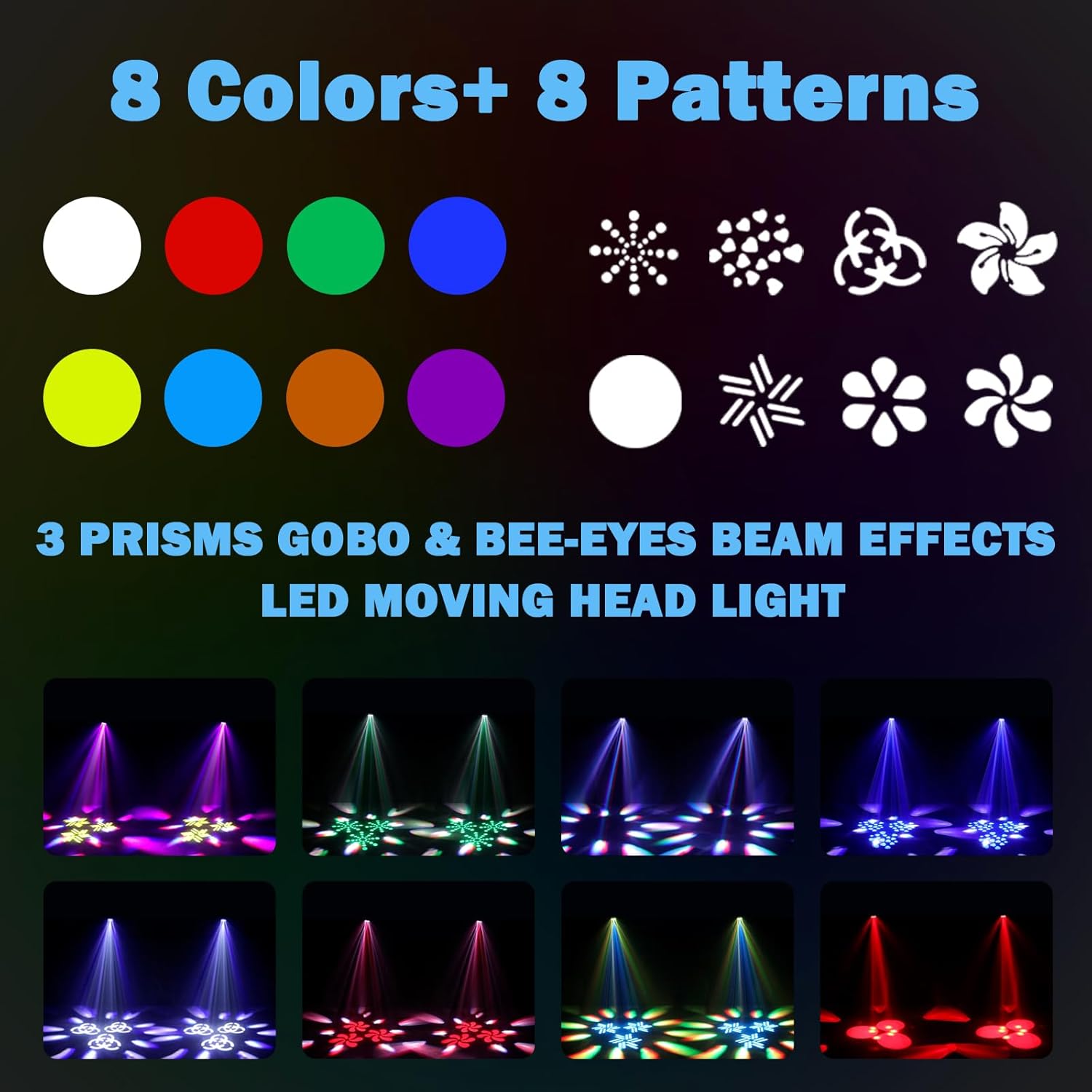
Figure 5.2: Visual representation of the 8 colors and 8 patterns available, alongside examples of the 3-prism and Bee-eyes beam effects produced by the ZKYMZL 150W LED Stage Light.

Figure 5.3: The ZKYMZL 150W LED Stage Light in action, projecting dynamic colored beams and patterns across a floor, illustrating its use in a party environment.

Figure 5.4: An array of ZKYMZL 150W LED Stage Lights illuminating a large venue with a complex and colorful light show, demonstrating their capability for professional setups.
5.3 Pan and Tilt Movement
The moving head offers a wide range of motion:
- Pan: Horizontal swing of 540°.
- Tilt: Vertical swing of 270°.
The speed of pan and tilt movements can be adjusted via DMX control or internal settings.

Figure 5.5: A diagram detailing the pan (540 degrees horizontal) and tilt (270 degrees vertical) movement ranges of the ZKYMZL 150W LED Stage Light, including its physical dimensions.
5.4 Official Product Video
Video 5.1: Official product video from ZKYMZL showcasing the 150W Bee-Eyes 3 prisms LED Moving Head Lights in various operational modes and effects.
6. Specifications
| Attribute | Value |
|---|---|
| Model Number | RYSL-01 |
| Brand | ZKYMZL |
| Color | Black |
| Material | Aluminum, Iron, Plastic |
| Light Source Type | LED |
| Light Source Wattage | 150 Watts |
| Power Source | Corded Electric |
| Item Weight | 9.68 pounds (4.4 Kilograms) |
| Product Dimensions | 8.66"L x 6.69"W x 11.8"H |
| Mounting Type | Wall Mount, Truss Mount |
| Bulb Features | 3-prism, Bee-eyes |
| Control Mode | Voice Control, Automatic, Master-Slave, DMX512 (15 Channel) |
| UPC | 742440433184 |
7. Maintenance
Regular maintenance ensures optimal performance and extends the lifespan of your ZKYMZL LED Stage Light.
- Cleaning: Periodically clean the lens and exterior with a soft, dry cloth. Avoid using harsh chemicals or abrasive materials. Ensure the device is unplugged before cleaning.
- Ventilation: Ensure the cooling fan and ventilation openings are free from dust and obstructions. The integrated fan automatically manages temperature, but a clear airflow path is crucial.
- Cable Inspection: Regularly check power and DMX cables for any signs of wear, cuts, or damage. Replace damaged cables immediately to prevent electrical hazards.
- Storage: When not in use, store the light in a dry, dust-free environment, away from extreme temperatures and humidity.
8. Troubleshooting
If you encounter issues with your ZKYMZL LED Stage Light, refer to the following common problems and solutions:
| Problem | Possible Cause | Solution |
|---|---|---|
| Light does not turn on | No power supply; Loose power cable connection; Faulty power outlet. | Check power cable connection; Try a different power outlet; Ensure power switch is ON. |
| No DMX control | Incorrect DMX cable connection; Incorrect DMX address setting; Faulty DMX controller/cable. | Verify DMX IN/OUT connections; Check DMX address on the fixture and controller; Test with a different DMX cable or controller. |
| Light movement is erratic or unresponsive | Interference; Loose internal connection; Motor issue. | Ensure no strong electromagnetic interference; Power cycle the unit; If problem persists, contact customer support. |
| Overheating | Blocked ventilation; Excessive ambient temperature. | Clear any obstructions from ventilation openings; Ensure adequate airflow around the fixture; Operate in a suitable temperature range. |
If the problem persists after attempting these solutions, please contact ZKYMZL customer service for further assistance.
9. Warranty and Customer Support
ZKYMZL provides 365-day customer service support for this product. If you have any questions, concerns, or require assistance, please do not hesitate to contact our after-sales support team via email. We are committed to replying within 24 hours and assisting in solving any issues you may encounter.
For warranty claims or technical support, please provide your product model number (RYSL-01) and proof of purchase.


