
flymory X7
Contents
flymory X7 Bone Conduction Headphones User Manual
Model: X7
1. Introduction
Thank you for choosing the flymory Bone Conduction Headphones X7. This manual provides essential information for the safe and efficient use of your new headphones. Please read it thoroughly before use and retain it for future reference.
2. Product Overview
The flymory X7 Bone Conduction Headphones offer an open-ear listening experience, transmitting sound through your cheekbones. This design allows you to remain aware of your surroundings while enjoying audio. They feature Bluetooth 5.3 connectivity, IPX5 water resistance, and a comfortable, ergonomic design.
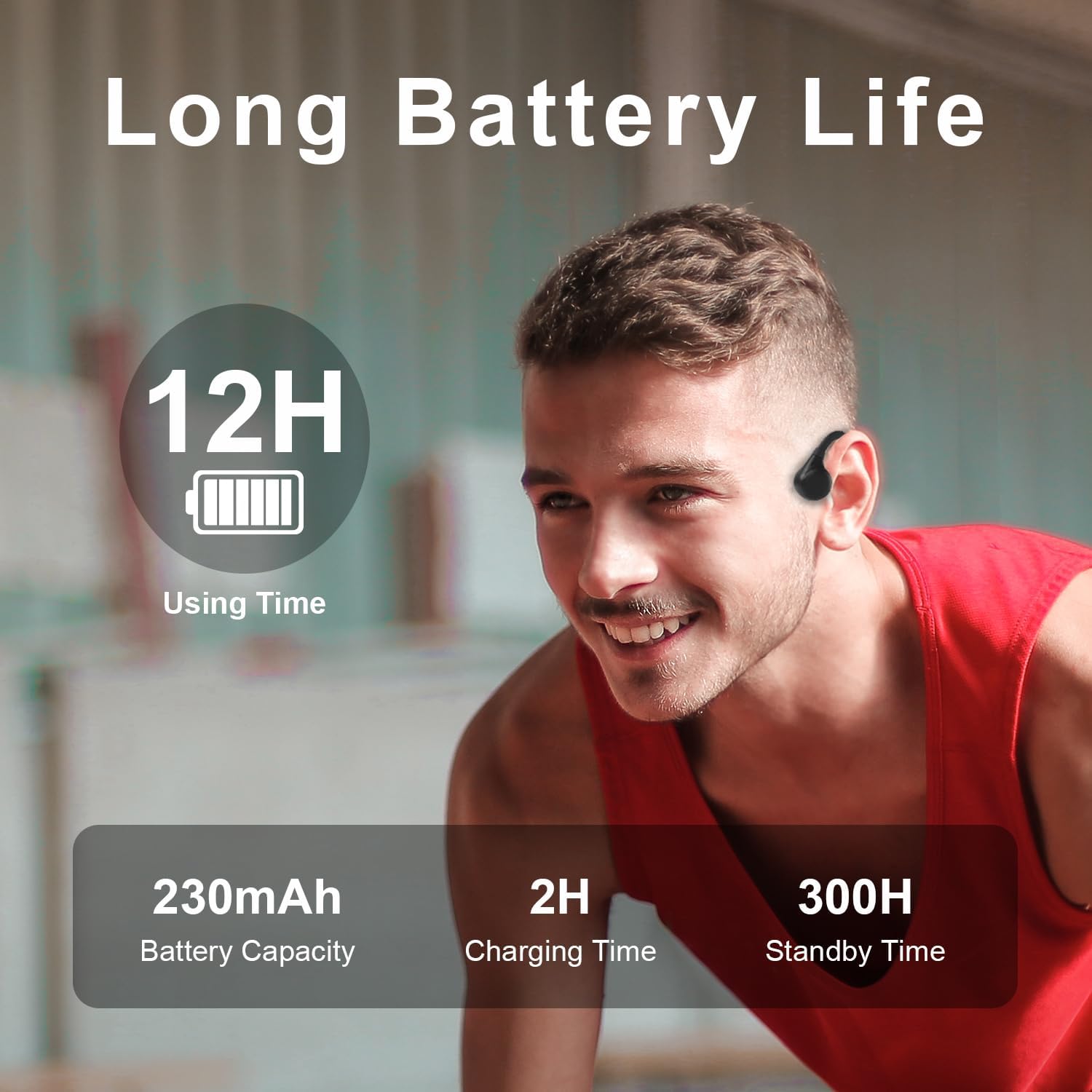
Image: The flymory X7 Bone Conduction Headphones, showcasing their design.
3. Key Features
- Open-ear Comfort: Delivers audio through cheekbones, allowing environmental awareness.
- Bluetooth 5.3: Ensures stable and fast wireless connection up to 33 feet.
- 10-12 Hours Playtime: Provides extended audio playback and call time.
- Type-C Charging: Fully charges in approximately two hours.
- IPX5 Waterproof: Resistant to sweat and light rain, suitable for sports.
- Secure Fit: Ear hook design for stability during physical activity.
- Ergonomic Design: Titanium alloy neckband is flexible and comfortable for various head sizes.

Image: Diagram illustrating bone conduction technology, showing sound transmission through bone.
4. What's in the Box
- flymory X7 Bone Conduction Headphones
- USB Type-C Charging Cable
- User Manual

Image: The retail packaging for the flymory X7 headphones, showing the headphones and included accessories.
5. Setup
5.1 Charging the Headphones
Before first use, fully charge your headphones. Connect the provided USB Type-C charging cable to the charging port on the headphones and to a USB power source. The LED indicator will show charging status.
- Charging Time: Approximately 2 hours.
- Battery Capacity: 230mAh.
- Indicator: Refer to the LED indicator for charging status (e.g., red for charging, blue for fully charged).

Image: Visual representation of battery life (12H using time) and charging specifications (230mAh battery, 2H charging time, 300H standby time).
5.2 Pairing with a Bluetooth Device
- Ensure the headphones are turned off.
- Press and hold the Power button for 3-5 seconds until the LED indicator flashes red and blue alternately, indicating pairing mode.
- On your device (smartphone, tablet, etc.), enable Bluetooth and search for available devices.
- Select "flymory X7" from the list of devices.
- Once connected, the LED indicator will turn solid blue, and you will hear a voice prompt confirming the connection.
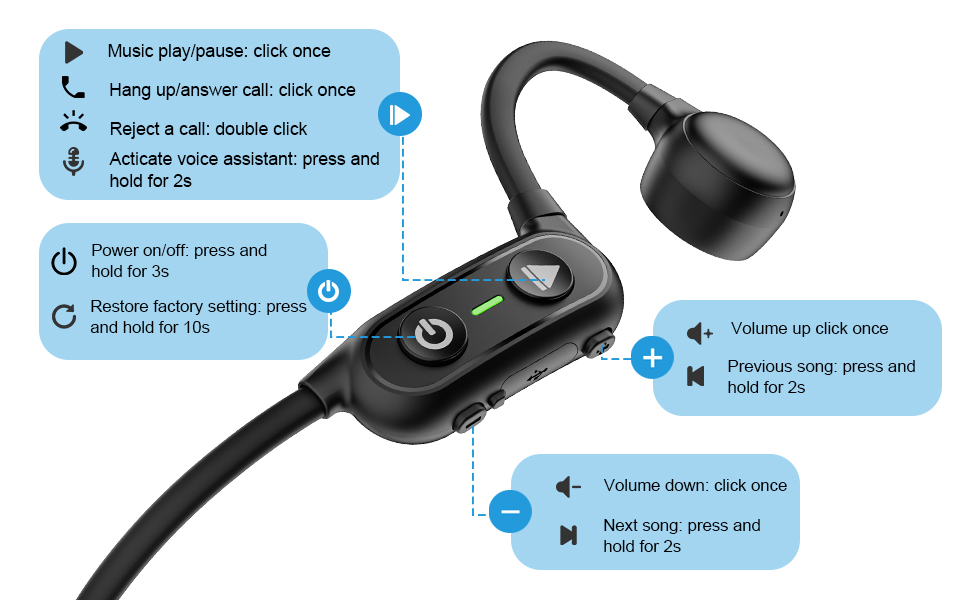
Image: Illustration highlighting Bluetooth 5.3 technology for stable and fast connections.
6. Operating Instructions
6.1 Wearing the Headphones
Place the headphones with the transducers resting on your cheekbones, just in front of your ears. The neckband should rest comfortably behind your head. Adjust for a secure and comfortable fit.
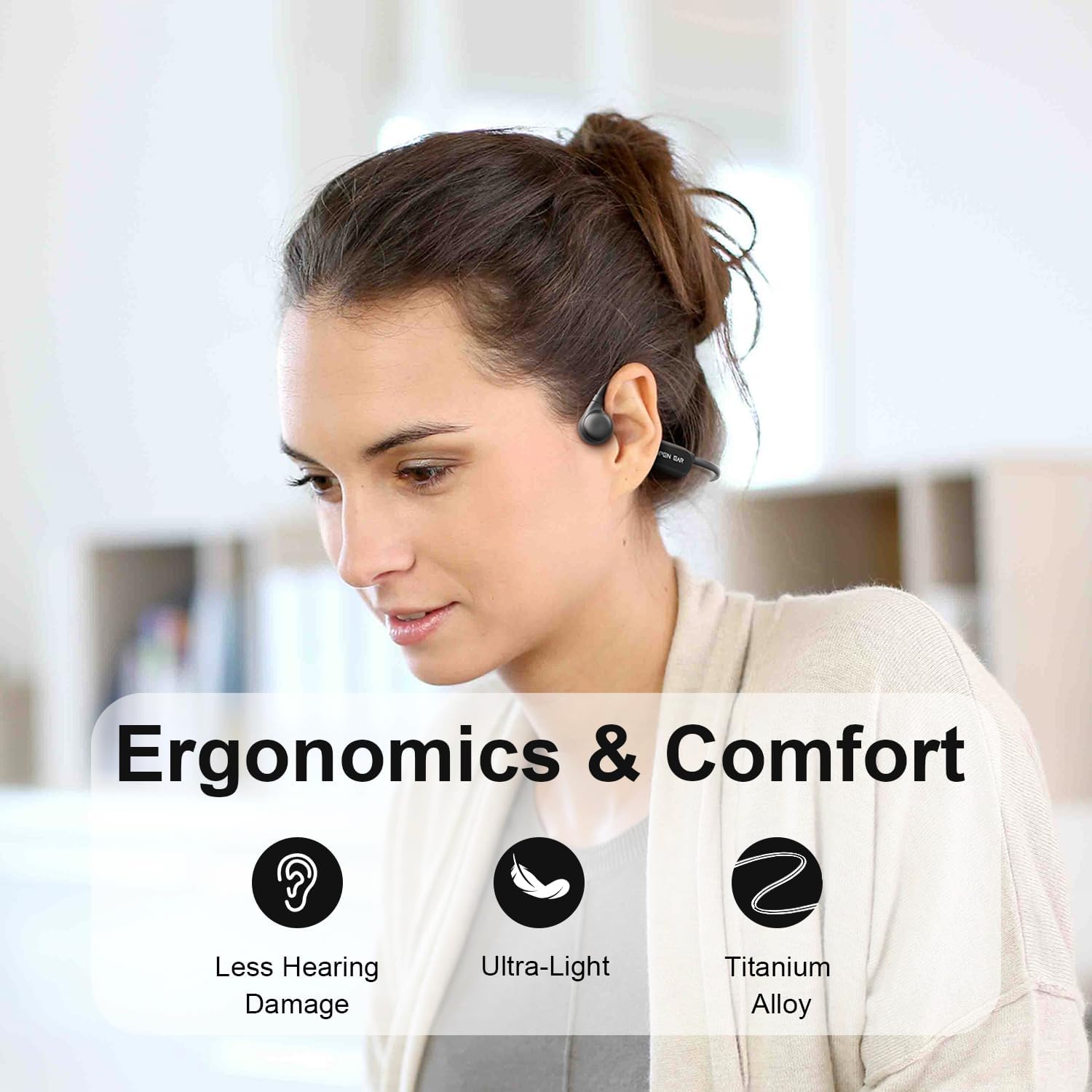
Image: A woman wearing the flymory X7 headphones, demonstrating the open-ear fit.
6.2 Button Functions
| Button/Action | Function |
|---|---|
| Power Button (Press and hold for 3s) | Power On/Off |
| Power Button (Press and hold for 10s) | Restore Factory Settings |
| Multi-function Button (Click once) | Music Play/Pause, Answer/Hang up Call |
| Multi-function Button (Double click) | Reject a Call |
| Multi-function Button (Press and hold for 2s) | Activate Voice Assistant |
| Volume Up (+) (Click once) | Increase Volume |
| Volume Up (+) (Press and hold for 2s) | Previous Song |
| Volume Down (-) (Click once) | Decrease Volume |
| Volume Down (-) (Press and hold for 2s) | Next Song |
Image: Detailed diagram showing the location and function of each button on the flymory X7 headphones.
7. Maintenance
- Cleaning: Wipe the headphones with a soft, damp cloth. Do not use harsh chemicals or abrasive materials.
- Storage: Store in a cool, dry place away from direct sunlight and extreme temperatures.
- Water Resistance: The headphones are IPX5 water-resistant, meaning they can withstand sweat and light rain. Do not submerge them in water or expose them to strong jets of water.
- Charging Port: Keep the charging port clean and dry to prevent corrosion.

Image: The flymory X7 headphones, emphasizing their IPX5 waterproof feature, suitable for active use.
8. Troubleshooting
| Problem | Solution |
|---|---|
| Cannot power on | Ensure the headphones are charged. Connect to a power source and try again. |
| Cannot pair with device |
|
| No sound or low volume |
|
| Intermittent connection |
|
9. Specifications
| Feature | Detail |
|---|---|
| Model Name | X7 |
| Brand | flymory |
| Connectivity Technology | Wireless (Bluetooth) |
| Bluetooth Version | 5.3 |
| Bluetooth Range | 10 Meters (33 feet) |
| Audio Driver Type | Bone Conduction Driver |
| Battery Life | Up to 12 Hours (at 50% volume), 8 Hours (at 80% volume) |
| Charging Time | 2 Hours |
| Water Resistance Level | IPX5 (Water Resistant) |
| Item Weight | 29 Grams (1.02 ounces) |
| Material | Plastic (Titanium Alloy neckband) |
| Dimensions | 4.73 x 3.58 x 1.6 inches |
10. Warranty and Support
For warranty information and customer support, please refer to the official flymory website or contact your retailer. Keep your purchase receipt for warranty claims.
Additional protection plans may be available for purchase:
- 2-Year Protection Plan
- 3-Year Protection Plan
- Complete Protect (monthly subscription)
11. Safety Information
- Do not use at excessively high volumes for prolonged periods to prevent hearing damage.
- Maintain awareness of your surroundings, especially when using headphones in traffic or other potentially hazardous environments.
- Keep out of reach of children.
- Do not attempt to disassemble or modify the headphones.
- Dispose of the product responsibly according to local regulations.
12. Video Demonstrations
flymory Bone Conduction Headphones X7 Overview
Video: An official overview of the flymory Bone Conduction Headphones X7, demonstrating features and usage.
Ask a question about this manual
Ask about setup, troubleshooting, compatibility, parts, safety, or missing instructions. Manuals+ will review the question and use this page’s manual context to help answer it.